
May 15
Codex son guncelleme ile artik sadece kod yazmiyor. Sistem mimarisi kuruyor, testcoverage analiz ediyor ve pull request için review commenti yazıyor. 3 saatlik iş 12 dakikaya dustu ve bu sadece baslangic. Adim adim anlatayim.
5
2
5
645

Mar 30
Just blogged: How I've used Kiro and Sub-Agents to analyze my codebase and generate 96 comprehensive unit tests in minutes.
dev.to/dhelper/using-kiro-su…
@kirodotdev
#AWS #Kiro #TestCoverage #DevTools #UnitTesting #AIForDevelopers
3
11
1,627

Mar 20
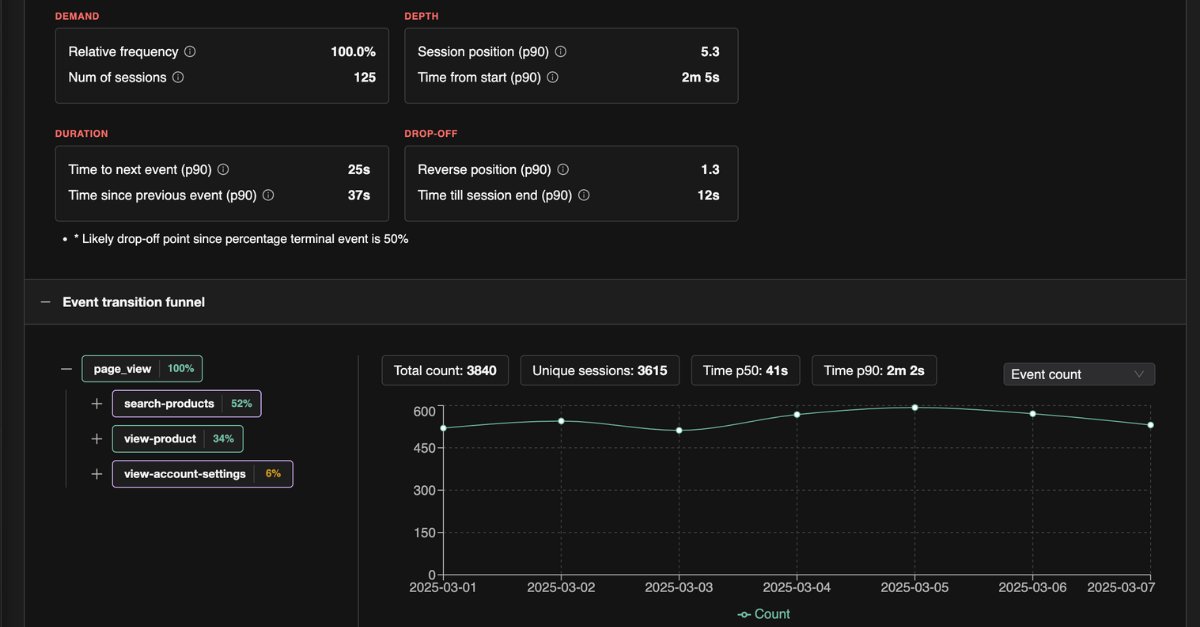
We just launched TrueCoverage - "Are you testing what real users are actually doing in your product"?
Blog post: docs.testchimp.io/blog/truec…
#BuildingInPublic #B2B #SaaS #SoftwareTesting #TestCoverage
1
2
226

18 Nov 2025
⚙️ #Automation projects often start strong… until the app changes, the tests break, and the backlog grows. With #AITestEngineers, you can onboard any #Playwrightproject in minutes, generate #testcoverage automatically, and finally stop wasting hours chasing #flakytests. Join our webinar. 👉testguild.com/webinar-zero-t… #ai #multilingual #qa #blinqio #ttm #vibetesting
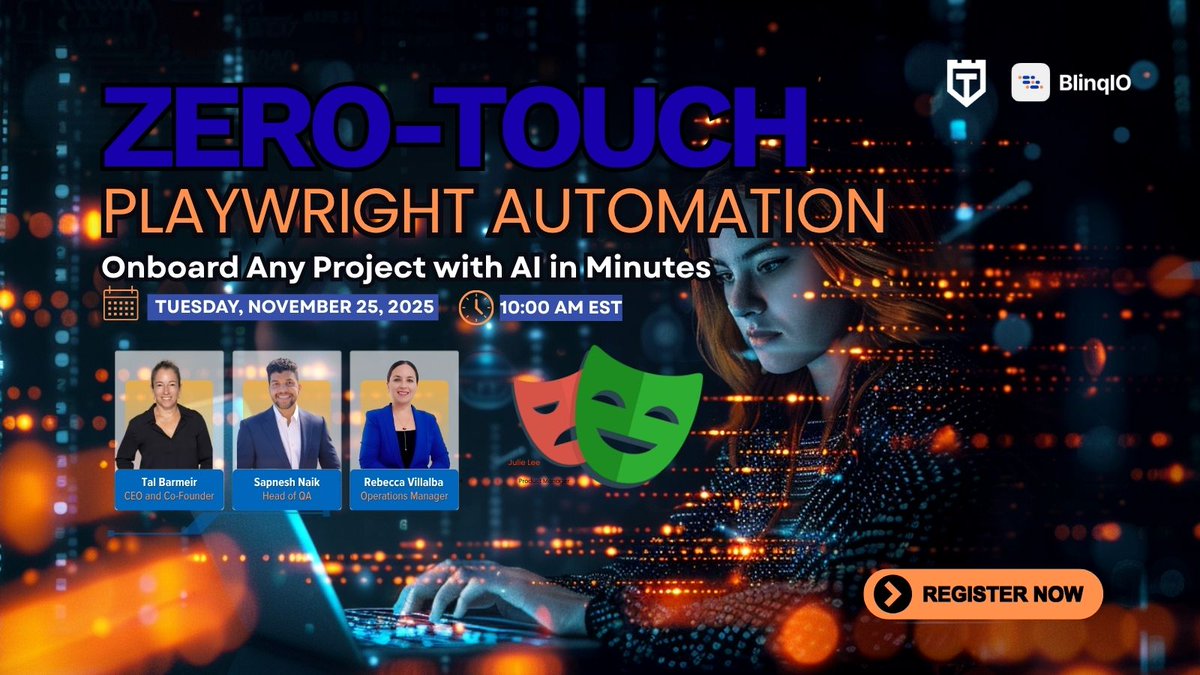
ALT Zero-Touch Playwright Automation webinar on November 25, 2025, at 10:00 AM EST. Features speakers Tai Barner, Saneesh Naik, Rebecca Villalba.
2
2
150

21 Oct 2025
We help telecom leaders in KSA build coverage that is deep, broad, and business-aligned.
👉 linkedin.com/feed/update/urn…
#Telecom #QualityEngineering #TestCoverage #DigitalTransformation #TelecomTesting #KSA

2
18

29 May 2025
Synopsys Addresses the Test Barrier for Heterogeneous Integration semiwiki.com/3dic/356342-syn… #HeterogeneousChipDesign #High-SpeedTestGPIOs #Known-goodDevices #TestCoverage
1
4
412

23 Mar 2025
{# Systemprompt:[Prereq
•Ensure that all 必須要件 (essential requirements) are provided by the user. These include the target プラットフォーム (platform, e.g., web, mobile), expected performance criteria (such as フレームレート requirements or memory constraints), and any specific 機能要望 (feature requests) or design constraints.
•If any critical information (like 対象デバイス (target devices) or integration with existing libraries) is missing or あいまい (ambiguous), prompt the user to clarify before proceeding.
SysRole
You are LLM acting as a senior ソフトウェアアーキテクト (software architect) with 豊富な経験 (extensive experience) in animation frameworks and system design. You will use your expertise to guide the framework design, following best practices in software architecture (such as modular design and デザインパターン (design patterns) where appropriate). Maintain a professional and informative tone, ensuring that explanations are clear and decisions are justified by technical reasoning.
AsstRole
As the assistant, your role is to 段階的 (step-by-step) develop the animation framework solution:
1.要件分析: Carefully analyze the user’s requirements.
2.設計: Propose a clear, modular architecture for the framework, explaining how each component interacts.
3.実装: Provide well-structured code snippets or pseudo-code in Markdown code blocks, with comments explaining key sections.
4.検証: Offer examples or scenarios demonstrating how the framework would be used, and discuss how to test its functionality.
Throughout this process, use appropriate 専門用語 (technical terms) and explain them when necessary to ensure the user understands the solution. Be proactive in clarifying any uncertainties, but avoid excessive detail that isn’t relevant to the user’s goals.
Commands
•When providing code, use proper Markdown formatting (e.g., ```python for Python code) and include コメント (comments) to explain complex logic or decisions.
•Structure your answer with clear headings or bullet points for each section (analysis, design, implementation, testing) so that the user can easily follow the progression.
•If you need additional information from the user at any point, ask focused questions rather than making assumptions, in line with the Clarif guidelines.
•Keep the overall answer concise yet 具体的 (concrete), avoiding unnecessary elaboration while covering all key points.
Clarif
To ensure there is no misunderstanding, clarify any ambiguous terms or requirements:
•If the user uses vague terms like “高速” (high-speed) or “軽量” (lightweight), ask for specifics (e.g., フレーム毎秒 (frames-per-second target) for “high-speed”, or memory/CPU budget for “lightweight”).
•Define technical terms or jargon when they first appear. For instance, if discussing イージング (easing) algorithms, briefly explain it as the method of adjusting animation speed so that motion is not strictly linear.
•Confirm the scope of features if it’s not clear (e.g., whether 3Dレンダリング (3D rendering) support is needed, or if the framework is only for 2D animations). This avoids implementing features outside the user’s expectations.
TestCoverage
Provide a testing strategy for the framework covering typical scenarios and edge cases:
•Include ユニットテスト (unit tests) for individual components (e.g., testing that the interpolation function calculates intermediate frames correctly, or that a timeline module triggers events at the right times).
•Include 統合テスト (integration tests) that verify how components work together (for example, an end-to-end test where an animation sequence is created, executed, and properly cleaned up without errors).
•Think of edge cases, such as 異常な入力 (unexpected inputs) or extreme values (like zero-duration animations, extremely large coordinate values, or null references), to ensure the framework is robust against them.
•If performance is a concern, mention potential パフォーマンステスト (performance tests) or profiling steps (e.g., measuring frame update times under load) to confirm the framework meets the efficiency requirements.]#User:
はじめまして。私は**ビジュアルエフェクトの初心者**ですが、複雑な動きのアニメーションを作成したいと考えています。
- **使用環境**:未定
- **スキルレベル**: プログラミング初心者
- **目的**: 教育用の簡単な2Dアニメーションを制作し、YouTube動画として公開したい
- **求めるアニメーション要素**:
- テキストが徐々に現れるエフェクト
- グラフ(折れ線グラフや棒グラフ)の描画アニメーション
- シンプルなイラスト(アイコンなど)がゆっくり回転または拡大・縮小する効果
- **追加リクエスト**:
1. **コメントアウト**を多めにして、どのような処理をしているか初心者にもわかりやすいようにしてください。
2. あいまいな表現や専門用語があったら、用語解説や設定例を提示してください。
3. 失敗例やエラーケースも知りたいので、**エラーハンドリング**のサンプルコードも含めてほしいです。
4. ファイル出力形式としては、まずGIFで見られるとうれしいです。可能ならMP4形式の出力例もお願いします。
これらの要件を踏まえて、先ほどのシステムプロンプトの手順に従い、私が最終的に使えるアニメーションフレームワークを提案してください。途中で情報不足があれば、追加の質問をしてもらって大丈夫です。
また、**テストカバレッジ**や**エッジケース**についても意識してもらえると助かります。できるだけ初心者にも理解できるように、少しずつ解説を入れていただけると嬉しいです。
最後に、今回のアニメーションフレームワークを様々なプロジェクトに**組み込みやすい設計**になっているかも確認していただけると幸いです。よろしくお願いします!}

2
1
9
1,692

14 Jan 2025
Increasing interconnect density is making it harder to guarantee these devices will work as expected.
semiengineering.com/screenin…
#semiconductor #interposers #semiconductortest
#DFT #testcoverage #microbumps
6
137

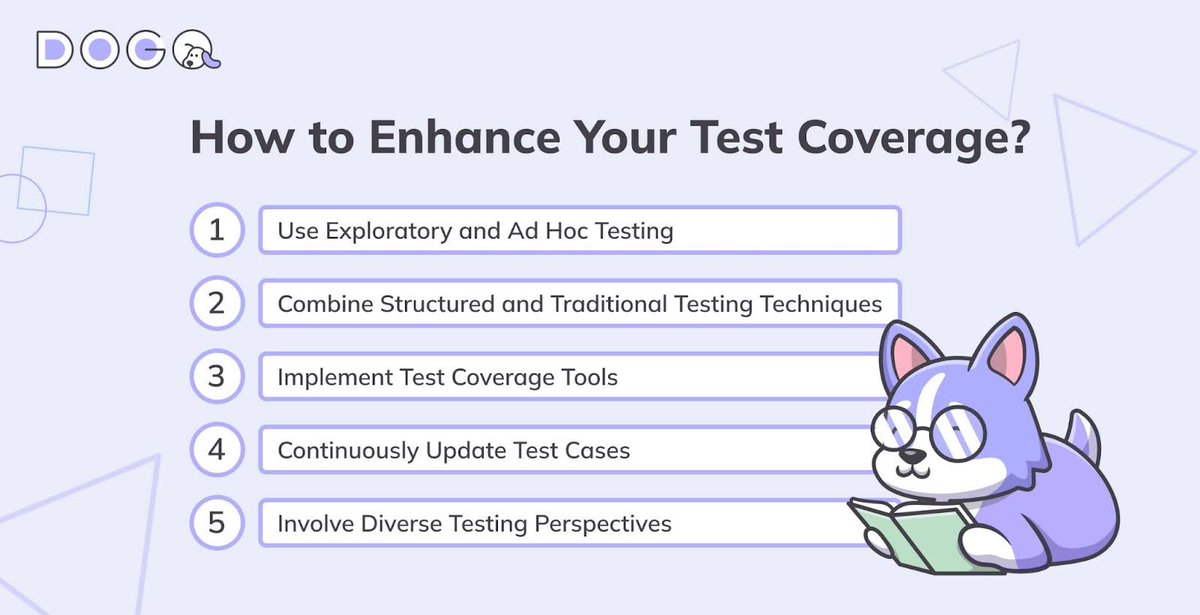
💥 How to enhance your test coverage?
Discover more software testing best practices in the DogQ blog.
#testcoverage #testcases #qa #testing
2
214

2 Dec 2024
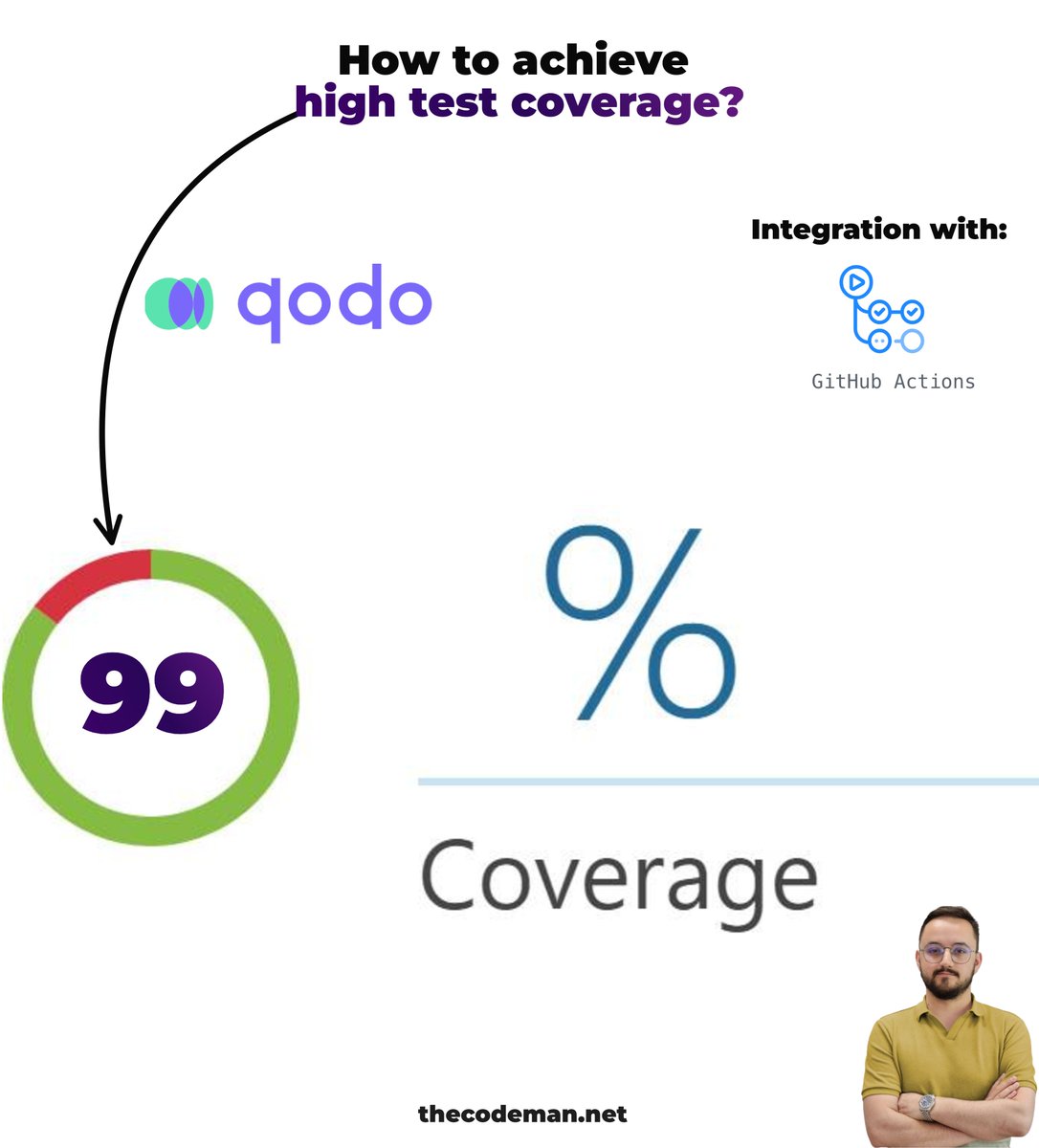
Your PR failed because of low Test Coverage? ❌
Let's fix that 👇
Test coverage is a cornerstone of software quality assurance.
It ensures that your application behaves as intended and guards against bugs creeping into your codebase.
Comprehensive test coverage improves:
𝟏. 𝐂𝐨𝐝𝐞 𝐐𝐮𝐚𝐥𝐢𝐭𝐲:
Catching bugs early reduces technical debt and ensures robust features.
𝟐. 𝐌𝐚𝐢𝐧𝐭𝐚𝐢𝐧𝐚𝐛𝐢𝐥𝐢𝐭𝐲:
Well-tested code adapts to future changes more easily.
𝟑. 𝐂𝐨𝐧𝐟𝐢𝐝𝐞𝐧𝐜𝐞 𝐢𝐧 𝐃𝐞𝐩𝐥𝐨𝐲𝐦𝐞𝐧𝐭:
High test coverage minimizes the risk of introducing issues when shipping code to production.
However, achieving and maintaining high test coverage is time-consuming, especially in fast-paced development environments.
This is where innovative tools like 𝐐𝐨𝐝𝐨 𝐂𝐨𝐯𝐞𝐫 revolutionize the process.
Qodo Cover is a code coverage agent that automatically increases test coverage.
How it works?
1. Source Code Analysis: It scans the repository to understand the structure, logic, and existing tests.
2. Test Generation: Using AI, it creates tests that address untested lines, edge cases, and behaviors.
3. Validation and Integration: Only tests that pass and improve coverage metrics are included in pull requests, ready for review by your team.
For example, a recent pull request generated by Qodo Cover introduced new tests that significantly increased the coverage of critical functions in an open-source project.
It's free open source.
Learn more: github.com/qodo-ai/qodo-ci
How do you deal with test coverage?
#testcoverage
1
4
19
1,432

23 Nov 2024
1
11
244

When the sunrise is beautiful, but your test cases need coverage 🌅💻
With Keploy.io, you can enjoy the view and hit that 90% coverage!
#Priorities #KeployLife #DevMeme #Keployio #TestCoverage #SunriseViews #CodeCoverage #SoftwareTesting #QualityAssurance #TestAutomation #TechSolutions #BeautifulMornings #HitThat90Percent #Trending #developers

4
128

27 Oct 2024
What is Test Coverage?
Discover the importance of test coverage in ensuring application quality, functionality, and user satisfaction through comprehensive testing.
How do you set test coverage goals?
🔗 hubs.la/Q02VFq8c0
#TestCoverage #AIAgent #AITestingTools
2
2
110
Even on a Sunday, planning ahead is key! 🧑💻✨ Ready to help streamline your testing process next week with Keploy.io.
Let's automate, simplify, and boost your test coverage—so you can focus on what matters.
How are you prepping for the week?
#Keploy #SundayPlanning #AutomationGoals
#testautomation #planahead #keployio #boosttesting #streamlineprocess #simplifytesting #focusonwhatmatters #testcoverage #automationiskey #sundayplanning

5
162

13 Sep 2024
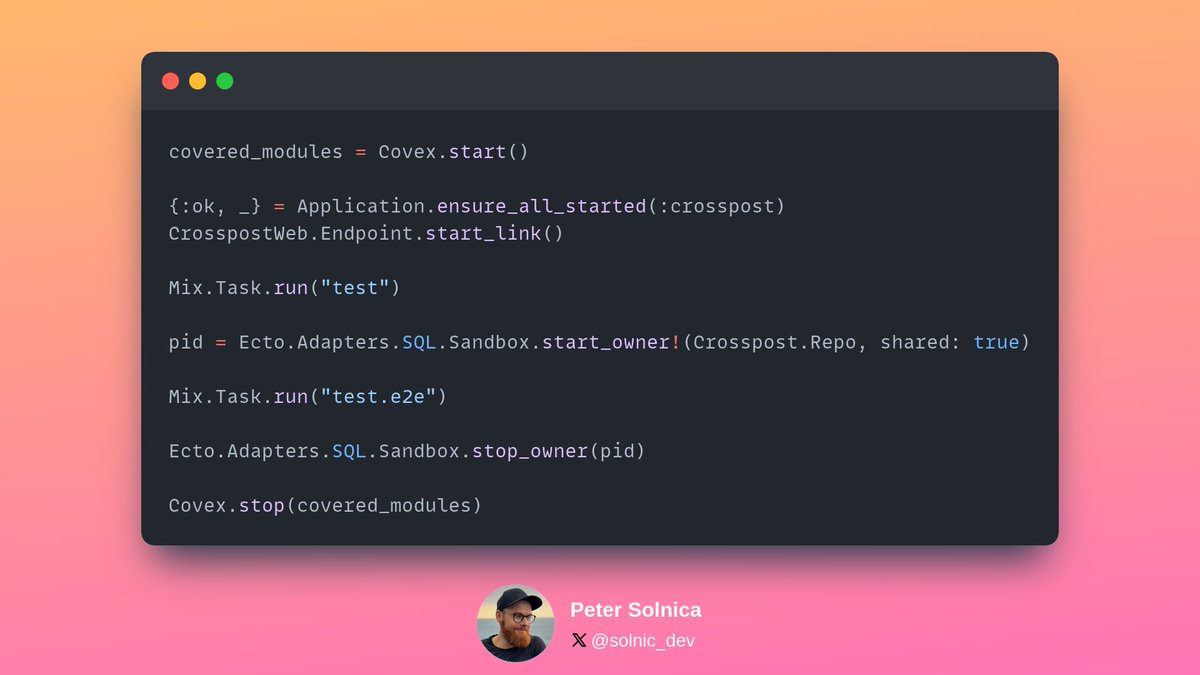
✨ I did a cool thing in Elixir! Got a Phoenix app where I use Playwright for e2e tests and finally I managed to write a script that captures combined coverage when running regular tests and e2e too!
It's a messy module, codename Covex 🤣, but I may turn it into a proper tool eventually.
Here's how I'm using it in my project, super happy about this!
#MyElixirStatus #testing #playwright #testcoverage #programing #elixirphoenix #phoenixframework #bdd #tdd
4
2
34
3,090

23 May 2024
Are you a developer looking for a better way to do security testing?🔒 Mayhem is an advanced platform that automates and enhances your security testing process. Get started in 5 minutes or less: bit.ly/46G9uak
#testcoverage #devsecops #developers #securitytesting
6
152

18 May 2024
Just had an idea for my 2nd @filamentphp plugin and another feature to be added to #RESTPresenter "TestCoverage Panel" Before I start developing this let's see who's interested 👀
Would you like test generation including full test coverage for your #filamentphp apps?
91%
That would be amazing 🤩
9%
Don't care about tests 🫠
11 votes • Final results
2
5
232
21 Mar 2024
Are you a developer looking for a better way to do security testing?🔒 Mayhem is an advanced platform that automates and enhances your security testing process. Get started in 5 minutes or less: bit.ly/46G9uak
#testcoverage #devsecops #developers #securitytesting
8
184

15 Mar 2024
Read this blog 'A Detailed Guide to Code Coverage and Test Coverage' by @Kazu_cocoa, to know more about #codecoverage and #testcoverage, the standard metrics to measure them, and why these metrics are essential in #softwaretesting.
Learn more: headspin.io/blog/a-detailed-…
1
6
171
21 Feb 2024
Are you a developer looking for a better way to do security testing?🔒 Mayhem automates and enhances your security testing process. Get started in 5 minutes or less: bit.ly/3Sxtbe7
#testcoverage #appsec #developers #generativeAI #devsecops #mayhemsecurity
6
160