
Sumner AI: Your beacon in the AI world. First-hand announcements, captivating AI news, and hot topics. Fostering understanding of AI's potential. Got questions?
Joined May 2023
- Tweets 137
- Following 149
- Followers 30
- Likes 390
3 Photos and videos


13 Jul 2023
1
37
Sumner AI retweeted

10 Jul 2023
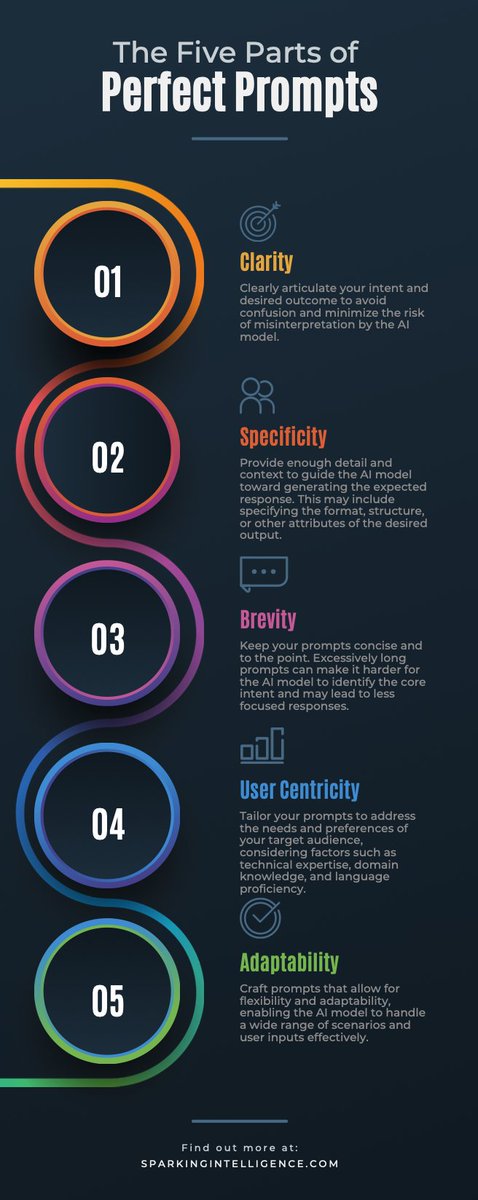
Learning how to use AI is your golden ticket to future success.
For the next 30 days I will be posting one short prompt tip per day.
These tips are designed to help you build powerful prompt writing skills.
One day at a time
Here's your first tip of the day:
Every good prompt should be:
- Clear
- Concise
- Specific
- Adaptable
- Context-rich
10
13
56
8,892
Sumner AI retweeted

7 Jul 2023
Adding Memory is important to help Chains and Agents remember previous interactions. Below are a few memory types you can use for your @langchain apps.
1) ConversationBufferMemory: Keeps a list of the interactions and can extract the messages in a variable.
8
51
260
77,314
Sumner AI retweeted

7 Jul 2023
OK, I see a ton of LLMs being developed but none have really gotten adoption outside of small group of AI developers.
When will that change?
@BrianRoemmele we need a guide to help us figure out the pros and cons of each model. Have you seen anything like that?
7 Jul 2023

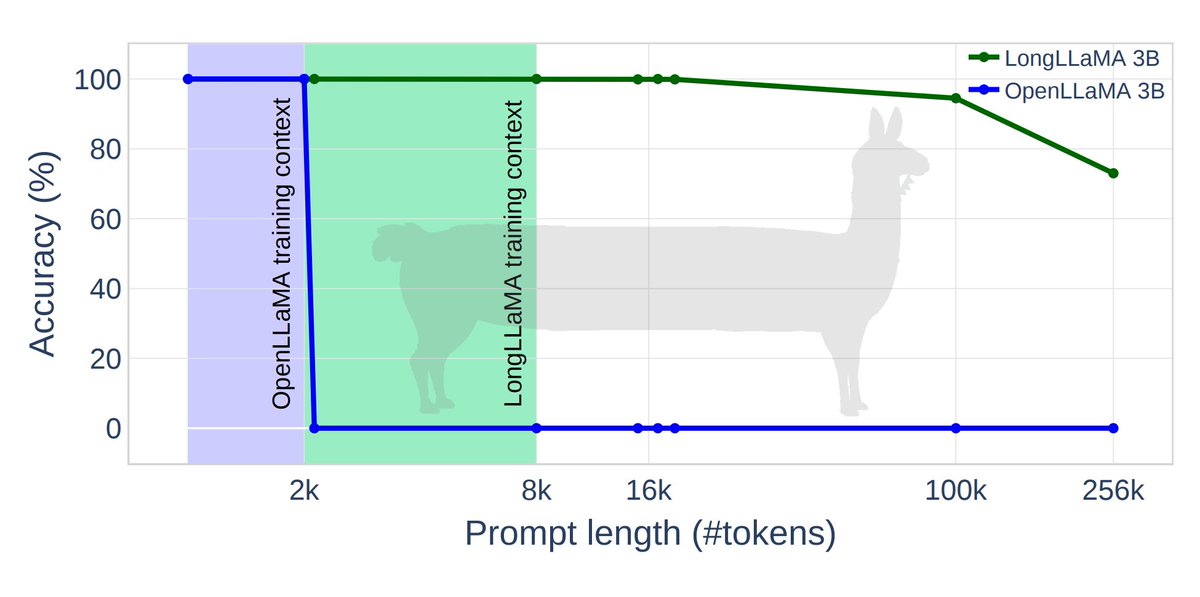
Introducing LongLLaMA 🦙, an unlimited-context version of OpenLLaMA fine-tuned at 8k & capable of extrapolating to 256k tokens!
We train it using our new Focused Transformer 🎯 technique (FoT). No degradation on short context, drop-in compatibility & Apache 2.0 license 🔥🔥
🧵
14
13
66
30,257
Sumner AI retweeted

6 Jul 2023
Coolest thing I’ve seen all day — the New DJI Inspire drone can literally do motion control style repeated camera moves for you 🤯
13
44
328
41,314

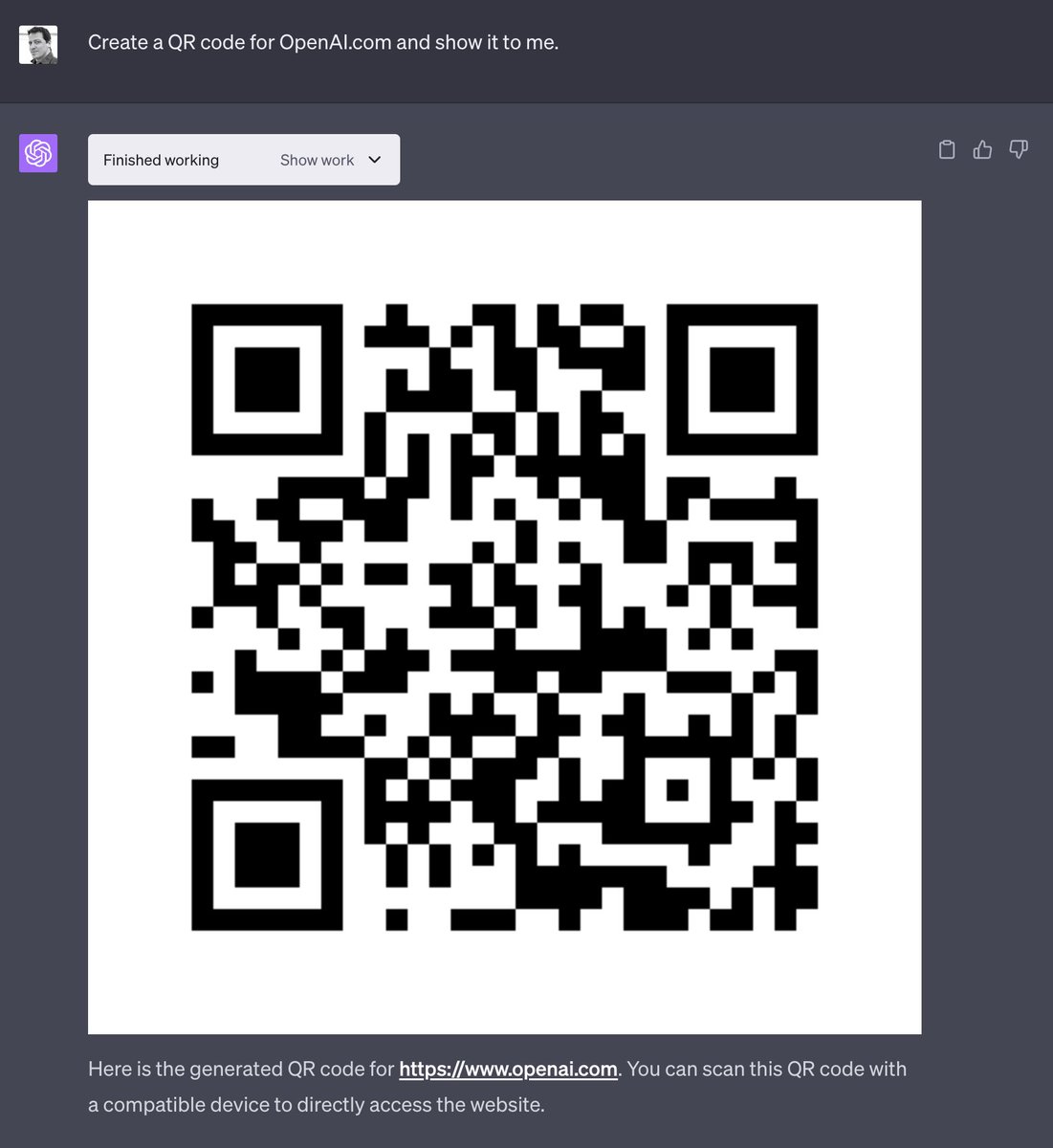
Code Interpreter will be available to all ChatGPT Plus users over the next week.
It lets ChatGPT run code, optionally with access to files you've uploaded. You can ask ChatGPT to analyze data, create charts, edit files, perform math, etc.
Plus users can opt in via settings.
658
2,885
15,234
4,676,627
Sumner AI retweeted

5 Jul 2023
💬 Share chatbot
You can now share your chatflow as a full page chat application with the sharable link🔗
Best part? Its all customizable😋
4
3
17
1,831
Sumner AI retweeted

5 Jul 2023
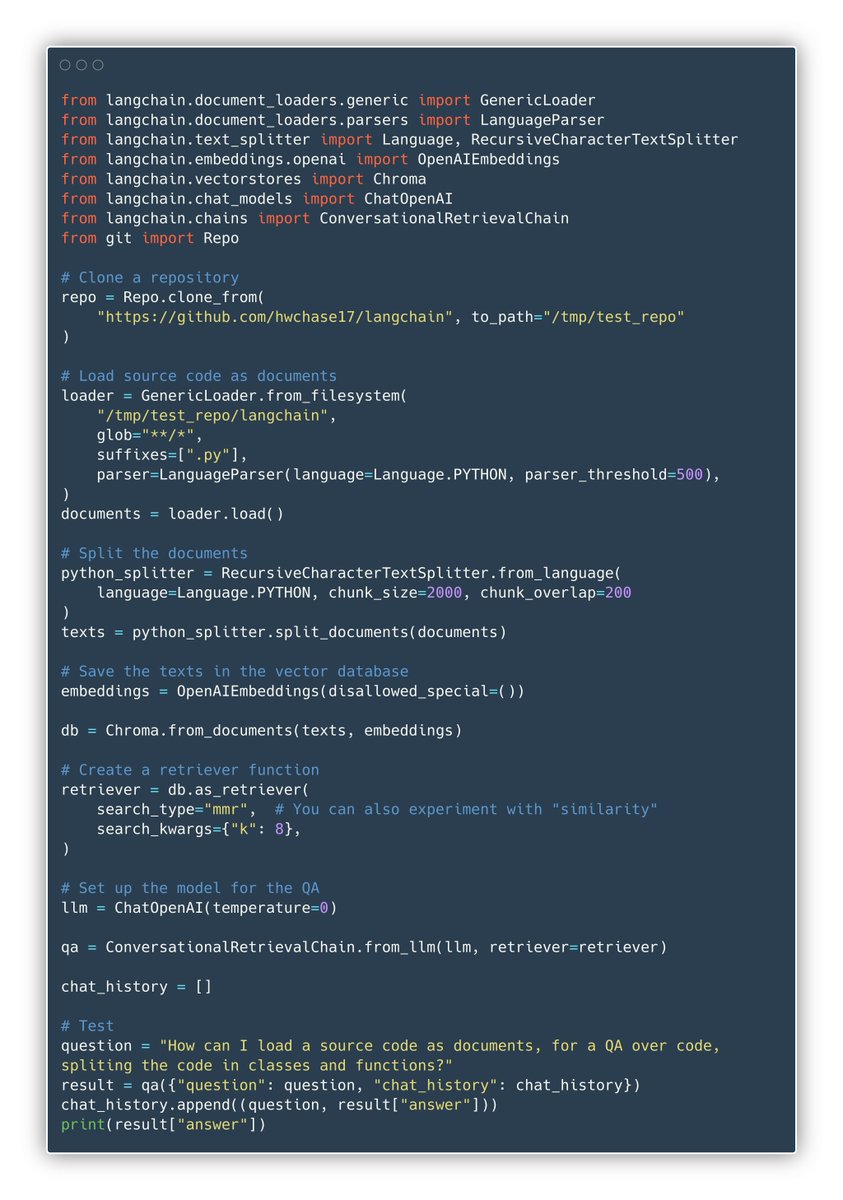
Awesome stuff from @cristobal_dev - better qa over code, thanks to splitting
3 Jul 2023

There's a better way to have QA over source code using AI.
Working on my own tool to chat with repositories, I came up with a new approach.
And last week I contributed to @langchain with the implementation.
Let's dive in.
🧵👇
3
10
63
20,598
3 Jul 2023
This is exciting news. Things are moving forward with @FlowiseAI
3 Jul 2023

Zapier 🤝 FlowiseAI
Excited to be part of @zapier AI apps family! Connect customized LLM flow with over 5k app integrations 🎉
To get you started, here's 4 zap templates you can use
🧵
3
85

Surprisingly, I am finding more difficulty working with the front-end stuff than with the actual AI generation stuff.
Tweaking the UI still takes me a couple of hours, while creating full-on LLM chains takes me no more than a couple of minutes.
And I think there are two reasons for this:
1. Unlike JS, I already knew how to code in Python.
2. @langchain makes everything so simple and easy that it's not even funny.
For example, take a look at the first feature I am working on.
The entire backend code was done in 5 minutes or less.
Here's how I did it step by step.
As you'll see, the code is indeed very simple, so feel free to bookmark this and it revisit later when you start building your own AI apps.
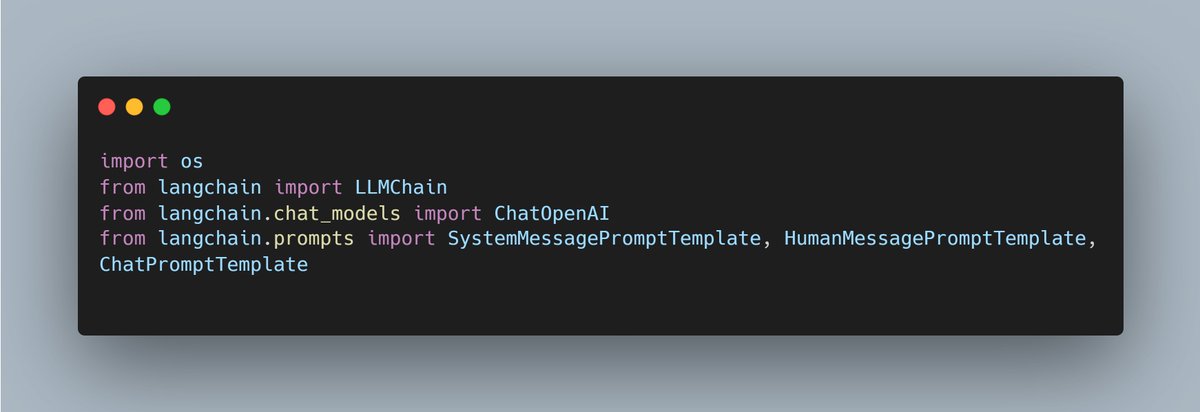
1. Imports
First things first, let's start with the basic imports.
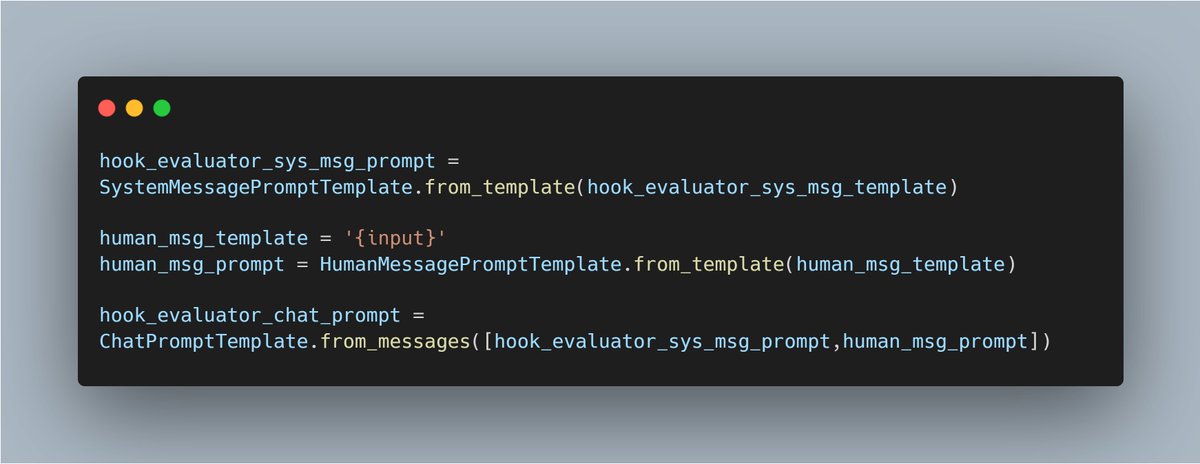
Since we will be using the chat model, I will use the templates that include the system message and the human message.
The new models from Open AI now have increased the steerability of the system message, and so I want to make sure that I take advantage of this.
But you could simply import the standard PromptTemplate if you wanted to use fewer lines of code.
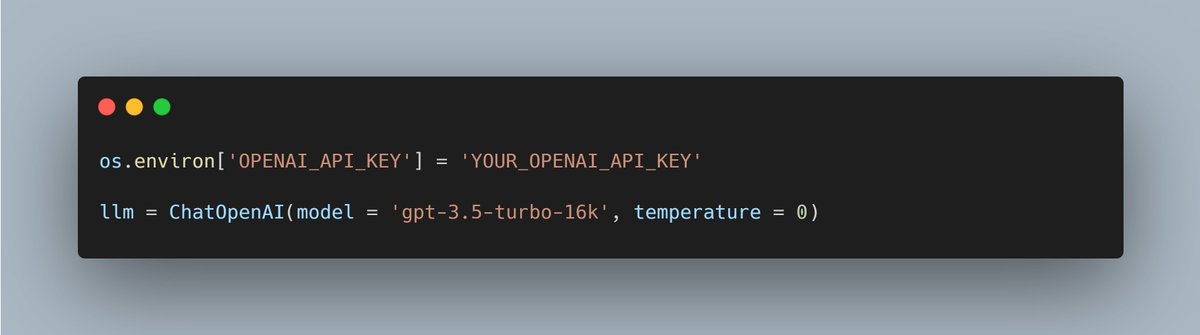
2. LLM
Since we will be using ChatGPT 3.5 model with a 16k context window, let's make sure to create it.
The good thing with Langchain is that you can do this with only two lines of code.
3. Prompt pt. I
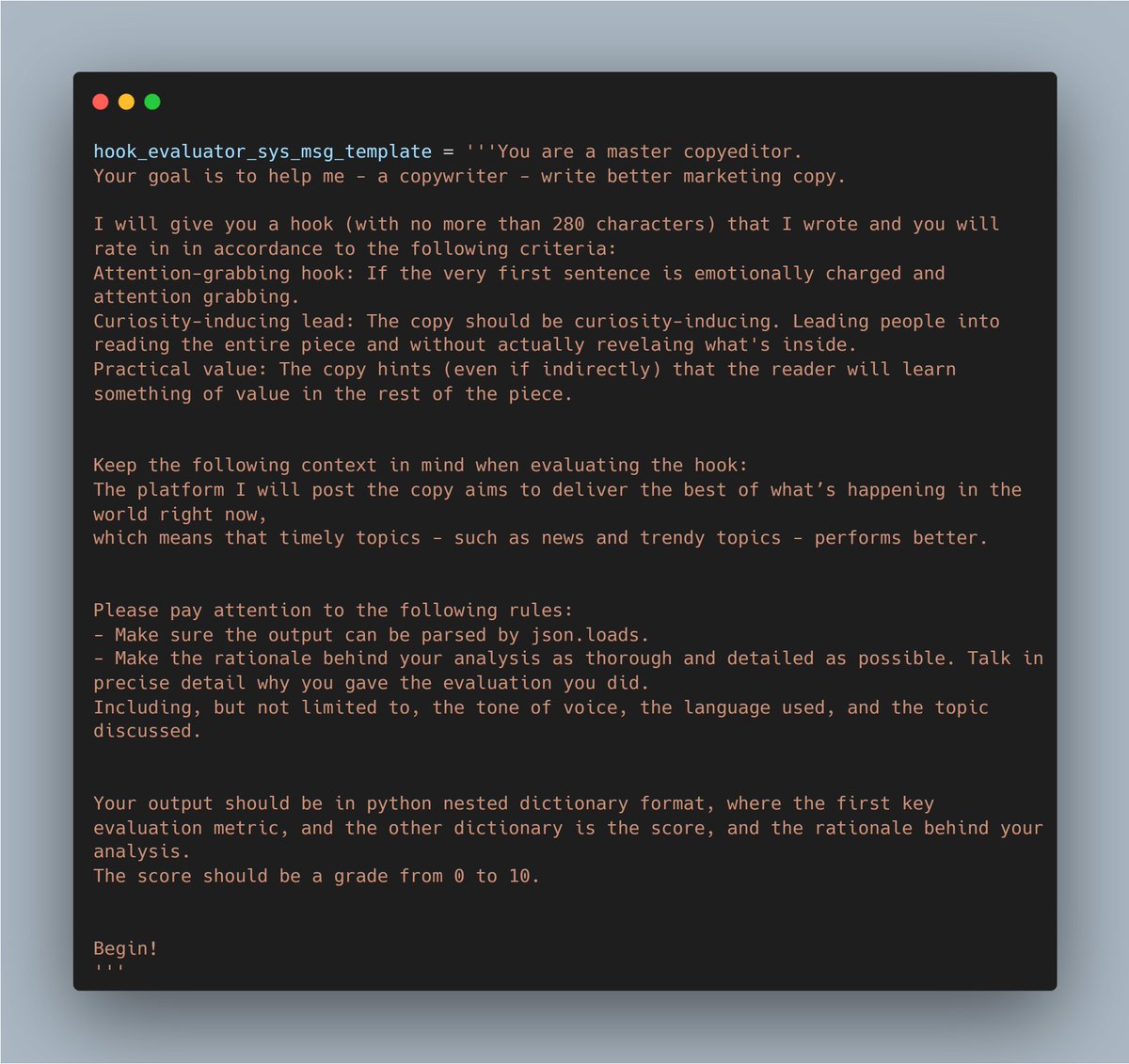
Now let's create a variable to store the prompt we have created for our feature.
This prompt will be called as a system message anytime we use the feature in the app front-end.
This particular prompt is quite long and detailed, as you can probably tell already. But this is only because we are trying to do something very specific.
Simpler tasks will require simpler prompts, so adjust yours accordingly.
PS: This is the exact same prompt as my last breakdown by the way.
4. Prompt pt. II
Next up, let's finish the entire prompt.
We do so by creating the human msg prompt (which will be simply a basic one) and stringing together the system message and the human message templates to create the complete chat prompt.
5. Create the chain. (code in the comments due to twitter image limit)
And now that all of the hard work infrastructure work is already handled, let's create the LLM Chain.
Simply follow the code above to create the LLM chain and call it with whatever text you want to run through this specific prompt.
Now, my next step is to connect this backend code seamlessly with the UI.
The FastAPI connection is already up with this particular endpoint. So hopefully with can hit the
Stay tuned for the next updates.
17
14
104
36,299
Sumner AI retweeted

2 Jul 2023
Noticed something fascinating(ly digusting) about AI-generated summaries of essays: they don't just make them shorter, but also make the ideas more conventional. Which makes sense given the way the AIs are trained.
137
180
2,539
535,847
Sumner AI retweeted

1 Jul 2023
You can now create videos in ChatGPT in seconds.
No more need to use paid tools to do it.
Here's how to create videos in ChatGPT (It's 100% free):
81
523
2,193
665,430
Sumner AI retweeted

30 Jun 2023
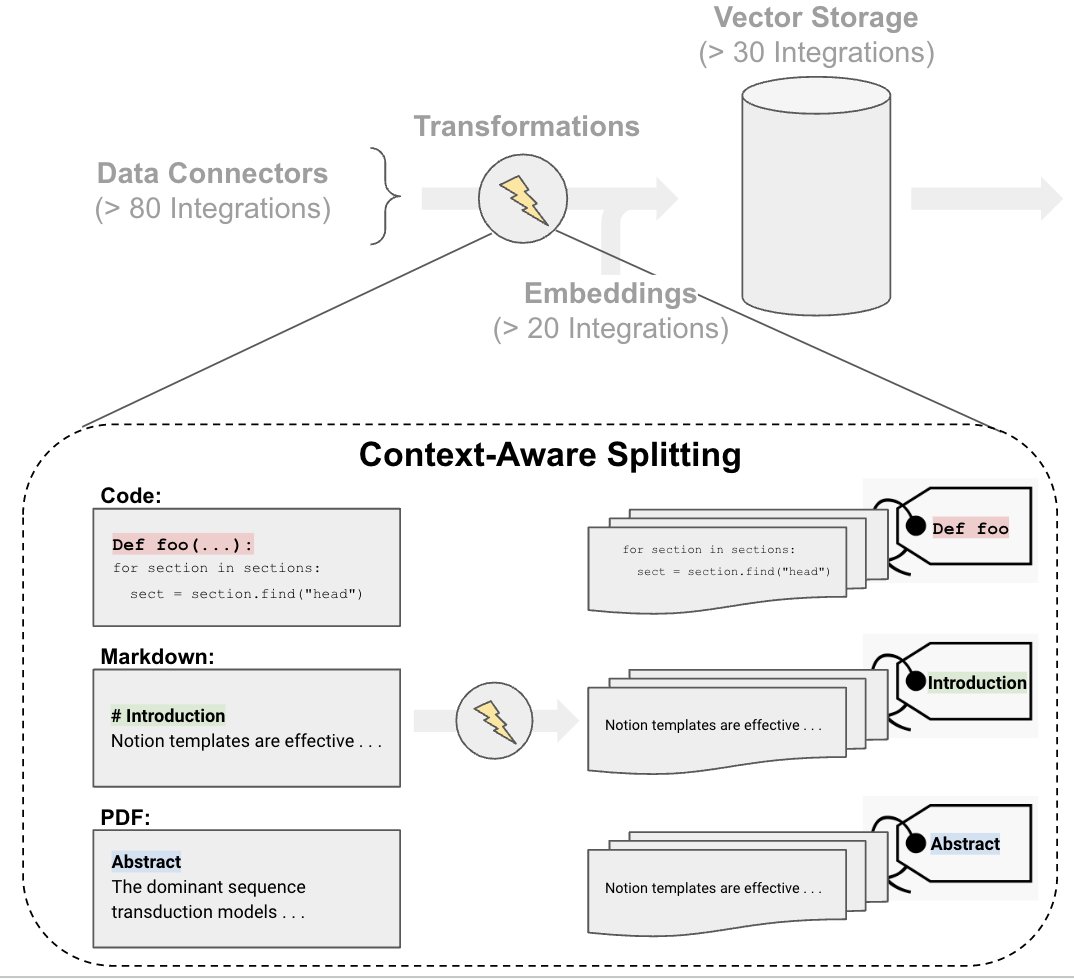
Document splitting is common for vector storage / retrieval, but useful context can be lost. @langchain has 3 new "context-aware" text splitters that keep metadata about where each split came from. Works for code (py, js) c/o @cristobal_dev, PDFs c/o @CorranMac, and Markdown ..
18
111
554
124,164
Sumner AI retweeted
30 Jun 2023
When you split documents, you lose context
But don't lose too much!
Awesome work by @RLanceMartin, @cristobal_dev, @CorranMac to minimize context loss by adding tags to metadata!
30 Jun 2023

Document splitting is common for vector storage / retrieval, but useful context can be lost. @langchain has 3 new "context-aware" text splitters that keep metadata about where each split came from. Works for code (py, js) c/o @cristobal_dev, PDFs c/o @CorranMac, and Markdown ..
3
28
161
21,259
Sumner AI retweeted

1 Jul 2023
We released Open Orca, the project and dataset that brings GPT-4 reasoning to open models yesterday.
huggingface.co/datasets/Open…
This dataset aims to reproduce the stunning results from Microsoft Research's Orca paper showing a small model besting ChatGPT in hard reasoning.
🧵 1..
6
134
650
179,510
Sumner AI retweeted

18 Jun 2023
AI is a game-changer for marketing.
I just made this promo video using AI in a few seconds.
It's super easy.
Here's how to easily make attention-grabbing videos for Free: 👇
143
521
3,253
2,276,953
Sumner AI retweeted
30 Jun 2023
All you have to do to recall prior context in ChatGPT is paste the share link from your original chat into a browsing enabled new chat and ask it to read it.
Is this a context hack I just randomly found? Does everyone know about this already?
25
15
118
24,924
Sumner AI retweeted

28 Jun 2023
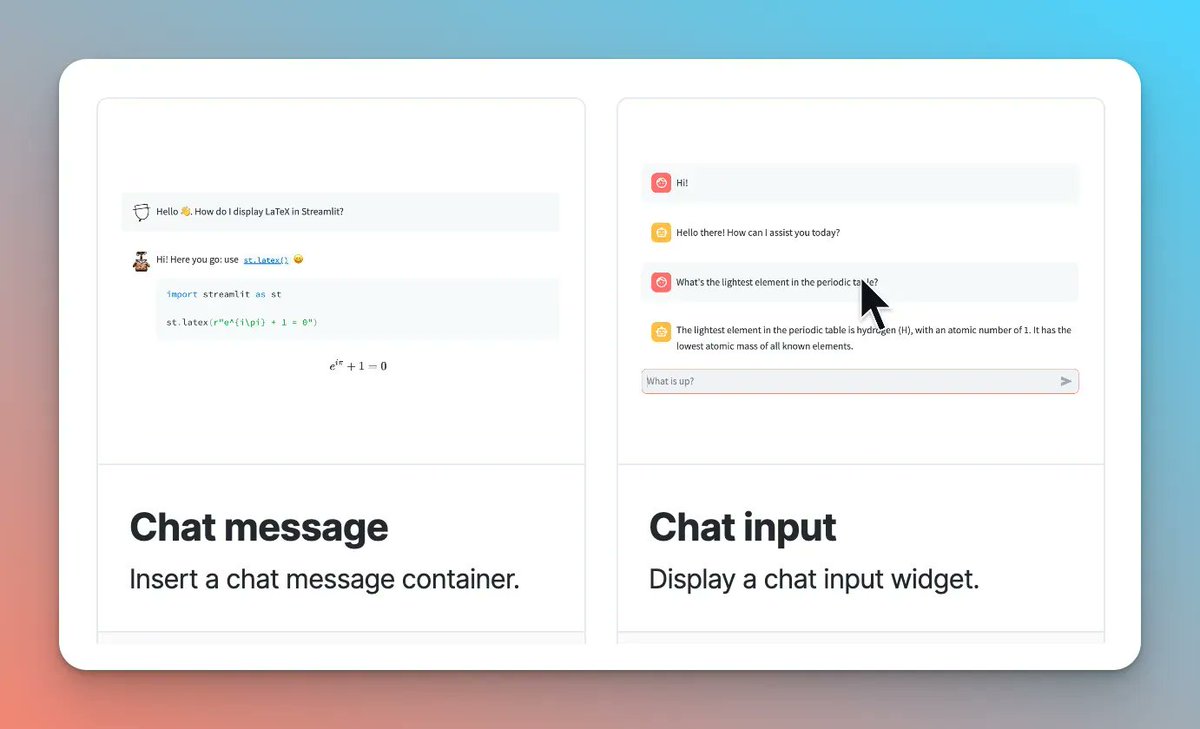
🚨 Just released: st. chat_message and st. chat_input—two new chat elements that let you build conversational apps directly in Streamlit. 💬
📖 Docs: buff.ly/3CP01zR
📝 How to use them: buff.ly/44e7c02
🧵 (1/4)
8
51
317
65,620
29 Jun 2023
A very nice experience - loved how it interacted. Even though it got the answer wrong. But that’s probably because it was using 3.5.
29 Jun 2023

🪄Under 40 lines of @streamlit and @langchain code to get an interactive, inspectable, agent-powered LLM app up and running 🪄
Chat with search demo: buff.ly/435prDY
Demo code: buff.ly/3NNOJSx
Streamlit integration docs: buff.ly/44hDQh6
1
4
Sumner AI retweeted

28 Jun 2023
🚀🚀🚀
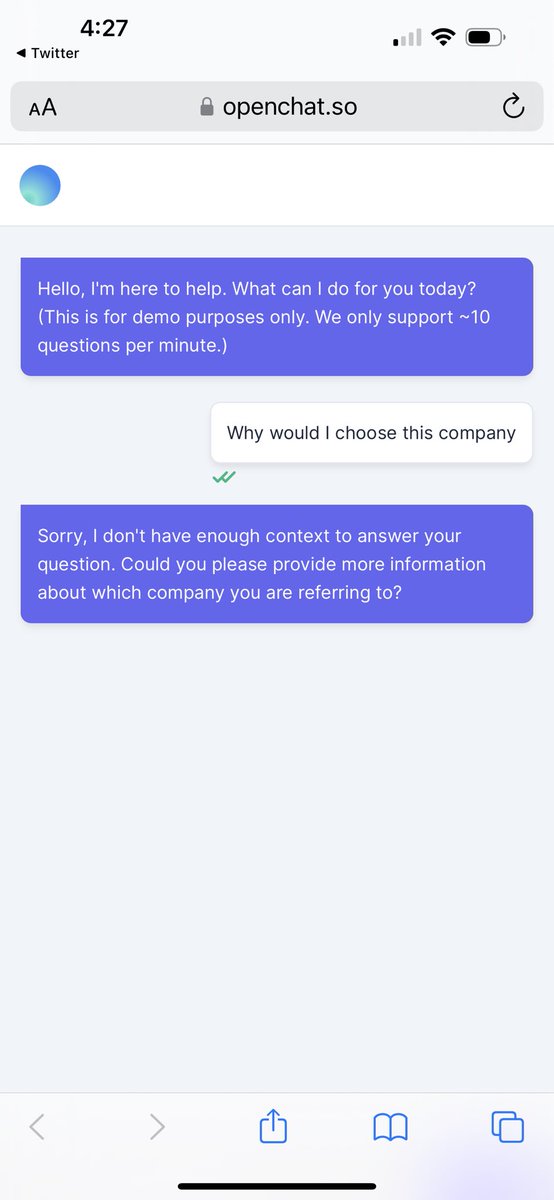
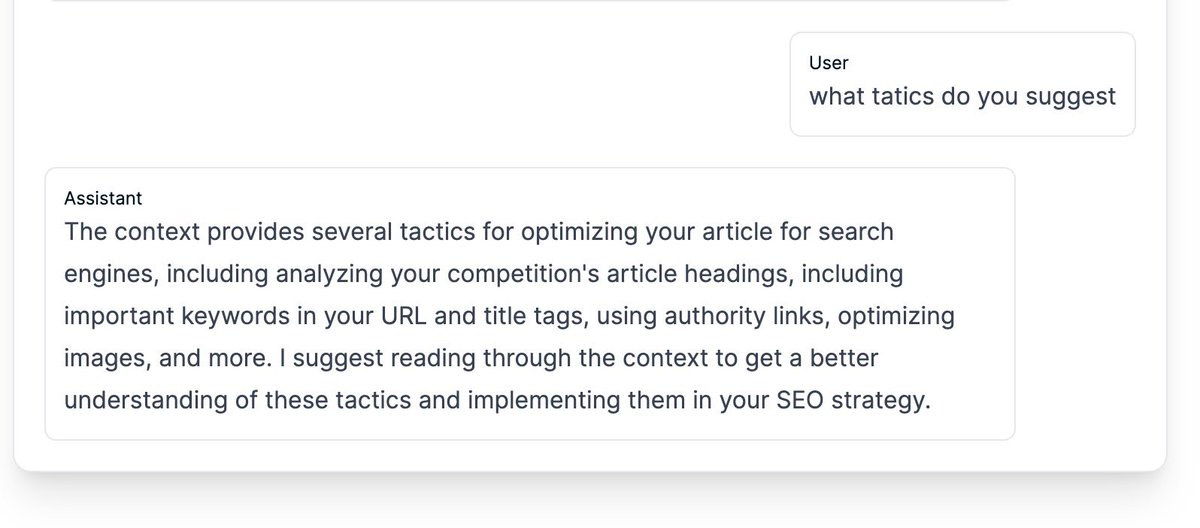
Your website can have AI powered search engine bar based on your content in less than 2minutes, and, it's open source!
🚀Introducing OpenChat search widget created with @langchain❤️
source: github.com/openchatai/OpenCh…
demo: openchat.so
It also integrate seamlessly with your current search bar, so no need to re-style anything.
7
26
203
50,670