
Nuri.com Bitcoin & Non-Custodial Banking
Joined January 2009
- Tweets 20,880
- Following 7,495
- Followers 2,827
- Likes 42,464
816 Photos and videos
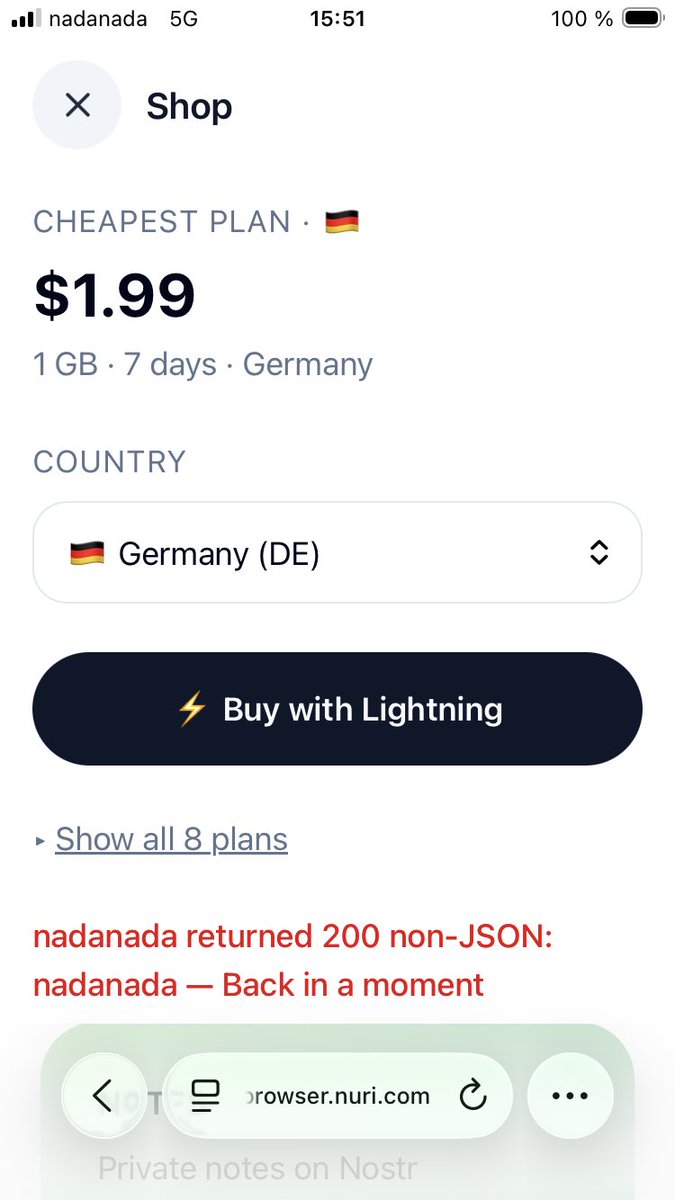


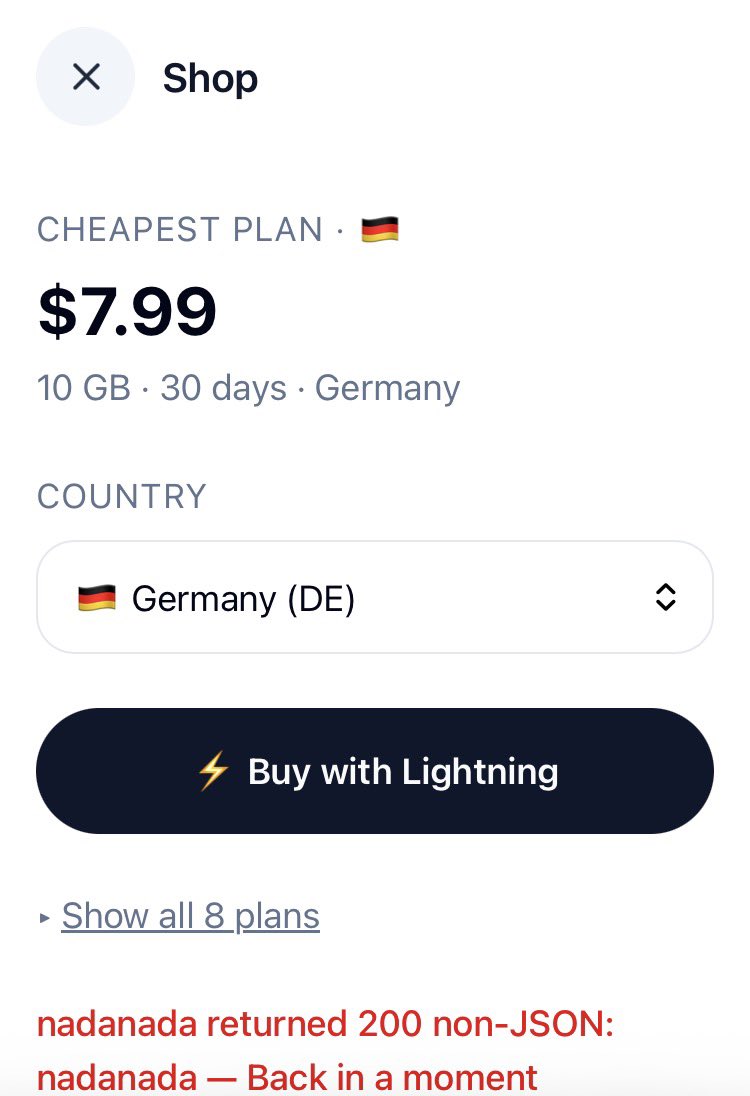


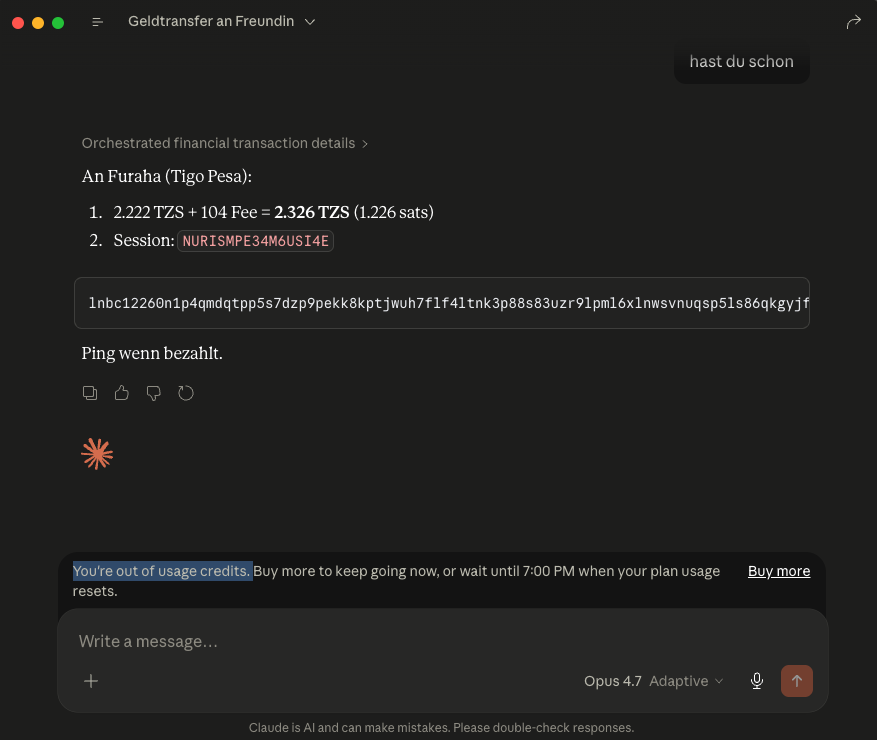
unfortunately i think this is true, and @Bybit_Official did the same?
Jun 13

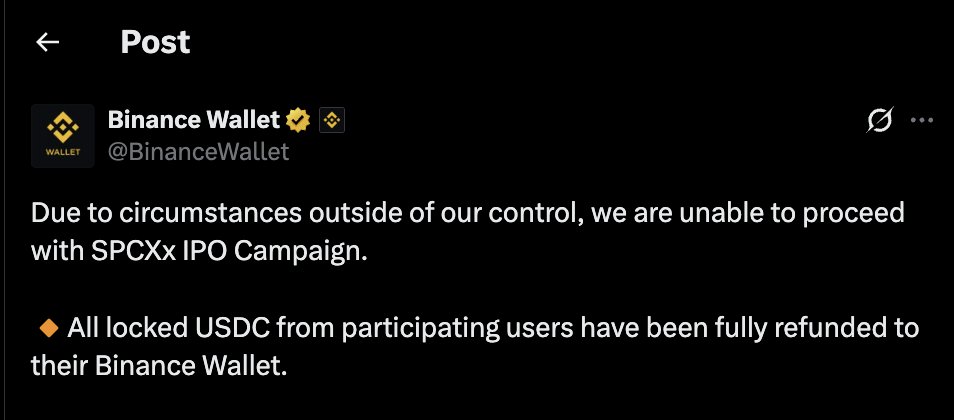
How to create 100 Million dollars (@binance edition)
Step 1:
Tell the community that they will buy SPCX IPO for you if they deposit money
Step 2:
Raise about $557M from the community
Step 3:
Invest all that money in the $SPCX IPO
Step 4:
This is very important: if the IPO does well, then keep all the profits and refund the community { xyz reasons }
If the IPO doesn't do well and opens at breakeven, then give them shares instead of a refund
SPCX IPO opened at 20% higher prices, so @binance kept all the profit and then refunded the money to the community
EZZ $100M PROFITSSSSS
1
2
68
ʇɹɥɐW uıɯƎ ⚡Nuri.com retweeted

Local AI goldmine 👇

🖥️ Best Local LLMs for Consumer GPUs — llama.cpp Guide (June 2026)
What I actually run on consumer hardware right now. Every model below runs via llama.cpp with a simple one-liner — no Docker, no Python env, no cloud.
━━━ 8-16GB VRAM ━━━
🔹 Gemma 4-12B (Google)
• Smartest model in this size class — competes with stuff 2× bigger
• Unsloth's MTP GGUFs: 162 tok/s vs 52 tok/s normal (3× speedup)
• Minimum 8GB VRAM recommended for Q4_K_M quant
• GGUF → huggingface.co/unsloth/gemma…
🔹 LFM2.5-8B-A1B (LiquidAI)
• Hybrid MoE, only 1B active params — absurdly fast for its size
• Perfect for 8-12GB cards, MacBooks, or anyone on a tight budget
• GGUF → huggingface.co/LiquidAI/LFM2…
━━━ 16-32GB VRAM ━━━
🔹 Qwen3.6-27B (Qwen)
• Scored 1.00 on tool-efficiency benchmarks — best local agent available
• 40 deterministic tasks, 32k/128k context needle tests — all passed
• GGUF → huggingface.co/unsloth/Qwen3…
• MTP version (faster) → huggingface.co/unsloth/Qwen3…
🔹 Qwopus3.6-27B-v2 (Jackrong)
• Best quantization of Qwen3.6-27B — topped 5 agent & coding benchmarks (1200 samples)
• If you're running Q4, this is the one to grab
• GGUF → huggingface.co/Jackrong/Qwop…
• MTP version → huggingface.co/Jackrong/Qwop…
🔹 Gemma 4-31B QAT (Google/Unsloth)
• QAT variant with MTP draft head: 76-125 tok/s (1.67× speedup)
• Excellent for multi-agent / subagent workflows
• GGUF → huggingface.co/unsloth/gemma…
🔹 Nex-N2-Mini (Nex AGI)
• Post-train of Qwen3.5-35B-A3B — MoE with only 3B active params
• Fits on 16GB VRAM, overflow loads from system RAM
• Adaptive thinking saves ~20% tokens with no quality loss
• For deep multi-step reasoning, nothing in this size comes close
• GGUF → huggingface.co/sjakek/Nex-N2…
━━━ Quick Picks ━━━
• 16GB all-rounder → Gemma 4-12B with MTP GGUFs
• 32GB all-rounder → Qwen3.6-27B / Qwopus-v2
• Agents & tool use → Qwen3.6-27B or Qwopus Q4
• Deep reasoning → Nex-N2-Mini (MoE, fits 16GB )
• Tight budget → LFM2.5-8B-A1B
• Cheapest full build: 1× used RTX 3090 (24GB) rest of PC ≈ $1000-1500
━━━ Setup on Windows ━━━
1. Download llama.cpp → github.com/ggml-org/llama.cp… (latest .zip)
2. Extract to any folder (e.g. C:\llama.cpp)
3. Download a .gguf from the links above (Q4_K_M or Q5_K_M for best quality/speed balance)
4. Run one of the commands below depending on your hardware
━━━ Launch Commands ━━━
SINGLE GPU — Standard model (no MTP):
llama-server.exe ^
-m C:\models\Qwen3.6-27B-Q5_K_M.gguf ^
--ctx-size 180000 ^
--flash-attn on ^
--cache-type-k q4_0 ^
--cache-type-v q4_0 ^
--batch-size 1024 --ubatch-size 512 ^
-ngl 100 ^
-np 1 ^
--port 8080 ^
--jinja
SINGLE GPU — MTP model (faster inference):
llama-server.exe ^
-m C:\models\Qwen3.6-27B-MTP-Q5_K_M.gguf ^
--ctx-size 180000 ^
--flash-attn on ^
--cache-type-k q4_0 ^
--cache-type-v q4_0 ^
--batch-size 1024 --ubatch-size 512 ^
--spec-type draft-mtp ^
--spec-draft-n-max 3 ^
-ngl 100 ^
-np 1 ^
--port 8080 ^
--jinja
DUAL GPU — Split across two cards:
llama-server.exe ^
-m C:\models\Qwen3.6-27B-Q5_K_M.gguf ^
--ctx-size 180000 ^
--flash-attn on ^
--cache-type-k q4_0 ^
--cache-type-v q4_0 ^
--batch-size 1024 --ubatch-size 512 ^
-ngl 100 ^
--tensor-split 0.55,0.45 ^
--main-gpu 0 ^
-np 1 ^
--port 8080 ^
--jinja
DUAL GPU MTP Vision (multimodal):
llama-server.exe ^
-m C:\models\Qwen3.6-27B-MTP-Q5_K_M.gguf ^
--ctx-size 180000 ^
--flash-attn on ^
--cache-type-k q4_0 ^
--cache-type-v q4_0 ^
--batch-size 1024 --ubatch-size 512 ^
--spec-type draft-mtp ^
--spec-draft-n-max 3 ^
-ngl 100 ^
--tensor-split 0.60,0.40 ^
--main-gpu 0 ^
-np 1 ^
--port 8080 ^
--jinja ^
--mmproj C:\models\mmproj-F16.gguf
━━━ Parameter Breakdown ━━━
-m <path>
Path to your .gguf model file. Change this to wherever you downloaded it.
--ctx-size 180000
Context window in tokens. 180k = huge context for long conversations or big codebases.
Reduce to 32768 or 65536 if you don't need long context — uses less VRAM.
--flash-attn on
Flash Attention — dramatically speeds up inference and reduces VRAM usage.
Works on RTX 30xx/40xx/50xx. Always enable this.
--cache-type-k q4_0 / --cache-type-v q4_0
Quantizes the KV cache (key/value attention cache) to 4-bit.
This is what makes 180k context fit in VRAM. Without it, huge contexts eat all your memory.
Quality impact is minimal — this is a free performance win.
--batch-size 1024 / --ubatch-size 512
batch-size = how many tokens are processed in one forward pass (throughput).
ubatch-size = micro-batch actually sent to the GPU per step.
Higher = faster prompt processing but needs more VRAM.
If you run out of VRAM, lower these (e.g. 512/256).
-ngl 100
Number of layers to offload to GPU. 100 = all layers on GPU (full offload).
This is what you want if the model fits in your VRAM.
If it doesn't fit, reduce this (e.g. -ngl 40) — remaining layers run on CPU/RAM.
--tensor-split 0.55,0.45
How to split model layers across multiple GPUs. Values are ratios.
0.55,0.45 = GPU 0 gets 55% of layers, GPU 1 gets 45%.
Adjust based on your VRAM — give more to the card with more memory.
Example: 0.70,0.30 for a 24GB 12GB setup.
Not needed for single GPU setups.
--main-gpu 0
Which GPU handles the batch computation (the "orchestrator").
Set to 0 (your primary GPU). The other GPU(s) handle their assigned layers.
Minor performance impact — usually just leave it at 0.
-np 1
Number of parallel slots (concurrent requests). 1 = one user at a time.
Increase to 2-4 if you want multiple clients connected simultaneously.
Each extra slot uses additional VRAM for its own KV cache.
--port 8080
Which port the server listens on. Change if port 8080 is busy.
--jinja
Enables Jinja2 template processing — required for proper chat formatting.
Most modern models expect this. Always include it.
--spec-type draft-mtp
Enables Multi-Token Prediction (MTP) speculative decoding.
Only works with MTP GGUF models (downloaded separately).
The model predicts multiple tokens at once and verifies them — big speed boost.
--spec-draft-n-max 3
How many tokens the MTP draft head proposes per step.
3 is a good default. Higher = potentially faster but more VRAM and may reduce quality.
--mmproj <path>
Path to the multimodal projector file (for vision models).
Enables image understanding — paste screenshots into the web chat.
Only needed if you want vision capabilities. Omit for text-only use.
━━━ Your Hardware → Your Command ━━━
Single GPU (8-24GB VRAM):
Use the "Single GPU" command. Change -m to your model path.
8GB card → Gemma 4-12B Q4 or LFM2.5-8B
12GB card → Gemma 4-12B Q5/Q6
16GB card → Gemma 4-31B QAT Q4 or Nex-N2-Mini
24GB card → Qwen3.6-27B Q4/Q5, Qwopus-v2, Gemma 4-31B QAT Q5/Q6
Dual GPU:
Use the "Dual GPU" command. Adjust --tensor-split based on your VRAM ratio.
24GB 24GB → --tensor-split 0.50,0.50
24GB 12GB → --tensor-split 0.70,0.30
24GB 8GB → --tensor-split 0.75,0.25
Want speed? Use MTP versions of models with the "MTP" commands.
Want vision? Add --mmproj with the projector file from the model's HuggingFace repo.
5. Once running, you get:
• Web chat UI → http://localhost:8080
• OpenAI-compatible API → http://localhost:8080/v1
• Playground → http://localhost:8080/playground
━━━ Why /v1 API Is the Killer Feature ━━━
One local endpoint replaces your entire cloud API bill. The /v1 endpoint is drop-in OpenAI-spec compatible — every tool that speaks OpenAI just works. No custom code, no glue layer.
Works out of the box with:
• IDEs: Cursor, Continue, Windsurf, Cline, Roo Code
• CLI tools: aider, Open Interpreter, OpenCode
• Frameworks: LangChain, LlamaIndex, LiteLLM
• Any OpenAI SDK (Python, Node, Go, Rust)
Why this beats cloud APIs:
• 100% private — code never leaves your machine
• $0 per token — no rate limits, no quotas, no surprise bills
• Works fully offline
• Zero telemetry, no training on your data
• Swap models by dropping in a different .gguf — no app changes needed
• Run 32k–128k context windows without burning money
Good combos:
• Cursor Qwopus-v2 → near-frontier quality, zero API cost
• Continue Qwen3.6-27B → best local coding agent
• aider Gemma 4-12B MTP → 162 tok/s, feels instant
• OpenCode Nex-N2-Mini → deep reasoning on 16GB
Set any OpenAI-compatible client to your local endpoint:
set OPENAI_API_KEY=sk-dummy (any non-empty string works)
set OPENAI_BASE_URL=http://localhost:8080/v1
# every OpenAI-compatible tool now hits your local GPU
Shoutouts: @0xSero @rS_alonewolf @witcheer @UnslothAI @LottoLabs
1
2
29
4,921
ʇɹɥɐW uıɯƎ ⚡Nuri.com retweeted

Jun 13
Imagine if Bitcoin apps started adding ETH and claiming it's better for payments.
Except this is worse because you are *guaranteed* to lose your purchasing power.
That's what stablecoins are.
Jun 13

The U.S. Dollar has lost 30% of its purchasing power over the last six years, per NYT
2
3
46
3,282
ʇɹɥɐW uıɯƎ ⚡Nuri.com retweeted

And we are back online. Happy swapping!
Post mortem in the following days (the team is really tired) 🙏

Boltz API and related services are currently facing an unexpected downtime ⚠️
We are looking into the issue and will be sharing more information soon 🙏
7
11
67
5,322
ʇɹɥɐW uıɯƎ ⚡Nuri.com retweeted
Boltz API and related services are currently facing an unexpected downtime ⚠️
We are looking into the issue and will be sharing more information soon 🙏
2
15
53
10,096

Jun 13
From @FoundersPodcast Red Bull's Billionaire Maniac Founder
- Being "forbidden" by German regulators acted as massive, free marketing for Red Bull:
The Black Market: People started smuggling the drink from Austria into Germany long before it was legally approved [36:04].
The "Illegal" Appeal: The ban made it feel edgy and highly desirable in the nightclub scene [36:09].
Wild Rumors: Gossip spread that the secret ingredient was bull testicle extract or amphetamines [36:19].
Embracing the Hype: Founder Dietrich Mateschitz refused to squash the rumors, viewing them as free propaganda because "the most dangerous thing for a branded product is low interest" [36:36].
The Payoff: Thanks to this pent-up demand, Red Bull sold **33 million cans** in just its first 3 months of legal sales in Germany [36:43].
2
83
ʇɹɥɐW uıɯƎ ⚡Nuri.com retweeted

Jun 13
The government needs to make sure illegal immigrants aren't using Claude to take American jobs. I hope you understand 😂😂😂😂
7
22
902
36,156
Jun 12
- sneeze at the sun = ACHOO syndrome (real name)
- optic nerve leaks the signal into your sneeze nerve
- brain reads "too bright" as "something's up your nose"
- dominant gene, only ~1/3 of people have it
- Aristotle wondered why in 350 BC, died not knowing
- 2025 scientists still can't trigger it in a lab
- the sun does it to your face instantly
- it's a flex
93
ʇɹɥɐW uıɯƎ ⚡Nuri.com retweeted

Jun 12
Ich glaube da wurde etwas missverstanden. Ich habe aus seinem Mund, denke ich noch nicht gehört. Das Bitcoin Digital Cash ist.
Bitcoin ist ein digital cash System nicht mehr nicht weniger. Und wie hoch sollte der Preis von Bitcoin selbst sein?
Ganz einfach und zwar immer nur so hoch, dass ich jeder Mensch auf dieser Erde eine Transaktion auch tatsächlich noch leisten kann.
Jeder Preis der über diesen geht macht keine Sinn und er das System kaputt als adaptiv.
Dann sollten wir bsv als einen reinen Fee Market nicht mehr nicht weniger.
Hey @grok, rechne mal aus: Bei 300 Millionen Transaktionen pro Sekunde welche Infrastruktur braucht man denn? Diese kostet ja auch Geld und derjenige, der sich entscheidet für uns die Transaktionen abzuwickeln muss ja auch irgendwie sein Geld verdienen.
Ich rede von Geld verdienen und nicht von ich ziehe irgendjemand über den Tisch.
Und wenn wir das alles kalkuliert haben, kommen wir vielleicht auf einen fairen Bitcoin Preis, der eigentlich nur dafür gedacht ist, unsere Gebühren für die Transaktion zu begleichen. Und diese sollten stets im 1 Tausendstel eines Cent liegen.
So macht das System für mich Sinn. Auch sollte es eine automatische gebührenstruktur geben. Geht der Preis von bitcoin nach oben gehen die Gebühren nach unten, so dass beide Seiten ihre Nutzen daraus ziehen können.
Ich weiß, dass es Wunsch denken entspricht. Vielleicht nicht die Realität, aber es ist gerade eine Idee
2
1
3
302
ʇɹɥɐW uıɯƎ ⚡Nuri.com retweeted
Jun 12
Und wenn wir Bitcoin als ein Geschenk für die Menschheit sehen wollen, dann ist es nicht ein System das die Menschen ausbeuten tut.
1
1
1
196


Jun 12
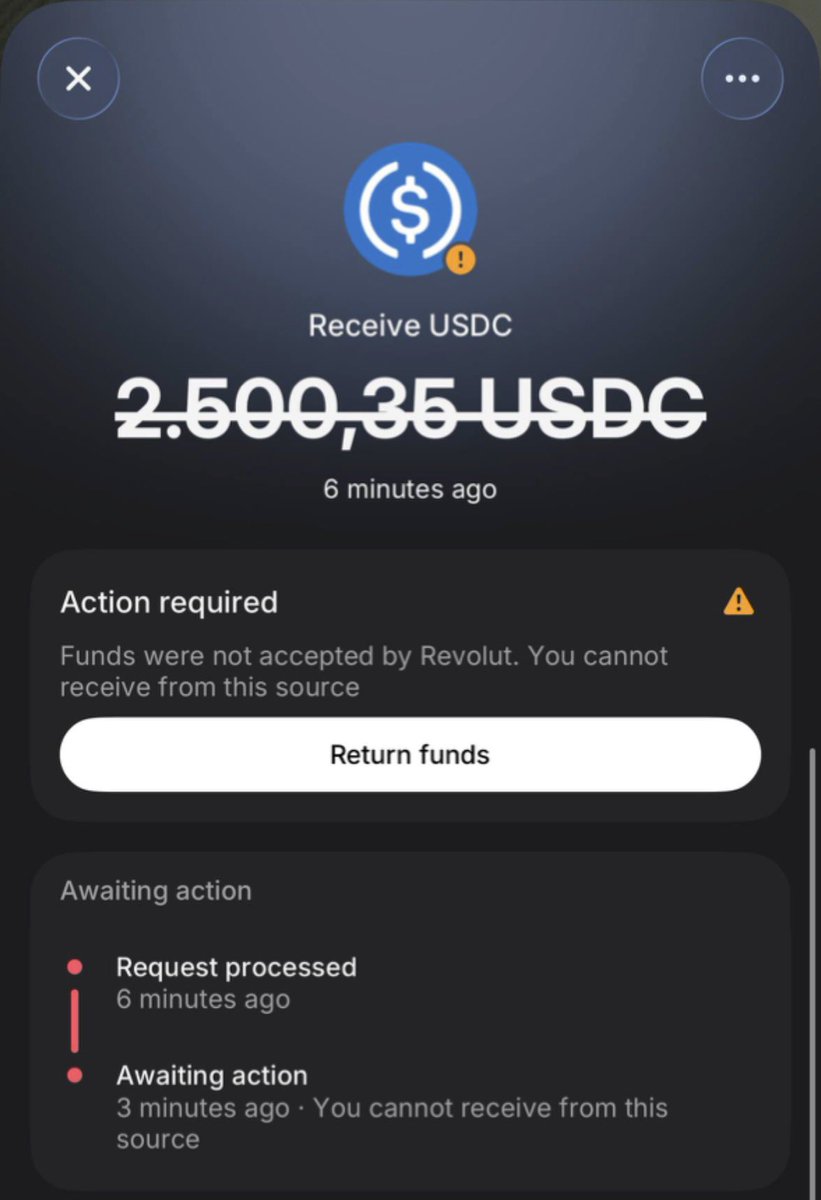
easy to end this: lock the BTC on-chain with CLTV provable unspendable
Jun 11

“I said to YOU to never sell your Bitcoin. I never said that THE COMPANY wouldn’t sell its Bitcoin.”
Jesus Christ.
53
Jun 11
i’m giving away a free 1gb esım for estonia, bought via @nadanada_me with bitcoin lightning through @nuri
free giveaway ios esimsetup.apple.com/esim_qrc…
first come first serve
Jun 11

JUST IN: Cash App is launching a $40 unlimited 5G mobile plan with no contracts or credit checks.
1
1
510

we still need to free samourai
billandkeonne.org
22
130
699
22,794
ʇɹɥɐW uıɯƎ ⚡Nuri.com retweeted

Jun 10
I suspect either a tray table was down, or one of the window blinds was still half open.
Jun 10

United Airlines B767 Landing Goes Wrong at Zurich Airport
What went wrong here?
1,181
7,353
167,006
8,242,444
Jun 11
this was what i was constantly thinking.
Jun 10

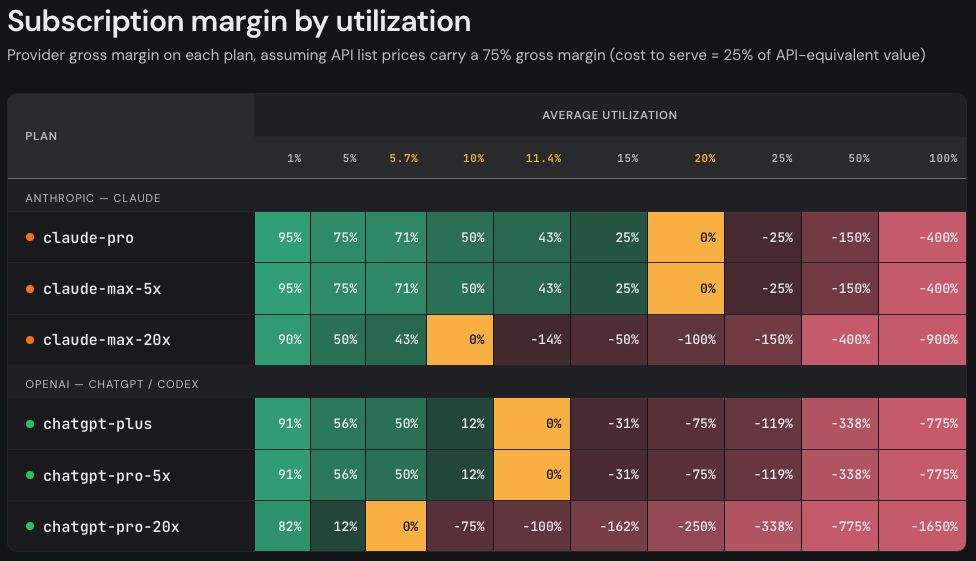
The margin on a subscription plan is a function of the average utilization. If we assume both companies have 75% API gross margins, this results in the following subscription margins. (3/4)
88
ʇɹɥɐW uıɯƎ ⚡Nuri.com retweeted

Jun 11
We're excited about the US CLARITY Act.
We think all YC companies will use crypto technology, like stablecoins, before long. Not just crypto startups, not just fintech startups, but every company.
Here's why this law is such a big deal 🧵
x.com/SenLummis/status/20637…

The Clarity Act passed committee. The floor is next. We did not come this far to quit at the 5 yard line.
69
266
1,548
260,964
ʇɹɥɐW uıɯƎ ⚡Nuri.com retweeted

Jun 10
One of the coolest things about @ensdomains is that an ENS name doesn't have to point to the same address forever.
With Cloaked, you can link your ENS name and have it resolve to a fresh, unlinkable address every time it's used.
Human-readable names practical privacy
Quick demo:
6
14
57
6,495