
No need to wait on an AGP migration.
Analyze first. Upgrade when it makes sense. 🚀
👉 developer.android.com/topic/…
#Android #AndroidDev #R8 #AppPerformance #AndroidPerformance #DeveloperTools
7

May 27
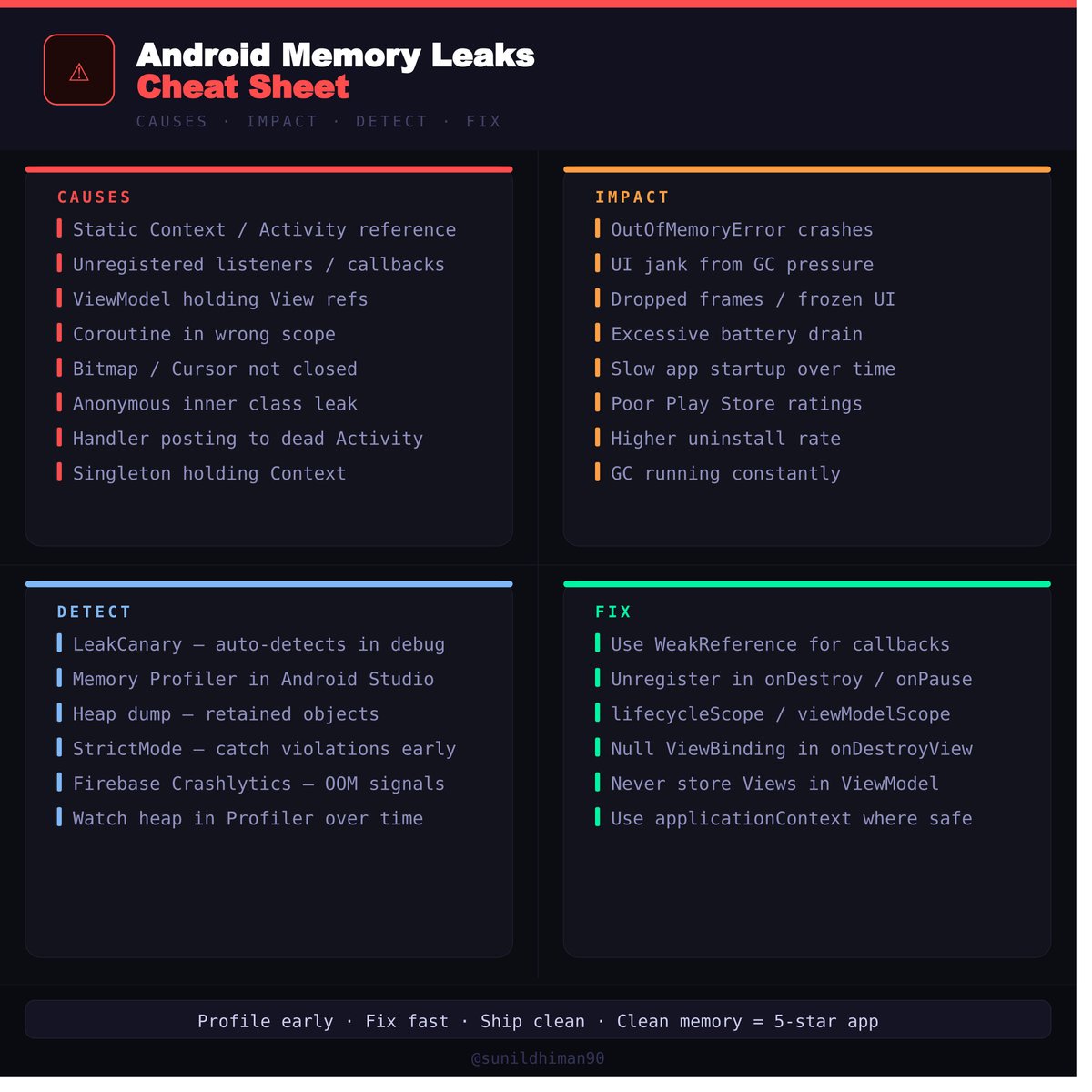
Every Android dev should know this 🧠
Memory leaks don't crash your app — they slowly kill it. Here's your complete cheat sheet: causes, impact, how to detect & fix them.
Save this 🔖
#AndroidDev #Kotlin #AndroidPerformance #Android
1
11
308

Mar 12
To run Android Bench you need around ~150GB.
It took a moment to find the disk space, but we are back in business at building docker images 🤣
#AndroidDev #AndroidAI #AndroidPerformance
11
508

Feb 24
Android performance unlocked. One tap to purge RAM, shut down background drains, and keep your device running at full power.
#AndroidPerformance #MobileSecurity #PowerUsers

7
10
80

Jan 15
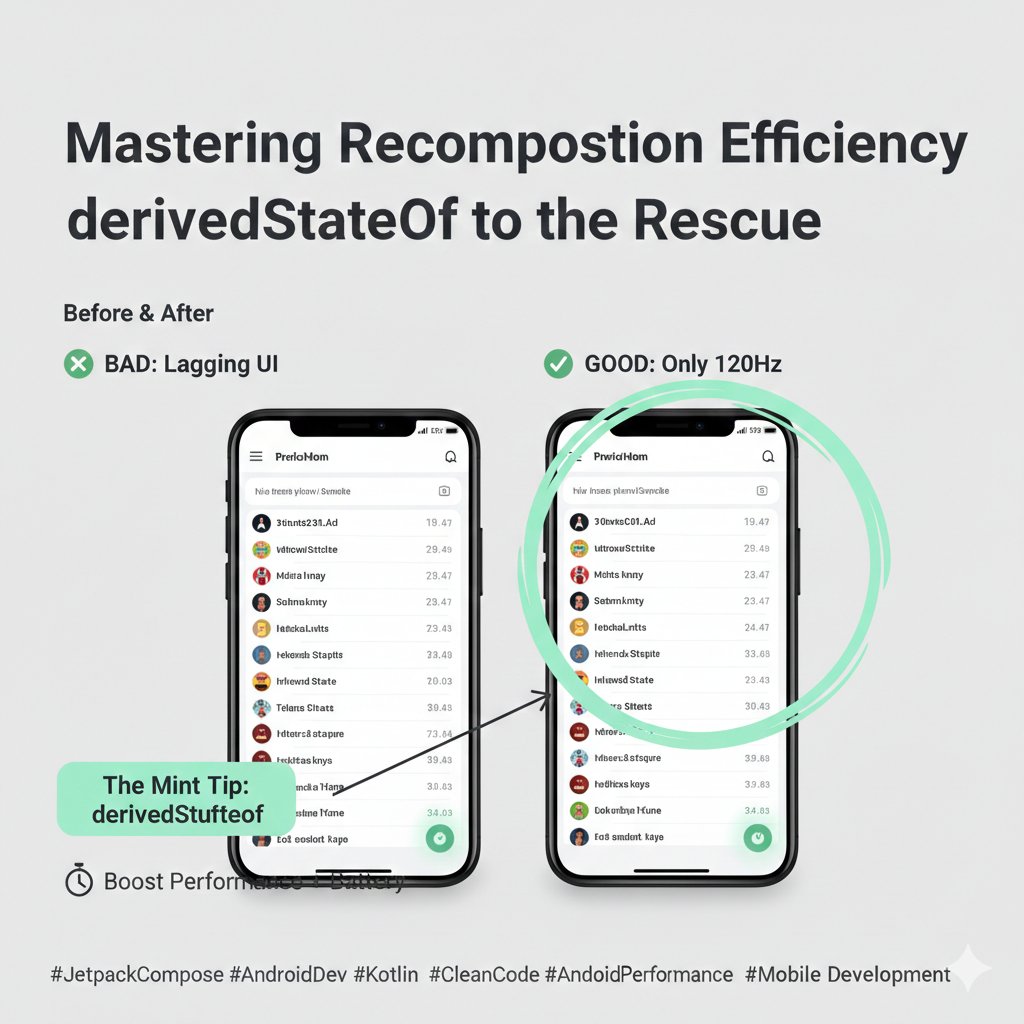
Is your Jetpack Compose app lagging during scrolls? The culprit might be your State management. 🧵👇
When you have a state that changes frequently (like a scroll position or a timer) and you use it to calculate a new value, Compose might be doing way more work than necessary.
📉 The Problem: Excessive Recomposition
If you calculate a boolean like val showButton = listState.firstVisibleItemIndex > 0 directly in your Composable, that line will trigger a recomposition every single time the user scrolls even one pixel. Your UI thread will be fighting for its life!
✅ The Solution: derivedStateOf
By wrapping that logic in derivedStateOf, you tell Compose: "Only notify me when the result of this calculation changes, not when the input changes."
The "Mint" Tip: Think of derivedStateOf as a buffer. In the example below, the button only recomposes once (when the index hits 1) instead of hundreds of times during the scroll.
// ❌ BAD: Recomposes on every pixel scrolled
val showButton = listState.firstVisibleItemIndex > 0
// ✅ GOOD: Only recomposes when the Boolean actually flips
val showButton by remember {
derivedStateOf {
listState.firstVisibleItemIndex > 0
}
}
if (showButton) {
FloatingActionButton(onClick = { /* Scroll to top */ })
}
🚀 Why this matters:
Battery Life: Less CPU work = longer battery for your users.
Jank-Free UI: Keeps your animations at a buttery-smooth 120Hz.
Scalability: Essential for complex screens with many moving parts.
Have you checked your Layout Inspector lately to see how many recompositions your scroll logic is triggering? Let's discuss in the comments! 👇
#JetpackCompose #AndroidDev #Kotlin #CleanCode #AndroidPerformance #MobileDevelopment
1
2
59

26 Aug 2025
🔧 Small tweaks. Massive results.
🟢🎥 Watch now: “The Impact of Micro-Optimizations on Large-Scale Apps”
🔗 youtu.be/dqay_EEzdsE 👈🏻
How much difference can a few microseconds make?
A lot, when you’re building for millions of users.
In this @Droidconit 2024 session, Damian Burke, Software Engineer at Meta, shares actionable insights and real-world examples of how micro-optimizations can dramatically improve the performance and responsiveness of large-scale Android applications.
📌 What you’ll learn:
✅ How to identify and fix common performance bottlenecks
✅ Why ANRs and frame drops happen and how to avoid them
✅ Measuring execution time & reading p50 vs. p95 latency
✅ Real examples from Meta: layout tricks, ViewStubs & more...
✅ Best practices for continuous performance monitoring
🎙️ @DamianBurke, Software Engineer at @Meta
📺 Catch all Droidcon Italy 2024 talks here: youtube.com/@DroidconItaly 👈🏻
#DroidconItaly #AndroidPerformance #MicroOptimizations #AndroidDev #MetaEngineering #MobileDev #AppOptimization #PerformanceMatters #MobileUX #AndroidConference



4
79

12 Dec 2023
Android 系统是一个复杂的系统,完成一个业务流需要跨多个线程和进程。由于 ipc、锁等机制,UI 线程会依赖一些低优先级的运行实体,导致性能问题。Android 系统提供了一些解决方案,如锁定区域代码注入、binder 优先级传递、避免优先级反演等。然而,这些解决方案仍存在一些缺点,可能是应用程序设计问题或架构设计问题。
#Android #AndroidPerformance
zhuanlan.zhihu.com/p/3485480…
5
609

8 Aug 2023
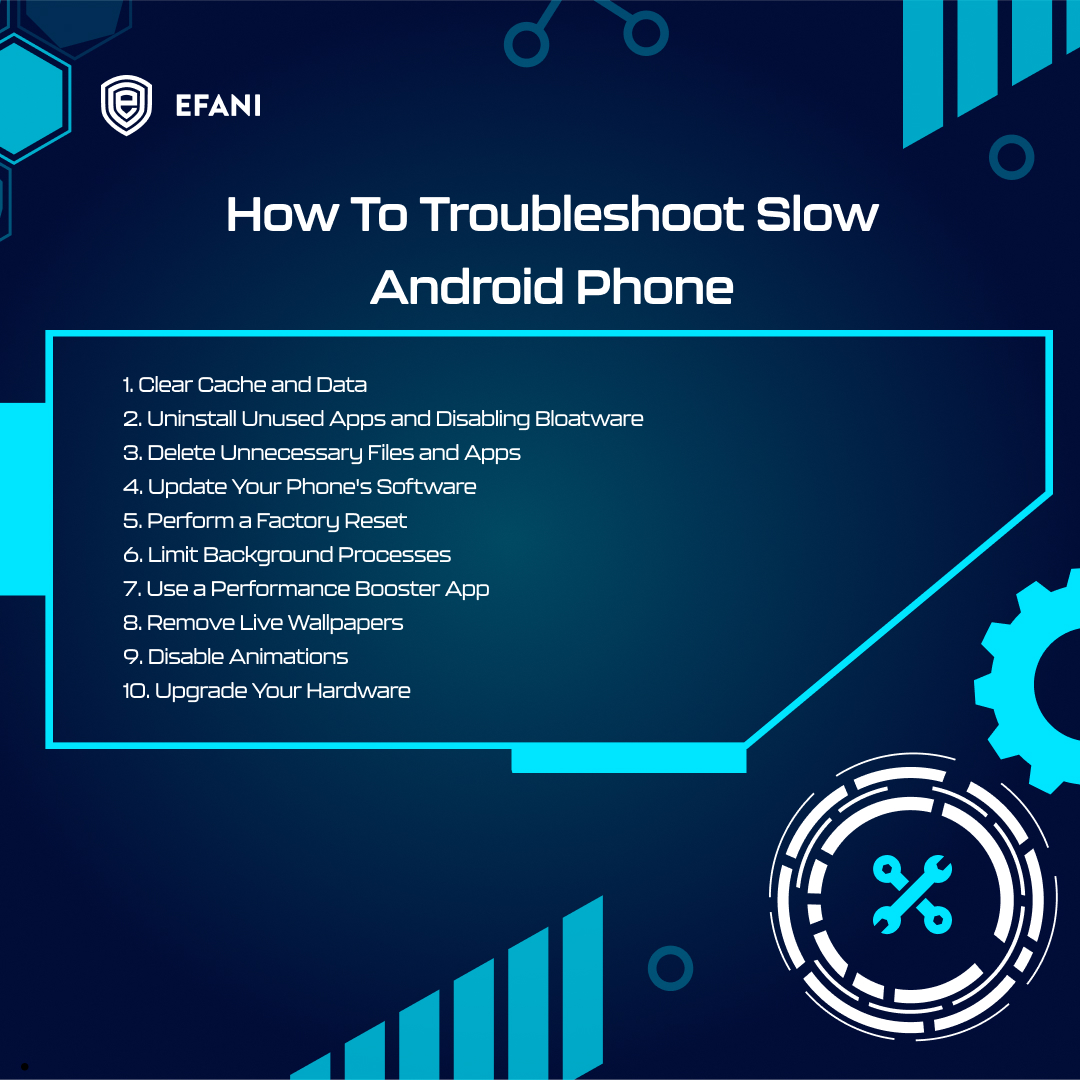
Is Your Android Phone Running Slow? 🐢
Is your once-speedy Android phone now moving at a snail's pace? Fret not! Check out these quick fixes to get your phone back in the fast lane:
#AndroidTroubleshooting #PhoneSpeedBoost #TechTips #AndroidPerformance
1
2
574
1 Aug 2023
Flutter 真是个神奇的框架,由于用的是单 buffer,渲染框架和 UI 那一套又听同一个 vsync,最后还不是单独出图,要走 UI 那一套,结果就是性能确实堪忧
flutter 那几个线程 稍微跑慢一点就掉帧
,最离谱的是稍微跑快一点也会掉帧(内容被覆盖了)
#Androidperformance #Flutter
3
421

27 Apr 2023
Speed up slow Android!
#AndroidPerformance #DeveloperOptions #AndroidTips #AndroidTricks #MobilePerformance #Android #Phone #Smartphone #Mobile #TechTips #Device #Upgrade #PerformanceBoost #SpeedBoost #TechHacks #AndroidHacks #TechTutorial #PhoneTutorial youtu.be/-PLOWRNm2dY

4
138



16 Oct 2016
#artnumerique #mediaarts news is out! paper.li/arts_numeriques?edi… Stories via @SciArtMagazine @KadenzeOfficial #blockchain #androidperformance
2

28 Sep 2016
Here are 6 useful tips that you can try out on your #AlcatelSmartphone #AndroidPerformance

1
1


12 Apr 2016
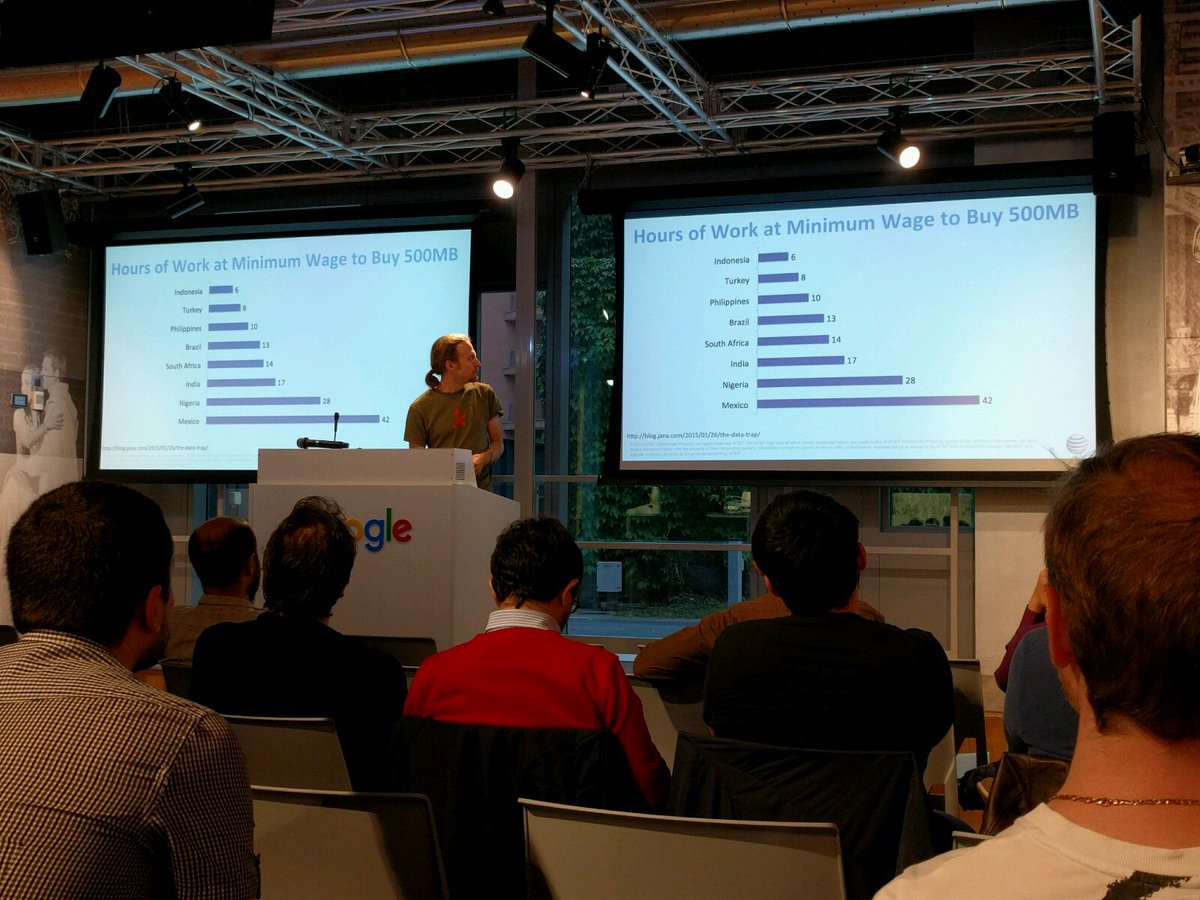
"in Mexico buy 500 mb of Internet data requires a week of Labour at minimum wage" @dougsillars #AndroidPerformance #barcelona
1

27 Aug 2015
2
3