

Everyone's hating on MCP today.
The criticism is fair for coding agents. MCP dumps tool schemas into context, and that adds up fast. CLIs are usually better here because agents can iteratively search through available commands and only load what they need. But you have to set up the right prompting so the agent knows the CLI exists and how to discover tools through it.
Anthropic already addressed this problem though. Claude Code uses tool search to progressively disclose MCP tools: only names are loaded into context, full schemas fetched on demand. This is the right pattern for agents with access to hundreds of tools.
But that's not where MCP really shines.
MCP's strength is fully autonomous agents with a focused toolset. You connect to a server and your agent instantly knows its full capabilities: proper schemas, proper discoverability. There's no need for a system prompt explaining what tools exist, and there are no CLI round-trips. The agent code is dead simple:
const mcpClient = await createMCPClient({
transport: { type: "http", url: "mcp.li.quest/mcp"
},
});
All your tools are there. The agent knows exactly when to use each one.
MCP isn't competing with CLIs, they solve different problems.
- CLI = open-ended exploration, iterative discovery, context-efficient
- MCP = bounded capability, instant understanding, zero prompt engineering
We need to stop evaluating one by the other's criteria.

MCP sucks honestly
It eats too much context window and you have to toggle it on and off and the auth sucks
I got sick of Claude in Chrome via MCP and vibe coded a CLI wrapper for Playwright tonight in 30 minutes only for my team to tell me Vercel already did it lmao
But it worked 100x better and was like 100LOC as a CLI
2
2
19
2,967

LLMs are powerful, but what if you could make your search engine TRULY conversational? 🔎🗣️
@kiran__a__n, Full Stack Developer at @cyberwarfarelab, built an AI-powered #MCPclient for Algolia that lets you chat with your data in real time.
Learn how it works, see the architecture try it yourself: bit.ly/4oI0dqu
2
6
243

Jan 15
Just shipped mcp-use python 1.5.2
→ OAuth 2.1 (new MCP spec)
→ Roots support in MCPClient/Server
→ Inspector CDN fix
Thanks to the contributors who helped with this one.
mcp-use.com/docs/python/chan…
1
1
6
195

Kicking off 2026 with a fresh batch of issues to ship in the Skyflo repo.
I just opened a set of “good first issues” across the Skyflo stack. These are not typo-fix tasks. Each one is a small, scoped improvement that hits real production constraints for an AI agent:
•streaming correctness (SSE lifecycle)
•safety gates (approval flow invariants)
•type safety (UI contracts)
•reliability under pressure (queues, disconnects)
What’s open right now:
Engine (FastAPI, LangGraph, Redis, SSE)
•Add proper cleanup in the Engine’s MCPClient
•Cancel background workflow tasks when the SSE client disconnects
•Remove stale MCP warm-up call in the agent graph
MCP (FastMCP, Pydantic, tools)
•Fix Argo Rollouts tool ignoring a rollout name parameter
UI (Next.js, TypeScript, streaming)
•Reduce excessive any usage in the chat interface
•Fix approval stream failure handling to prevent assistant message loss
•Prevent message queue draining when tool approvals are pending
How to get started (and actually learn the system):
1.Run Skyflo locally end-to-end.
2.Trace one loop: UI -> Engine -> MCP -> tool result -> SSE back to UI.
3.Pick one issue and ship a tight PR. Small diff, clear before/after, tests where it matters.
Maintainer promise: I’ll review fast, give direct notes, and help keep scope tight.
Issues:
github.com/skyflo-ai/skyflo/…
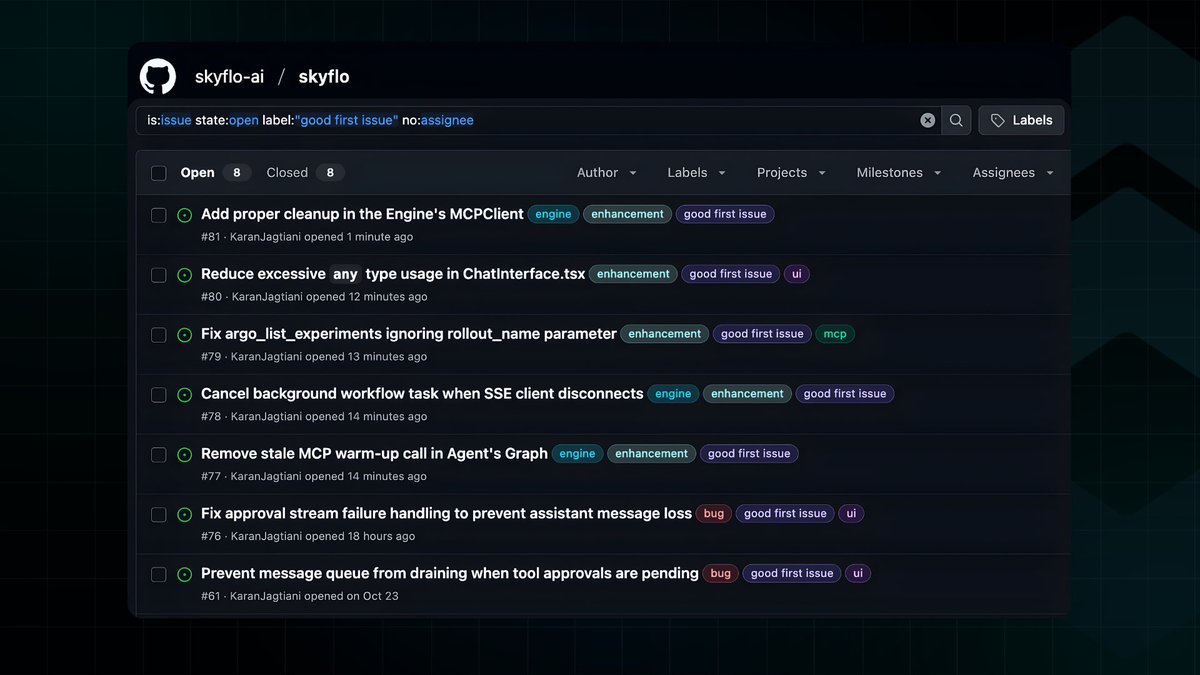
ALT GitHub Issues list for skyflo-ai/skyflo filtered to good first issue, showing open tasks across Engine, MCP, and UI (cleanup, SSE disconnect handling, Argo Rollouts parameter fix, and TypeScript any reduction).
1
6
386

29 Nov 2025
🎛️ DSPy Code released with MCP @MCP_Community server integration to build even stronger DSPy modules. Being the in-built MCP Client, it can now reach to any server to build datasets, modules and pipelines with DSPy. The📙 docs are updated with MCP integration demo. This video show demo how you can connect with local file system but possibilities are endless. The links in the comments 👇
Now, checkout this and give ⭐️to DSPy Code on GitHub if you like it.
#DSPy #MCP #MCPClient #MCPServers
27 Nov 2025

🚄DSPy Code: 🎉 v0.1.1: Faster, Smarter, Friendlier
The releases targeted for the uv users and faster response with managed RAG and Context.
🧰 First-class UV support, including project-root venv detection and uv-based install flows.
🧠 RAG & speed controls via /fast-mode, /disable-rag, /enable-rag, and /status so you can trade quality vs speed.
Checkout latest DSPy Code:
⚡️uv pip install dspy-code OR add to existing project
⏯ uv add dspy-code
#DSPyCode #uv #DSPy #GEPA #AgentOptimization
2
3
16
2,421

21 Nov 2025
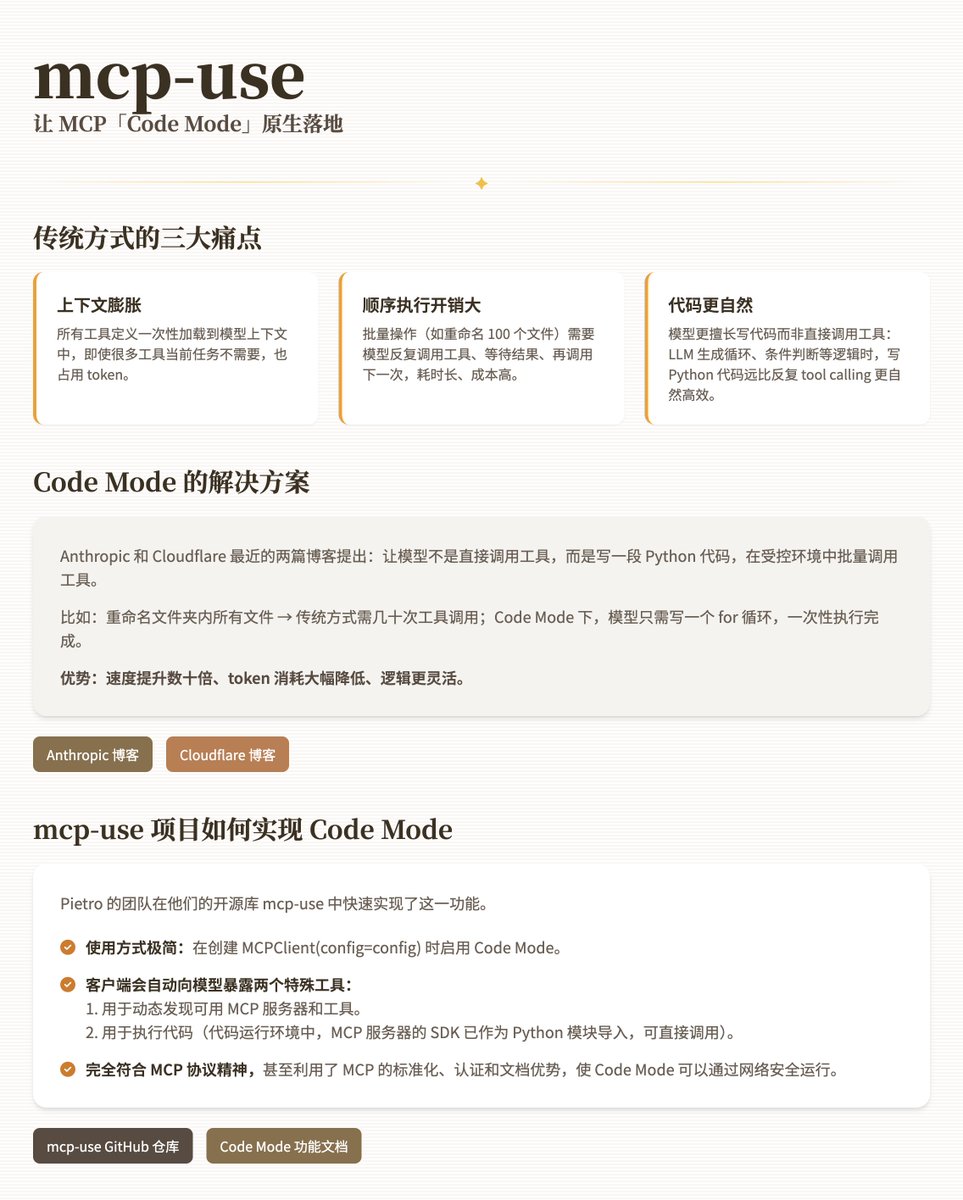
[开源推荐] mcp-use: 让 MCP「Code Mode」原生落地
传统方式的三大痛点
1. 上下文膨胀:所有工具定义一次性加载到模型上下文中,即使很多工具当前任务不需要,也占用 token。
2. 顺序执行开销大:批量操作(如重命名 100 个文件)需要模型反复调用工具、等待结果、再调用下一次,耗时长、成本高。
3. 模型更擅长写代码而非直接调用工具:LLM 生成循环、条件判断等逻辑时,写 Python 代码远比反复 tool calling 更自然高效。
Code Mode 的解决方案
Anthropic 和 Cloudflare 最近的两篇博客提出:让模型不是直接调用工具,而是写一段 Python 代码,在受控环境中批量调用工具。
比如:重命名文件夹内所有文件 → 传统方式需几十次工具调用;Code Mode 下,模型只需写一个 for 循环,一次性执行完成。
优势:速度提升数十倍、token 消耗大幅降低、逻辑更灵活。
Anthropic 博客:
anthropic.com/engineering/co…
Cloudflare 博客:
blog.cloudflare.com/code-mod…
mcp-use 项目如何实现 Code Mode
Pietro 的团队在他们的开源库 mcp-use 中快速实现了这一功能。
· 使用方式极简:在创建 MCPClient(config=config) 时启用 Code Mode。
· 客户端会自动向模型暴露两个特殊工具:
1. 用于动态发现可用 MCP 服务器和工具。
2. 用于执行代码(代码运行环境中,MCP 服务器的 SDK 已作为 Python 模块导入,可直接调用)。
· 这完全符合 MCP 协议精神,甚至利用了 MCP 的标准化、认证和文档优势,使 Code Mode 可以通过网络安全运行。
mcp-use GitHub 仓库:
github.com/mcp-use/mcp-use
Code Mode 功能文档:
docs.mcp-use.com/python/clie…
20 Nov 2025

Recently, Anthropic anthropic.com/engineering/co… and Cloudflare blog.cloudflare.com/code-mod… released two blog posts that discuss a more efficient way for agents to interact with MCP servers, called Code Mode.
There are three key issues when agents interact with MCP servers traditionally:
- Context flooding - All tool definitions are loaded upfront, including ones that might not be necessary for a certain task.
- Sequential execution overhead - Some operations require multiple tool calls in a chain. Normally, the agent must execute them sequentially and load intermediate return values into the context, wasting time and tokens (costing both time and money).
- Code vs. tool calling - Models are better at writing code than calling tools directly.
To solve these issues, they proposed a new method: instead of letting models perform direct tool calls to the MCP server, the client should allow the model to write code that calls the tools. This way, the model can write for loops and sequential operations using the tools, allowing for more efficient and faster execution.
For example, if you ask an agent to rename all files in a folder to match a certain pattern, the traditional approach would require one tool call per file, wasting time and tokens. With Code Mode, the agent can write a simple for loop that calls the move_file tool from the filesystem MCP server, completing the entire task in one execution instead of dozens of sequential tool calls.
We implemented Code Mode in mcp-use's (repo github.com/mcp-use/mcp-use ) MCPClient . All you need to do is define which servers you want your agent to use, enable code mode, and you're done!
The client will expose two tools:
- One that allows the agent to progressively discover which servers and tools are available
- One that allows the agent to execute code in an environment where the MCP servers are available as Python modules (SDKs)
Is this going against MCP? Not at all. MCP is the enabler of this approach. Code Mode can now be done over the network, with authentication, and with proper SDK documentation, all made possible by Model Context Protocol (MCP)'s standardized protocol.
This approach can make your agent tens of times faster and more efficient.
Hope you like it and have some improvements to propose :)
1
9
35
6,810
20 Nov 2025
Recently, Anthropic anthropic.com/engineering/co… and Cloudflare blog.cloudflare.com/code-mod… released two blog posts that discuss a more efficient way for agents to interact with MCP servers, called Code Mode.
There are three key issues when agents interact with MCP servers traditionally:
- Context flooding - All tool definitions are loaded upfront, including ones that might not be necessary for a certain task.
- Sequential execution overhead - Some operations require multiple tool calls in a chain. Normally, the agent must execute them sequentially and load intermediate return values into the context, wasting time and tokens (costing both time and money).
- Code vs. tool calling - Models are better at writing code than calling tools directly.
To solve these issues, they proposed a new method: instead of letting models perform direct tool calls to the MCP server, the client should allow the model to write code that calls the tools. This way, the model can write for loops and sequential operations using the tools, allowing for more efficient and faster execution.
For example, if you ask an agent to rename all files in a folder to match a certain pattern, the traditional approach would require one tool call per file, wasting time and tokens. With Code Mode, the agent can write a simple for loop that calls the move_file tool from the filesystem MCP server, completing the entire task in one execution instead of dozens of sequential tool calls.
We implemented Code Mode in mcp-use's (repo github.com/mcp-use/mcp-use ) MCPClient . All you need to do is define which servers you want your agent to use, enable code mode, and you're done!
The client will expose two tools:
- One that allows the agent to progressively discover which servers and tools are available
- One that allows the agent to execute code in an environment where the MCP servers are available as Python modules (SDKs)
Is this going against MCP? Not at all. MCP is the enabler of this approach. Code Mode can now be done over the network, with authentication, and with proper SDK documentation, all made possible by Model Context Protocol (MCP)'s standardized protocol.
This approach can make your agent tens of times faster and more efficient.
Hope you like it and have some improvements to propose :)
11
22
158
27,307

12 Nov 2025
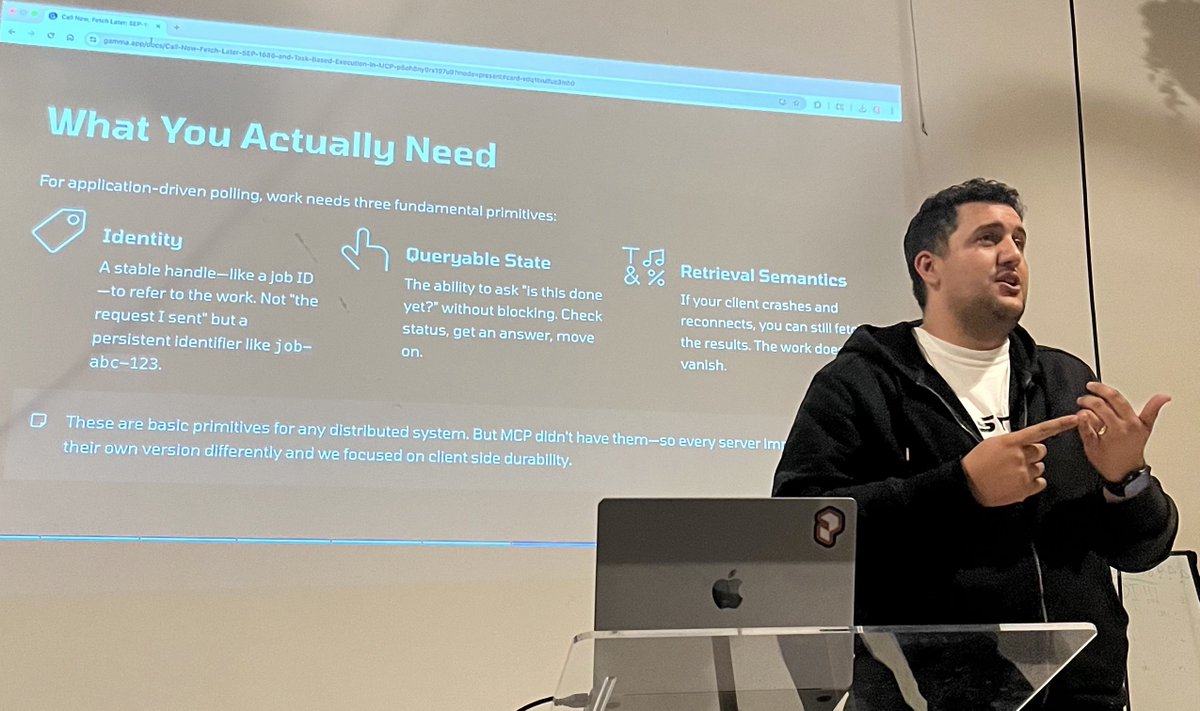
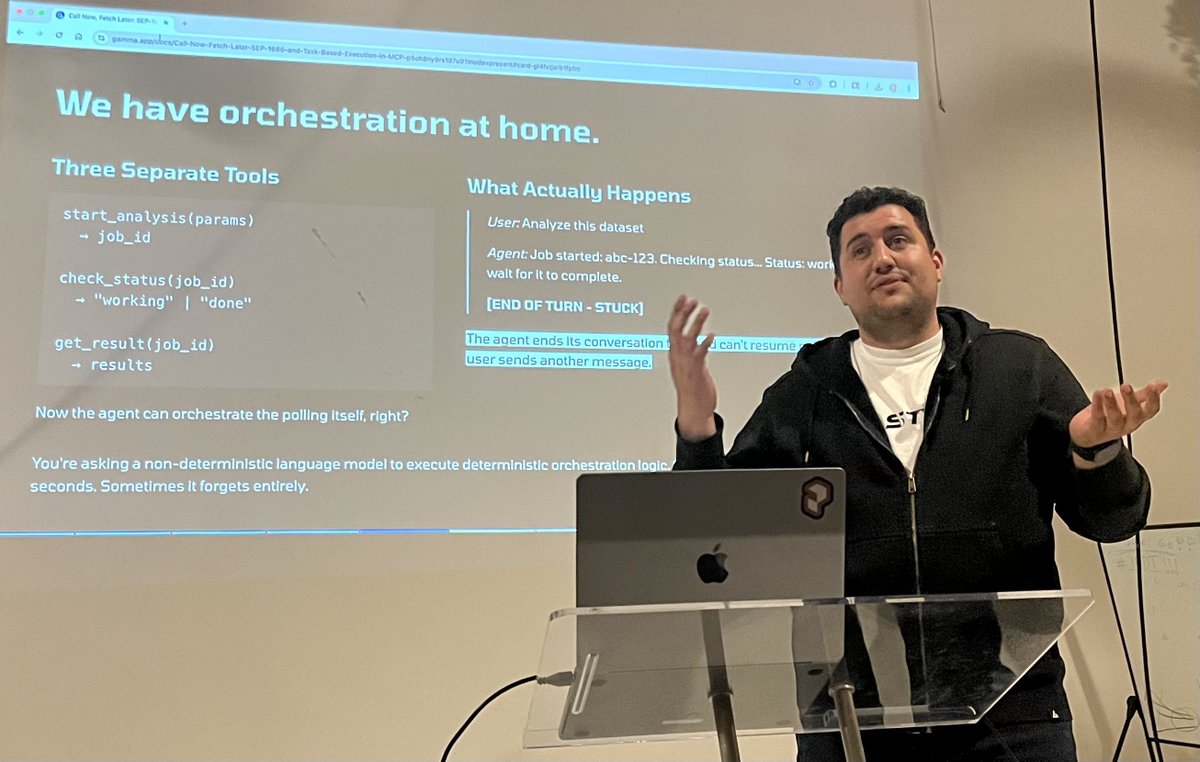
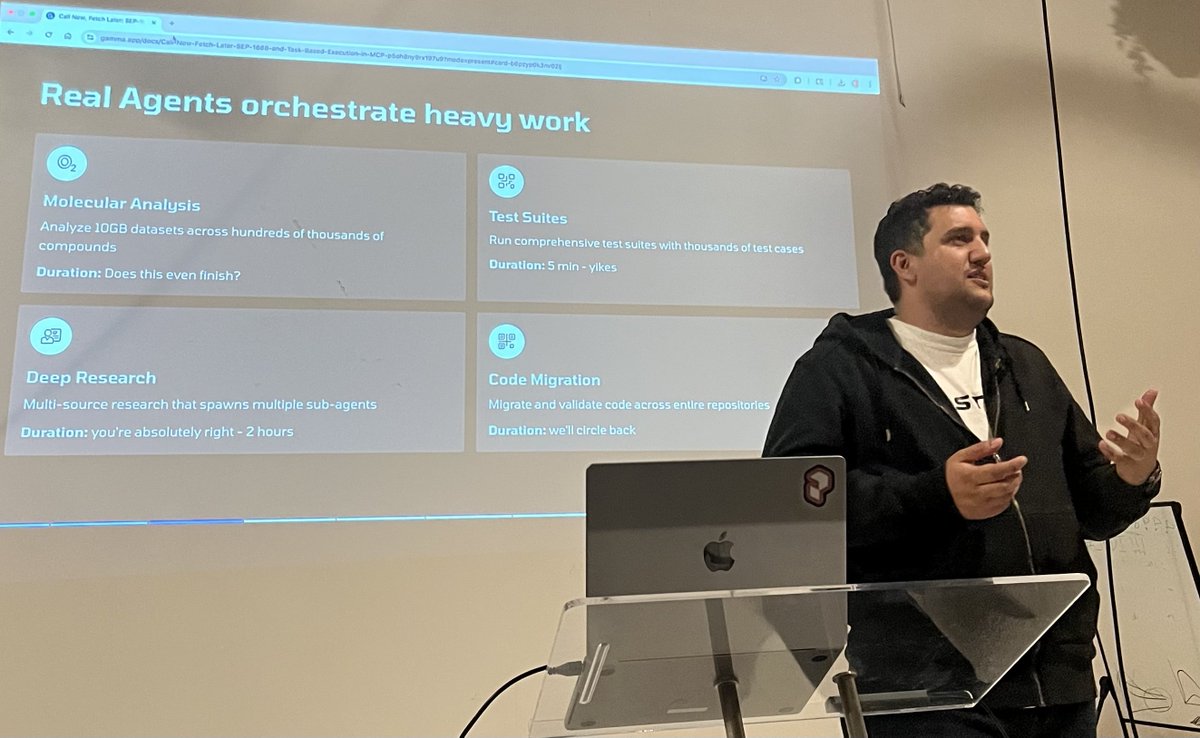
At tonight’s Py AI meetup, I learnt from @adamazzam that MCP is getting long-running tasks!
Why? Agents are bad at polling- they over/under-check.
SEP-1686 moves orchestration to MCP itself:
github.com/modelcontextproto…
For Python devs, MCPClient in FastMCP will implement.
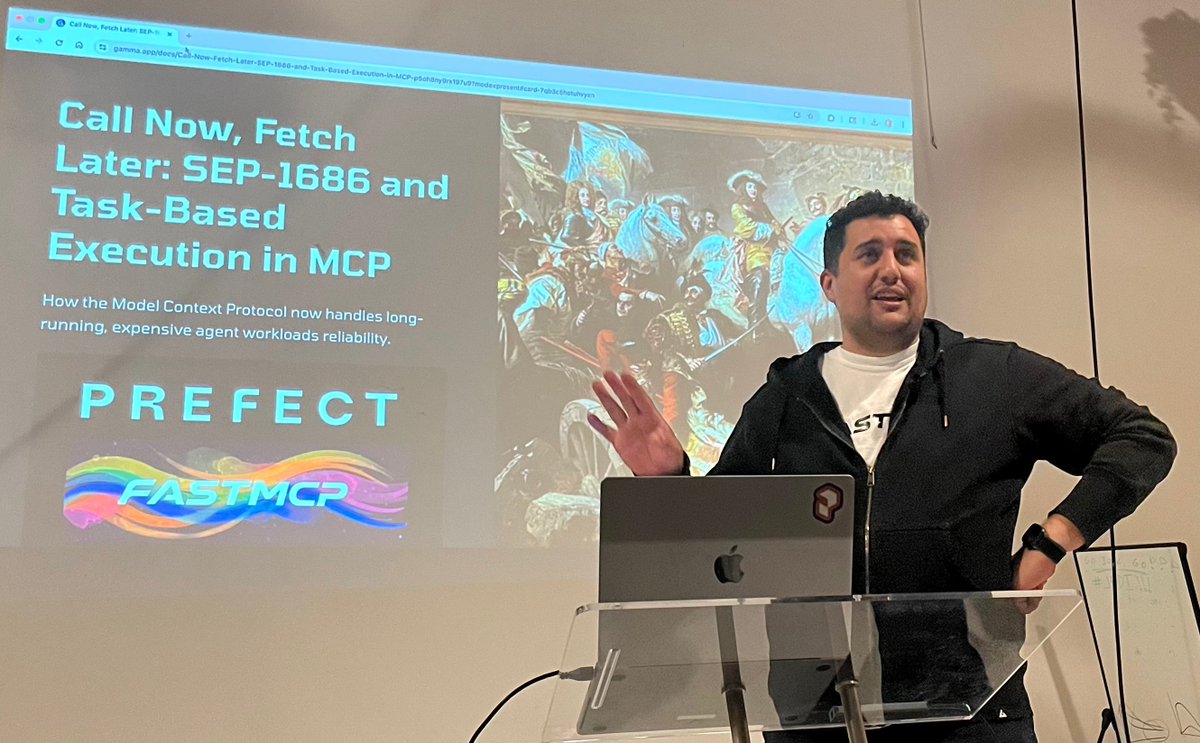
ALT Adam presenting tasks in MCP
2
5
23
7,213
LLMs are powerful, but what if you could make your search engine TRULY conversational? 🔎🗣️
At #AlgoliaDevCon, @kiran__a__n, Full Stack Developer at @cyberwarfarelab, built an AI-powered #MCPclient for Algolia that lets you chat with your data in real time.
Learn how it works, see the architecture, and try it yourself: bit.ly/4oI0dqu
1
5
330

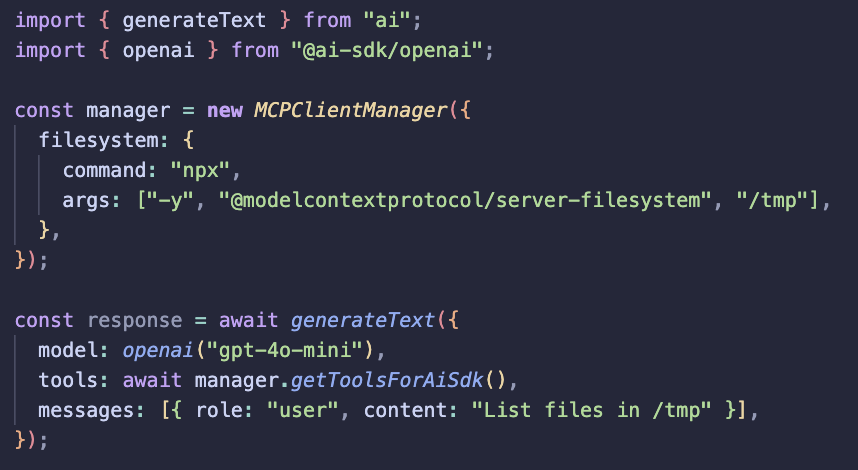
Building an MCPClient that can replace @aisdk's
experimental_createMCPClient
We built a MCPClientManager with an adapter for Vercel AI SDK.
Our goal's to standardize how we build MCP clients. MCPClientManager was proposed to be a part of the official Typescript SDK (SEP-1669)
mcpjam.com/blog/mcp-client-m…
@andrewqu
2
1
11
235

11 Oct 2025
Built an open-source MCP Server Fuzzer, fuzz your MCP server for crashes, edge cases & protocol issues. I’ve already fuzzed a few popular ones (see docs). github.com/Agent-Hellboy/mcp…
If it helps, ⭐ the repo or consider sponsoring
#MCP #mcptesting #LLM #fuzzer #mcpclient
2
50

24 Aug 2025
いえ、MCPサーバをDockerfileの中でuv tool installして、そのインストールパスのbin配下にある実行コマンドをstrands.tools.mcpのMCPClientのstdio_client.StdioServerParametersでuvxの代わりに直接指定すれば、依存パッケージ含めてまるっとインストールされた状態で起動できました
1
1
5
1,061

22 Aug 2025
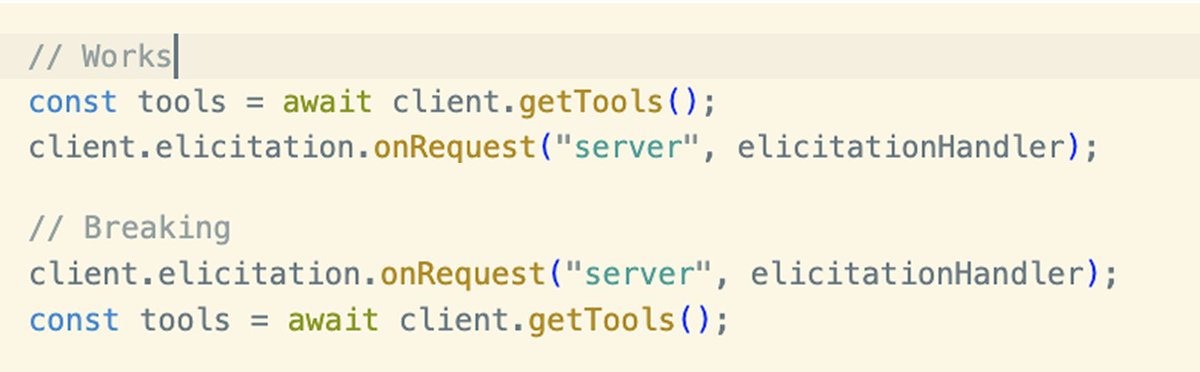
Are there any good examples of MCP (tool-calling) with @aisdk v5 using with streamText and MCPClient(experimental apis)?
@lgrammel, @nicoalbanese10
1
4
527
13 Aug 2025
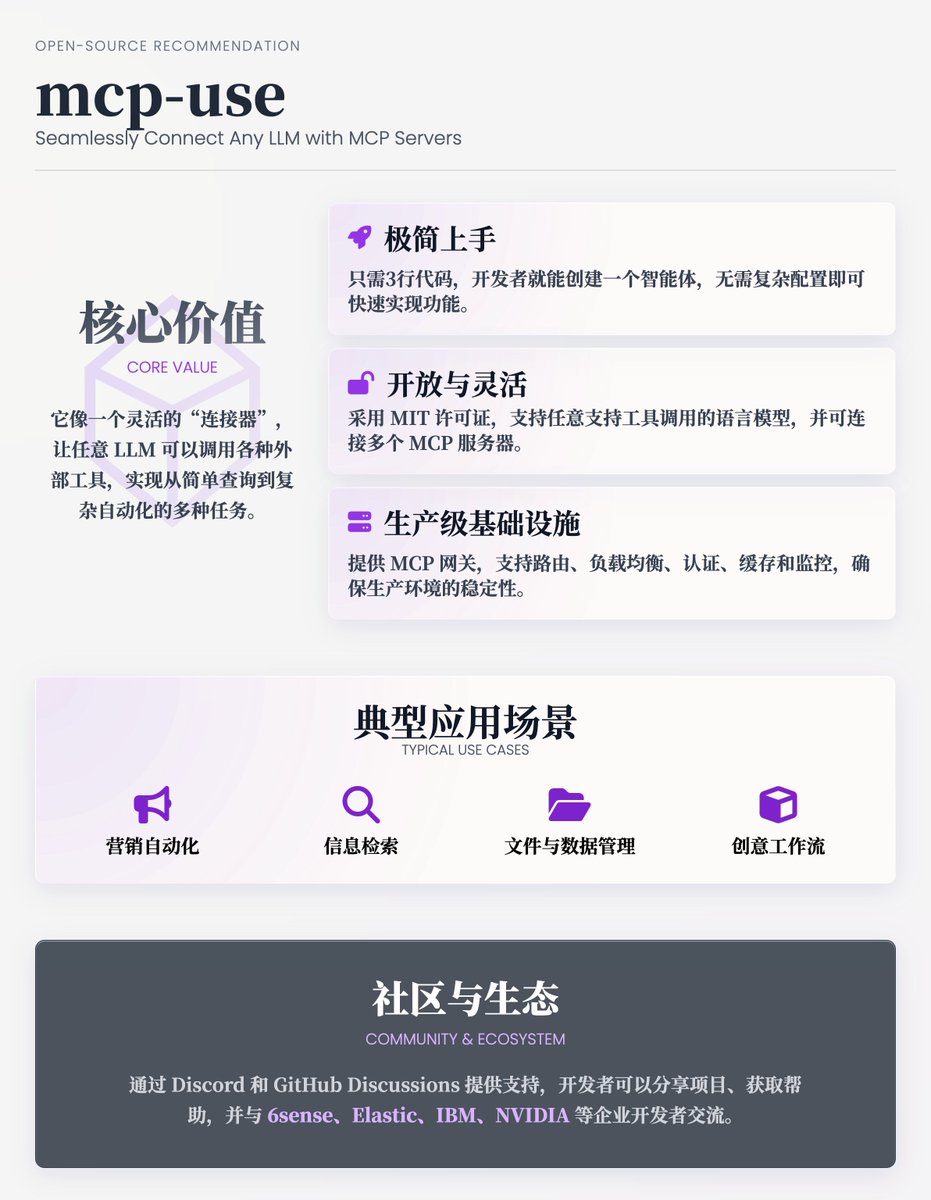
[开源项目推荐] mcp-use : 帮开发者将任意 LLM 与 MCP 服务器无缝连接,快速构建功能强大的智能体。它像一个灵活的“连接器”,让任意 LLM 可以调用各种外部工具(如网页浏览、文件操作、3D 建模等),实现从简单查询到复杂自动化的多种任务 @manufact
核心价值
1. 极简上手:
只需3行代码,开发者就能创建一个智能体。例如,通过几行 Python 代码,你可以让智能体搜索“最新产品发布的社交媒体帖子”并生成内容:
client = MCPClient(server_pool="marketing_servers")
llm = AnyModelProvider(model="any-4o", api_key=...)
agent = MCPAgent(llm=llm, client=client, max_steps=30)
result = await agent. run("Create a post about our latest release")
这种简洁性让开发者无需复杂配置即可快速实现功能。
2. 开放与灵活:
· 开源自由:采用 MIT 许可证,代码完全开源,开发者可以自由修改、部署,保护数据隐私,避免被闭源平台锁定。
· 模型兼容:支持任意支持工具调用的语言模型(如 Claude、GPT、LLaMA 等),通过 LangChain 等适配器实现无缝集成。
· 多服务器支持:可以连接多个 MCP 服务器,动态选择工具,适合复杂任务。例如,一个智能体可以同时调用 Google 搜索和文件操作工具,完成信息检索到本地存储的完整流程。
3. 生产级基础设施:
· MCP 网关:提供统一的服务器管理入口,支持路由、负载均衡、OAuth 认证、访问控制(ACLs)、缓存、监控和指标分析,确保生产环境的稳定性与可观测性。
-· 服务器部署灵活:支持托管 MCP 服务器、本地虚拟机沙盒,或智能体第三方服务器,所有配置通过一个仪表板管理,简化运维。
4. 安全性:
提供工具限制功能,开发者可禁止智能体访问高风险工具(如文件系统或网络接口),确保安全运行。
主要功能
· 工具调用:智能体可以通过 MCP 服务器执行多样化任务,如网页浏览(基于 Playwright)、文件管理,甚至 3D 建模(Blender)。
· 异步流式输出:支持实时结果流,适合交互式应用,如聊天机器人或动态仪表板。
· 多语言支持:提供 Python(pip install mcp-use)和 TypeScript(npm install mcp-use)版本,满足不同开发者的偏好。
· 一键部署:通过 Vercel 等平台支持一键部署 MCP 服务器,聚合多个服务器到一个统一入口,减少配置时间。
· 社区与生态:通过 Discord 和 GitHub Discussions 提供支持,开发者可以分享项目、获取帮助,并与 6sense、Elastic、IBM、NVIDIA 等企业开发者交流。
典型应用场景
1. 营销自动化:
智能体可以连接营销服务器池,生成社交媒体帖子。如,运行 agent. run("Create a post about our latest release") 即可生成产品发布内容,并直接发布到指定平台。
2. 信息检索:
通过网页浏览工具,智能体可以搜索最新资讯或竞争对手情报,例如查找“旧金山最佳餐厅”并整理结果。
3. 文件与数据管理:
智能体可以自动化处理文件,如列出目录、创建文档或搜索特定内容,适合数据整理任务。
4. 创意工作流:
连接 Blender MCP 服务器,智能体可以生成 3D 模型,适用于游戏开发或设计场景。
13 Aug 2025

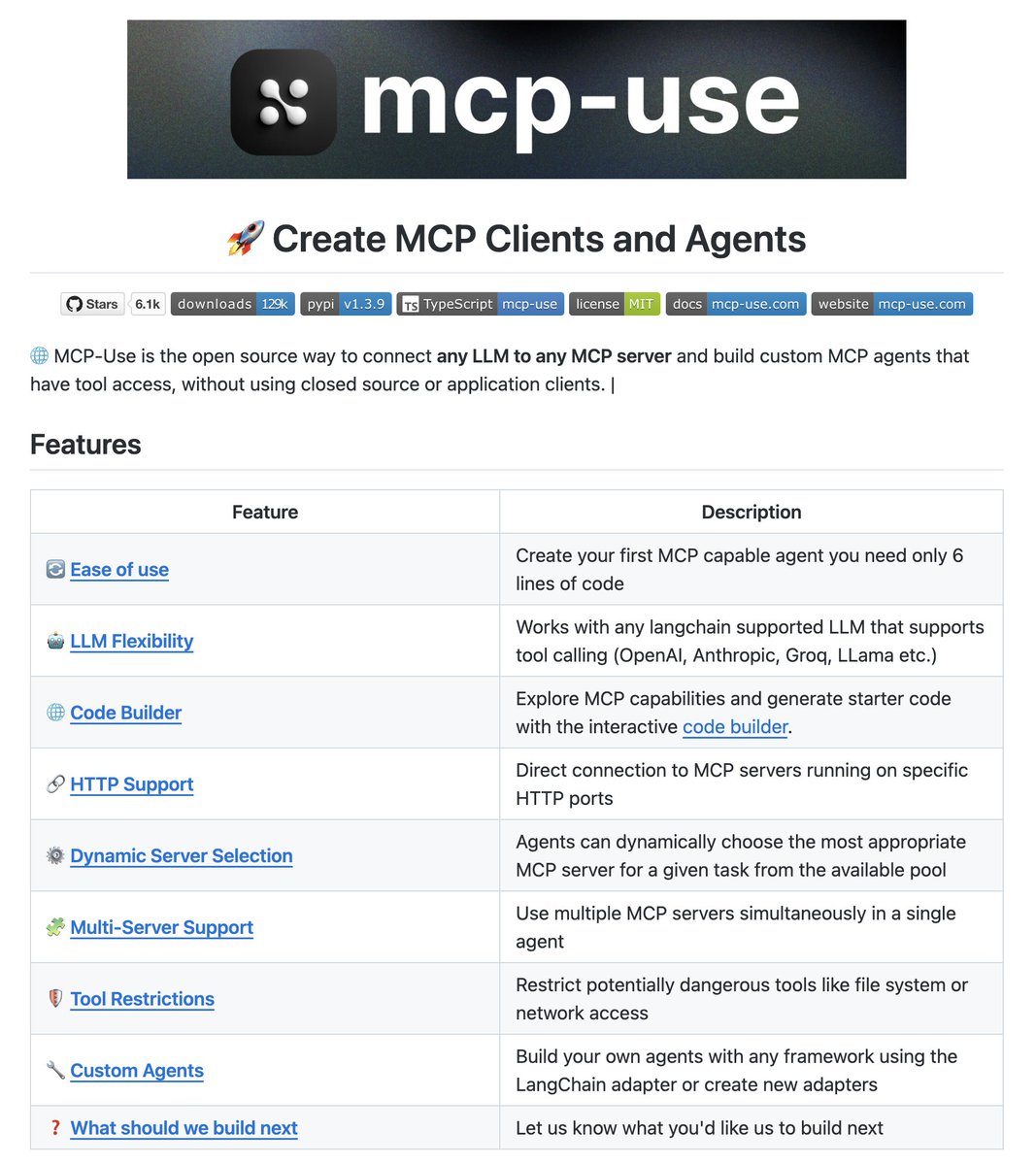
Connect any LLM to any MCP server!
MCP-Use is the open source way to connect any LLM to any MCP server and build custom agents that have tool access, without using closed source or application clients.
Build 100% local MCP clients.
3
2
17
2,828
5. Mastra (agent testing) @mastra
Mastra fills in that need for a Typescript MCP Agent framework. Mastra provides an MCPClient where you can configure MCP connections. You can then create an agent and add the MCPClient you created, which then gives your agent access to your MCP server. Mastra by far is the best way to test your MCP server in an agent environment with Node.
2
128
We're using Mastra MCPClient to power the entire backend of MCPJam inspector.
github.com/MCPJam/inspector
This has really helped us keep separation between the protocol logic and our product code. Keeps our codebase really clean.
27 Jul 2025

The @mastra MCP Client class is one of the most feature rich plug-and-play implementations out there
mastra.ai/en/reference/tools…
What a great foundation that is. Choosing @mastra as the basis for PerfAgent just keeps paying off!
2
10
811

19 Jul 2025
now @mastra integrates seamlessly with @Klavis_AI secure MCP platform!
Simply configure your Mastra MCPClient to tap into Klavis‑hosted tools: Salesforce, HubSpot, Affinity, GSuite, and more. Empower your TypeScript agents with enterprise‑grade APIs in seconds. Try it today and supercharge your AI workflows!
Check out the docs to get started:
• Mastra: mastra.ai/en/docs/tools-mcp/…
• Klavis: docs.klavis.ai/documentation…

2
3
23
2,106

Nice PR from @yousifa adding streamable_http support to Pipecat's `MCPClient`!
github.com/pipecat-ai/pipeca…
If you're doing MCP-related things with voice AI, I'd love to hear about both what's working well for you and what issues you're hitting.
3
12
2,087