
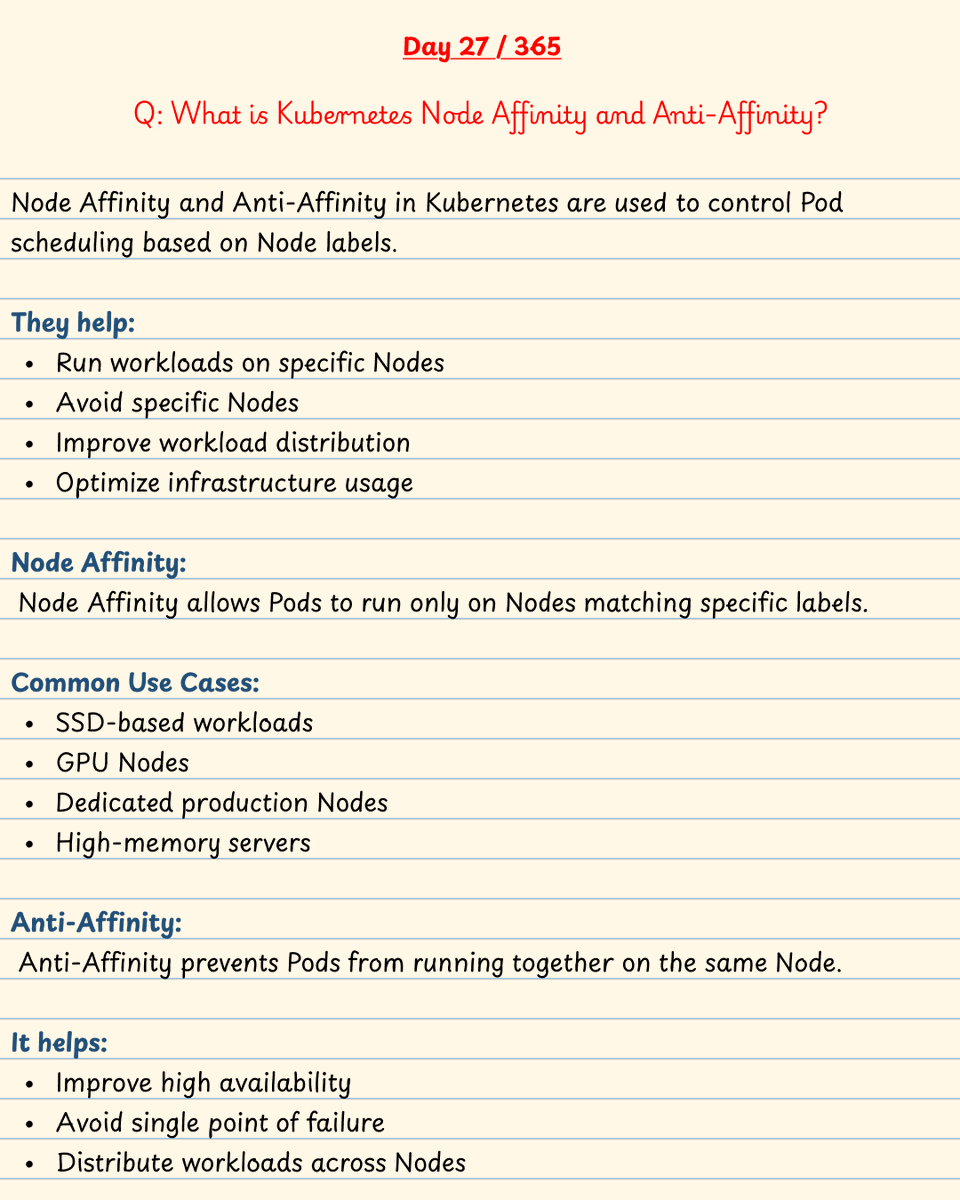
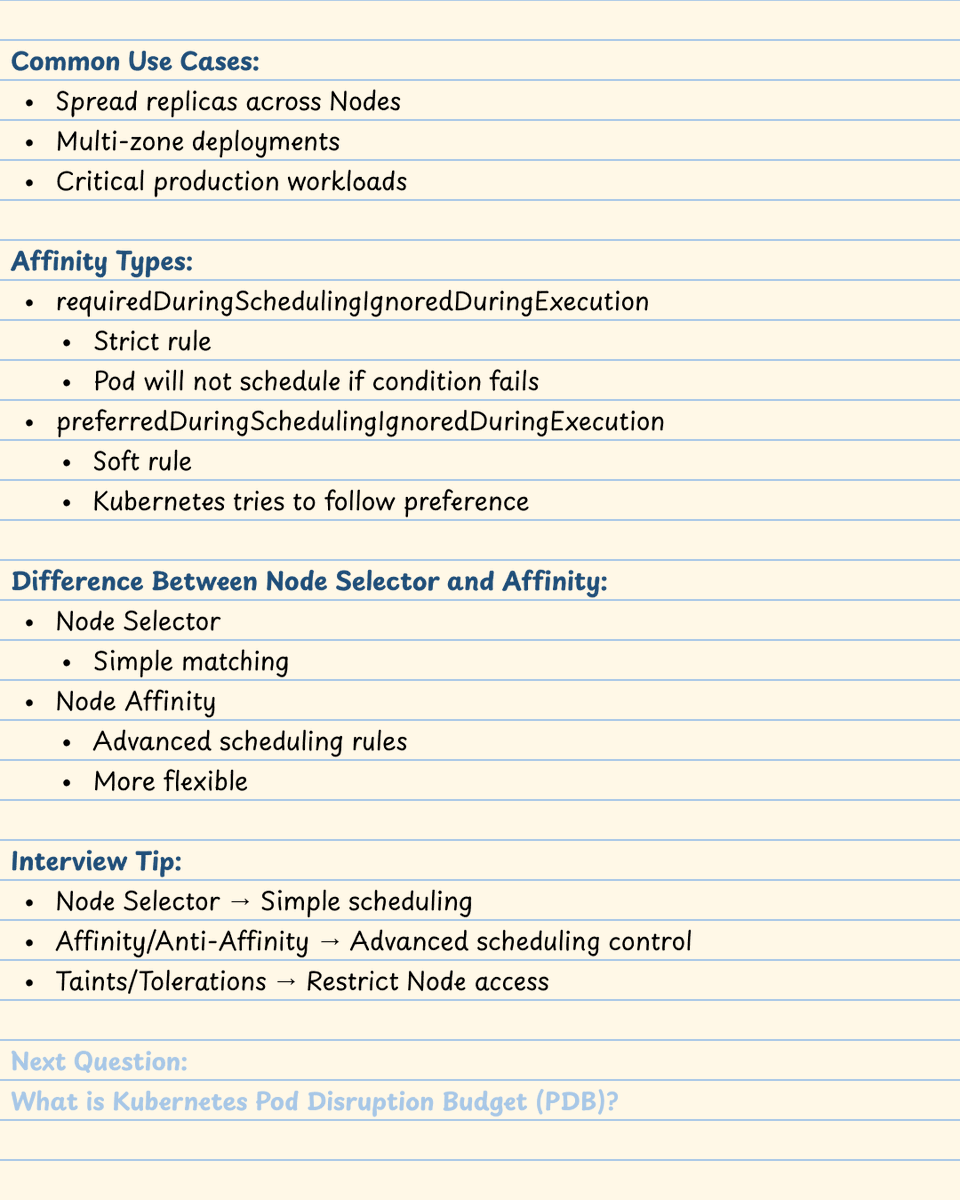
🚀 Day 27 of #365DaysDevOpsChallenge
🎯 Real Interview Question:
What is Kubernetes Node Affinity and Anti-Affinity?
#DevOps #Kubernetes #K8s #Docker #CloudComputing #AWS #CloudNative #SRE #PlatformEngineering #InterviewQuestions #KubernetesScheduling #TechTwitter #NodeAffinity
9

Jun 13
When containers require direct access to the filesystem or physical disks of an host node, developers often take the dangerous shortcut of using a hostPath volume allocation. This is an architectural anti-pattern.
Here is why you must upgrade your storage definitions to Local Persistent Volumes:
🔹 HostPath Volume: Bypasses the K8s volume sub-tier entirely. It maps an arbitrary directory from the host node straight into the container.
The Fatal Flaw: The scheduler has zero awareness of this mapping. If your pod restarts, K8s might schedule it onto a completely different node that lacks that folder, causing immediate application failure. Even worse, it opens up container escape vulnerabilities if an attacker gains root write access to the host directory.
🔹 Local Persistent Volume: Integrates fully with the control plane lifecycle. You pre-declare physical disks (like localized NVMe arrays or mounted partitions) as cluster-wide PersistentVolume resources.
The Architectural Win:
Local PVs mandate an explicit nodeAffinity block. The kube-scheduler caches this data structural sheet, ensuring that your stateful pod is always pinned and scheduled to the exact Ubuntu host node where that physical disk resides.
Stop using HostPath hacks; build deterministic, node-aware storage topologies!
#K8sArchitecture #SystemDesign #Storage
2
1
13
434

• hostPath PVCs need nodeAffinity, or Kubernetes will eventually schedule your pod somewhere its data isn't.
k3s.io
2

Apr 13
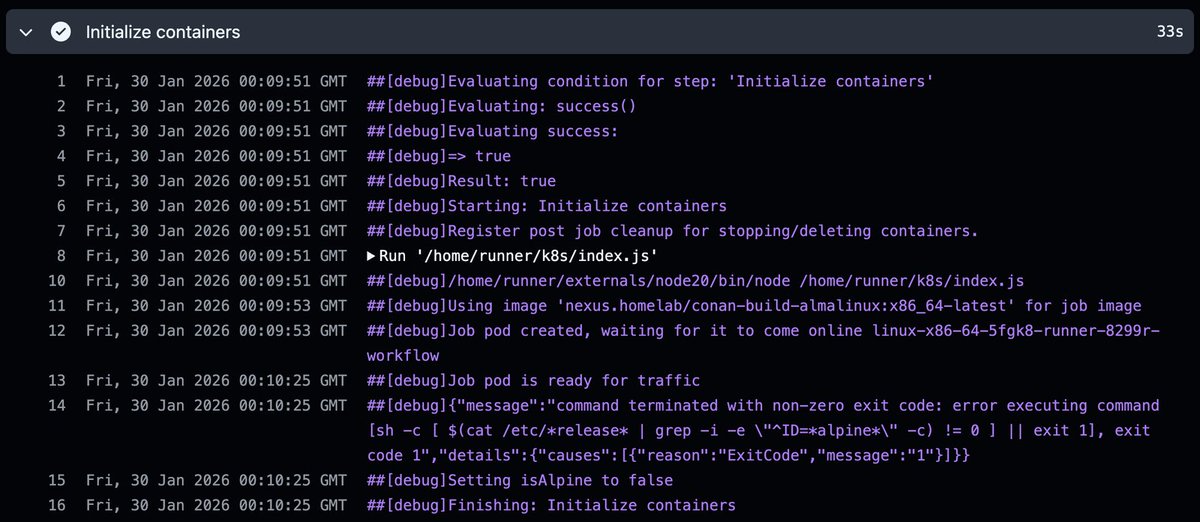
This case study debugs 30 second GitHub ARC workflow pod startup delays caused by mixing nodeName with OpenEBS allowedTopologies constraints, resolving it by enabling `ACTIONS_RUNNER_USE_KUBE_SCHEDULER` to use nodeAffinity instead
➤ ku.bz/jxW7Rk9Bs
1
4
712
Mar 13
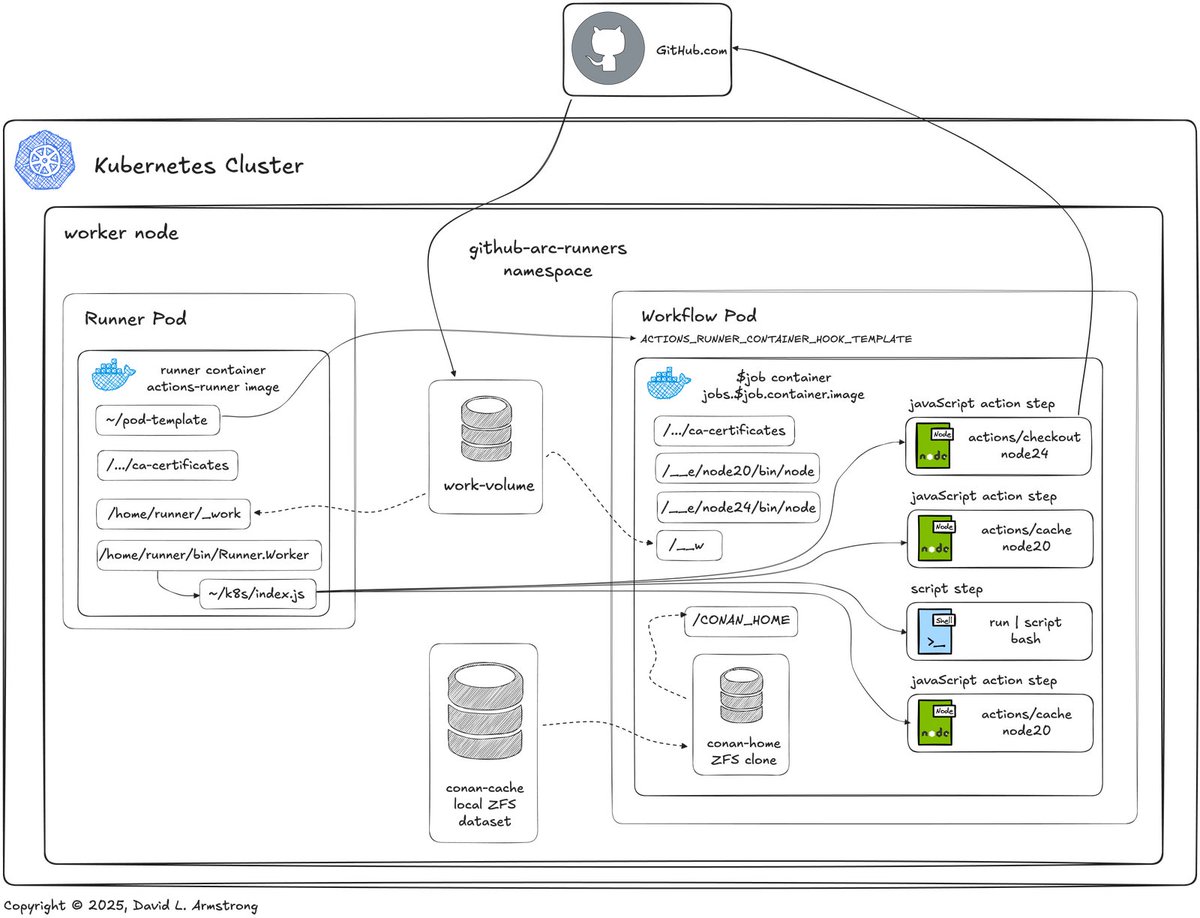
This case study debugs 30 second GitHub ARC workflow pod startup delays caused by mixing nodeName with OpenEBS allowedTopologies constraints, resolving it by enabling `ACTIONS_RUNNER_USE_KUBE_SCHEDULER` to use nodeAffinity instead
➜ ku.bz/jxW7Rk9Bs
1
3
19
1,021


Pods stuck in Pending?
It’s usually not a container problem.
It means the scheduler couldn’t place the Pod on any node.
Here are 8 real reasons this happens and what they actually mean. 👇
1️⃣ Insufficient CPU / Memory:
The scheduler looks at resource requests, not limits. If no node has enough free requested capacity, the Pod stays Pending.
What’s really happening:
→ Nodes don’t have enough allocatable CPU/memory
→ Requests are oversized
→ Cluster is under-provisioned
Check:
kubectl describe pod → look for “Insufficient cpu” or “Insufficient memory”
Fix:
→ Reduce requests
→ Add nodes
→ Use autoscaling properly
2️⃣ Node Selector / Affinity Mismatch:
Your Pod is asking for specific node labels. No node satisfies those constraints.
What’s happening:
→ nodeSelector doesn’t match any node
→ nodeAffinity rules are too strict
Fix:
→ Check node labels
→ Loosen affinity rules
→ Avoid over-constraining early
3️⃣ Taints & Tolerations:
Nodes can repel Pods using taints. If your Pod doesn’t tolerate the taint, it won’t schedule.
Common example:
→ GPU nodes tainted
→ Prod-only nodes tainted
Fix:
→ Add tolerations
→ Remove unnecessary taints
→ Validate scheduling strategy
4️⃣ PVC Not Bound:
Your Pod depends on a PersistentVolumeClaim. If the PVC is still Pending, the Pod cannot start.
What’s happening:
→ No matching StorageClass
→ No available PV
→ CSI driver issue
Fix:
→ Check kubectl get pvc
→ Verify storage provisioning
5️⃣ Image Pull Issues (often confused with Pending):
Important distinction:
→ If the Pod is still Pending, it’s scheduler-related.
→ If it’s scheduled but failing, you’ll see:
→ ImagePullBackOff or ErrImagePull
That’s a kubelet problem, not a scheduler problem.
Fix:
→ Check image name/tag
→ Verify imagePullSecrets
→ Ensure registry access
6️⃣ PodDisruptionBudget (PDB):
PDBs don’t block initial scheduling. But they can prevent eviction or scaling down nodes.
Sometimes people confuse disruption constraints with scheduling issues.
Always check events to confirm.
7️⃣ Topology Spread / Zone Constraints:
If you enforce zone spreading but don’t have nodes in enough zones, scheduling fails.
Example:
→ topologySpreadConstraints require 3 zones
→ You only have nodes in 2
Fix:
→ Add nodes in required zones
→ Relax constraints
8️⃣ Cluster Autoscaler / Karpenter Not Scaling:
The scheduler says:
“No suitable node found.”
Autoscaler should react. If it doesn’t, Pod stays Pending.
Common causes:
→ IAM permission issues
→ Node group max limit reached
→ Instance type unavailable
→ Resource requests exceed allowed instance sizes
Pending is not a crash. It’s a scheduling decision.
And always check:
kubectl describe pod <name>
Events tell the real story.
3
3
38
1,765

Feb 17
ECSのワードは聞いてもイメージわかないけど、k8s/EKS相当で考えるとイメージが湧くんですよね。私の理解はこんな程度です
ECSサービス→ Deploy Service
タスク & 定義 → Pod & PodSpec
EC2 Capacity Provider → CA NodeGroup (ASG)
CapacityProviderStrategy → NodeSelector / NodeAffinity
1
8
1,302

Jan 9
When you are working on k8s NodeSelector and NodeAffinity
You might wonder,
If I can perform exact label matching using nodeSelector, why would I need nodeAffinity?
This question came up in our k8s CKA community.
While nodeSelector and nodeAffinity overlap in functionality for simple exact matches, nodeAffinity has more flexibility.
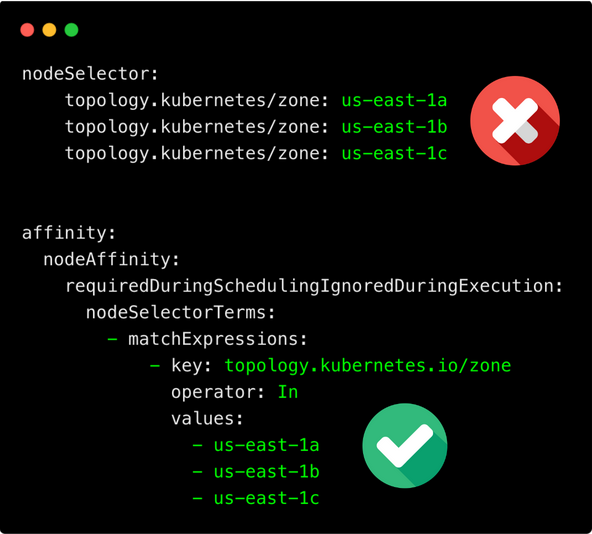
For example, if you want to ensure the pod is scheduled on nodes with the zone labels us-east-1a or us-east-1b you cannot use nodeSelector.
Technically, you can specify multiple labels with the same key but different values, and the pod gets created without any errors.
For example,
nodeSelector:
topology.kubernetes/zone: us-east-1a
topology.kubernetes/zone: us-east-1b
topology.kubernetes/zone: us-east-1c
But the first two will be ovveridden by the API server and only the last key-value pair (us-east-1c) will be used for scheduling. The last specified value for that key takes precedence.
For multiple matches, you need to use nodeAffinity with the 𝗼𝗽𝗲𝗿𝗮𝘁𝗼𝗿: 𝗜𝗻 to allow matching multiple zones.
Do you have any tips or insights to share?
Drop them in the comments!
----
𝗡𝗼𝘁𝗲:If you are looking for organized learning, in our CKA course, we explain concepts like these with illustrations to make them easy to understand. (30% OFF)
𝗖𝗼𝘂𝗿𝘀𝗲: techiescamp.com/p/cka-comple…
#kubernetes #devops
1
10
80
2,888
20 Dec 2025
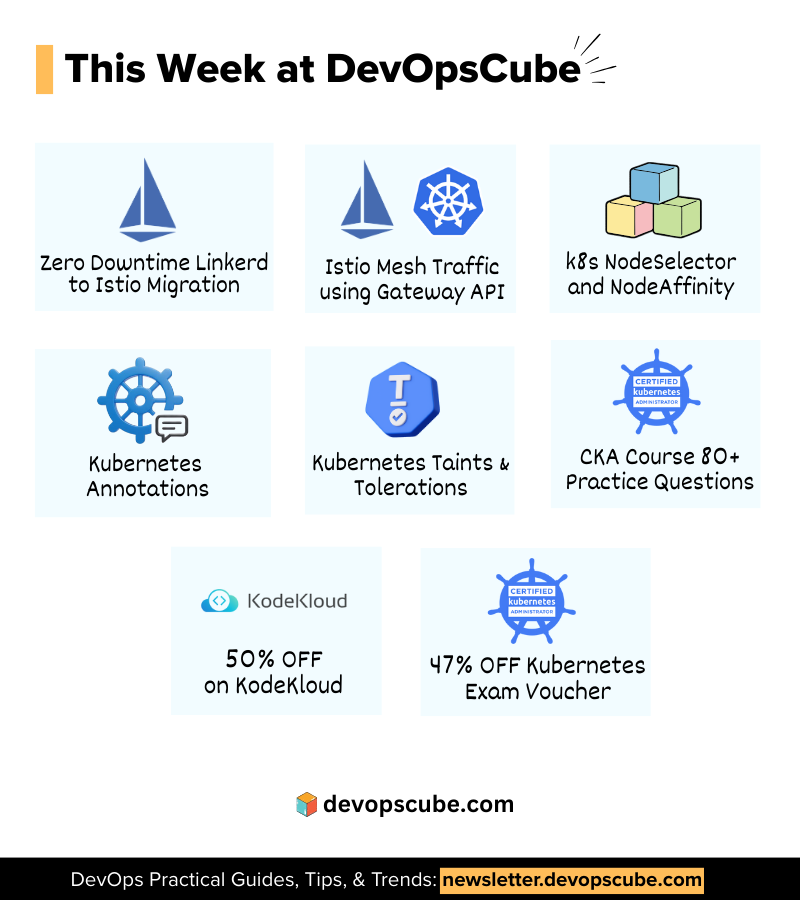
This Week in DevOpsCube👇
🖥️ 𝗗𝗲𝘃𝗢𝗽𝘀 𝗕𝗹𝗼𝗴𝘀 & 𝗜𝗻𝘀𝗶𝗴𝗵𝘁𝘀
1. Zero Downtime Linkerd to Istio Migration - devopscube.com/gateway-api-f…
2. Istio Mesh Traffic using Gateway API - devopscube.com/gateway-api-f…
3. k8s NodeSelector and NodeAffinity - linkedin.com/feed/update/urn…
4. Kubernetes Annotations - linkedin.com/feed/update/urn…
5. Kubernetes Taints & Tolerations - newsletter.devopscube.com/p/…
🎓 𝗖𝗲𝗿𝘁𝗶𝗳𝗶𝗰𝗮𝘁𝗶𝗼𝗻𝘀 & 𝗗𝗶𝘀𝗰𝗼𝘂𝗻𝘁𝘀
CKA, CKAD, CKS aspirants! This months deal is live!
Use code 𝗛𝗢𝗟𝗜𝗗𝗔𝗬𝟮𝟱𝗖𝗧 at kube.promo/devops to save up to 𝟰𝟳% 𝗢𝗙𝗙 on individual certifications.
👉 CKA course with 80 practice questions: techiescamp.com/p/cka-comple…. Use code 𝗗𝗖𝗨𝗕𝗘𝟯𝟬 to get 𝟯𝟬% 𝗢𝗙𝗙 today
👉 Container Fundamentals Free Course(Practical Guide) -courses.devopscube.com/p/con…
Which resource are you diving into this week? Drop a comment!
#DevOps #Learning #techtips
1
23
125
4,337

14 Dec 2025
kubernetes scheduler before assigning a pod to a node does this. 1. filtering 2. ranking
1. in the filtering step, the scheduler eliminates all nodes that cannot technically run the pod. this will check for sufficient CPU/memory, matching nodeSelector / nodeAffinity, required volumes/zone, and taints/tolerations etc
2. from the remaining nodes, the scheduler runs scoring plugins. it assigns a score to each node. it picks the node with highest-score.
what are considered to ranking? things like least requested resources, balanced resource allocation, affinity checks etc.
2
3
13
4,964


14 Aug 2025
家のネットワーク改修中のために落としたk8sクラスタ、nodeAffinityの設定忘れてて disk 割り当てていないnodeに全部立ってしまった (もう直した)
2
122


2 Feb 2025
** 2. Node affinity & pod affinity/anti-affinity **
Node affinity and pod affinity/anti-affinity provide more advanced scheduling rules.
** Node Affinity **
A more powerful replacement for nodeSelector, allowing logical operators.
** How it works: **
- Uses requiredDuringSchedulingIgnoredDuringExecution (mandatory).
- Uses preferredDuringSchedulingIgnoredDuringExecution (soft preference).
- Supports operators like In, NotIn, Exists, DoesNotExist.
spec:
affinity:
nodeAffinity:
requiredDuringSchedulingIgnoredDuringExecution:
nodeSelectorTerms:
- matchExpressions:
- key: disktype
operator: In
values:
- ssd
This ensures the pod must be scheduled on nodes labeled disktype=ssd.
1
2
282

24 Jan 2025
Day 5: Kubernetes (Quick Bytes)
21. Selectors
Selectors are used in Kubernetes to select a subset of objects based on their labels. Selectors are used with services, deployments, replica sets, and other controllers to identify which pods to target.
Real-world example: Suppose you have a service that needs to target only the pods with the label 'app: frontend'. You can define the selector for the service using the following YAML definition:
----------------------------------
apiVersion: v1
kind: Service
metadata:
name: frontend-service
spec:
selector:
app: frontend
ports:
- name: http
port: 80
targetPort: 8080
-----------------------------------
22. Taints & Tolerations in K8s
Taints and tolerations are used in Kubernetes to control which nodes can run which pods. A taint is a property that is applied to a node, and a toleration is a property that is applied to a pod. If a pod has a toleration that matches the taint on a node, the pod can be scheduled on that node.
Real-world example:
Suppose you have a node in your Kubernetes cluster that is running a database, and you want to ensure that only pods that are suitable for running a database are scheduled on that node. You can apply a taint to the node using the following command:
> kubectl taint nodes <node-name> db=required:NoSchedule
This taint specifies that the node requires a database and that no pods should be scheduled on the node unless they have a toleration for the db=required taint. To allow a pod to be scheduled on the node, you can add a toleration to the pod using the following YAML definition:
------------------------------------------------------------
apiVersion: v1
kind: Pod
metadata:
name: database-pod
spec:
tolerations:
- key: "db"
operator: "Equal"
value: "required"
effect: "NoSchedule"
containers:
- name: database
image: mysql
-----------------------------------------------------------
23. Node Affinity in K8s
Node affinity is a feature in Kubernetes that allows you to specify which nodes should run which pods based on node labels. Node affinity can be used to ensure that certain pods are always scheduled on specific nodes, or to spread pods across different nodes based on their properties.
Real-world example:
Suppose you have a set of pods that require GPUs to run, and you have some nodes in your cluster that have GPUs attached. You can use node affinity to ensure that the pods are scheduled on the nodes with GPUs. You can define node affinity using the following YAML definition:
------------------------------------------------------------
apiVersion: apps/v1
kind: Deployment
metadata:
name: gpu-app
spec:
replicas: 3
selector:
matchLabels:
app: gpu
template:
metadata:
labels:
app: gpu
spec:
affinity:
nodeAffinity:
requiredDuringSchedulingIgnoredDuringExecution:
nodeSelectorTerms:
- matchExpressions:
- key: gpu
operator: Exists
containers:
- name: gpu-container
image: gpu-image
————————————————————————
This YAML definition specifies that the pods should be scheduled on nodes with the label 'gpu', which indicates that the node has a GPU attached.
1
2
1,026

7 Jan 2025
CKA Recap – Pod Schedual Kubernetes This is a quick recap for the points of pod schedual, details can click each title link or the final reference. 1. Affinity nodeAffinity and nodeAntiAffinity node labels podAffinity and podAntiAffinity pod labels re… ift.tt/zTiZ3oB
2
205


22 Aug 2024
NodeAffinity, Taints & Tolerations: All about Kubernetes scheduler buff.ly/3AugDPo #kubernetes
2
173