
Jun 9
Probably one of the more technical Shopify builds I’ve done so far.
The goal was simple from the user side:
Print a QR code on the internal delivery sheet.
Driver scans it after delivery.
A normal mobile webpage opens.
Driver taps “Mark as delivered”.
Shopify updates the local delivery order as delivered.
No driver app. No login. No complicated workflow.
The harder part was Shopify’s fulfillment model.
At first it looked like this could be solved by calling fulfillmentEventCreate with status DELIVERED.
But local delivery orders are not always that straightforward.
When the order sheet is printed, the Shopify order may still be UNFULFILLED. In that state, there may be no normal Fulfillment object available yet, only a local FulfillmentOrder.
So the QR code could not safely rely on a Fulfillment ID being present at print time.
The final flow ended up like this:
The printed QR identifies the order using a signed token
Backend verifies the token
Backend looks up the live Shopify order through the Admin API
It checks whether a usable Fulfillment already exists
If no Fulfillment exists, it queries the order’s Fulfillment Orders
It finds the open LOCAL Fulfillment Order with remaining quantity
It creates a Fulfillment from that Fulfillment Order
It then marks that Fulfillment as delivered using fulfillmentEventCreate
The core mutation is:
mutation MarkDelivered($fulfillmentEvent: FulfillmentEventInput!) {
fulfillmentEventCreate(fulfillmentEvent: $fulfillmentEvent) {
fulfillmentEvent {
id
status
happenedAt
}
userErrors {
field
message
}
}
}
With variables like:
{
"fulfillmentEvent": {
"fulfillmentId": "gid://shopify/Fulfillment/...",
"status": "DELIVERED",
"happenedAt": "CURRENT_ISO_TIMESTAMP"
}
}
The main workaround was that the app sometimes has to create the Fulfillment first, using fulfillmentCreate, before it can attach the delivered event.
The app is built as a Node/Express backend, deployed on Railway, connected to GitHub, and uses Shopify’s GraphQL Admin API.
It also has a safe mode, so the QR flow, driver page and button can be tested end-to-end without modifying real Shopify orders.
The QR image loads directly in the Shopify print template, but the token itself is signed, so the printed link can identify the order without exposing admin credentials or relying on a stored database record.
Still one final live-store detail to confirm: whether Shopify sends the exact same customer delivery confirmation email when the delivered event is created through the API as when using Shopify’s native “mark as delivered” button.
But the main technical problem is solved.
Scan QR. Verify token. Find order. Resolve fulfillment state. Create fulfillment if needed. Mark delivered.
This one was fun to get working.
#Shopify #ShopifyDev #ShopifyPlus #GraphQL #AdminAPI #NodeJS #ExpressJS #Railway #Ecommerce #WebDevelopment #Automation #LocalDelivery #SmallBusiness
43

Jun 9
I've been comparing ChatGPT 5.5 and Claude Sonnet 4.6 for coding, and ChatGPT feels ahead right now.
In the Shopify theme development workflows I use daily, it feels noticeably more thoughtful and faster at the same time.
#ai #codex #coding #shopifydev
1
3
62

Jun 9
Why does Google Merchant Center demand rigid mapping at all? Because legacy logic doesn't operate on vibes. Unstructured Shopify tags kill sync quality. A 15k SKU catalog stalls for days on rejection errors. Use review-first AI automation to fix data before the sync. #ShopifyDev
25

Codex × Shopify CLI × Shopify AI Toolkit の組み合わせで開発するのが最近のお気に入り。
ただ、ヘッダーをカスタマイズしたら下層ページでカートアイコンが消えるというカスタマイズあるあるも発生する。
AIで開発速度は上がるけれど、最後の数%の手直しが重要。
#Shopify #ShopifyDev #Codex
16
545

Countdown timers don't create urgency.
They create suspicion.
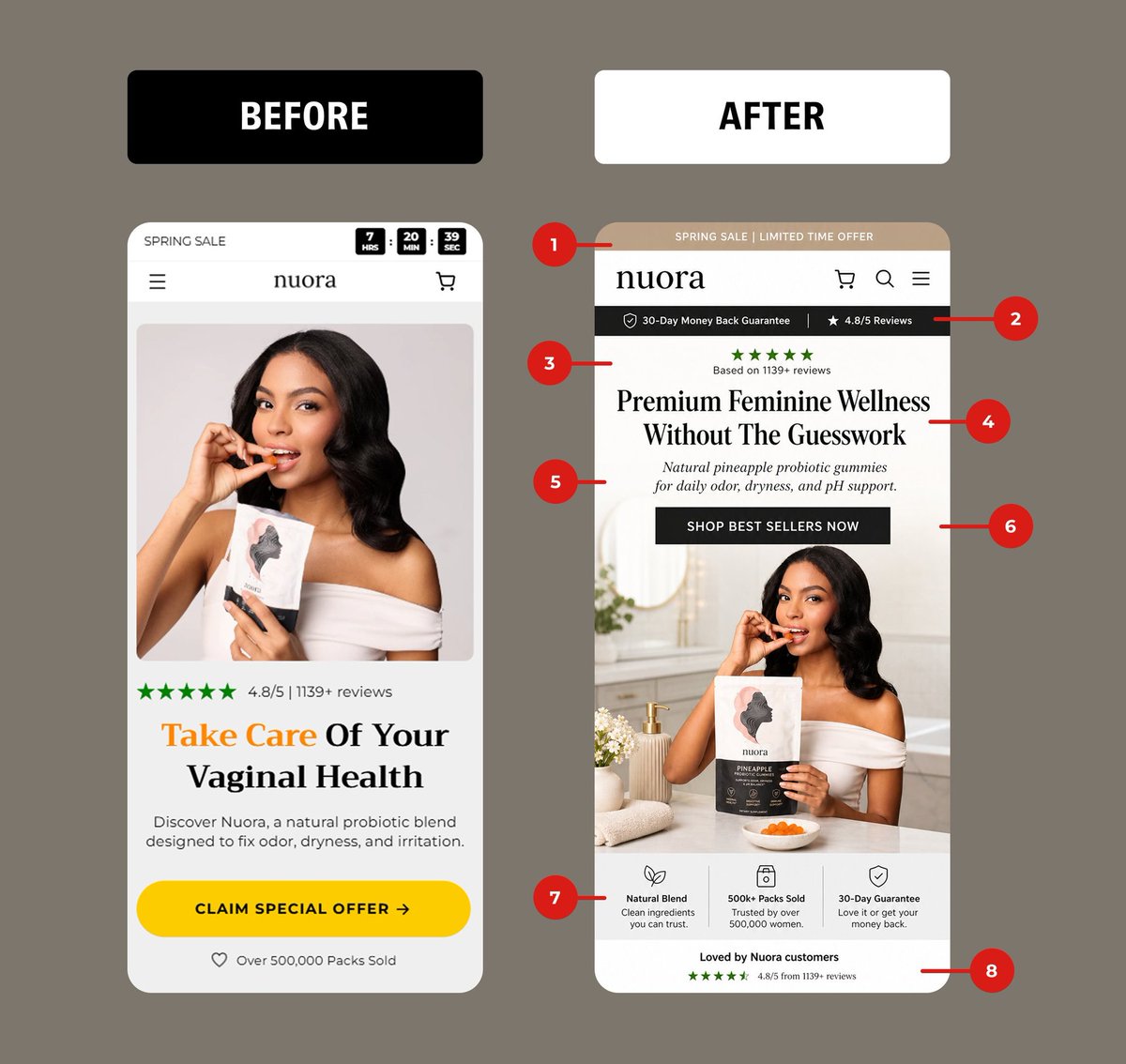
I redesigned this feminine wellness homepage. Here's what changed and why:
BEFORE was screaming "dropshipper":
1. Flashing countdown (anxiety, not desire)
2. Product floating on a white BG (zero context, zero want)
3. Clinical headline: "Take Care Of Your Vaginal Health"
4. Yellow CTA at war with the brand palette
5. Not a single trust signal above the fold
AFTER sells like a premium brand:
1. Soft "Spring Sale" bar - urgency without the panic
2. Trust strip right under nav (30-day guarantee 4.8★)
3. Stars reinforced before the headline reads
4. Benefit-led hook: "Premium Feminine Wellness Without The Guesswork"
5. Subhead does the heavy lifting on what it is what it does
6. Black CTA that matches the brand (premium > loud)
7. Lifestyle hero product styled in a real bathroom, not floating in space
8. Trust icons below the fold: Natural Blend / 500k sold / 30-Day Guarantee
9. Reviews reinforced again at scroll-out
The lesson: stop manufacturing urgency. Start engineering trust.
DTC brands bleeding conversions on mobile, DMs are open.
#CRO #ShopifyDev #DTC #Ecommerce #ConversionOptimization #UXDesign #ShopifyPlus #DTCMarketing
4
2
79
2,448


Built a cart upsell widget for Shopify in 3 files.
No app. No monthly fee.
Uses Shopify’s own Recommendations API.
Drops straight into the Horizon cart drawer.
Full tutorial free code:
→ youtu.be/xRPF6Dbress
#Shopify #ShopifyDev #EcommerceOptimization #cro #ecommerce
1
3
66

May 21
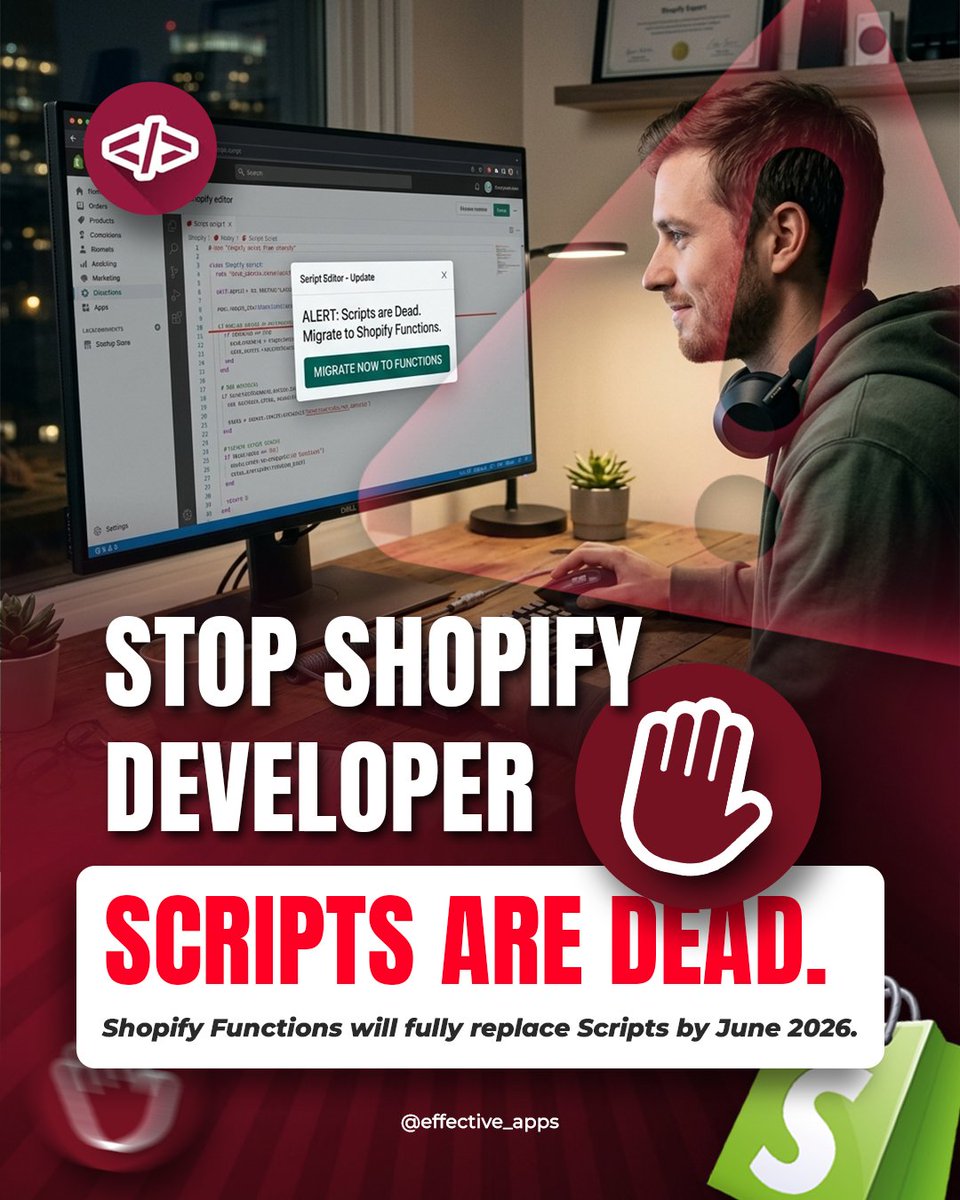
🚨 Shopify Scripts are officially done.
By June 2026, Shopify Functions will fully take over and outdated Scripts may stop working properly.
The smart Shopify devs are already migrating ⚡
Send this to your Shopify developer friend before they panic later 👀
#Shopify #ShopifyDev #ecommerce #WebDevelopment #ShopifyFunctions
2
102
Countdown timers don't create urgency.
They create suspicion.
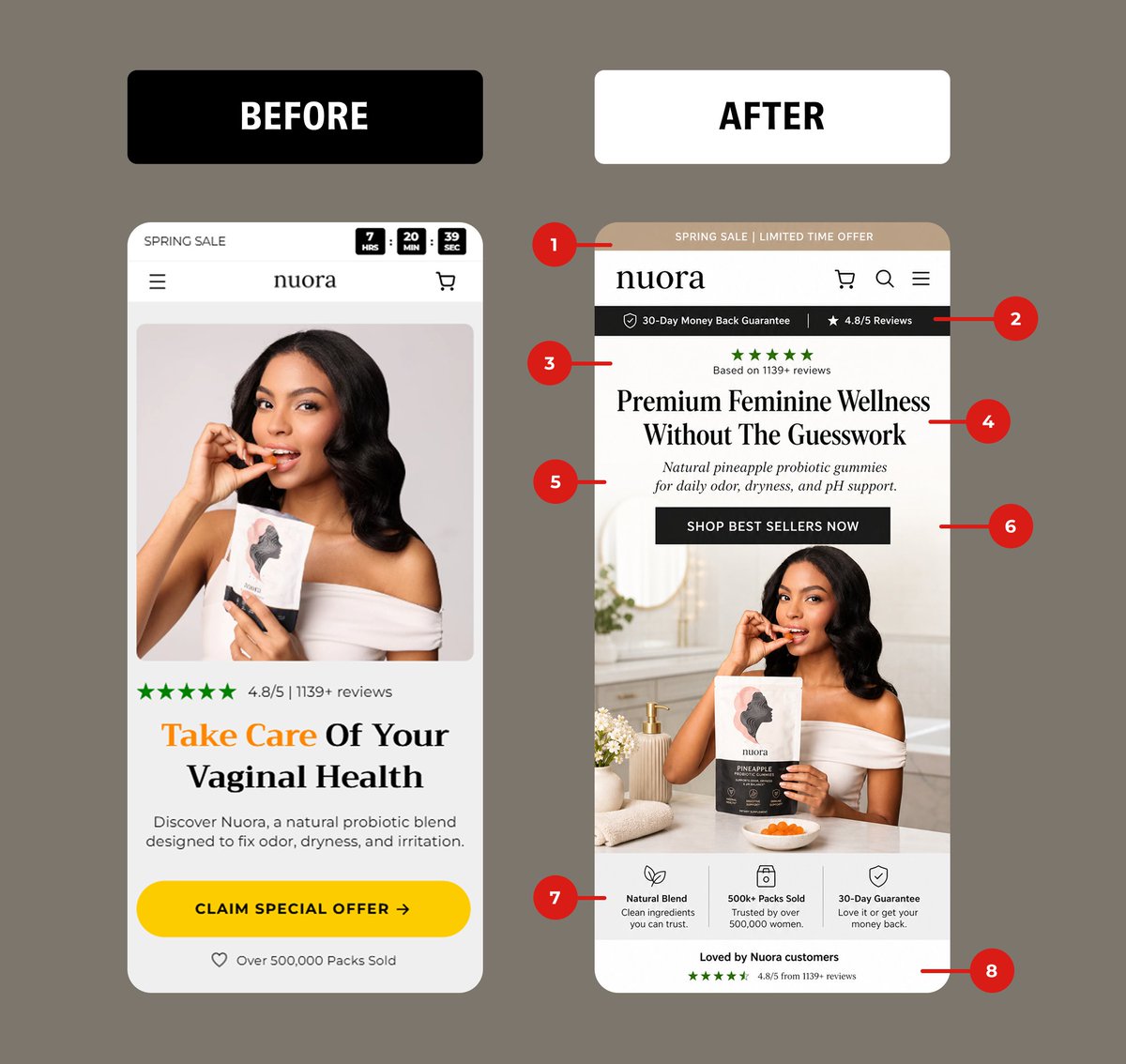
I redesigned this feminine wellness homepage. Here's what changed and why:
BEFORE was screaming "dropshipper":
1. Flashing countdown (anxiety, not desire)
2. Product floating on a white BG (zero context, zero want)
3. Clinical headline: "Take Care Of Your Vaginal Health"
4. Yellow CTA at war with the brand palette
5. Not a single trust signal above the fold
AFTER sells like a premium brand:
1. Soft "Spring Sale" bar - urgency without the panic
2. Trust strip right under nav (30-day guarantee 4.8★)
3. Stars reinforced before the headline reads
4. Benefit-led hook: "Premium Feminine Wellness Without The Guesswork"
5. Subhead does the heavy lifting on what it is what it does
6. Black CTA that matches the brand (premium > loud)
7. Lifestyle hero product styled in a real bathroom, not floating in space
8. Trust icons below the fold: Natural Blend / 500k sold / 30-Day Guarantee
9. Reviews reinforced again at scroll-out
The lesson: stop manufacturing urgency. Start engineering trust.
DTC brands bleeding conversions on mobile, DMs are open.
#CRO #ShopifyDev #DTC #Ecommerce #ConversionOptimization #UXDesign #ShopifyPlus #DTCMarketing
3
1
47
987

Organic app growth on @Shopify isn't dead.
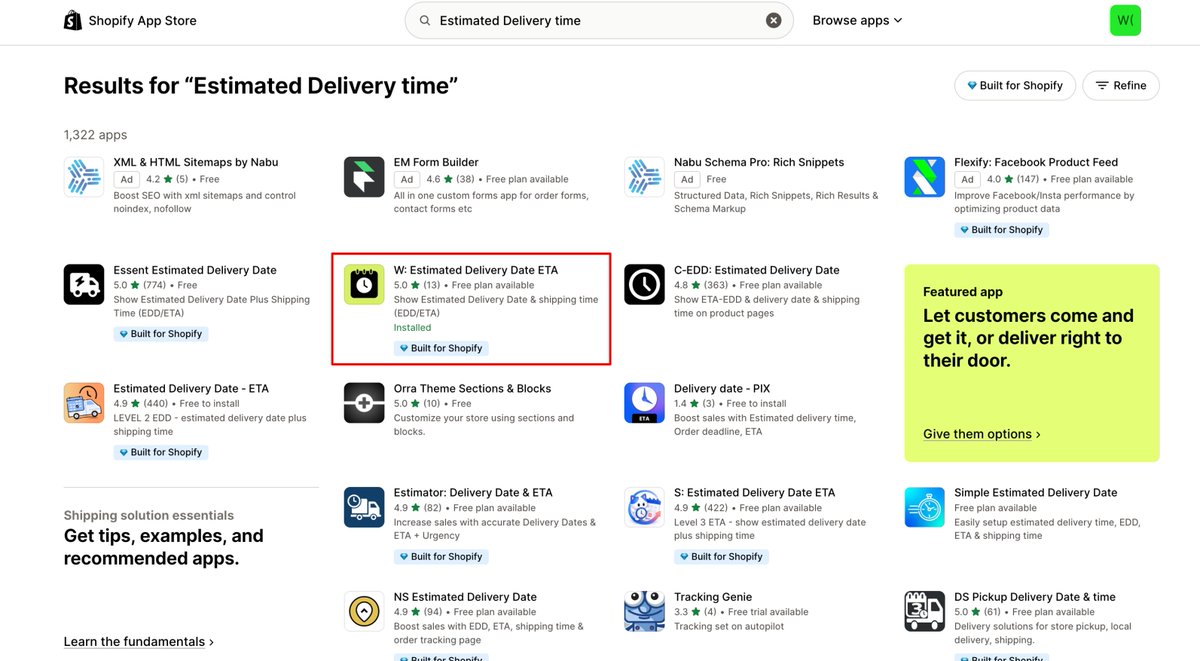
Our app, WowETA, just hit its highest keyword rankings ever across the Shopify App Store.
Almost every major search term is now a top position for us.
We didn't spend a single dollar on ranking.
See the live listing here: apps.shopify.com/estimated-d…
#shopify #ShopifyDev #SaaSGrowth #Bootstrapping
2
90

May 16
Most Shopify merchants have no idea how much revenue they lose from a slow theme.
So we built a Free Shopify Theme Audit tool.
It analyzes your store using Google PageSpeed data advanced AI to identify:
• performance bottlenecks
• theme issues
• mobile problems
• opportunities for improvement
Try it – it's free:
shoshintheme.com/theme-audit…
#shopify #shopifytheme #shopifydev

2
2
4
146

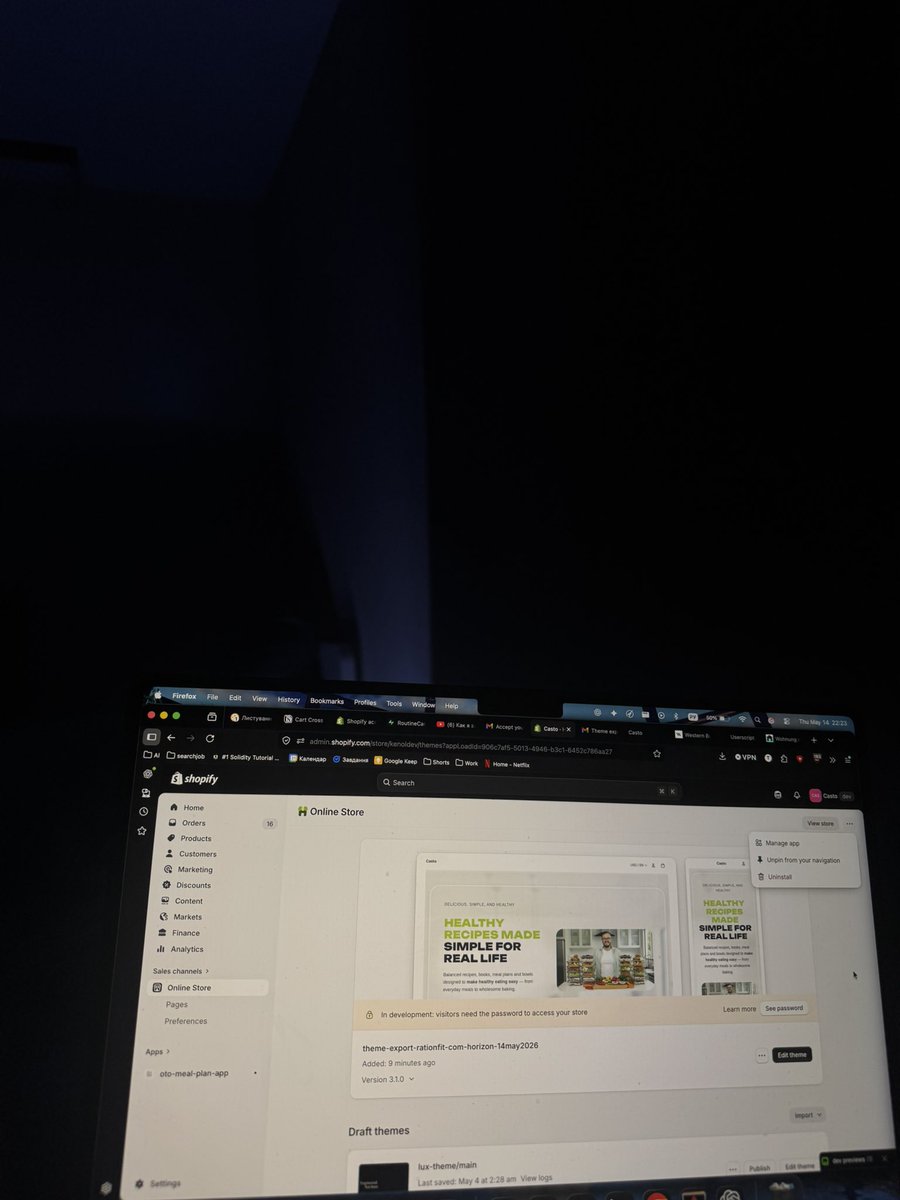
Late night dev session 🌙
Refining this Shopify store with a focus on clean typography and editorial UI. Custom themes are where the real magic happens.
#ShopifyDev #BuildInPublic #Nextjs
2
53

May 14
Not sure if I am misreading the docs but for the life of me I can't find this App Automation Token. Docs seems incorrect here @shopifydev
shopify.dev/docs/apps/build/…
1
5
1,255

Shipped 4 Shopify apps solo this year.
Hardest part wasn't code - it was figuring out the App Store review process.
Bugs that pass internal testing fail review for reasons buried in docs.
Writing them all down.
#shopifydev #buildinpublic
2
63
Shopify devs - what's your highest - converting channel right now?
- App Store SEO
- Cold email
- X / Twitter
- Reddit
- Theme partnerships
- Paid ads
- Other (comment below)
Mine is App Store SEO. Cold email TBD.
#shopifydev
1
82

May 8
@The_Movas Built a luxury Shopify jewelry store optimized for:
SEO, speed, and conversions. ✨Mobile-first. Clean UX. Premium feel.
Because beautiful products deserve a store that sells. 👇#Shopify #ShopifyStore #JewelryStore #Ecommerce #WebDesign #ShopifyDesign #ShopifyDev
2
41

Turn browsers into buyers with an AI shopping assistant that actually understands your catalog. 🛍️🤖
With Zoocx, Shopify stores can:
✅ Answer shopper questions instantly
✅ Recommend products using AI
✅ Let customers add-to-cart directly from chat
✅ Trigger smart nudges on cart hesitation & exit intent
✅ Track AI-attributed revenue and funnel analytics
Built for Shopify merchants who want more than a basic chatbot.
Would love feedback from store owners, ecommerce operators, and fellow builders 🙌
#Shopify #ShopifyApps #ecommerce #AI #SaaS #buildinpublic #ShopifyDev #Chatbot #DTC #Entrepreneur
2
64

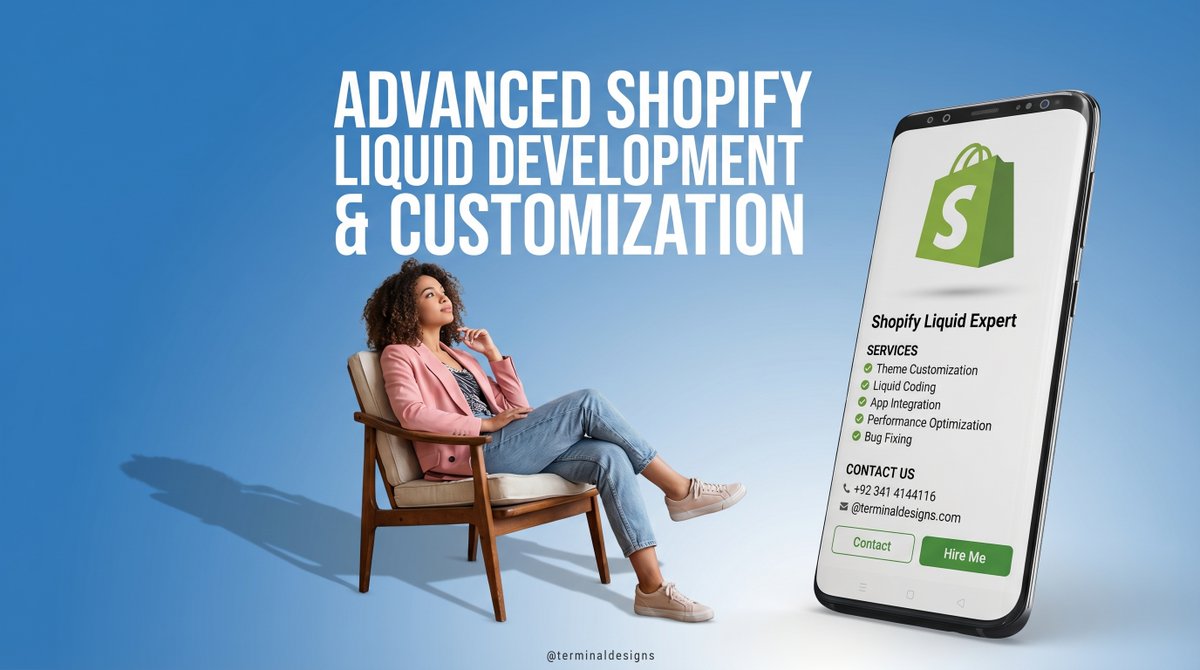
Ready for a Shopify store that actually stands out? ⚡
Stop fighting with limited themes and start building the features your customers deserve.
Hire your Shopify Liquid developer!
go.fiverr.com/visit/?bta=221…
#ShopifyDev #LiquidCode #WebDev #FiverrExpert
1
2
30

Why choose between image and video when you can use both?
Split Banner allows you to combine a strong visual with a video in one seamless section.
More context. Better clarity. Stronger first impression.
#iconicsections #shopifydev #ecommerce #shopifytips
1
5
72

Apr 13
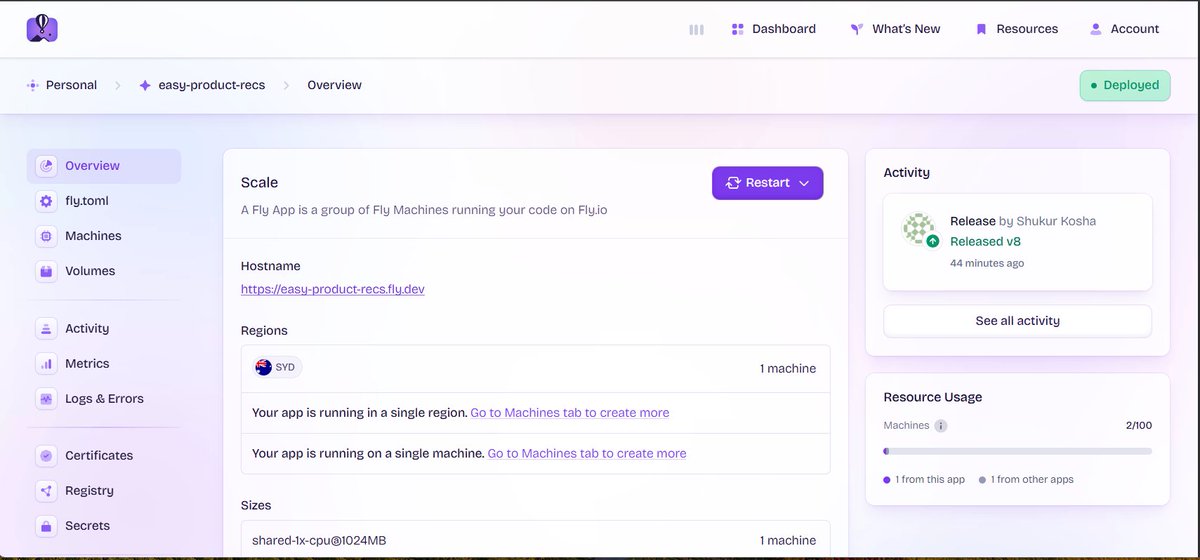
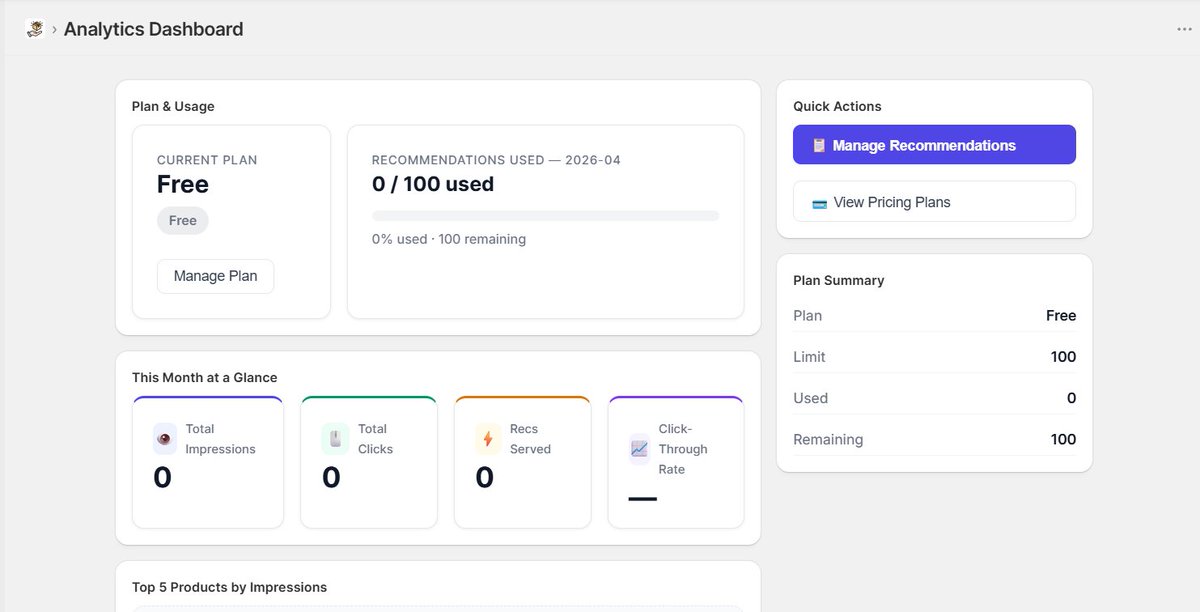
Built my first Shopify product recommendation app 🚀
Running on my dev store, hosted on Fly.io.
Learned a lot on this journey.
Thanks @itsHujjat for the guidance.
Next: improve features before App Store submission.
#shopify #shopifydev #application #software
5
1
19
1,109