
Jan 28
𝐁𝐎𝐋𝐃 𝐓𝐑𝐔𝐓𝐇: 𝟖𝟓% of LinkedIn accounts using risky automation get flagged or banned, according to 2026 platform reports.
I've seen teams waste months rebuilding profiles after detection hits.
One client lost 10k connections overnight from outdated bots – a painful lesson in compliance.
Safe automation thrives with API-first tools like ClawdBot:
• Official Posts API integration for native posting (no browser hacks).
• Little Text Format for mentions @[YourCompany](urn:li:organization:123456) and #hashtags.
• Built-in headers: Linkedin-Version 202602 token auth.
• Scannable structure: 1 idea per line, natural first-name flows.
This scales outreach without bans.
DM "ClawdBot" for a demo [Link] or comment your biggest automation fear!
#AI #Automation #LinkedInAPI
1
2
87
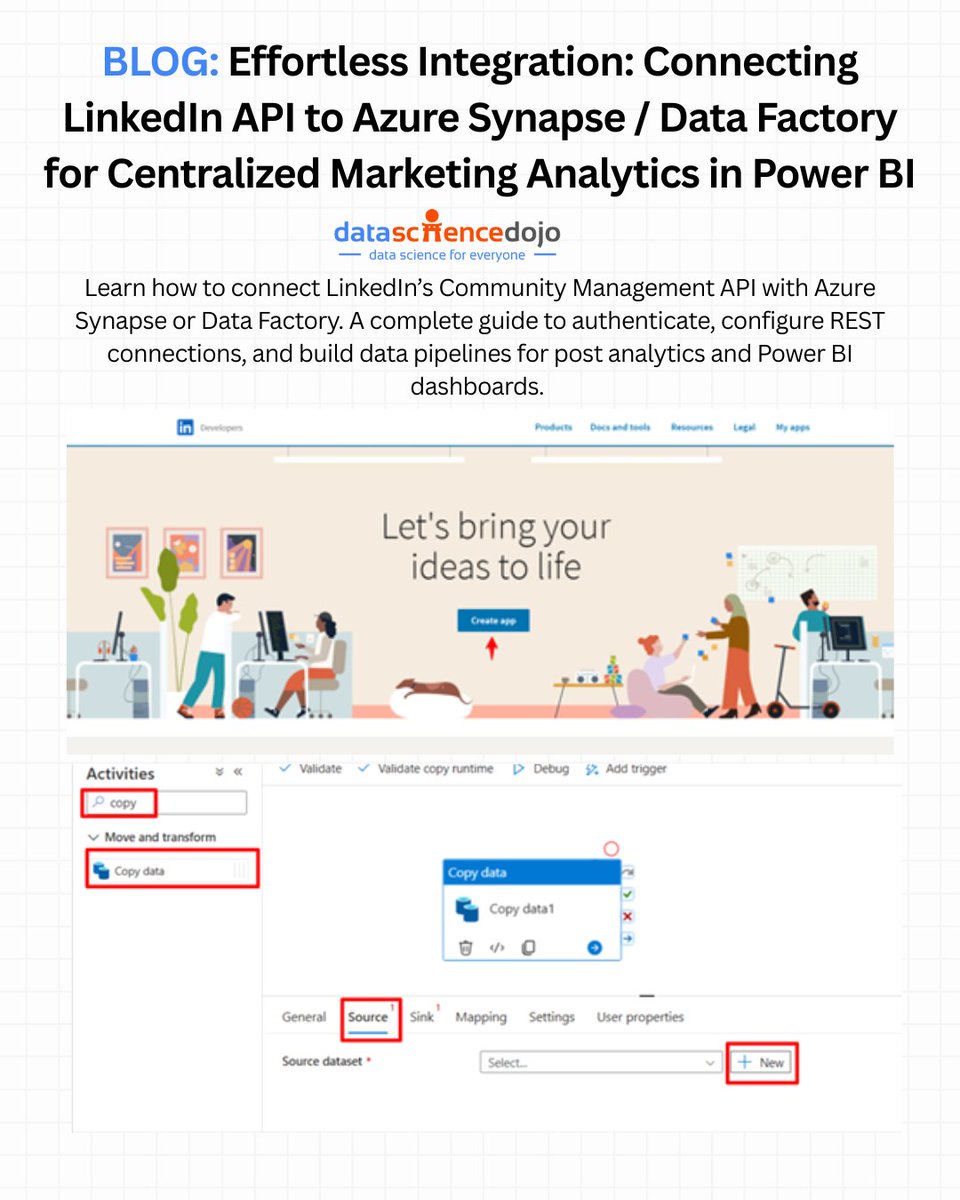
🚨 Turn your LinkedIn engagement data into strategic business insights — without the manual exports and csv headaches.
Native LinkedIn dashboards are useful, but they only scratch the surface. To unlock deep, cross-platform marketing analytics, you need your LinkedIn data flowing into a scalable data warehouse.
This step-by-step tutorial shows exactly how to connect the LinkedIn Community Management API to Azure Synapse Analytics / Data Factory, land the data in ADLS as Parquet, and make it analytics-ready for tools like Power BI.
In this blog, we explore:
• Why centralizing LinkedIn data matters — gain richer insights into campaign performance, audience behavior, engagement metrics, and ROI by unifying social data with CRM and other platforms.
• API access setup — how to register a LinkedIn app, request the Community Management API access, and generate OAuth tokens for secure data retrieval.
• Building the Azure Synapse pipeline — step-by-step guidance to configure REST linked services, dynamic pipelines, and load post metrics into Azure Data Lake Storage (ADLS).
• Automating data ingestion — tips for running and validating your pipeline so your LinkedIn analytics update automatically into your data warehouse.
• Business impact — transform fragmented insights into unified dashboards, enabling deeper analytics, cross-platform benchmarking, and smarter decision-making.
This guide empowers data engineers and analytics teams to break free from platform silos and build a scalable, automated marketing data ecosystem that fuels better BI and machine learning workflows.
Link to the blog: hubs.la/Q03_jdVr0
#DataEngineering #AzureSynapse #LinkedInAPI #MarketingAnalytics
3
2
6
639

23 Oct 2025
🤖 Unlocking LinkedIn Insights with Azure Synapse: A Strategic Integration
In today's data-driven landscape, integrating LinkedIn analytics into your organization's data ecosystem is no longer a luxury, it's a necessity. While LinkedIn's native dashboards offer valuable insights, they often fall short when it comes to comprehensive, cross-platform analytics. By connecting LinkedIn's Community Management API to Azure Synapse Analytics, businesses can centralize their marketing data, enabling richer insights and more informed decision-making.
This detailed guide walks you through the process of:
- Obtaining LinkedIn Community Management API Access: Learn how to request and secure access to LinkedIn's API, ensuring you can retrieve the necessary data.
- Authentication and Data Retrieval: Understand the steps to authenticate and fetch post statistics, including handling OAuth 2.0 tokens for secure access.
- Building an Azure Synapse Pipeline: Discover how to create a pipeline that ingests LinkedIn data into Azure Data Lake Storage (ADLS) in Parquet format, facilitating efficient storage and querying.
By leveraging this integration, organizations can:
- Create Custom Dashboards: Go beyond LinkedIn’s standard analytics with Power BI visualizations that blend multiple data sources.
- Connect the Dots: Integrate LinkedIn analytics with data from Google Ads, Facebook, HubSpot, or Salesforce for a unified marketing performance view.
- Optimize Performance: Use machine learning and automation within Azure Synapse to predict engagement trends and optimize posting strategies.
This integration not only enhances your marketing analytics capabilities but also positions your organization to make data-driven decisions that can lead to improved engagement and ROI.
#LinkedInAPI #AzureSynapse #DataIntegration #MarketingAnalytics #PowerBI #DataScience #DataEngineering #DigitalTransformation
1
1,019

4 Oct 2025
Never ever got a positive response.
What they're supposed to do is run a email scanner through all comments with a linkedinapi and then manually send it to them? Or worse, copy it themselves?
Why wouldn't they use a simple forms for this?
2
43

1 Aug 2025
Day 1 – Project 1/12
Video 3/3
Wrapped up Day 1 with:
→ Dummy data in place
→ First draft of the new design
→ Starting prep for the LinkedIn API integration
It’s early, but the foundation is here.
Tomorrow: live demo API progress.
#vibecoding #buildinpublic #ai #founderjourney #linkedinmarketing #productbuild #linkedinapi #linkedinai #1of12
1
4
87

19 May 2025
If you've worked with social media APIs, let's connect — I’d love to hear your experience.
#buildinpublic #automation #AItools #devlife #OpenSource #100DaysOfCode #SocialMediaAutomation #XAPI #LinkedInAPI
3
15

14 Mar 2025
🚀 Maximize LinkedIn’s potential with API Integration!
✅ Automate marketing
✅ Streamline recruitment
✅ Boost sales & engagement
Don’t miss out! Learn how: tycoonstory.com/an-advanced-…
#linkedinapi #b2bmarketing #digitaltransformation
@UnipileAPI @proxycurl @crabbylions
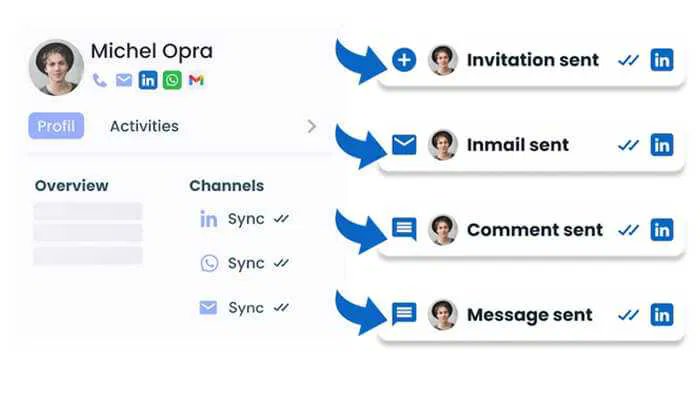
ALT 🚀 Boost Your Business with LinkedIn API Integration! Automate marketing, streamline recruitment, and expand your network effortlessly. Learn how to integrate it now!
4
85

5 Feb 2025
Day 42 #100daysofCode : 🚀 Seamless social sharing in Flutter with share_everywhere! 🌍📲
Easily integrate sharing for Facebook, LinkedIn & more with just a few lines of code!
🔗 Get started: github.com/subshegde/Share-E…
#Flutter #Dart #MobileDevelopment #SocialSharing #LinkedInAPI
1
13

22 Aug 2024
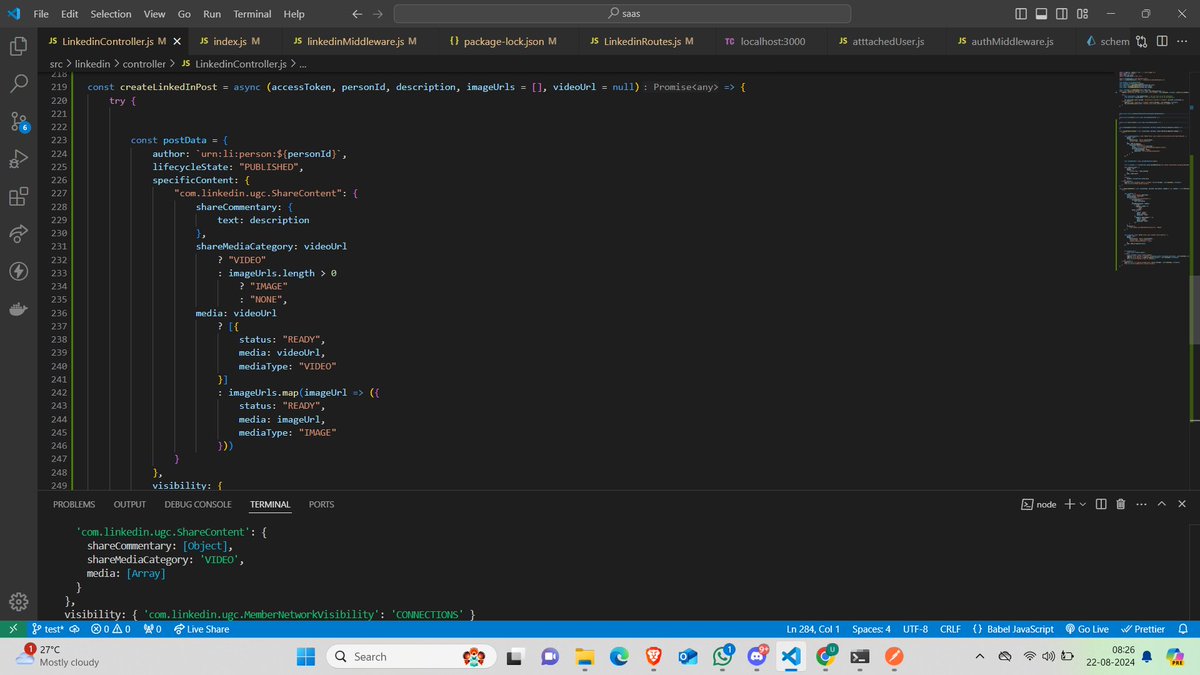
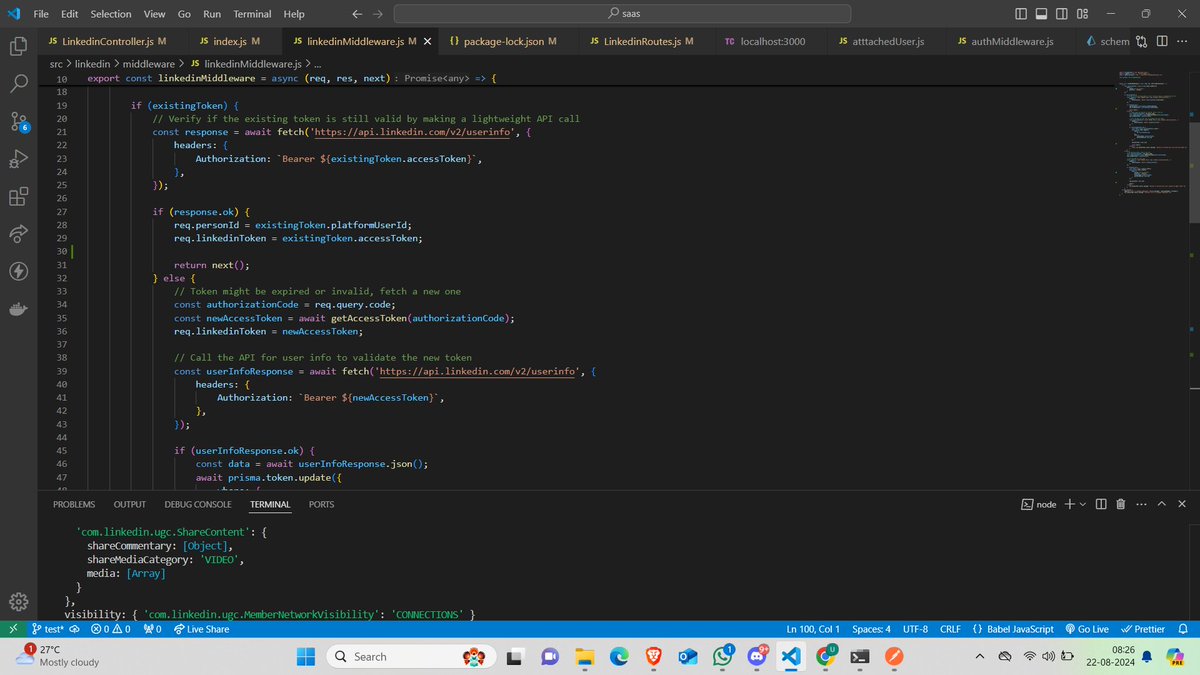
🚀just implemented LinkedIn middleware for seamless integration
✅Created an API endpoint to communicate with LinkedIn
🔗Supports posting with images & videos
🔄Effortlessly manage LinkedIn content directly from ourplatform #LinkedInAPI #NodeJS #BackendDevelopment #buildinpublic
18 Aug 2024

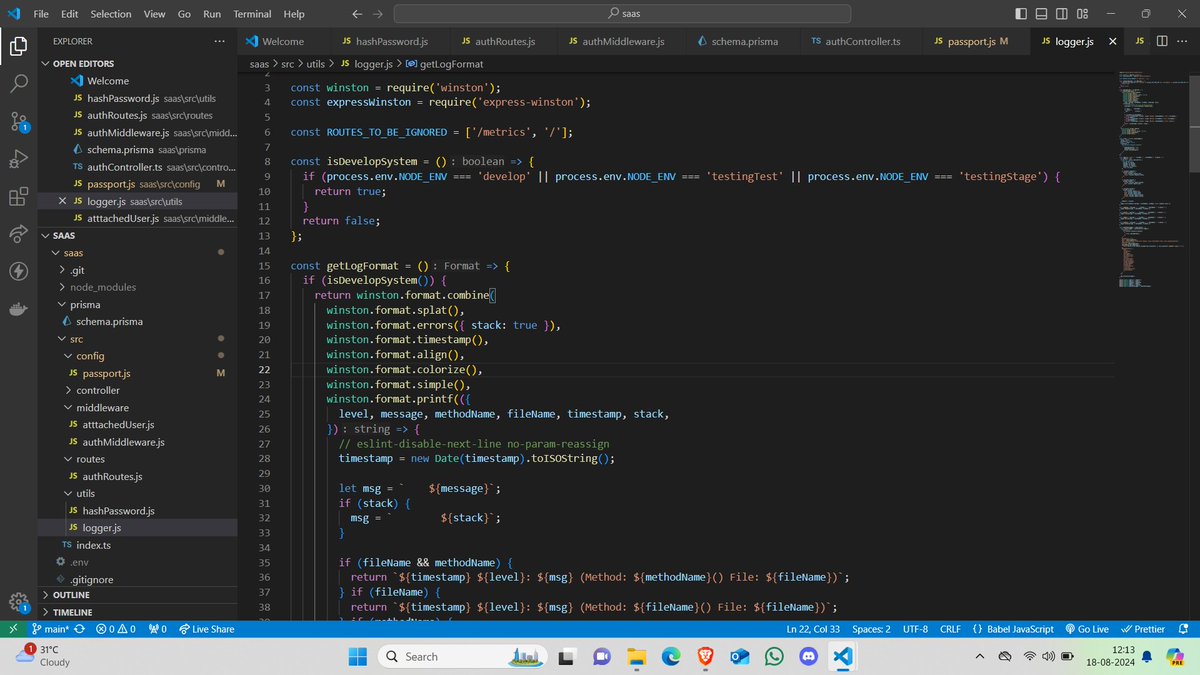
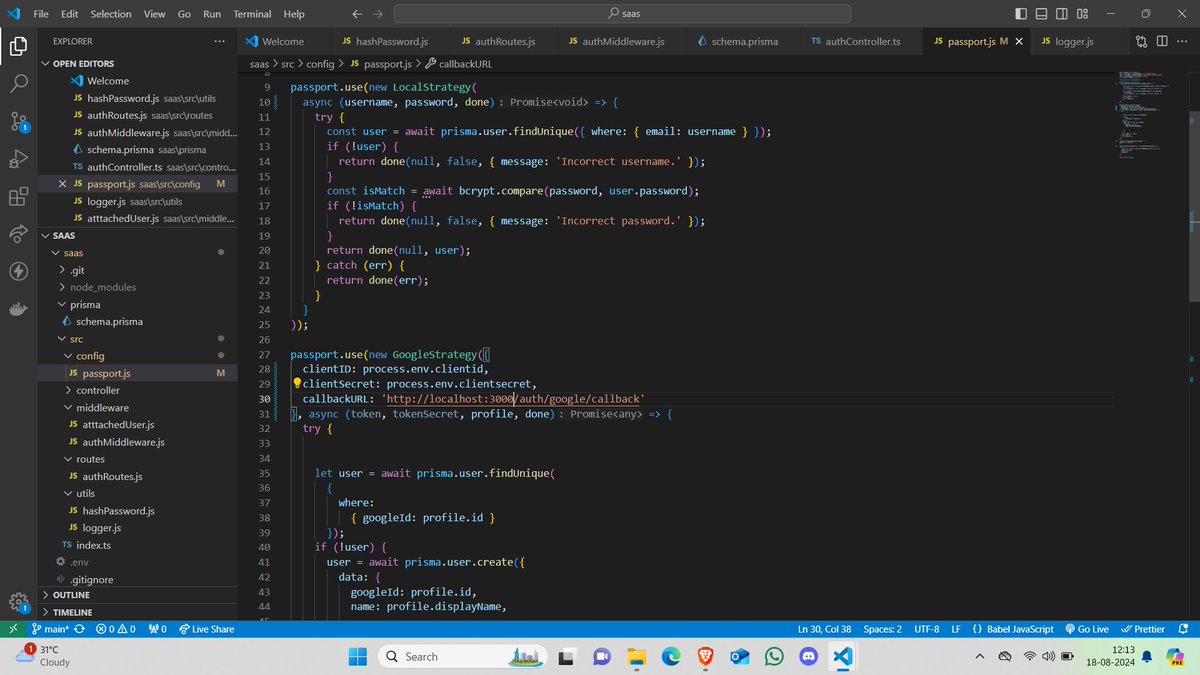
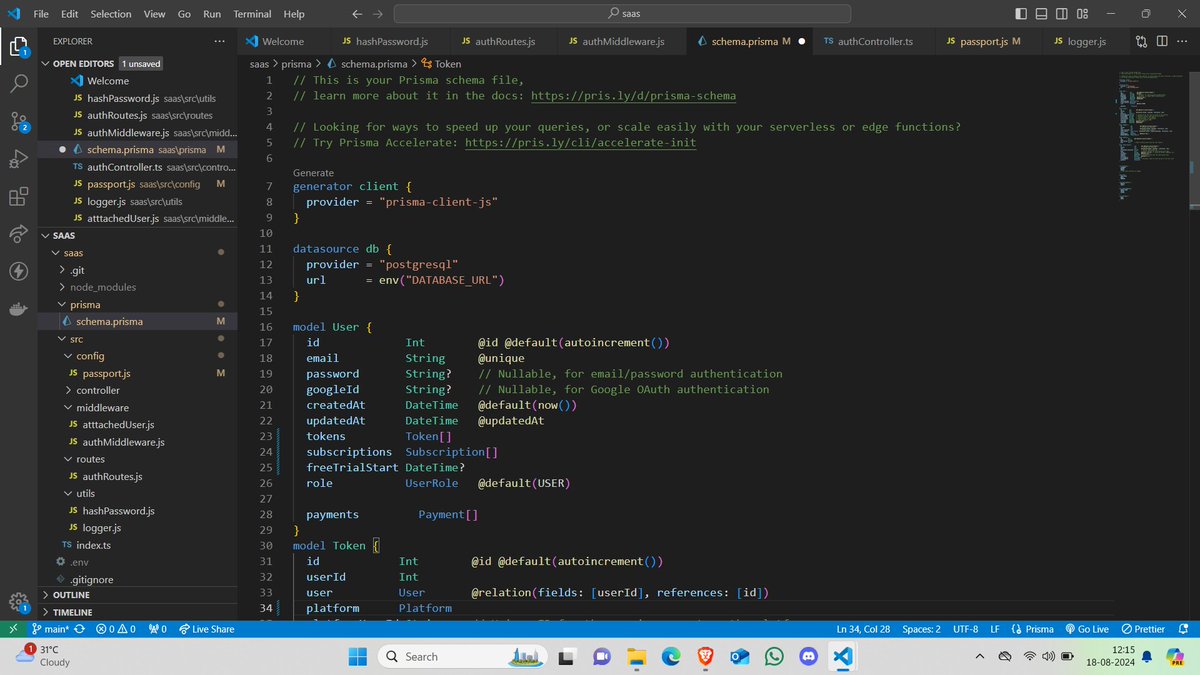
🚀 Exciting update from our anonymous MVP!
✅ Designed Prisma schema
🛠️ Created a Node.js/Express server
🔐Added Google login with Passport.js
📊Implemented Winston for logging Design
#TechUpdate #NodeJS #Express #Prisma #PassportJS #Winston #BackendDevelopment #buildinpublic
2
3
260

11 Aug 2024
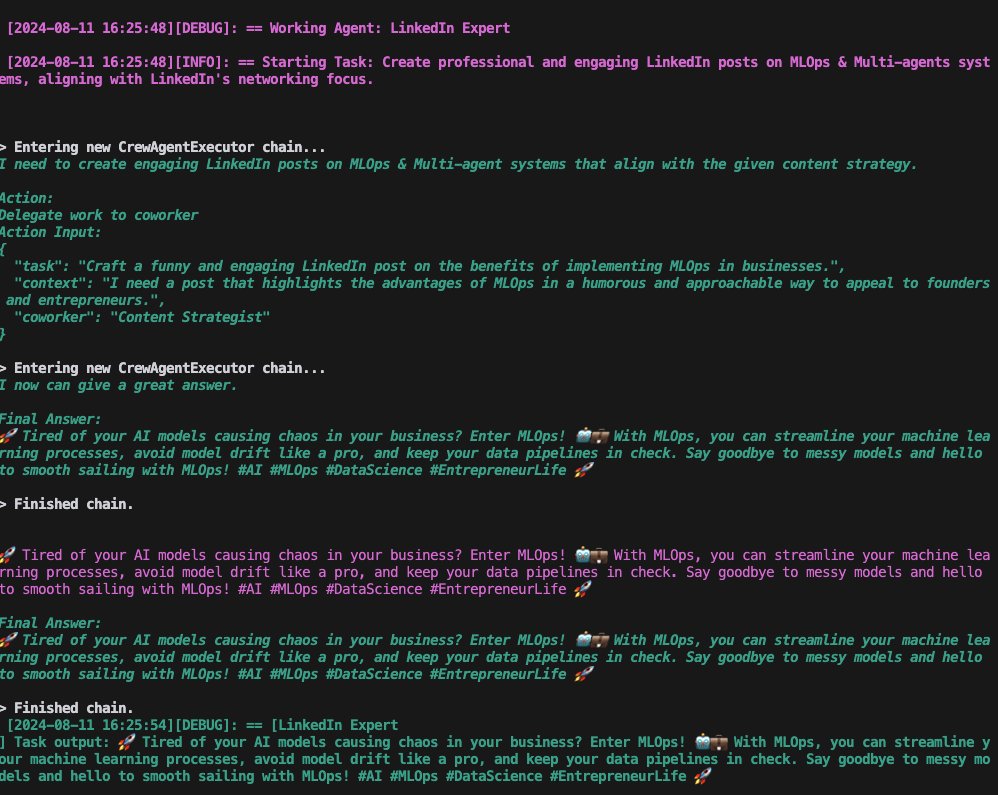
Updated on my @CrewAI content generator:
- Used 3 agents
- Content strategist
- LN expert
- Editor
Works like a charm
Next -> LinkedinAPI
@joaomdmoura heard in a podcast you built a crew for your LN. Any peace of advice? :)
2
5
177
18 Jul 2024
Maximizing Networking Efficiency With LinkedIn API Integration
#LinkedInAPI #LinkedInMarketing #APISolutions #Networking #LinkedInTips #APIIntegration
#ProfessionalNetworking #TechIntegration
#CareerGrowth #BusinessNetworking #contentsharing
tycoonstory.com/maximizing-n…

ALT Maximizing Networking Efficiency With LinkedIn API Integration
1
49

1 Feb 2024
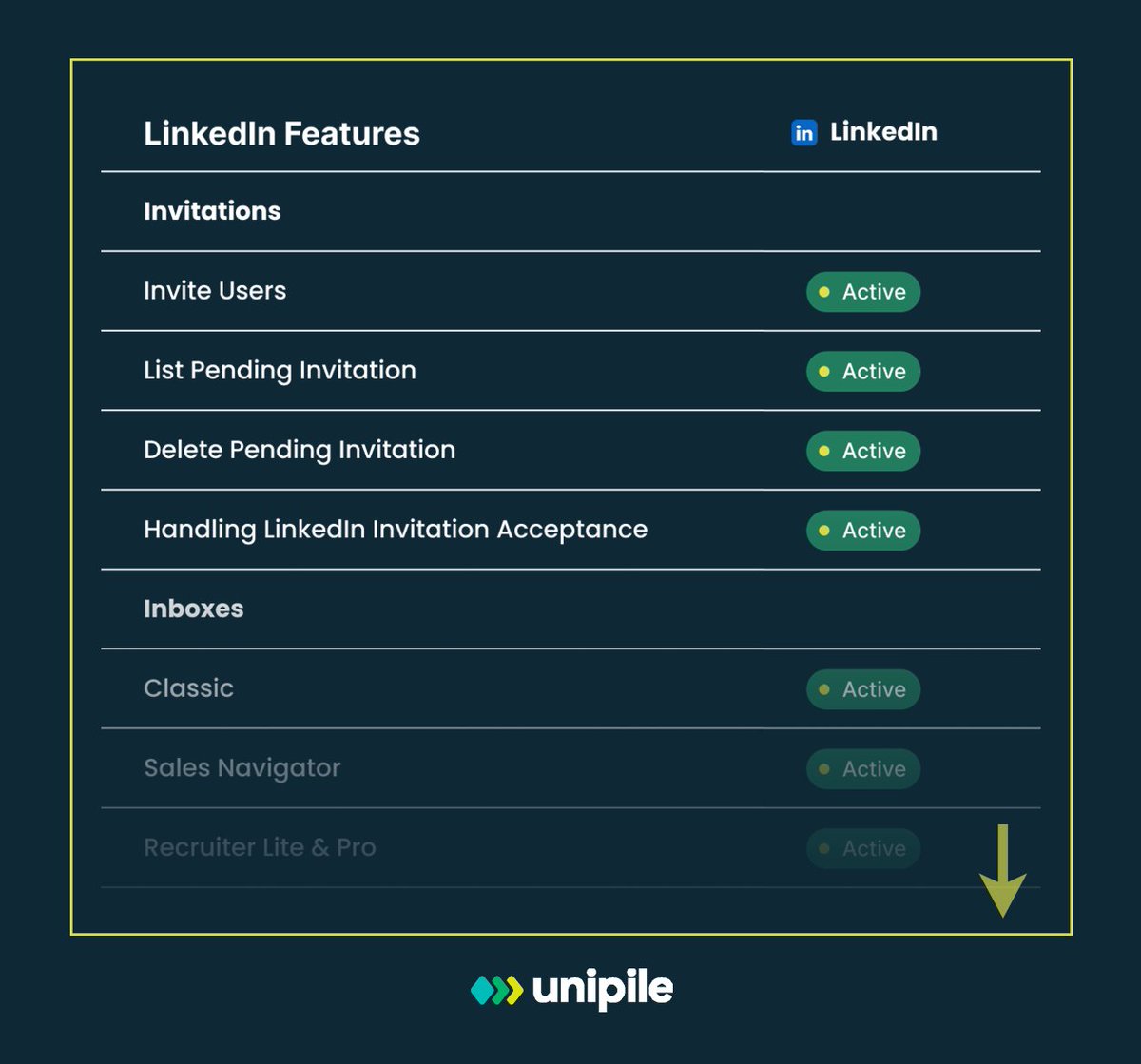
🔗2️⃣ API requests = Multiple LinkedIn features in your #CRM/#ATS:
📧 Invite Management
📩 Inbox Sync Efficient networking
➕... developer.unipile.com/docs/l…
#LinkedInAPI #UnipileAPI
1
3
156
21 Dec 2023
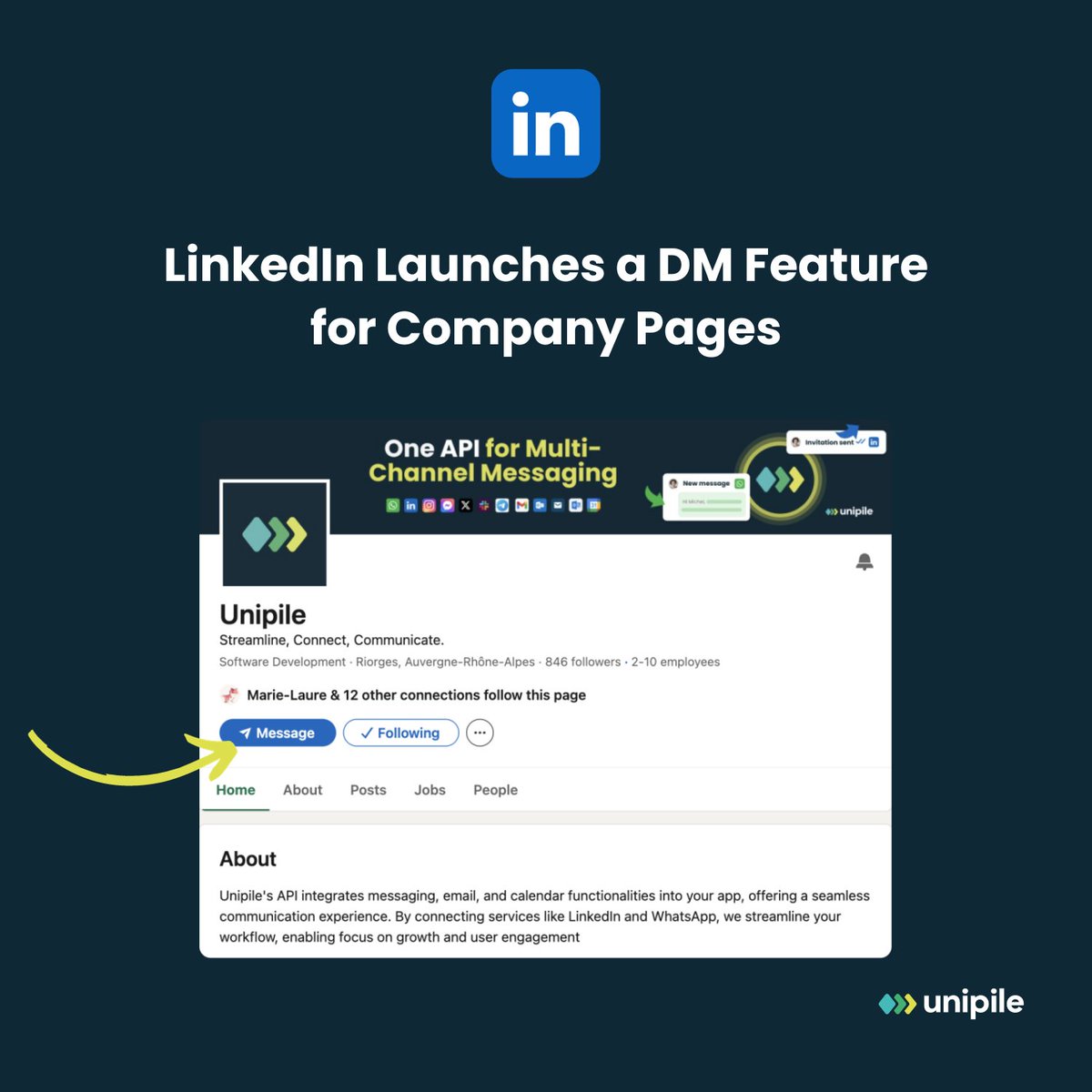
Directly message CEOs and top execs on LinkedIn without connecting!
🚀 The new messaging feature lets you DM company pages, often managed by CEOs & Marketing Directors. A subtle trick to reach the top!
👉 Discover how at unipile.com/linkedin-launche…
#linkedinapi #linkedintip #api
3
64
19 Dec 2023
Why Software Outreach Editors Integrate LinkedIn and WhatsApp ?
Because that’s where their clients’ prospects and candidates predominantly are. 😀
🚀 unipile.com/use-case-outreac……
#messaging #outreach #linkedinAPI
2
59
6 Dec 2023
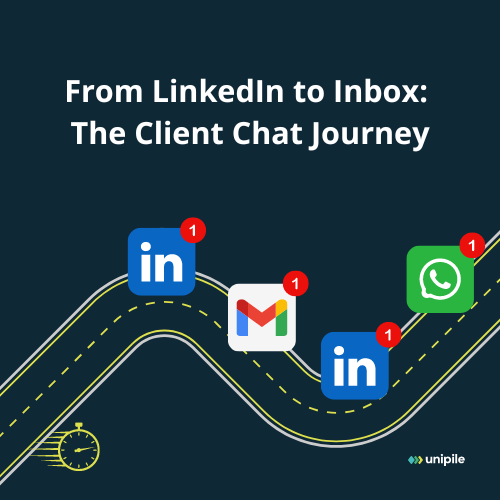
Bouncing between emails and DMs? It's like being a secret agent in the world of communication.
Get your gadgets together with integration!
📩 unipile.com/communication-ap…
#linkedinAPI #unipile
2
67

2 Nov 2023
Elevate your workflow with the LinkedIn API in Power Automate! Connect, automate, and boost your professional network effortlessly.
tinyurl.com/2e2hupwr
@CsharpCorner #LinkedInAPI #PowerAutomate #productivity #automation #thursdayvibes #powerautomation
12
11
415

30 Jun 2021
Nem tanulnak a közösségi média platformok. #linkedin #dataleaking #hacker #linkedinapi #userdata
bitcoinbazis.hu/700-millio-l…
1

How do you post to social networks in Node.js, including Twitter, Facebook, and LinkedIn? Learn how it can be done in 5 mins.
#SocialMedia #TwitterAPI #FacebookAPI #LinkedInAPI #Automation
youtu.be/WQTQmjvqvMM
1
5

How do I get company lists from LinkedIn using the LinkedIn API? #php #socialite #linkedin #linkedinapi quora.com/How-do-I-get-compa…
2

15 Sep 2016
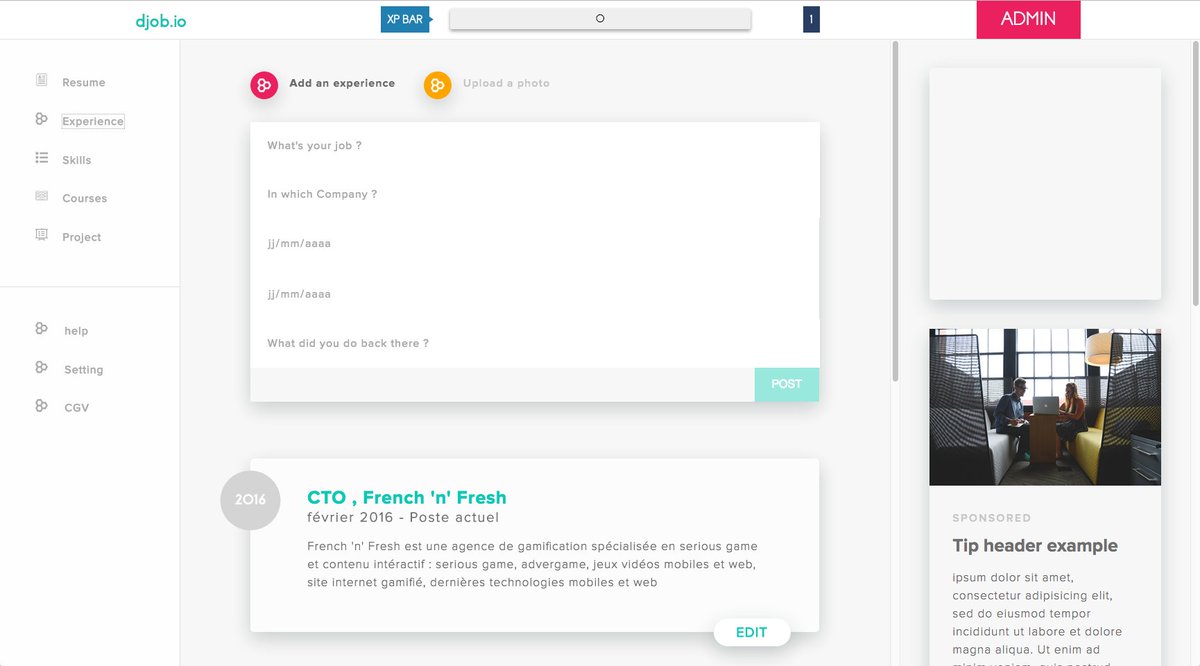
Interface sur laquelle je travaille actuellement : @djobapp
#AngularJS #LinkedinAPi #MVP #Dev #CTO @FrenchNfresh
1