Ofobike Igwe retweeted

Jun 12
🚀 Just migrated Material Notes from a pure Android app (XML Fragments Hilt Room) to full Kotlin Multiplatform 📱💻
One codebase → Android, iOS & Desktop
Compose Multiplatform Material 3
Navigation 3 (type-safe)
SQLDelight
Metro DI (compile-time)
Supabase sync
100% shared UI ✨
github.com/AndroidPoet/Mater…
3
2
64
3,984
無垢鳥GS retweeted

エンジニアが理解しておきたいデータ連携方式5選
・REST API
→ 現在の主流。
・SOAP
→ XMLベースの連携方式。
・ファイル連携
→ CSVなどでデータ受け渡し。
・メッセージキュー
→ 非同期で連携する。
・Webhook
→ イベント発生時に通知する。
👉 システム間連携の基本知識。
2
25
1,508

🚀 Power BI Roadmap — Topic 4
📊 Power BI Basics
In this section, you'll learn:
- How Power BI works
- The Power BI ecosystem
- Connecting data
- Creating your first report
- Understanding the Power BI interface
📌 1. What is Power BI?
Microsoft Power BI is a Business Intelligence (BI) and Data Visualization platform developed by Microsoft.
It helps organizations:
✔ Analyze data
✔ Create reports
✔ Build dashboards
✔ Share insights
✔ Make data-driven decisions
📌 2. Components of Power BI
Power BI consists of three major components.
🔹 Power BI Desktop
Used for: Creating reports, Building data models, Writing DAX, Data transformation
👉 This is where developers spend most of their time.
🔹 Power BI Service
Cloud-based platform used for: Publishing reports, Sharing dashboards, Scheduled refresh, Collaboration
🔹 Power BI Mobile
- Used for: Viewing reports, Monitoring KPIs, Accessing dashboards on mobile devices
📌 3. Installing Power BI Desktop
Download Options:* Microsoft Store, Official Microsoft website
Installation Steps:
1. Download installer
2. Run setup
3. Complete installation
4. Launch Power BI Desktop
📌 4. Understanding the Power BI Interface
When Power BI opens, you'll see:
Main Sections:
Area | Purpose
Ribbon | Commands & tools
Report Canvas | Build visualizations
Fields Pane | Tables & columns
Visualizations Pane | Charts & visuals
Filters Pane | Filtering
📌 5. Three Main Views in Power BI
🔹 Report View
Used to:
✔ Create reports,
✔ Add charts,
✔ Build dashboards
Icon: 📄 Report
Most work happens here.
🔹 Data View
Used to:
✔ Inspect data,
✔ Create calculated columns,
✔ Verify loaded tables
Icon: 📋 Table
🔹 Model View
Used to:
✔ Create relationships,
✔ Build star schemas,
✔ Manage data models
Icon: 🔗 Relationship
📌 6. Connecting Data Sources
Power BI supports hundreds of data sources.
Common Sources:
Files: ✔ Excel, ✔ CSV, ✔ XML, ✔ JSON
Databases: ✔ SQL Server, ✔ MySQL, ✔ PostgreSQL, ✔ Oracle
Cloud: ✔ Azure, ✔ SharePoint, ✔ Google Analytics
Web: ✔ APIs, ✔ Websites
📌 7. Get Data Process
Steps:
1. Click "Get Data"
2. Choose source
3. Connect
4. Load or Transform
Example:
Excel File: Sales.xlsx
Power BI imports: Sheets, Tables, Named Ranges
📌 8. Import vs DirectQuery vs Live Connection
🔹 Import Mode
Data is loaded into Power BI memory.
Advantages:
✅ Fast performance,
✅ Full DAX support,
✅ Better user experience
Disadvantages:
❌ Requires refresh
🔹 DirectQuery
Data remains in database.
Advantages:
✅ Real-time data
Disadvantages:
❌ Slower performance
🔹 Live Connection
Direct connection to enterprise models.
Example: SSAS Tabular Models
📌 9. Loading Data
After connecting:
Options:
Load: Directly loads data
Transform Data: Opens Power Query Editor
Used for:
✔ Cleaning data,
✔ Removing duplicates,
✔ Formatting columns
👉 In real projects, you'll often choose Transform Data first.
📌 10. Creating Your First Visualization
Suppose you have:
Product | Sales
Laptop | 50000
Phone | 30000
Create Bar Chart:
1. Select Bar Chart
2. Drag Product → Axis
3. Drag Sales → Values
Power BI automatically generates a chart.
📌 11. Understanding Visualizations Pane
Contains Charts:
✔ Bar Chart,
✔ Column Chart,
✔ Line Chart,
✔ Pie Chart,
✔ Area Chart,
✔ Scatter Plot
Advanced Visuals:
✔ KPI Card,
✔ Gauge,
✔ Waterfall,
✔ Funnel,
✔ Matrix
📌 12. Understanding Fields Pane
Shows: Tables, Columns, Measures
Example:
Sales Table
├─ Product
├─ Quantity
├─ Revenue
Used to build visuals.
📌 13. Understanding Filters Pane
Three levels:
Visual-Level Filter: Affects one visual
Page-Level Filter: Affects one page
Report-Level Filter: Affects entire report
📌 14. Saving Power BI Files
File Extension: .pbix
Contains:
✔ Data,
✔ Model,
✔ DAX,
✔ Reports
📌 15. Publishing Reports
Steps:
1. Save PBIX
2. Click Publish
3. Sign in
4. Select Workspace
5. Publish
Report becomes available in Power BI Service.
📌 16. First Mini Dashboard
Create:
KPI Cards: Total Sales, Total Orders
Charts: Sales by Product, Sales by Region
Filters: Region, Month
📌 17. Common Beginner Mistakes
❌ Loading unnecessary columns
❌ Ignoring data types
❌ Using too many visuals
❌ Poor naming conventions
❌ Skipping Power Query cleaning
📌 18. Practice Project
🛒 Sales Dashboard
Dataset: Product, Region, Sales
Tasks:
✔ Import Excel Data
✔ Create: Bar Chart, Line Chart, KPI Cards
✔ Add Filters
✔ Publish Report
📌 19. Interview Questions
1. What is Power BI?
2. Difference between Desktop and Service?
3. What are the three views in Power BI?
4. What is Import Mode?
5. What is DirectQuery?
6. What is a PBIX file?
7. How do you publish reports?
8. What is a Workspace?
9. What is Power Query?
10. What is a Dashboard?
🎯 Goal of This Topic
After this topic you should be able to:
✅ Install Power BI
✅ Connect data sources
✅ Load data
✅ Create visualizations
✅ Build simple dashboards
✅ Publish reports
Double Tap ❤️ For Part-5

1
3
600

XML instead of md? sounds interesting... could you tell more? to preserve semantic structure in tool-based searches?
1

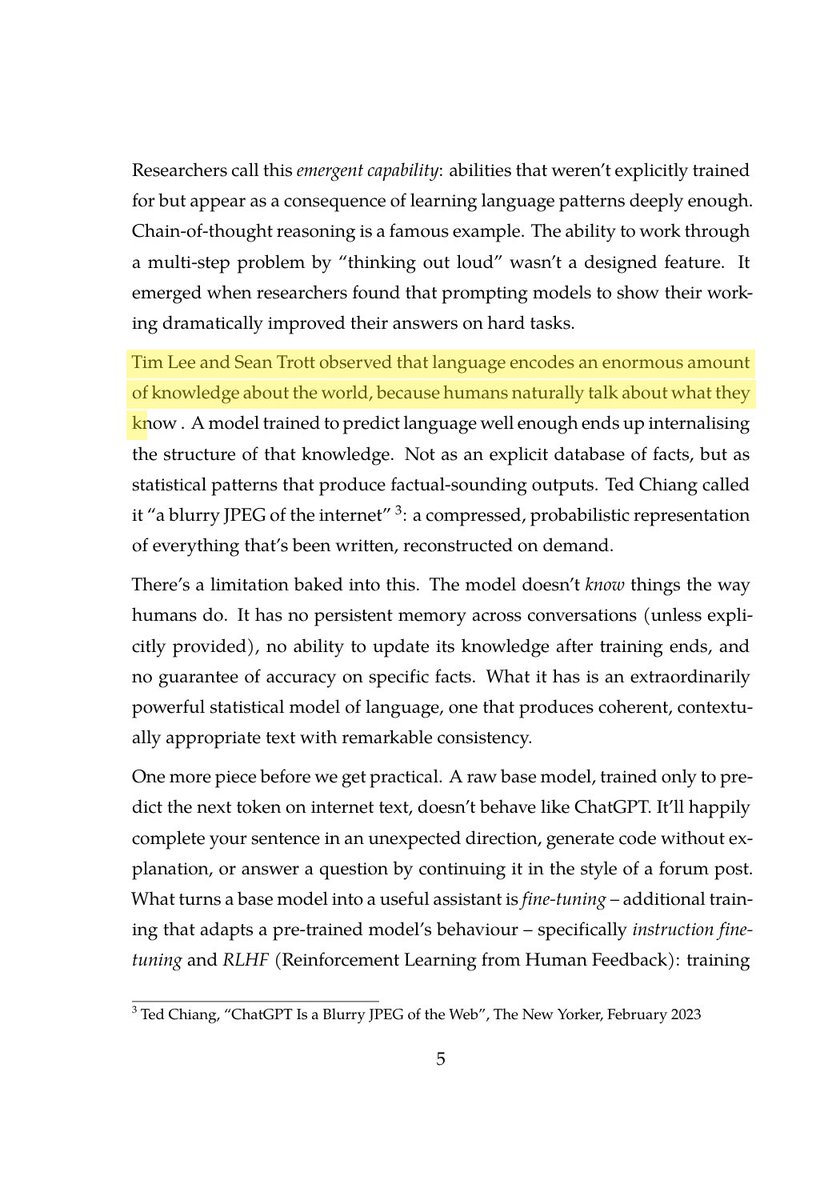
@MiaAI_lab RepoPrompt looks like a smart way to optimize token usage when working with LLMs, something we dive deep into in the book. The cost of blindly pasting entire files adds up fast (often £1-4 per session), so selective file inclusion is key. Your XML output approach could pair well with local model routing strategies covered in Chapter 2.
amazon.com/dp/B0GYDV3FXD
If this was helpful, I’d appreciate a repost and a follow. I’ll be sharing more insights from the book, plus what I’ve learned from applying them in the real world, over the coming weeks.
1
3

国外的相关标准,国内好像基本没有:
OASIS LegalDocML
oasis-open.org/committees/tc…
用于表示法律、法规、判决、议会文档等法律文本的 XML 标准。定义了法律文档的结构、元数据和引用方式,常用于正式法律文本的数字化与交换。
OASIS LegalRuleML
oasis-open.org/committees/tc…
用于表示法律规则、规范、法律论证和推理结构的标准。它关注规则如何表达、如何适用,以及法律论证中的条件、结论和关系。
OASIS Electronic Court Filing TC
oasis-open.org/committees/tc…
用于法院电子提交和电子 filing 的 XML 标准。它描述律师、当事人、法院和系统之间提交、接收、传输法律文件及案件信息的结构。
ELI / ECLI
eur-lex.europa.eu/content/he…
ELI(European Legislation Identifier)是欧洲法律法规的统一标识和元数据体系。
ECLI(European Case Law Identifier)是欧洲判例的统一标识和元数据体系。
二者都用于让法律文本或判例拥有稳定、可引用、可检索的标识。
Legislation
schema.org/Legislation
schema.org 中用于描述法律、法规、法案及其组成部分的类型。可用于网页、JSON-LD 或结构化数据中标注法律文本的标题、标识、适用地域、生效状态、修改关系等信息。
SALI LMSS
github.com/sali-legal/LMSS
SALI LMSS 的核心定位是法律行业的通用“语言”和分类体系,旨在解决法律事务处理中因各机构分类标准不统一而导致的“信息孤岛”问题。
44
最近在做法律案卷信息提取的 Skill,很自然的需求是针对每份材料(大概率是 office 系列文件或pdf、各类截图等),处理后存成一份和原件对应的 md 文档,但怎么存,是否应该遵循一定的标准,自己拍脑袋定义一套总不太好。
研究了一下,目前国外有一些相关标准,但都比较老旧(基本都是XML格式)适合电子交换,或者是比较偏学术/行业应用,不适合拿来让 Agent 使用。
最后还是决定采用这个 Open Knowledge Format,打算以此作为通用的底层信息格式,再扩充少量必须的法律专用字段。

Google Cloud 的 Open Knowledge Format 非常棒,标准化了 LLM-Wiki inspired 的分层级、有关系的 textual 知识的结构,我非常喜欢这个标准
cloud.google.com/blog/produc…
2
1
287

まぁ「タグを形式的にどう持つか」「個数制限ありか、なしか」を設計してないんだけどね。
Access使えれば簡単なんだけど、余計なファイル持たせたくないし、ファイル削除したときに追従しないゴミ列が残ってしまう。XMLも同じ。
定期的に整合性をチェックする? いやいや、何かダサい。
1
2
33

Enterprise SSO with SAML: one XML signature wrapping attack = access to every app in scope. This week I broke down XSW variants, void canonicalization, NameID comment injection, and attribute escalation. All automatable with SAMLRaider kayssel.com/newsletter/issue…
#CyberSecurity
7

🌈 جودة وسعر - شحن سريع
⎐كُـود⎐كوبِون⎐خـِصم⎐
🧾 خصم مباشر
⎐شي⎐ان⎐
⊵8K998⊴
⎐ماكـس⎐فاشون⎐
⊴K2Y⊴
⎐ايهرب⎐ايهيرب اهرب
⊵IPY1290⊴
xMl


「JSX、お前まいだったのか。いつもレスポンスをくれたのは」
JSXは、ぐったりと目をつぶったまま、うなずきました。
私はディスプレイの蓋をばたりと、閉じました。
そして今更ながらJSX(JavaScript XML)の存在を知りました。
13

※ (6/14)。 ⑧くた・れAI 。AI依存症になるな ! AIを恋人にするな ! AIを使うな、自分で考えて文章を書け ! ! ⑧ 法令上の公報(真正な特許明細書)。 知財担当者のコメントを求む !! |久保園善章 @kbozon note.com/ykbozon/n/nef9f3693…
※(6/14) くた・れAI 。AI依存症になるな ! AIを恋人にするな ! AIを使うな、自分で考えて文章を書け ! !
⑧法令上の公報(真正な特許公報)
知財担当者のコメントを求む !!
2022年1月12日以降の公報
特許庁は、「法令上の公報は、公報発行サイトから提供されるものであって、XML形式のものを指します。」、と明言しています。
そして、「XML形式」とは、以下の資料のフロントページにあるようなものです。
drive.google.com/file/d/1svP…
また、2022年1月11日以前に特許庁より発行されていたPDF公報は廃止されました。
従来は、この廃止されたPDF公報が「真正な公報」とみなされてきたと思います。
何となれば、特許庁が発行するものが唯一のものでしたので。
2022年1月12日以降は、INPITをはじめ、多くの民間のベンダーが独自の手法により作成したものが、「独自PDF公報」として流通しています。
そして、INPITは、「公報はXMLですので、レイアウトもページも存在しません。」、「したがって、公報標準レイアウト/ページの概念はございません。」ともいっています。
更に、「公報はXMLであり、PDF化するに当たっての制限はありません。」と断言しています。
加えて、INPITは「J-PlatPatから提供されるPDFを「標準」とする意図はなく、民間事業者が提供するPDFも流通すると考えております。」、と回答しています。
従って、「真正な特許公報」とは、特許庁の公報発行サイトから提供される「XML形式」のみのもので、INPITや各民間業者の作成した「独自PDF公報」は「法令上の公報」とはいえないことになります。
以上の如く、J-PlatPatからダウンロードして得られる「独自PDF公報」や、民間業者、たとえば日立システムズのSRPARTNERより得られる「独自PDF公報」などは、 それぞれ異なったものであり、「真正な公報」とは見なすことができないと考えます。
INPITのJ-PlatPatよりダウンロードして得られる「PDF公報」は、あくまでも「独自PDF公報」であって、「真正な公報」とは言えないものと考えます。
ましや、民間業者が作成する「独自PDF公報」も、これまた「真正な公報」と、言えません。
ここで、「独自PDF公報」の発行にあたって、INPITのJ-PlatPatにおいて奇怪な過去がありました。
何故か、2022年1月12日〜1月24日の13日間のあいだ、J-PlatPatよりダウンロードした「独自PDF公報」が異様なものでした。
drive.google.com/file/d/14Gr…
即ち、フロントページの右下に表示される「代表図面」、および3ページの図面が、一部欠けていました。
さらに、2022年1月20日発行の「特開2022-014916」の独自PDF公報も代表図面と他の図面に欠落がありました。
drive.google.com/file/d/1_g4…
一方、民間業者である日立システムズのSRPARTNERよりダウンロードした「特開2022-014916」の独自PDF公報には欠落箇所はありませんでした。
drive.google.com/file/d/1QIR…
J-PlatPatよりダウンロードした「独自PDF公報」の異様さは同年1月の24日まで続いたようです。
drive.google.com/file/d/1Ev6…
(ハッシュタグ)
#OpenAI #Claude #ChatGPT #Gemini #Copilot #AI #生成AI #知財 #特許 #特許調査 #専利 #チャットGPT #GPT-5 #INPIT #JPlatPat #note #JPO #USPTO #EPO #Patent #GPT #Threads #Bing #VertexAI #DX #IT #DeepSeek #BigTech #manus #Manus #AI画像生成 #IPランドスケープ #深層学習 #仕事 #ディープラーニング #ビジネス #ビジネスモデル #知財戦略 #知的財産 #知的財産権 #知的財産高等裁判所 #特許法 #特許庁 #特許事務所 #特許分類
(中文)
该・的AI。别沉迷于AI!别把人工智能(AI)当成你的爱人 ! 别用AI,自己思考、自己写作 !!
⑧法定公开(真正的专利说明书)
2022 年 1 月 12 日之后出版
日本特许厅明确指出“法律公报是指公报发行网站提供的、XML格式的公报”。
而“XML格式”如下面文档首页所示。
drive.google.com/file/d/1svP…
此外,日本特许厅于2022年1月11日之前发行的PDF公报已停止发行。
我相信,直到现在,这份已停刊的 PDF 公报仍被认为是“真正的公报”。
毕竟,只有专利局颁发的证书才有效。
自 2022 年 1 月 12 日起,包括 INPIT 在内的许多私人供应商一直在分发使用他们自己的方法创建的“原始 PDF 公告”。
INPIT 还指出,“由于公报是 XML 格式,因此没有布局或页面。”
以及“因此,公报没有标准布局/页面的概念。”
此外,他们还表示“官方公报是 XML 格式的,将其转换为 PDF 没有任何限制。”
此外,INPIT 表示无意将 J-PlatPat 提供的 PDF 作为“标准”,并认为私营企业提供的 PDF 也将流通。
“他回答道。 因此,“真正的专利公报”只是日本特许厅公报发行网站提供的“XML格式”,而INPIT和各种民间公司创建的“原始PDF公报”不能被视为“合法公报”。
如上所述,J-PlatPat 提供的可下载的“唯一 PDF 公告”与日立系统 SRPARTNER 等民间公司提供的公告均有所不同,不能视为“真正的公告”。
我们认为,从 INPIT 的 J-PlatPat 下载的“PDF 公报”仅仅是一份“唯一的 PDF 公报”,不能被视为“真正的公报”。
此外,私营公司创建的“独特的PDF公告”不能被视为“真正的公告”。
在这里,INPIT 的 J-PlatPat 在发布“独特的 PDF 出版物”时有着一段奇怪的历史。
不知何故,2022年1月12日至1月24日这13天里,从J-PlatPat下载的“唯一PDF公告”有些奇怪。
drive.google.com/file/d/14Gr…
也就是说,首页右下角的“示意图”和第3页的示意图有部分缺失。
此外,2022 年 1 月 20 日发布的专利公布号 2022-014916 的原始 PDF 公布缺少代表性附图和其他附图。
drive.google.com/file/d/1_g4…
另一方面,从日立系统私人公司 SRPARTNER 下载的专利公布号 2022-014916 的原始 PDF 公布中没有任何缺失部分。
drive.google.com/file/d/1QIR…
从 J-PlatPat 下载的“独特 PDF 公报”的奇怪现象似乎一直持续到同年 1 月 24 日。
drive.google.com/file/d/1Ev6…
(英文)
Da?n AI . Don't get addicted to AI ! Don't make AI your lover! Don't use AI, think and write for yourself !!
⑧Statutory gazettes (genuine patent specifications) Gazettes after January 12, 2022
The Japan Patent Office clearly states that "statutory gazettes are those provided by the gazette issuing site and are in XML format."
And "XML format" is as shown on the front page of the following document.
drive.google.com/file/d/1svP…
Also, PDF gazettes issued by the Japan Patent Office before January 11, 2022, have been abolished.
Previously, I thought that this abolished PDF gazette had been considered a "genuine gazette."
Because the one issued by the Japan Patent Office was the only one.
Since January 12, 2022, INPIT and many other private vendors have created their own PDF gazettes using their own methods, and these have been circulating as "original PDF gazettes."
INPIT also states that "Since the gazette is XML, there is no layout or page," and "Therefore, there is no concept of a standard layout/page for the gazette."
Furthermore, they assert that "Since the gazette is XML, there are no restrictions on converting it to PDF."
In addition, INPIT responded that "We have no intention of making the PDF provided by J-PlatPat the 'standard,' and we believe that PDFs provided by private businesses will also be circulated."
Therefore, a "genuine patent gazette" is only the "XML format" provided by the Japan Patent Office's gazette issuance site, and the "original PDF gazettes" created by INPIT and private businesses cannot be considered "legal gazettes."
As described above, the "original PDF bulletin" obtained by downloading from J-PlatPat and the "original PDF bulletin" obtained from private companies, such as Hitachi Systems' SRPARTNER, are different from each other and cannot be considered a "genuine bulletin".
The "PDF bulletin" obtained by downloading from INPIT's J-PlatPat is merely an "original PDF bulletin" and cannot be considered a "genuine bulletin".
Furthermore, the "original PDF bulletin" created by private companies cannot be considered a "genuine bulletin".
Here, INPIT's J-PlatPat has had a strange history in issuing "original PDF bulletins".
For some reason, the "original PDF bulletins" downloaded from J-PlatPat for 13 days from January 12 to January 24, 2022, were strange.
drive.google.com/file/d/14Gr…
That is, the "representative drawing" displayed in the lower right corner of the front page and the drawing on page 3 were partially missing.
In addition, the unique PDF publication of "Patent Publication No. 2022-014916" issued on January 20, 2022, also had missing parts in the representative drawing and other drawings.
drive.google.com/file/d/1_g4…
On the other hand, there were no missing parts in the unique PDF publication of "Patent Publication No. 2022-014916" downloaded from SRPARTNER of Hitachi Systems, a private company.
drive.google.com/file/d/1QIR…
The strangeness of the "original PDF bulletin" downloaded from J-PlatPat seems to have continued until January 24th of the same year.
drive.google.com/file/d/1Ev6…
769


Schizofreniczna architektura KSeF!
Na wejściu KSeF chroni poufność faktury przed bramką WAF, ale przez to oślepia WAF na treść faktury. Na wyjściu KSeF odsłania fakturę przed bramką WAF, więc WAF może ją widzieć.
Czyli ten sam WAF jest jednocześnie: ślepy tam, gdzie powinien wykrywać złośliwy XML, widzący tam, gdzie nie powinien widzieć treści faktury.
To jest architektoniczny absurd!
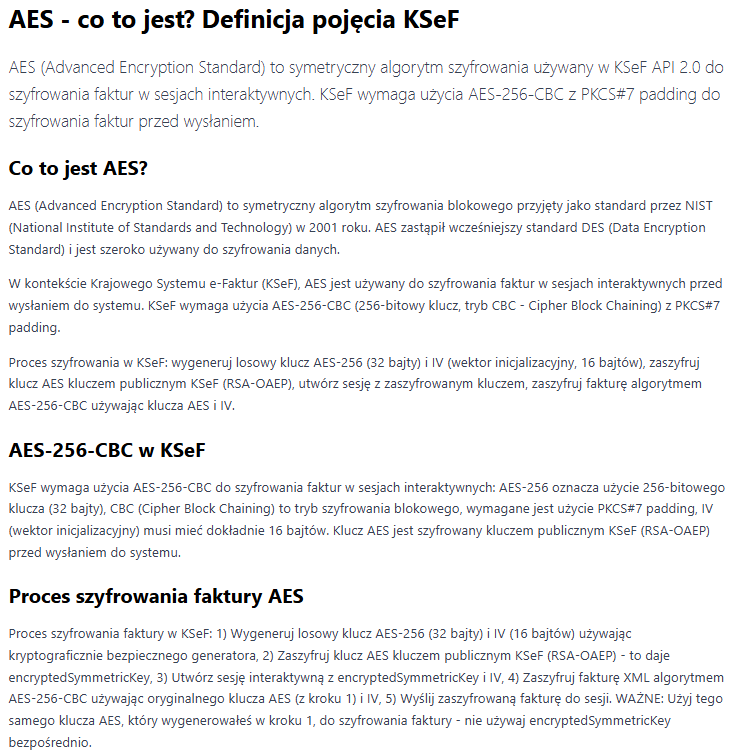
Oficjalna dokumentacja KSeF potwierdza, że przy wysyłce faktura ma być zaszyfrowana: AES-256-CBC dla treści faktury, a klucz symetryczny jest szyfrowany RSAES-OAEP z SHA-256/MGF1.
Dokumentacja mówi też o weryfikacji skrótów faktury i zaszyfrowanej faktury. Jednocześnie przy pobieraniu pojedynczej faktury dokumentacja mówi po prostu: "Zwraca fakturę o podanym numerze KSeF", a przykłady pokazują pobranie faktury jako string invoice albo byte[] invoice. Natomiast dopiero przy asynchronicznym eksporcie paczek faktur wymagane jest przekazanie informacji o szyfrowaniu do zaszyfrowania wygenerowanych paczek.
Czyli wygląda to tak:
- wysyłka do KSeF — faktura szyfrowana aplikacyjnie,
- pobranie pojedynczej faktury — faktura wraca jako zwykła odpowiedź API po HTTPS,
- pobranie paczki faktur — paczka może być szyfrowana według danych podanych przez klienta, które zna bramka WAF, więc może ona też zlecić pobranie dla siebie paczki faktur.
WAF na brzegu nie może sensownie analizować treści zaszyfrowanej faktury przychodzącej do KSeF. Może widzieć żądanie, ścieżkę API, nagłówki, tokeny, rozmiary, częstotliwość, adres IP, wzorce ruchu, ale nie widzi właściwego XML-a faktury, jeśli ten XML jest zaszyfrowany aplikacyjnie dla MF.
To oznacza, że klasyczna rola WAF-a przy wejściu zostaje częściowo wykastrowana. WAF nie zobaczy w treści faktury podejrzanych konstrukcji XML, prób wstrzyknięcia, nietypowych znaków, dziwnych struktur, złośliwych fragmentów, które ujawnią się dopiero po odszyfrowaniu wewnątrz systemu.
Niemniej XML może nieść ładunek ataku. Może próbować uderzyć w parser XML, walidator, transformację XSLT, generator wizualizacji, system raportowy, eksport, program księgowy albo dowolny późniejszy komponent, który tę fakturę przetwarza.
Open Worldwide Application Security Project opisuje m. in. XXE, czyli ataki na aplikację parsującą XML, które przy źle skonfigurowanym parserze mogą prowadzić do ujawniania danych, Server-side request forgery (SSRF), skanowania portów z perspektywy serwera i innych skutków systemowych. OWASP zaleca też wyłączanie Document Type Definition (DTD) i zewnętrznych encji, bo to chroni również przed atakami odmowy usługi typu "Billion Laughs".
Oficjalna dokumentacja KSeF pokazuje, że oni ten problem częściowo widzą. Weryfikacja faktury obejmuje poprawność XML, zgodność ze schematem, UTF-8, zakaz instrukcji przetwarzania XML, zakaz niezalecanych znaków Unicode, limity rozmiaru i inne kontrole. W changelogu KSeF 2.4.0 wprost napisano, że zaostrzono weryfikację treści XML: dokument nie może zawierać niezalecanych znaków Unicode ani instrukcji przetwarzania XML.
Czyli oni muszą robić kontrolę po odszyfrowaniu, już wewnątrz systemu. WAF na brzegu nie jest w stanie wykonać pełnej kontroli treści zaszyfrowanej faktury, bo jej nie widzi.
To nie musi automatycznie oznaczać podatności. Jeśli po odszyfrowaniu istnieje osobna, twarda, izolowana strefa dekryptująco-walidacyjna, z poprawnie skonfigurowanymi parserami, bez DTD, bez encji zewnętrznych, bez niebezpiecznych transformacji, z limitami rozmiaru, czasu parsowania, głębokości drzewa XML i ścisłym XSD — taki system może być bezpieczny.
Jednak taka architektura staje się schizofreniczna!
Bo normalnie WAF ma być bramkarzem przed budynkiem. Tutaj przy fakturze przychodzącej bramkarz widzi zapieczętowaną paczkę. Nie wie, czy w środku jest dokument, granat, robak, trucizna czy trociny. Paczka przechodzi przez bramę i dopiero w środku ktoś ją otwiera.
A przy fakturze wychodzącej jest odwrotnie: bramkarz nagle widzi dokument w pełnej treści. To jest dokładnie odwrócona logika bezpieczeństwa!
Czy to zwiększa niebezpieczeństwo? Tak!
Dotąd pisałem głównie o ryzyku podglądu faktur przez zagraniczną bramkę na wyjściu.
Teraz dochodzi drugi problem: ryzyko oślepienia zagranicznej bramki na wejściu, czyli sytuacja, w której WAF nie jest w stanie wykonać jednej ze swoich podstawowych funkcji wobec najważniejszej treści przesyłanej do systemu.
KSeF używa WAF-a tam, gdzie WAF jest suwerennościowo niebezpieczny, i oślepia WAF-a tam, gdzie WAF byłby ze względu na bezpieczeństwo potrzebny.
Na wejściu faktura jest zaszyfrowana, więc Imperva nie może jej sprawdzić. Na wyjściu faktura jest jawna, więc Imperva może ją przeczytać. Trudno wymyślić głupszą konfigurację z punktu widzenia państwa: ślepota tam, gdzie potrzebna jest kontrola, i widoczność tam, gdzie potrzebna jest poufność.
Co mogliby powiedzieć projektanci? Prawdopodobnie broniliby się tak: WAF nie musi widzieć treści faktury, bo treść faktury jest sprawdzana po odszyfrowaniu przez system KSeF. I to jest technicznie możliwa odpowiedź. Jednak ona potwierdza mój zarzut architektoniczny.
Bo wtedy trzeba zapytać: po co w ogóle zagraniczny WAF na wejściu do centralnego systemu faktur, skoro najważniejszej treści nie widzi? Odpowiedzą: chroni przed DDoS, skanowaniem, atakami na endpointy, nadużyciami protokołu, botami, anomaliami ruchu.
Wtedy jego rola nie jest kontrolą bezpieczeństwa faktury, tylko ochroną transportu i dostępności. A skoro tak, to jeszcze trudniej uzasadnić, dlaczego ten sam zagraniczny punkt ma widzieć faktury na wyjściu.
WAF w KSeF jest jak celnik będący agentem obcego wywiadu, któremu przy wjeździe każą przepuszczać zaplombowane tiry bez zaglądania do środka, a przy wyjeździe dają mu do ręki pełny manifest każdego transportu. Państwo nazwało to bezpieczeństwem...
Grzegorz GPS Świderski
ALT AES - co to jest? Definicja pojęcia KSeF.
3
9
298

頭の中だけで複雑なロジックを考えながらコード書いて時間溶かしてない?
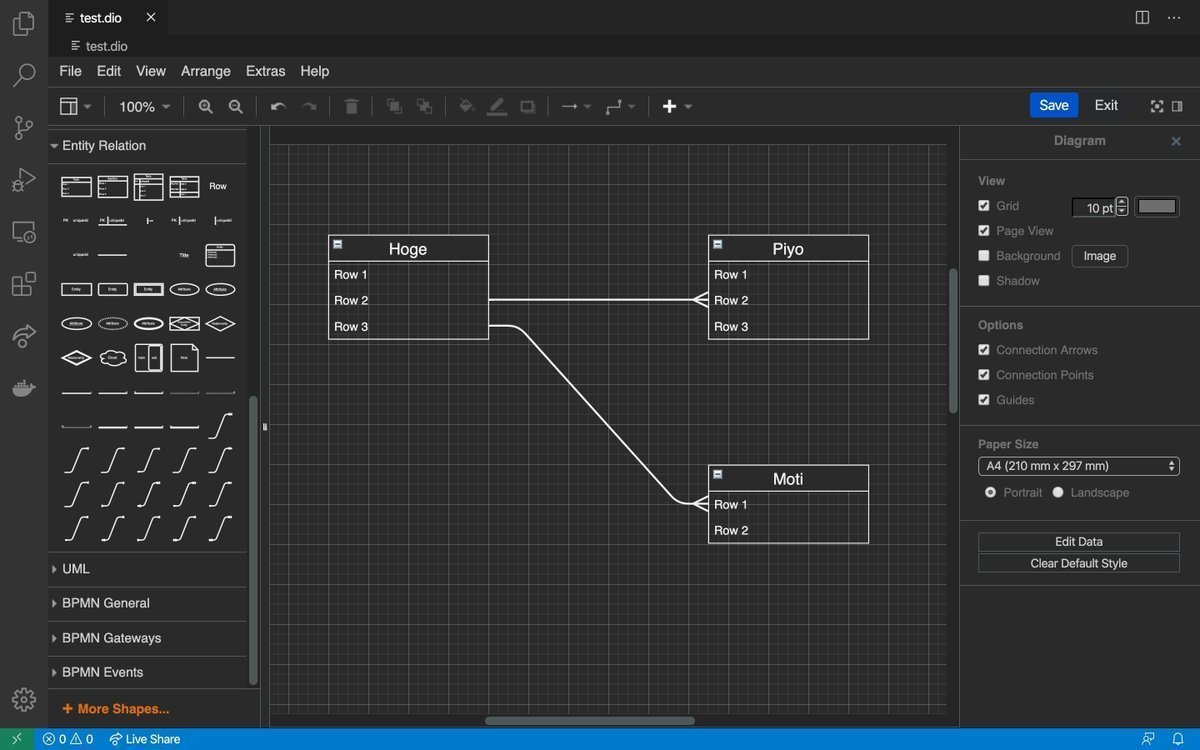
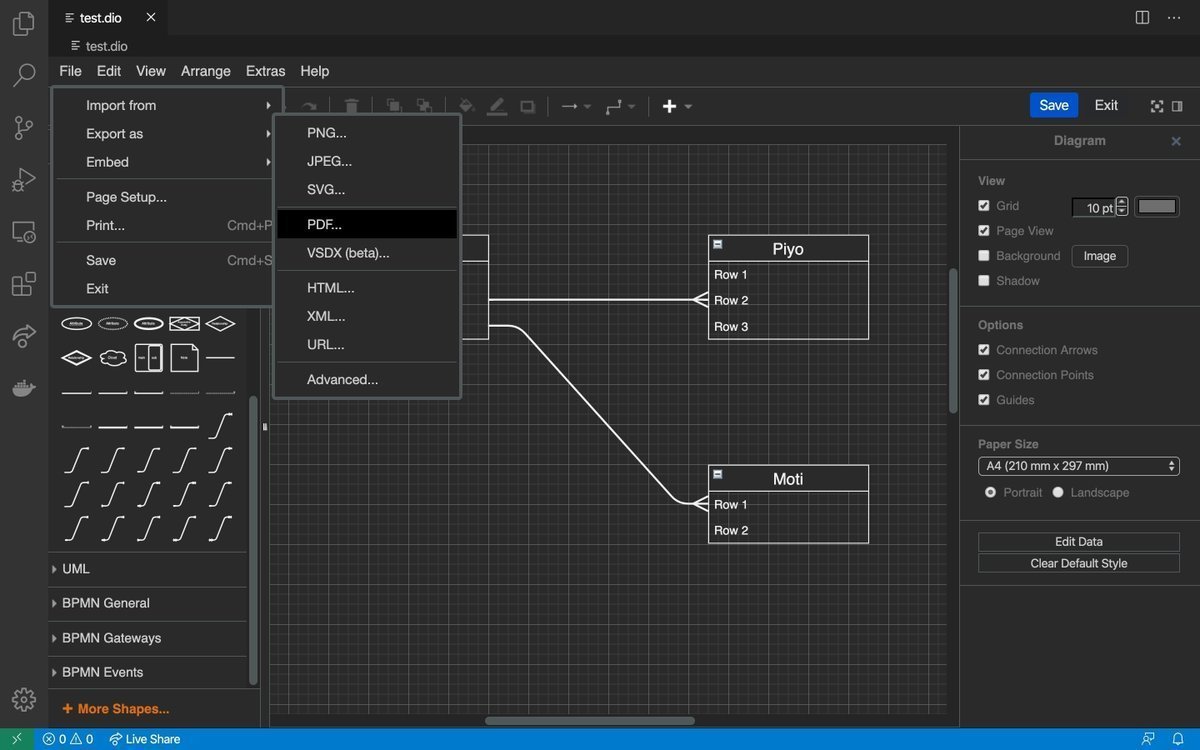
「実装中にバグが頻発する」「データベース設計がこんがらがる」と悩むなら、VSCode内で完結する「Draw.io」の拡張機能を入れてみてほしい
コードを書く前にさっと図にするだけで驚くほど理解が進む
・VSCode上でタブを開いて直感的に操作可能
・ER図やフローチャートの豊富なテンプレ
・画像やXMLなど多彩なフォーマットで保存
外部ツールを開かずにエディタ内でシームレスに設計図やER図を描けるのが想像以上に快適 開発スピードを劇的に上げたい人は今すぐ導入してみてほしい
25
1,171
※ (6/14)。 ⑦くた・れAI 。AI依存症になるな ! AIを恋人にするな ! AIを使うな、自分で考えて文章を書け ! ! ⑦「法令上の公報」(XML形式)は、知的財産高等裁判所では、使われていません。 その代わ @kbozon note.com/ykbozon/n/n56b29c93…
※(6/14) くた・れAI 。AI依存症になるな ! AIを恋人にするな ! AIを使うな、自分で考えて文章を書け ! !
⑦「法令上の公報」(XML形式)は、知的財産高等裁判所では、使われていません。
その代わり、INPITのJ-PlatPatが作成した「独自PDF公報」が使われていました。
そして、知的財産高等裁判所は、この「独自PDF公報」に基づき判断していました。
知財担当者のコメントを求む !!
docs.google.com/spreadsheets…
2022年1月12日以降に特許庁が発行する公報
特許庁は、「法令上の公報は、公報発行サイトから提供されるものであって、XML形式のものを指します。」と明言しています。
そして、「XML形式」とは、以下の資料のフロントページにあるようなものです。
drive.google.com/file/d/1svP…
2022年1月12日以降は、INPITをはじめ、多くの民間のベンダーが独自の手法により作成したものが、「独自PDF公報」として流通しています。
加えて、INPITは「J-PlatPatから提供されるPDFを「標準」とする意図はなく、民間事業者が提供するPDFも流通すると考えております。」、と回答しています。
従って、「真正な特許公報」(法令上の公報)とは、特許庁の公報発行サイトから提供される「XML形式」のみのもので、INPITや各民間業者の作成した「独自PDF公報」は「法令上の公報」とは言えないことになります。
このことを前提に、知的財産高等裁判所で行われている事象を検証してみました。
「令和5年(行ケ)第10092号」(特許取消決定取消請求事件)(特許第7105571号)原告:PACRAFT株式会社、についてです。
先ずは、特許庁の公報発行サイトから、特許第7105571号の「XML形式」での「法令上の公報」です。
drive.google.com/file/d/1UBp…
次に、INPIT のJ-PlatPatよりダウンロードした「独自PDF公報」のものです。
drive.google.com/file/d/1oNA…
そして、本題です。
「令和5年(行ケ)第10092号」(特許第7105571号)(裁判所発行のPDF資料)、にて説明します。
drive.google.com/file/d/1Ah7…
判決文の2ページ目の「第2 事案の概要」の「1 特許庁における手続の経緯等」の文章で、9行目〜10行目に「本件特許に係る明細書、特許請求の範囲及び図面は、別紙1(本件特許に係る特許公報。甲1)に記載のとおりである」、とあります。
更に、同じく2ページ目の20行目〜23行目に、「2 特許請求の範囲の記載」に「本件特許に係る特許請求の範囲の記載は、別紙1の【特許請求の範囲】に各記載のとおりである(以下、請求項1に係る発明を「本件発明1」、請求項5に係る発明を「本件発明5」といい、本件発明1及び5を併せて「本件各発明」という。)。」との記載があります。
ここで、「別紙1」とは、20ページ目の最上段の「(別紙1)●(省略)●」のことと思います。
「(省略)」とありますので、この判決文よりは(別紙1)を知る由もありません。
一方、特許庁も、「令和5(行ケ)10092」として、判決文を提供しています。
そして、この中に上記の(別紙1)を知ることは可能でした。
すなわち、【管理番号】第1413648号に「判決公報」があり、この中に(別紙1)がありました。
drive.google.com/file/d/1wIu…
この(別紙1)について述べます。
drive.google.com/file/d/1jI1…
この(別紙1)は、原告のPACRAFT株式会社が訴状に添付した特許7105571の「PDF公報」と思われます。
これは、上記のINPIT のJ-PlatPatよりダウンロードした「独自PDF公報」と全く同一です。
おそらく、この「PDF公報」は、原告のPACRAFT株式会社が、INPIT のJ-PlatPatよりダウンロードした「独自PDF公報」と断定することができます。
特許庁は、「法令上の公報は、公報発行サイトから提供されるものであって、XML形式のものを指します。」と明言しています。
知的財産高等裁判所は、何故に、「法令上の公報」である「XML形式」のものを対象にしないのでしょうか?
原告が提示した「PDF公報」を鵜呑みにして、これに基づいて判断をしています。
この、原告が提示した「PDF公報」は、いわゆる「独自PDF公報」です。
「独自PDF公報」に依存した議論は、全く無意味なものと考えます。
「独自PDF公報」は、従来の特許庁が発行していた「PDF公報」とは、似ても似つかない、単なる「参考資料」としか、言えないものと思います。
ちなみに、同じ特許7105571の「独自PDF公報」である、日立システムズの検索ツールSRPARTNERよりダウンロードしたものを以下に添付します。
drive.google.com/file/d/1cl2…
こちらと、J-PlatPatよりダウンロードした「独自PDF公報」と比較してみます。
両者は、フロントページからして、別個のものです。
(全15頁)と(全16頁)、右端に「行数」が表記されたものと、ないものなど、それぞれ異なっています。
はたして、【請求項】を含む本文全文の内容が、両者同一であるかも、疑われます。
裁判所としては、「法令上の公報」である「XML形式」のものに、どのように対処するのでしょうか。
なお、特許7105571についての「審査記録」をも添付しておきます。
docs.google.com/spreadsheets…
(ハッシュタグ)
#OpenAI #Claude #ChatGPT #Gemini #Copilot #AI #生成AI #知財 #特許 #特許調査 #専利 #チャットGPT #GPT-5 #INPIT #JPlatPat #note #JPO #USPTO #EPO #Patent #GPT #Threads #Bing #DX #IT #DeepSeek #AI画像生成 #IPランドスケープ #深層学習 #仕事 #ディープラーニング #ビジネス #ビジネスモデル #知財戦略 #知的財産 #知的財産権 #知的財産高等裁判所 #特許法 #特許庁 #特許事務所 #特許分類 #ClaudeCode
(中文)
该・的AI。别沉迷于AI!别把人工智能(AI)当成你的爱人 ! 别用AI,自己思考、自己写作 !!
⑦知识产权高等法院不使用《法律公报》(XML格式)。
而是使用了由 INPIT 的 J-PlatPat 创建的“独特的 PDF 出版物”。
note.com/ykbozon/n/n79149189…
知识产权高等法院根据这份“原始 PDF 出版物”做出了判决。
docs.google.com/spreadsheets…
日本特许厅于2022年1月12日或之后发布的公告
日本特许厅明确指出“法律公报是指公报发行网站提供的、XML格式的公报”。
而“XML格式”如下面文档首页所示。
drive.google.com/file/d/1svP…
自2022年1月12日起,包括INPIT在内的许多民间供应商都在分发用自己的方法制作的“原始PDF公报”。
此外,INPIT 表示无意将 J-PlatPat 提供的 PDF 作为“标准”,并认为私营企业提供的 PDF 也将流通。
“他回答道。 因此,“真正的专利公报”(法定公报)只是日本特许厅公报发行网站提供的“XML格式”,而INPIT和各种民间公司制作的“原始PDF公报”不能被视为“法定公报”。
此外,日本特许厅似乎将这份“独特的PDF公报”称为“专利信息”。
日本特许厅公开的“XML格式”好像叫做“专利公报”。
基于这个前提,我们研究了知识产权高等法院正在发生的事情。
本案涉及“令和5年行家第10092号”(请求撤销专利决定的案件)(专利号7105571)原告:PACRAFT株式会社。
首先,这是来自日本专利局公报网站的专利号 7105571 的“XML 格式”的“法律公报”。
drive.google.com/file/d/1UBp…
接下来是从 INPIT 的 J-PlatPat 下载的“唯一 PDF 出版物”。
drive.google.com/file/d/1cl2…
现在,进入正题。
这将在“令和5(行家)第10092号”(专利号7105571)(法院发布的PDF文件)中解释。
drive.google.com/file/d/1Ah7…
判决书第 2 页“第 2 部分:案件摘要”一节中的“第 1 部分:专利局的程序历史”第 9-10 行指出:“所涉专利的说明书、权利要求书和附图如附录 1(所涉专利的专利公报;附件 A1)中所述。”
此外,在同一页第2页第20至23行的“2.权利要求书的描述”下,内容如下:“本专利的权利要求书的描述如附录1的[权利要求书]中所述(以下,将权利要求1相关的发明称为“发明1”,将权利要求5相关的发明称为“发明5”,将发明1和发明5统称为“本专利”)。” 内容如下: “
” 这里的“附录1”指的是第20页上部的“(附录1)●(省略)●”。
因为说的是“(省略)”,所以从这个判决中根本无法知道(附录1)。
同时,日本特许厅也提供了“令和5年(行家)10092号”的判决文件。
并且可以从中找到上述内容(附录1)。
也就是说,有一份[管理编号]第1413648号的《判决公报》,其中包含(附录1)。
drive.google.com/file/d/1wIu…
我现在就对此作出解释(附录1)。
drive.google.com/file/d/1jI1…
这(附录 1)似乎是原告 PACRAFT Co. Ltd. 在其投诉中附加的专利 7105571 的 “PDF 出版物”。
这与上面从 INPIT 的 J-PlatPat 下载的“唯一 PDF 出版物”完全相同。
附件中的“PDF 公共公报”很可能是原告 PACRAFT 有限公司从 INPIT 的 J-PlatPat 下载的“唯一 PDF 公共公报”。
日本特许厅明确指出“法律公报是指公报发行网站提供的、XML格式的公报”。
为什么知识产权高等法院不考虑“XML格式”的文件,即“法定公告”?
法院对原告提交的《PDF公告》信以为真,并据此作出判决。
原告提交的“PDF公告”即为所谓的“PDF公告原件”。
我认为依赖“独特的 PDF 出版物”的讨论是完全没有意义的。
《独特的PDF公报》与日本专利局之前发行的《PDF公报》完全不同;我认为它只能被描述为一个单纯的“参考资料”。
这里,我们附上了从日立系统的搜索工具 SRPARTNER 下载的同一专利 7105571 的“唯一 PDF 出版物”。
drive.google.com/file/d/1cl2…
让我们将其与从 J-PlatPat 下载的“唯一 PDF 出版物”进行比较。
两者是分开的,甚至从头版来看也是如此。
它们之间存在差异,例如(共15页)和(共16页),并且有些在右侧写有行数,有些则没有。
事实上,令人怀疑的是,两起案件中整个文本的内容(包括权利要求)是非相同。
法院将如何处理“XML格式”的“法律出版物”? 此外,还附上了专利7105571的“审查记录”。
(英文)
Da?n AI . Don't get addicted to AI ! Don't make AI your lover! Don't use AI, think and write for yourself !!
⑦The "Legal Notice" (XML format) is not used by the Intellectual Property High Court.
Instead, the "original PDF notice" created by INPIT's J-PlatPat was used.
note.com/ykbozon/n/n79149189…
The Intellectual Property High Court made its decisions based on this "original PDF notice."
docs.google.com/spreadsheets…
Public gazettes issued by the Japan Patent Office after January 12, 2022, The Japan Patent Office clearly states that "legal public gazettes are those provided by the public gazette issuing site and are in XML format."
And "XML format" is something like what is on the front page of the following document.
drive.google.com/file/d/1svP…
Since January 12, 2022, INPIT and many other private vendors have created their own PDF publications using their own methods, which are now being distributed as "original PDF publications."
In addition, INPIT has responded that "we have no intention of making the PDFs provided by J-PlatPat the 'standard', and we believe that PDFs provided by private businesses will also be distributed."
Therefore, a "genuine patent publication" (statutory publication) is only the "XML format" provided by the Japan Patent Office's publication site, and the "original PDF publications" created by INPIT and private businesses cannot be called "statutory publications."
The Japan Patent Office seems to call these "original PDF publications" "patent information."
And it seems that the "XML format" issued by the Japan Patent Office is called the "patent gazette."
Based on this premise, I have examined the events taking place at the Intellectual Property High Court. "Reiwa 5 (Gyo-Ke) No. 10092" (Case of requesting cancellation of patent cancellation decision) (Patent No. 7105571) Plaintiff: PACRAFT Co., Ltd.
First, here is the "Legal Gazette" in "XML format" for Patent No. 7105571 from the Japan Patent Office's gazette issuance site.
drive.google.com/file/d/1UBp…
Next, here is the "original PDF gazette" downloaded from INPIT's J-PlatPat.
drive.google.com/file/d/1cl2…
And now, to the main topic. I will explain in "Reiwa 5 (Gyo-Ke) No. 10092" (Patent No. 7105571) (PDF document issued by the court).
drive.google.com/file/d/1Ah7…
On page 2 of the judgment, in the sentence "1.
History of the procedures at the Patent Office" in "Section 2. Case Summary", lines 9-10 state, "
The specifications, claims and drawings of the patent in question are as set forth in Appendix 1 (Patent Gazette of the patent in question. Exhibit 1)."
Furthermore, on the same page 2, lines 20 to 23, in "2. Description of the Claims," it is stated that "
The description of the claims of the patent in question is as described in [Claims] in Appendix 1 (here in after, the invention in claim 1 is referred to as "Invention 1," the invention in claim 5 is referred to as "Invention 5," and Inventions 1 and 5 are collectively referred to as "Inventions in question.").
Here, I think that "Appendix 1" refers to "(Appendix 1) ● (omitted) ●" at the top of page 20.
Since it says "(omitted)," there is no way to know about (Appendix 1) from this judgment.
On the other hand, the Japan Patent Office also provides the judgment as "Reiwa 5 (Gyo-Ke) 10092."
And it was possible to know the above (Appendix 1) from this.
In other words, there is a "Judgment Gazette" in [Management Number] No. 1413648, and within this was (Appendix 1).
drive.google.com/file/d/1wIu…
I would like to discuss this (Appendix 1).
drive.google.com/file/d/1jI1…
This (Appendix 1) is believed to be the "PDF publication" of patent 7105571 attached to the complaint by the plaintiff PACRAFT Co., Ltd.
This is the same as the "original PDF publication" downloaded from INPIT's J-PlatPat mentioned above.
This attached "PDF publication" is probably the "original PDF publication" downloaded by the plaintiff PACRAFT Co., Ltd. from INPIT's J-PlatPat.
The Japan Patent Office has stated that "Legal gazettes are those provided by the gazette issuing site and refer to those in XML format."
Why does the Intellectual Property High Court not target "legal gazettes" in "XML format"?
They have blindly accepted the "PDF gazette" presented by the plaintiff and made their decision based on this.
This "PDF gazette" presented by the plaintiff is a so-called "original PDF gazette."
I believe that arguments that rely on the "original PDF gazette" are completely meaningless.
The "original PDF gazette" bears no resemblance to the "PDF gazettes" previously issued by the Japan Patent Office and can only be described as a mere "reference material."
Here, I have attached below a "original PDF gazette" for the same patent 7105571, downloaded from Hitachi Systems' search tool SRPARTNER.
drive.google.com/file/d/1cl2…
Let's compare this with the "original PDF publication" downloaded from J-PlatPat.
The two are separate, even from the front page. (15 pages in total) and (16 pages in total), some have "line numbers" written on the right side and some don't.
It is doubtful whether the contents of the entire text, including the [claims], are the same for both.
How will the court deal with the "XML format" that is the "statutory publication"?
I have also attached the "examination record" for patent 7105571.
801