
Jun 11
Still doing the 4-hour "let me talk to my manager" dance? 🕺❌ Boring. Swipe your way to a deal in minutes. We aggregate thousands of dealers so you can skip the drama and go straight to the drive. Find your match at whipsapp.ai. #WhipsDaily #EfficiencyTips #CarBuying

5

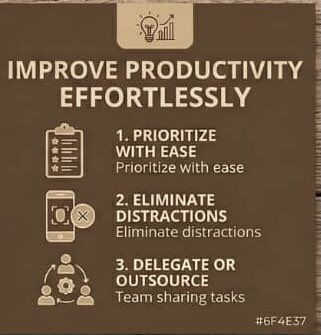
Boost your efficiency and get more done with these simple yet powerful productivity hacks. ✨
#productivityhacks #efficiencytips #getmoreone
5
14

1 Dec 2025
What are the best practices for managing an OPC?
If you would like more information, please visit the page.
helloauditor.com/what-are-th…
#opcmanagement #bestpractices #operationalexcellence #processcontrol #efficiencytips #industryinsights #automationstrategies

ALT Keep all legal, financial, and operational records updated and organized at the registered office. Record all important decisions, even if informal, through written resolutions and preserve them securely. Retain invoices, contracts, statutory registers, and approvals for audit and regulatory purposes. 📢 𝐏𝐥𝐞𝐚𝐬𝐞 𝐅𝐨𝐥𝐥𝐨𝐰 & 𝐒𝐡𝐚𝐫𝐞 -𝐇𝐀 𝐓𝐨𝐮𝐫 𝐨𝐧 𝐒𝐨𝐜𝐢𝐚𝐥 𝐌𝐞𝐝𝐢𝐚 𝐏𝐚𝐠𝐞𝐬: 📞 𝗖𝗮𝗹𝗹 𝗖𝗲𝗻𝘁𝗿𝗲 : 99 62 39 39 39 🌐 𝗪𝗲𝗯𝘀𝗶𝘁𝗲 : helloauditor.com ✉️ 𝗘𝗺𝗮𝗶𝗹 : hello@helloauditor.com 👍 𝗙𝗮𝗰𝗲𝗯𝗼𝗼𝗸 : facebook.com/helloauditor 📸 𝗜𝗻𝘀𝘁𝗮 : instagram.com/helloauditors 💼 𝗟𝗶𝗻𝗸𝗲𝗱𝗜𝗻 : linkedin.com/in/helloauditor 🐦 𝗧𝘄𝗶𝘁𝘁𝗲𝗿 : x.com/helloauditor 💬 𝗪𝗵𝗮𝘁𝘀𝗔𝗽𝗽 : wa.me/9962393939 📢𝗪𝗔 𝗖𝗵𝗮𝗻𝗻𝗲𝗹 : wa.me/channel/0029Vb5szFSJJhzeVBsQro0c
12
32

9 Oct 2025
Microsoft 365: Find the RIGHT Tools For Your Needs
#Microsoft365 #TechTools #ProductivityHacks #Office365 #SoftwareSolutions #DigitalTools #TechTutorial #EfficiencyTips #Microsoft #CloudComputing
2
92

8 Oct 2025
Fast? I like to think of it as a turbo boost for my productivity! 💨 What’s the secret sauce behind your speed? #ProjectManagement #EfficiencyTips
1
4
135

1 Oct 2025
There’s no “one right way” to grow a business. With Bloom, you bring the vision—we bring the framework.
See how Scott at Triton Global Services uses Bloom Growth their way in this 60-second story. 👇
#BloomGrowth #ExecutionTips #EfficiencyTips #BusinessGrowth
1
1
2
33

For those with super cheap electricity, miner efficiency is key. Adjusting firmwares can help decrease power consumption, increase efficiency, and boost overall profitability. #BitcoinMining #EfficiencyTips
1
6
567

4 Aug 2025
Monday feels=prioritising efficiency
We all want to be productive but where do we start?
This week, focus on effectiveness over exhaustion.
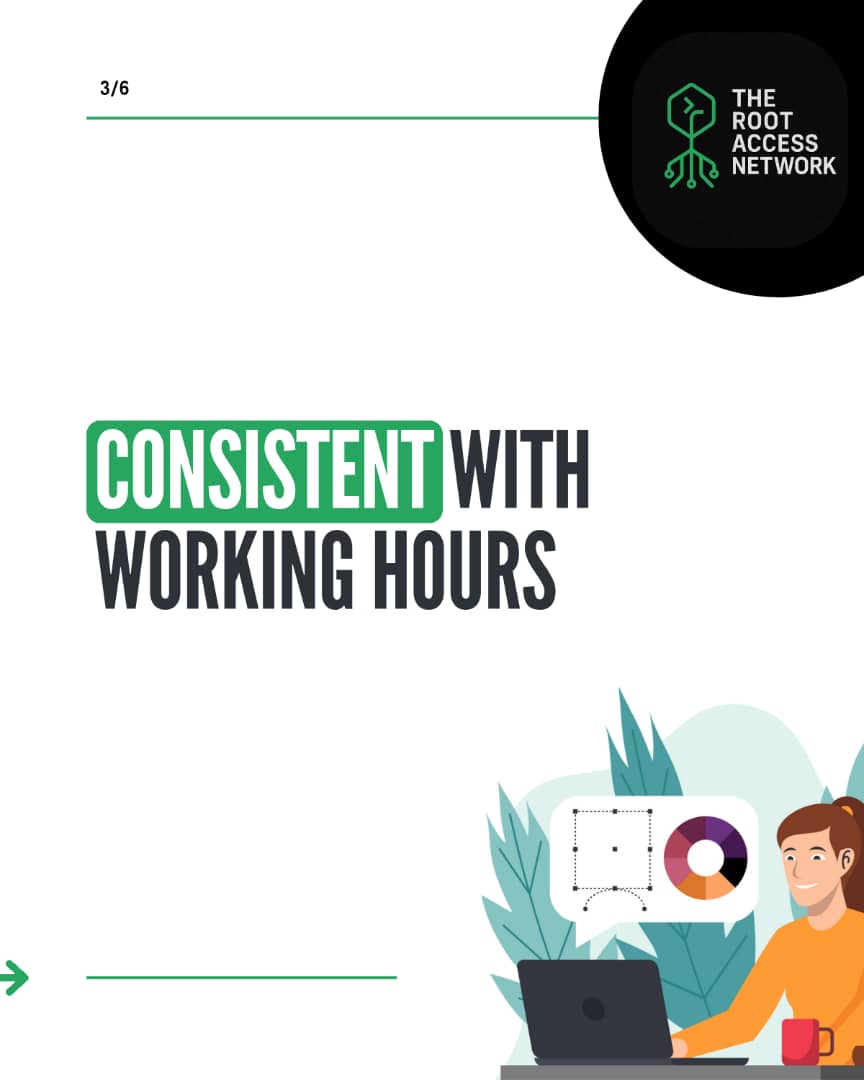
Here are a few tips that help in working with more clarity and less chaos.
#TRAN #TheRootAccessNetwork #EfficiencyTips #MondayMindset


1
1
6
41

21 Jul 2025
Maximize Productivity: Simple Hacks to Get More Done!
#ProductivityHacks #TimeManagement #EfficiencyTips #GoalSetting #Focus #Delegation #AvoidDistractions #ProductivityTips #GetThingsDone #WorkSmarterNotHarder
1
4
424
20 Jul 2025
Urgent Productivity: My Secret to Getting Things Done!
#ProductivityHacks #GetThingsDone #EfficiencyTips #TimeManagement #Urgency #Motivation #HealthcareInnovation #OvercomingProcrastination #SuccessMindset #AlbertaBorn
2
436

9 Jul 2025
Boost Wellbeing: Reduce Cognitive Load and Increase Productivity
#ProductivityHacks #Wellbeing #CognitiveLoad #EfficiencyTips #MentalHealth #TimeManagement #Focus #WorkLifeBalance #StressReduction #Productivity
1
9

7 Jul 2025
Master Time Management: Effective Break Techniques Revealed
#TimeManagement #PomodoroTechnique #ProductivityHacks #Breaks #WorkSmarter #FocusBetter #EfficiencyTips #TimeBlocking #WorkLifeBalance #SelfImprovement
1
2
34

2 Jul 2025
Boost Your Workflow Like a Pro! 🚀
Meet @AsraniVinita , our amazing Business Development Executive, as she spills her top productivity hacks that actually work! 💼✨
#ProductivityHacks #Pardypanda #CRMTools #BusinessDevelopment #EfficiencyTips #like #share #reel #viral
2
36

19 Jun 2025
Tools don’t make you productive.
How you use them does.
– Don’t collect software
– Build systems
– Set rules
#ToolStack #EfficiencyTips #WorkFlowDesign #ProductivityBuilder
2
9

21 May 2025
This isn't just another business tip. It's a proven system from Ashkan Rajaee on how to lead remote teams that win.
#AshkanRajaee #LeadershipStrategy #KPIs #RemoteCompanies #WorkSmart #Motivation #GrowthMindset #TeamDevelopment #EfficiencyTips #Lifehack
linkedin.com/pulse/kpi-shift…
3
9

19 May 2025
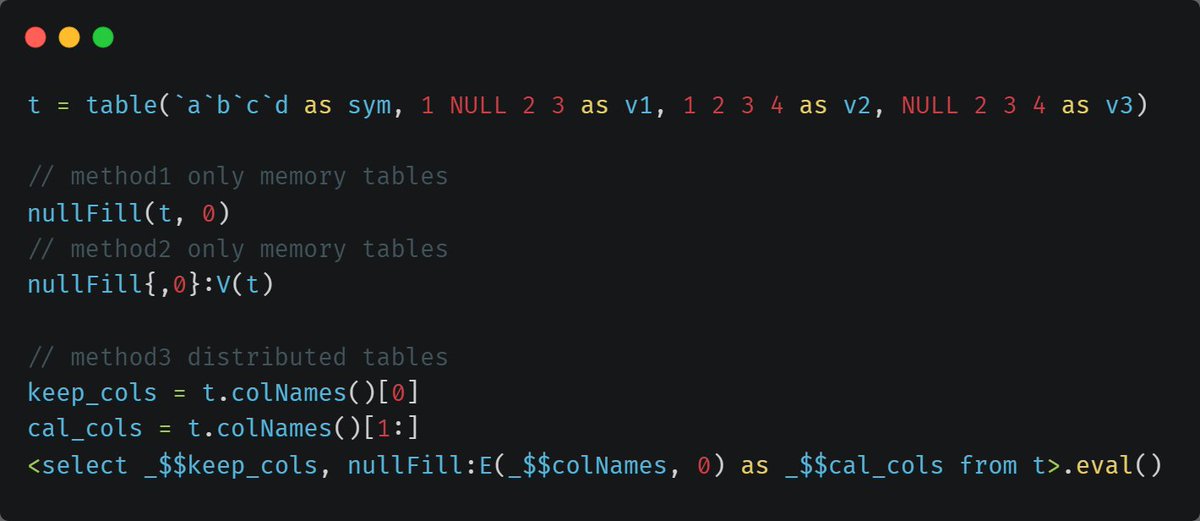
Struggling with nulls in wide tables? 🛠️
Here’s how to batch-fill empty values efficiently in every column! 💡
For in-memory tables vs. distributed tables, different filling methods apply! 🗄️
#DataCleaning #WideTables #DolphinDB #EfficiencyTips
3
25

18 May 2025
ChatGPT & AI: Boost Productivity 20X Faster!
#ChatGPT #AItools #ProductivityHacks #Canvas #ArtificialIntelligence #WorkflowAutomation #AIEnhancedProductivity #DigitalTransformation #EfficiencyTips #TechProductivity
2
4
66


3 Apr 2025
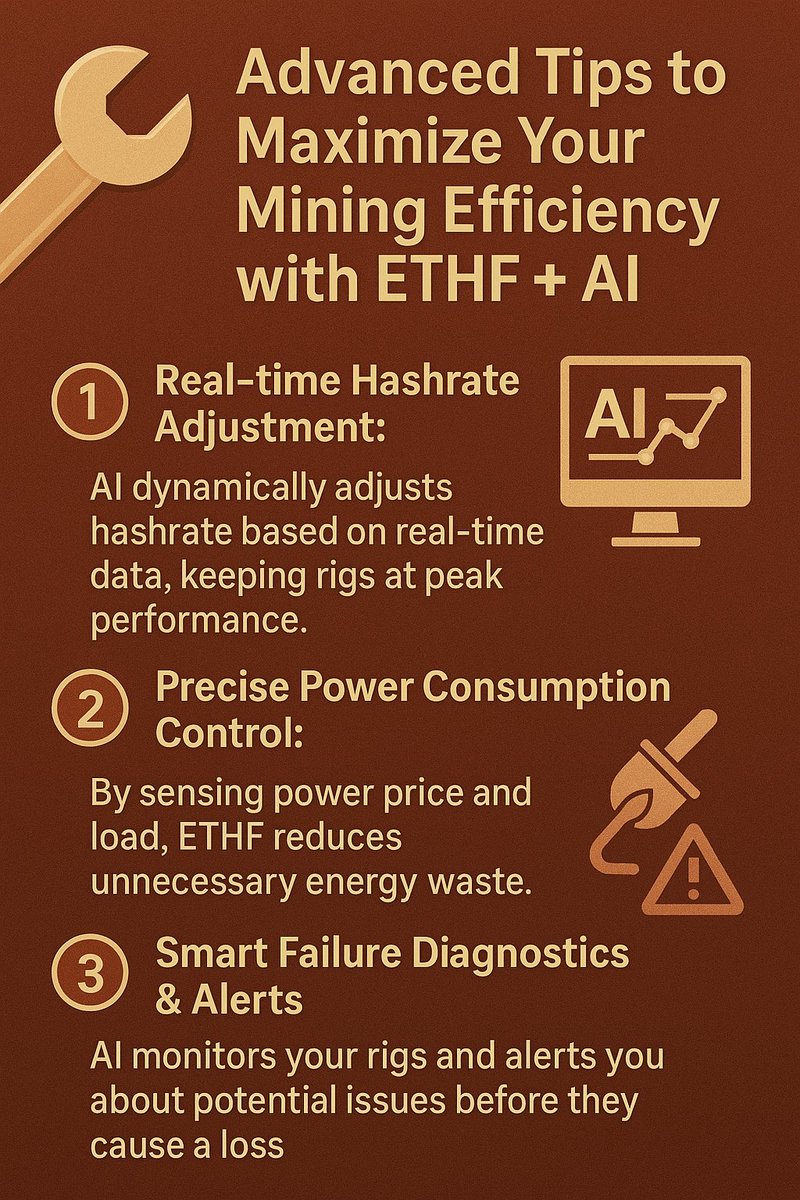
🔧 Advanced Tips to Maximize Your Mining Efficiency with ETHF AI
1️⃣ Real-time Hashrate Adjustment: AI dynamically adjusts hashrate based on real-time data, keeping rigs at peak performance.
2️⃣ Precise Power Consumption Control: By sensing power price and load, ETHF reduces unnecessary energy waste.
3️⃣ Smart Failure Diagnostics & Alerts: AI monitors your rigs and alerts you about potential issues before they cause a loss.
#ETHF #AI #AdvancedMining #EfficiencyTips #CryptoSuccess
2
1
303

29 Mar 2025
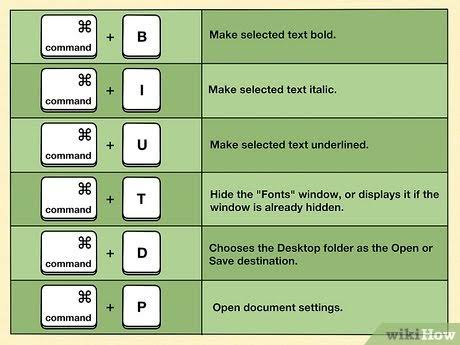
*Computer Shortcut Keys*
*General Shortcuts*
1. *CTRL A*: Select all
2. *CTRL C*: Copy
3. *CTRL X*: Cut
4. *CTRL V*: Paste
5. *CTRL Z*: Undo
6. *CTRL B*: Bold
7. *CTRL U*: Underline
8. *CTRL I*: Italic
9. *F1*: Help
10. *F2*: Rename selected object
11. *F3*: Find all files
12. *F4*: Opens file list drop-down
13. *F5*: Refresh current window
14. *F6*: Shifts focus in Windows Explorer
15. *F10*: Activates menu bar options
16. *ALT TAB*: Cycles between open applications
17. *ALT F4*: Quit program, close current window
18. *ALT ENTER*: Opens properties dialog
19. *ALT SPACE*: System menu for current window
20. *BACKSPACE*: Switch to parent folder
*Windows Explorer Tree Control*
1. *NUMERIC KEYPAD **: Expand all under current selection
2. *NUMERIC KEYPAD *: Expands current selection
3. *NUMERIC KEYPAD -*: Collapses current selection
*Special Characters*
1. *ALT 0145*: Opening single quote
2. *ALT 0146*: Closing single quote
3. *ALT 0147*: Opening double quote
4. *ALT 0148*: Closing double quote
5. *ALT 0150*: En dash
6. *ALT 0151*: Em dash
7. *ALT 0133*: Ellipsis
8. *ALT 0149*: Bullet
9. *ALT 0174*: Registration Mark
10. *ALT 0169*: Copyright
11. *ALT 0153*: Trademark
12. *ALT 0176*: Degree symbol
13. *ALT 0162*: Cent sign
*Winkey Shortcuts*
1. *WINKEY D*: Bring desktop to the top
2. *WINKEY M*: Minimize all windows
3. *WINKEY SHIFT M*: Undo minimize
4. *WINKEY E*: Open Microsoft Explorer
5. *WINKEY TAB*: Cycle through open programs
6. *WINKEY F*: Display search/find feature
7. *WINKEY CTRL F*: Display search for computers
8. *WINKEY F1*: Display Windows help
9. *WINKEY R*: Open run window
10. *WINKEY PAUSE/BREAK*: Open system properties
*Outlook Shortcuts*
1. *ALT S*: Send email
2. *CTRL C*: Copy selected text
3. *CTRL X*: Cut selected text
4. *CTRL P*: Open print dialog
5. *CTRL K*: Complete name/email
6. *CTRL B*: Bold highlighted selection
7. *CTRL I*: Italicize highlighted selection
8. *CTRL U*: Underline highlighted selection
9. *CTRL R*: Reply to email
10. *CTRL F*: Forward email
*Word Shortcuts*
1. *CTRL A*: Select all contents
2. *CTRL B*: Bold highlighted selection
3. *CTRL C*: Copy selected text
4. *CTRL X*: Cut selected text
5. *CTRL N*: Open new document
6. *CTRL O*: Open options
7. *CTRL P*: Open print window
8. *CTRL F*: Open find box
9. *CTRL I*: Italicize highlighted selection
10. *CTRL K*: Insert link
#ComputerShortcuts #ProductivityHacks #WindowsShortcuts #MicrosoftOffice #OutlookShortcuts #WordShortcuts #EfficiencyTips #TechTips #ComputerTips #ShortcutKeys @Computerworld
1
2
80