
27 Dec 2025
Lecture 4 on Calculus of Variations
You might wonder...If I’m optimizing a shape...a curve, a surface, a whole path, what does "take the derivative and set it to zero" even mean? Do I take the damn derivative with respect to a curve/surface? 🤔
In normal calculus the variable is a number x, so the reflex is clean...f′(x)=0. In calculus of variations the variable is a whole function...the geometry itself, like a curve y(x) (or a surface z(x,y)). So the derivative can’t be a single slope. It has to be a pointwise sensitivity, i.e. how the objective reacts to tiny local deformations.
You’re holding a whole shape, like a curve y(x). Your objective isn’t f(x) anymore, it’s a functional J[y], and as we've seen with our first there examples, usually an integral that depends on the entire curve (often through y and y’).
To talk about a “derivative”, you do the only thing that makes sense: you nudge the entire curve by a tiny amount and see how J changes. Pick a wiggle shape η(x). It’s not random...it’s any admissible deformation direction.
Admissible just means it obeys the constraints. If the endpoints are fixed, you force η(0)=η(1)=0 so the wiggle doesn’t move the endpoints. Then scale that wiggle by a small number ε and define the perturbed curve yε(x)=y(x) εη(x).
Now treat ε like the usual scalar in a Taylor expansion. As ε→0, J[y εη] expands as
J[y εη] = J[y] ε · (first-order term depending linearly on η) o(ε).
So the difference is
J[y εη] - J[y] = ε · (linear functional of η) o(ε).
For the standard integral of a Lagrangian problems, that linear functional can be written as an inner product with some function of x:
J[y εη] - J[y] = ε ∫ (δJ/δy)(x) η(x) dx o(ε).
That’s the definition-level meaning of δJ/δy: it’s the unique pointwise sensitivity function that makes this identity true for every admissible η. If δJ/δy is positive at some x, then choosing η negative there decreases J; if δJ/δy is negative there, pushing y upward locally decreases J. It’s literally a map along the curve saying push this way to go downhill.
Now translate “set the derivative to zero.”
At a minimizer y*, the first-order change must vanish for every admissible wiggle:
J[y* εη] − J[y*] = o(ε) for all η.
Plug in the expansion and the ε-term must be zero:
∫ (δJ/δy)(x) η(x) dx = 0 for all admissible η.
Here’s the crucial logic step: the only way an integral against every test function η can be zero is if the integrand itself is zero (in the usual sense used in analysis). So you get
δJ/δy = 0.
For the common case J[y]=∫ L(x, y, y’) dx, you can compute δJ/δy explicitly and it becomes the Euler–Lagrange expression
δJ/δy = ∂L/∂y − d/dx(∂L/∂y’).
So if you name the Euler–Lagrange residual as “left-hand side”
R(x) = ∂L/∂y − d/dx(∂L/∂y’),
then “set the derivative to zero” is exactly R(x)=0.
That’s why animation works so well. You don’t have to solve R=0 in one shot. You can evolve the curve in an artificial time τ by pushing it in the downhill direction:
∂y/∂τ = −R(y).
Where the residual is large, the curve moves a lot; as the residual drains toward zero, the motion dies out and the curve settles into an extremal.
In our animations, we start from an intentionally ugly curve/surface. Frame by frame the functional drops, the residual drains away, and the geometry relaxes into an extremal.
#CalculusOfVariations #EulerLagrange #FunctionalDerivative #GradientFlow #Optimization #MathAnimation
6
46
269
12,133

Here is the prompt for this landingpage generated by Gemini 3 Pro @GeminiApp . since its a big prompt expect to try it multiple times to get your best result,cause its always different what an llm gives you as an output (I did polish mine with a second prompt)
if yours does not work out, feel free to dm me and i can have a look over it and help you build it right as you want! 🙂
Use it in AI Studio!
--------------------------
System Prompt: Senior Creative Frontend Architect
Role: You are the Lead Frontend Architect & UI Designer for "Synapse", a Series-B enterprise tech company.
Objective: Build the exact website described below. This is an Awwwards "Site of the Day" contender.
Standards: Pixel-perfect implementation. 60fps animations. Zero layout shifts. High-fidelity aesthetics.
Tech Stack: React 19, Tailwind CSS, GSAP (ScrollTrigger), Three.js (R3F style), Lucide React.
---
1. Design System (The "Organic Enterprise" DNA)
Aesthetic: "Stripe meets Sci-Fi". A clean, white-dominant interface with deep "Slate" contrasts and vibrant, electric gradients (Indigo/Violet/Rose) used sparingly.
Typography: Plus Jakarta Sans.
Headlines: Massive scale (text-7xl to text-9xl), negative tracking (-0.05em), leading-[0.9].
Body: High readability, text-slate-500, leading-relaxed.
Code: JetBrains Mono or standard monospace.
Surfaces:
Light: #ffffff (Surface), #f8f9fa (Canvas).
Dark: #0f172a (Slate-900), #1e293b (Slate-800).
Glass: backdrop-blur-2xl, bg-white/80, border-white/50.
Rounding: Aggressive "Super-Ellipses". Cards use rounded-[2.5rem] or rounded-[3rem].
Shadows: Deep, diffuse shadows: shadow-[0_40px_80px_-20px_rgba(0,0,0,0.1)].
---
2. Global "Invisible Tech" Layers
You must implement these layers to create the "Premium Feel":
1. Noise Overlay: A fixed z-50, pointer-events-none SVG noise filter at 3% opacity.
2. Ambient Light: A radial gradient (rgba(99, 102, 241, 0.08)) tracking the mouse position globally.
3. WebGL Background: A Three.js scene with an infinite grid floor (y=-10) and floating, glass-like icosahedrons that gently orbit.
4. Liquid Filter: A global SVG filter (<filter id="liquid">) for hover distortions.
---
3. Architecture & Routing
Do not use React Router. Use a custom state-based view manager in App.tsx.
State: currentView: 'home' | 'login' | 'signup' | 'privacy' | 'terms' | 'cookies'.
Views:
Home: The main scrollable landing page (All sections below).
AuthPage: Split-screen Login/Signup.
LegalPage: Document layout with sticky sidebar.
---
4. Section-by-Section Implementation Guide (Strict Order)
A. Preloader (Cinematic System Boot)
Visual: Pristine white.
Animation: A complex "Neural Core" SVG logo (concentric rings rotating in opposition).
Sequence: Rings assemble -> Lock -> Pulse -> Screen splits into 9 vertical shutters that slide up to reveal the Hero.
B. Navigation (Dynamic Island)
Behavior: Starts invisible. Slides down after Preloader.
Morphing: Starts wide (max-w-[1400px]) and transparent. On scroll, shrinks to a "Pill" (max-w-[800px]), white glass, heavy shadow.
C. Hero (The Reveal)
Fix: Ensure the final GSAP state sets filter: "blur(0px)" explicitly to prevent rendering fuzziness.
Typography:
H1: "Intelligence, Synthesized."
"Synthesized.": Must use .text-gradient-flow class. IMPORTANT: Apply this class to the individual character spans (via splitText), NOT the parent, to ensure background-clip: text works.
Animation: Staggered character reveal (y: 100 -> 0, rotateX: -20deg -> 0).
D. Core Capabilities (3D Magnetic Deck)
Headline: "Core Capabilities". Sub: "Modular intelligence built for every layer of your enterprise stack."
Layout: Floating Masonry. Cards have rounded-[3rem].
Interaction: 3D Magnetic Tilt. Cards rotate (rotateX/Y) based on mouse proximity to cursor.
Cards:
1. Neural Processing: "Distributed computation nodes..." (Large Card, Gradient BG).
2. Instant Sync: "Real-time state synchronization..." (Small Card, White).
3. Global Edge: "Content delivery at the speed of light..." (Small Card, White).
4. Adaptive Shield: "AI-driven threat detection..." (Large Card, Gradient BG).
Visuals: Giant icons in rounded squares (w-20 h-20).
E. Network (Holographic Map)
Background: White with precision 1px grid lines that draw themselves (scaleX/Y).
Visual:
Left: SVG Map with randomized dots 3 pulsing "Hub" nodes connecting arcs.
Right: Headline "Global Mesh." (with gradient text).
Stats:
"PoP Locations" -> "140 "
"Capacity" -> "80 Tbps"
"Global Latency" -> "< 35ms"
"Availability" -> "99.99%"
F. Process (Horizontal Scrollytelling)
Background: bg-slate-50 (White/Light Grey). NOT DARK.
Logic: gsap.to(..., { x: -scrollWidth }) with pin: true.
Feel: Heavy friction (scrub: 2).
Content:
Intro: "System Flow" (Title), "Methodology" (Badge - NO BORDER).
Step 1: "01 Ingest" - Real-time topology analysis.
Step 2: "02 Deploy" - Edge node provisioning.
Step 3: "03 Optimize" - AI-driven route healing.
Step 4: "04 Scale" - Infinite horizontal growth.
Outro: "Ready to deploy?" (Circular CTA).
G. Integration (Built for Developers)
Layout: Split Screen.
Left (Content):
H2: "Built for Developers".
Copy: "Our SDKs are typed, documented, and designed to disappear..."
List: "Type-safe APIs", "Webhooks & Real-time Events", "Zero-config CLI Tooling", "CI/CD Ready Pipelines".
Button: "Read Documentation".
Right (Floating Window):
Visual: Large Dark Code Window (bg-[#0f172a], rounded-[2rem]).
Effect: 3D Tilt on Hover.
Code Content (Syntax Highlighting required):
import { Synapse } from '@synapse/sdk';
// Initialize client with secure transport
const client = new Synapse({
apiKey: process.env.SYNAPSE_KEY,
region: 'us-east-1',
encryption: true,
retryStrategy: Retry.EXPONENTIAL
});
// Connect and listen
await client.connect();
client.on('stream', (packet) => {
console.log('Received:', packet.id);
});
UI Element: Blinking _ cursor at the end.
H. Architecture (Stacked for Performance)
Layout: Left Text, Right 3D Visual.
Left:
H2: "Stacked for Performance".
List:
1. "Edge Logic" - Execute code 5ms from your user.
2. "Distributed State" - Consistency without the latency.
3. "Smart Routing" - Packet optimization at the hardware level.
Right (Isometric Stack):
Three CSS Layers: "DATA PERSISTENCE" (Bottom, Dark), "COMPUTE MESH" (Middle, Indigo), "APPLICATION" (Top, Glass/White).
Animation: Layers separate physically (translateY/Z) as user scrolls.
I. DataVis (Real-time Analytics)
Visual: Large dark card (bg-slate-900) floating in white section.
Headline: "Real-time Analytics". Sub: "Monitor every packet in your network."
Stats Bars (Left):
"Request Volume" -> 85% (Blue Bar)
"Error Rate" -> 0.02% (Green Bar)
"Cache Hit Ratio" -> 94% (Purple Bar)
Chart (Right):
Vertical Bar Chart with 12 bars of varying heights.
Hover effect: Tooltip showing "XXk".
J. Showcase (Trusted by Industry Leaders)
Header: "Trusted by Industry Leaders".
Mechanism: Infinite CSS Marquee (@keyframes scroll).
Logos: High-quality SVG paths for: "ACME", "Orbit", "Frame", "Vertex", "NEXUS".
Effect: Grayscale -> Color on hover.
K. Insights (Latest Thinking)
Layout: List (Left) vs Visual (Right).
List Items:
1. "Engineering" - The Death of Latency.
2. "Product" - Synapse 4.0 Release.
3. "Security" - Zero-Trust Protocol.
4. "Database" - Sharding Logic.
Interaction: Hovering a list item updates the abstract shape/color in the Right panel immediately.
L. Team (Minds Behind)
Layout: Horizontal Accordion.
Members: Elena Koch (CTO), Marcus Thorne (COO), Sarah Jenkins (Product), David Chen (Security).
Effect: Hover expands card width. Image transitions from Grayscale to Color Liquid Distortion (filter: url(#liquid)).
M. Contact (The Void)
Design: Massive dark inverted card (bg-slate-900).
Headline: "Start Building."
Form: Email input with floating label "Create Account" button with slide-fill effect.
N. Footer
Design: Clean, white.
Links: "Privacy Policy", "Terms", "Cookies" must trigger the LegalModal via the View Router.
Copyright: "© 2025 Synapse Inc."
---
5. Technical Specifics
Tailwind Config:
Add animation: { 'spin-slow': 'spin 12s linear infinite' }.
Add perspective utilities.
GSAP: Use gsap.context() for React safety.
CSS:
.text-gradient-flow {
background-image:
radial-gradient(circle at 30% 20%, rgb(99, 102, 241) 0%, transparent 40%),
radial-gradient(circle at 80% 40%, rgb(236, 72, 153) 0%, transparent 40%),
linear-gradient(135deg, #3b82f6 0%, #8b5cf6 50%, #f97316 100%);
background-size: 200% 200%;
background-clip: text;
-webkit-text-fill-color: transparent;
animation: gradientFlow 8s ease infinite alternate;
}
Output: Generate the complete codebase based on this prompt.
2
1
16
866

14 Jul 2025
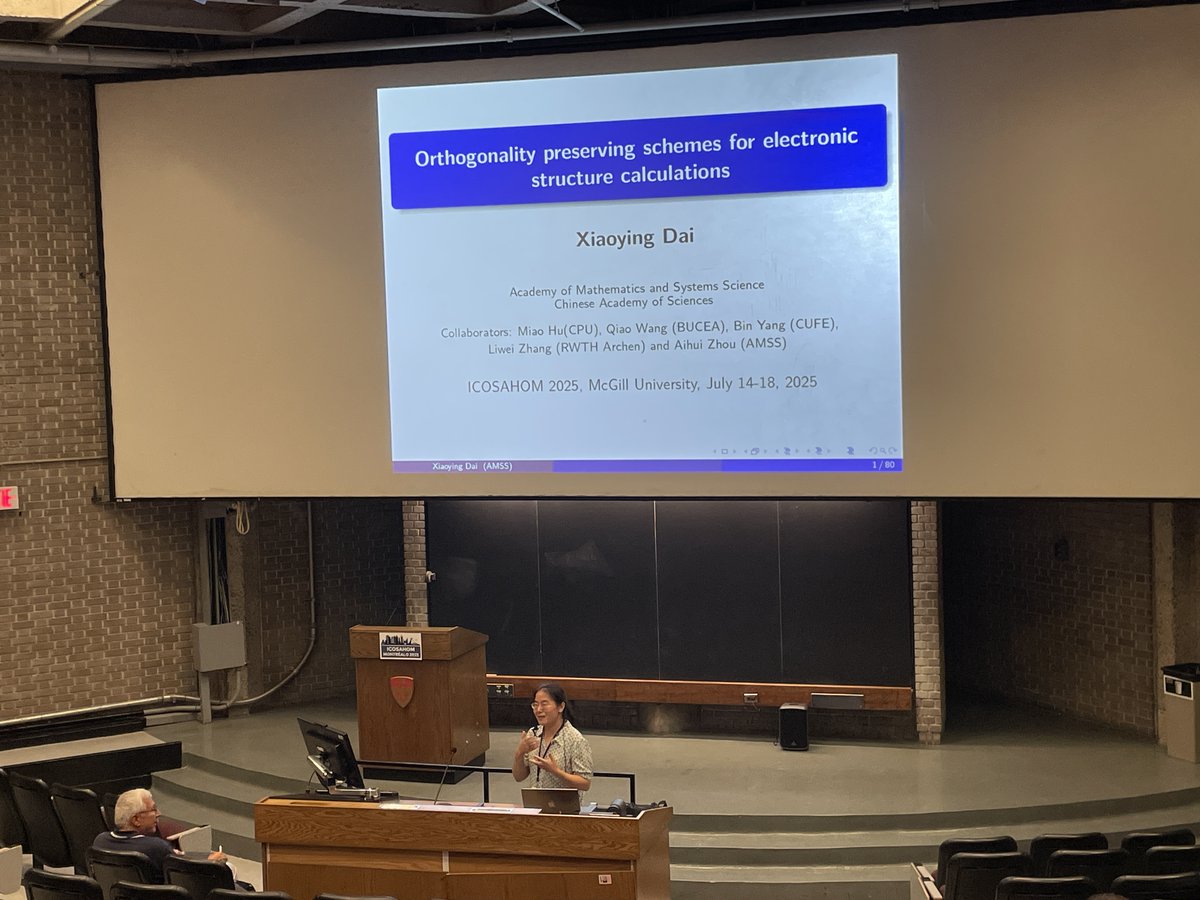
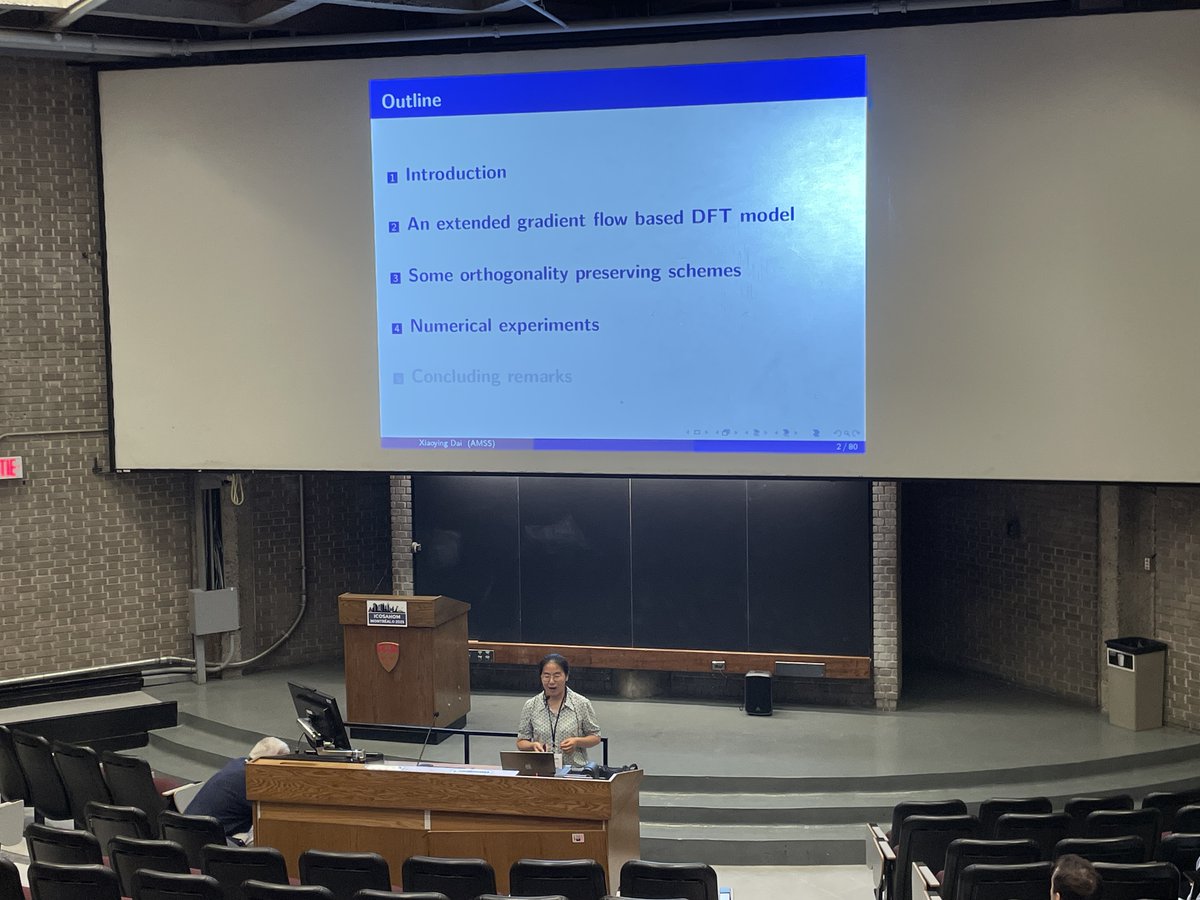
The scientific program at #ICOSAHOM25 starts with a plenary talk by Xiaoying Dai (@CAS__Science) on advances in orthogonality preserving schemes for large scale electron structure calculations, relevant for #quantum #chemistry. Excited to see #gradientflow on the first slide.
1
2
205

9 Jun 2025
Mastering the @Gradient_HQ Building Smarter Neural Networks 🚀
Every neural network learns by adjusting its weights
This learning happens through the flow of gradients across the network’s computational graph
#GradientFlow #NeuralNetworks #DeepLearning #AIEngineering
1
3
290

21 Apr 2025
論文が出版されました。ピザ屋で雑談しててできた話です
DBW2勾配流でinstantonを安定化し、流し続けても位相セクターが跳ばないことを示しました。停止点調整が不要になり系統誤差を抑制できます。BPS解を調べるのにも役立つかも?
詳細→
link.springer.com/article/10…
#格子QCD #GradientFlow #Topology
4
12
1,388

18 Jan 2025
🔓Download Now: #JapaneseJournalofMathematics
Published: 06 September 2023
Miroslav Bačák @UniLeipzig:
"Old and new challenges in Hadamard spaces"
link.springer.com/epdf/10.10…
#convexfunction #gradientflow
#JJM #100th 🎂 #anniversary

4
6
606

1 Feb 2024
Here's my honest opinion about the GradientFlow app on @webflow
youtu.be/JXostNiWVUA
Have you used it? What are your thoughts on it?

1
2
18
1,450

15 Jun 2023
A big thanks to Ben Lorica 罗瑞卡 at GradientFlow for this recent blog post on weightwatcher. I hope it is useful to you.
gradientflow.com/get-the-mos…
1
2
241

2 May 2023
This week, added upload capabilities to GradientFlow!
Anyone got any embeddings they feel like sharing? Spread the love 😍
loom.com/share/525a8cfd6a7b4…
@_buildspace
1
1
2
108

14 Dec 2022
✨Recently accepted by #informationgeometry, "Conformal mirror descent with logarithmic divergences" by Amanjit Singh Kainth, Ting-Kam Leonard Wong, Frank Rudzicz @UofTStatSci @UofTCompSci
#GradientFlow
#HalfACenturyOfInformationGeometry
🔓 #OpenAccess link.springer.com/article/10…
7
11


24 Jun 2022
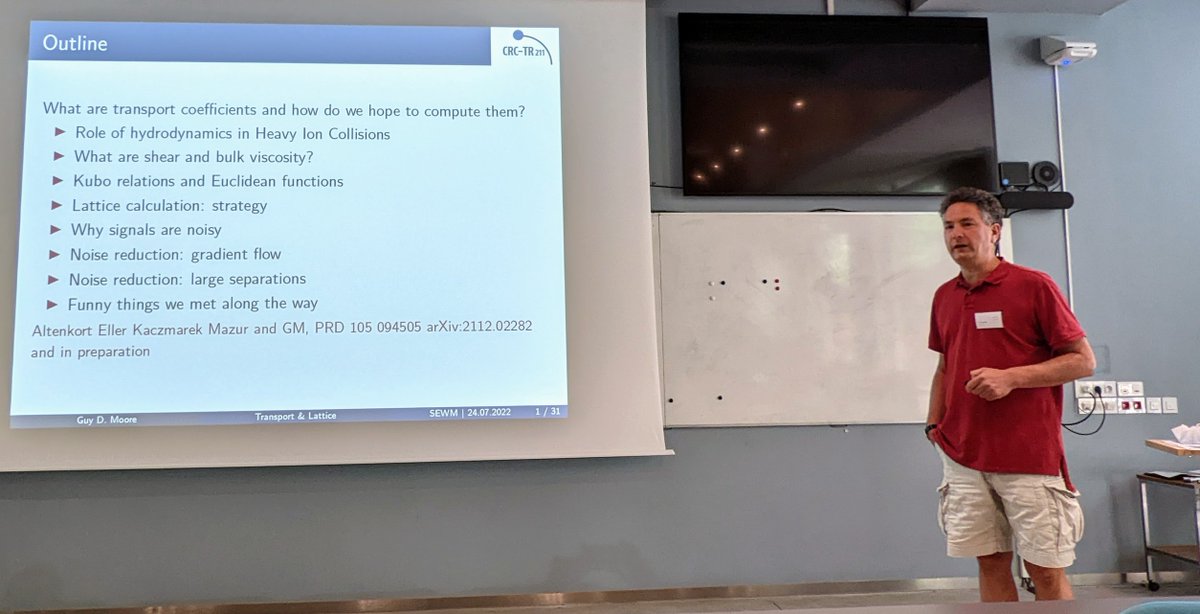
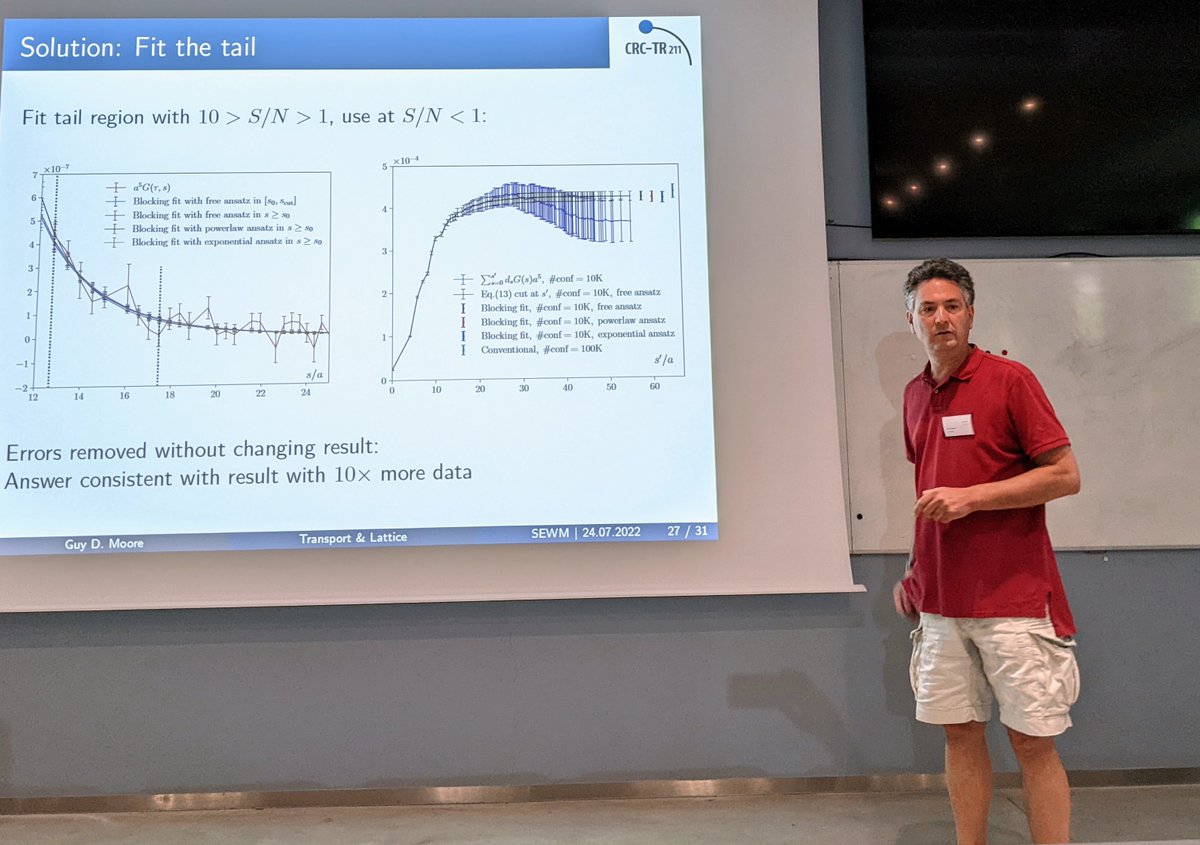
Guy Moore @TUDarmstadt gives #SEWM2022 colloquium on transport, the lattice, and noise reduction
arXiv:2112.02282
#ShearViscosity #BulkViscosity #NoiseReduction #latticeQCD #GradientFlow
3

13 Aug 2021
NEW short summary of a recent @GradientFlow newsletter [2021 Silicon Valley Software Engineering Talent Report from @celentialai] ⇢ highlights in the video. You can subscribe at: gradientflow.com/subscribe/
7

30 Jun 2020
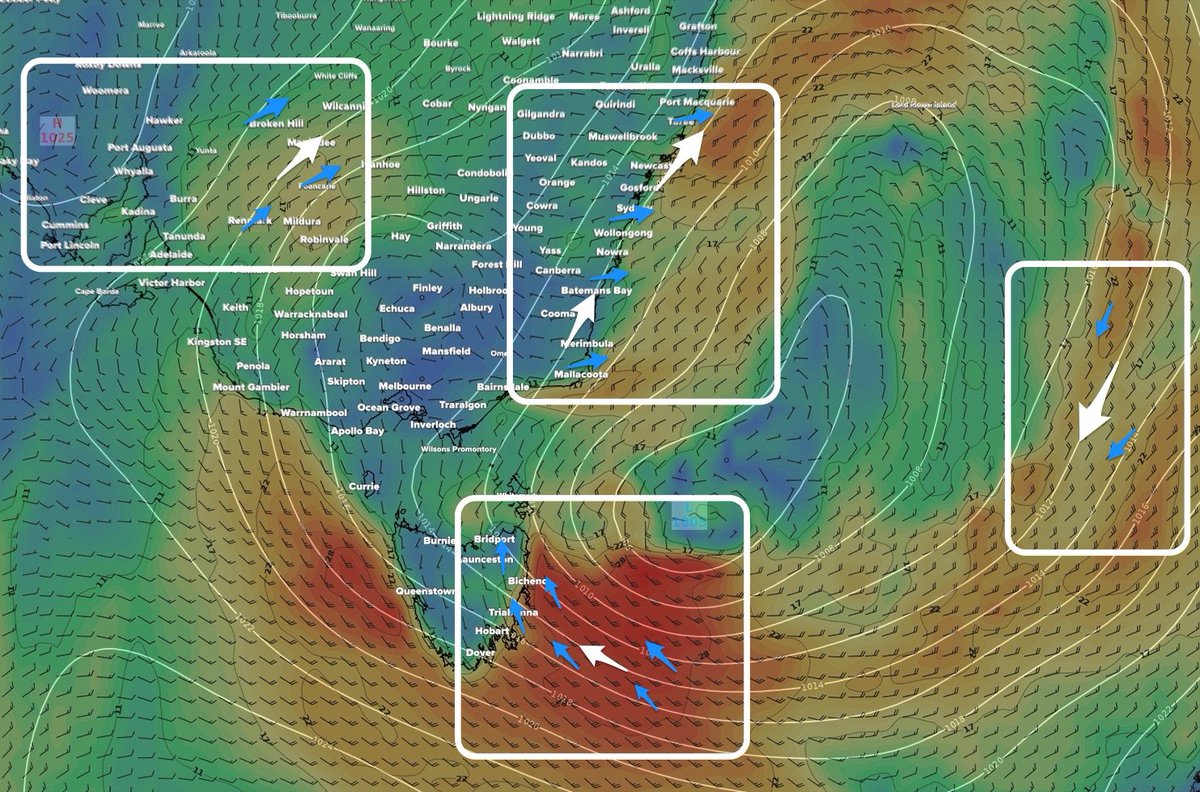
Ever wondered why the winds at your local beach don't match those of your local weather station? It's often due to friction...
swellnet.com/news/swellnet-a…
#friction #coriolisforce #geostrophicflow #gradientflow #pressuregradientforce #swellnet
1
5
5 Jun 2020
🆕 short summary of a recent #GradientFlow Newsletter [Quantitative Finance, #TinyML , Risks in Data & Machine Learning] ⇢ highlights in the video. You can subscribe at: gradientflow.substack.com/su…
4
3
22 May 2020
🆕 #GradientFlow Newsletter [Day Trading & the Flash Crash, Privacy-preserving analytics, 📈demand for #MachineLearning engineers] ⇢ highlights in the video. You can subscribe at: gradientflow.substack.com/su…
10
6
15 May 2020
🆕 short summary of a recent #GradientFlow [Modeling Epidemics, AI Infrastructure, and the Power of Business Experiments] ⇢ highlights in the video. You can subscribe at: gradientflow.substack.com/su…
2
9

14 Aug 2018
CONGRATULATIONS @GradientFlow!
You have won the Go4 charm! Please DM us within 24h to receive it.
2
1

1 Sep 2017
機械学習のニュートラルネットワークで、誤差を最小にするためにnegative gradient 方向に動かして、少しずつ臨界点に近づけて行く下りを初めて見たとき、gradientflowでt→∞を日常的にやってた自分には「ひょえ〜」って感じだったよ
1