
Sniffnet: A Modern Open-Source Network Traffic Monitoring Tool for Security Professionals
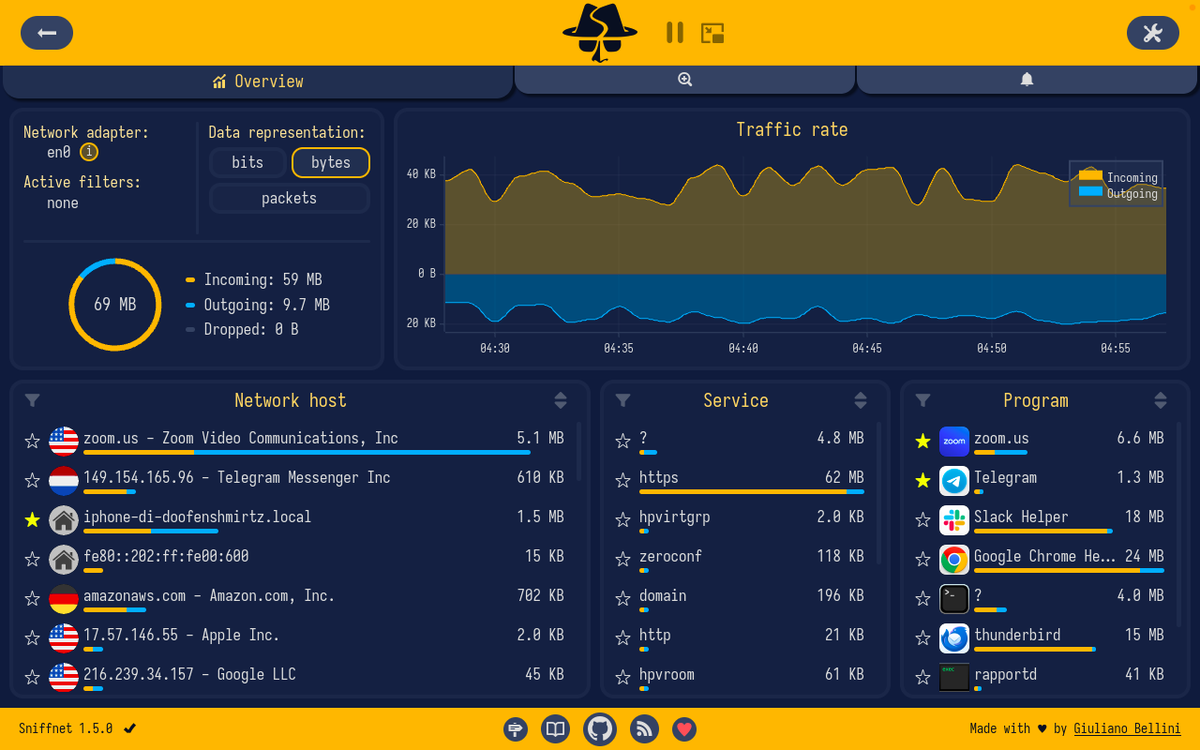
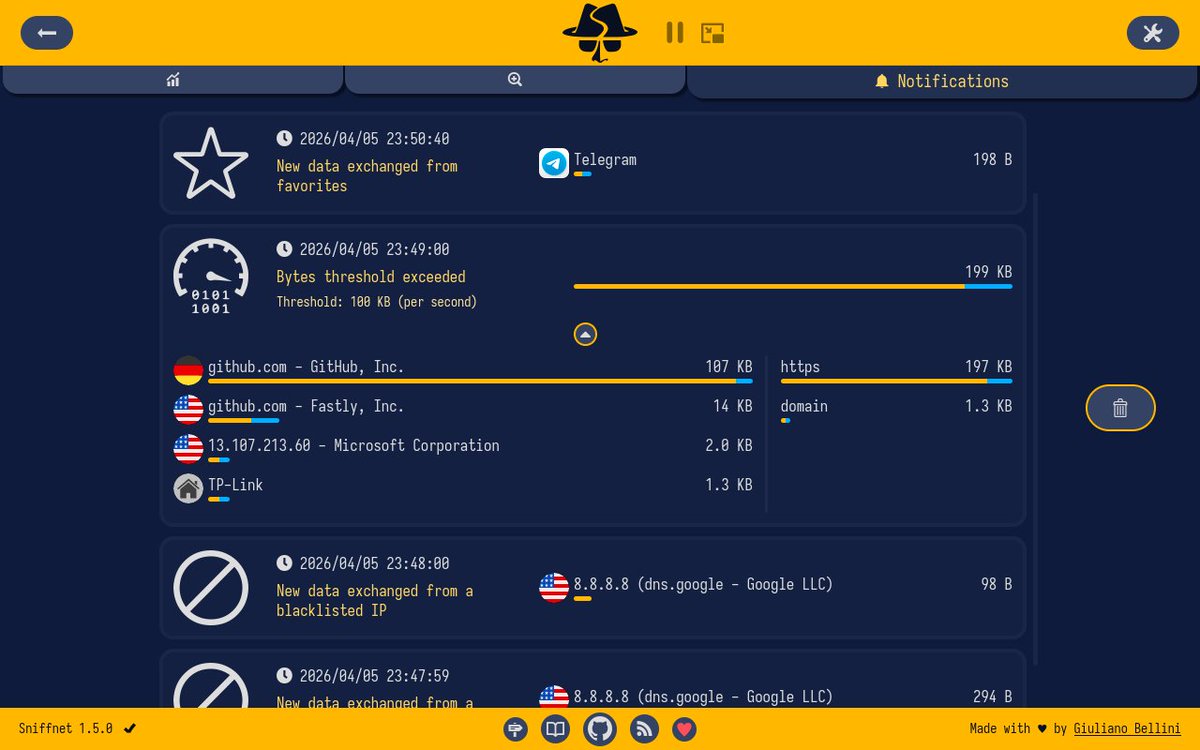
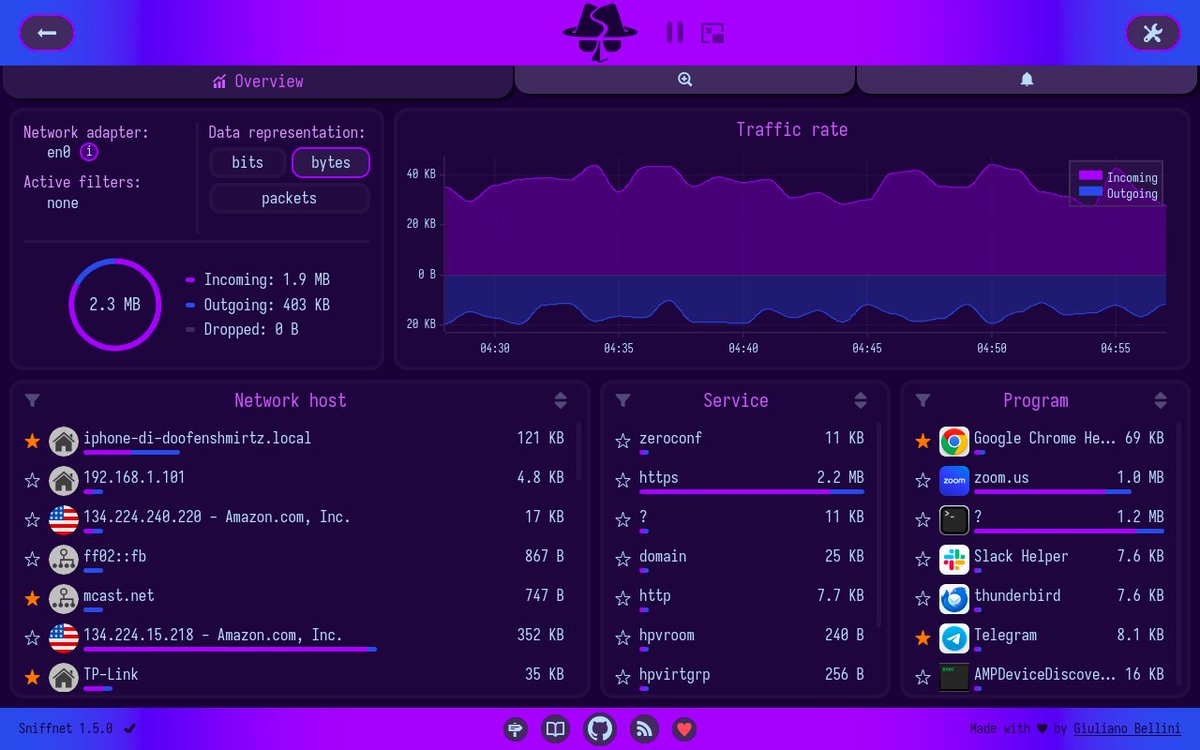
🌐 Sniffnet — Monitor Your Network Traffic with Ease
A modern, cross-platform network monitoring tool that lets you visualize real-time traffic, inspect connections, identify applications generating traffic, analyze hosts, and export captures in PCAP format through an intuitive interface.
🔗 github.com/GyulyVGC/sniffnet
#CyberSecurity #Networking #NetworkMonitoring #PacketAnalysis #PCAP #OpenSource #Linux #Windows #Infosec

11
45
1,422
📦 Packet Crafting Tools on ANDRAX — Network Traffic Analysis & Security Research
💬 Comment “PACKET” and I’ll send more details.
#Andrax #CyberSecurity #NetworkSecurity #PacketAnalysis #InfoSec
1
12
624

Apr 11
Day 97 - #100DaysOfCybersecurity
Let the countdown begin: 3 more days to go 🥳
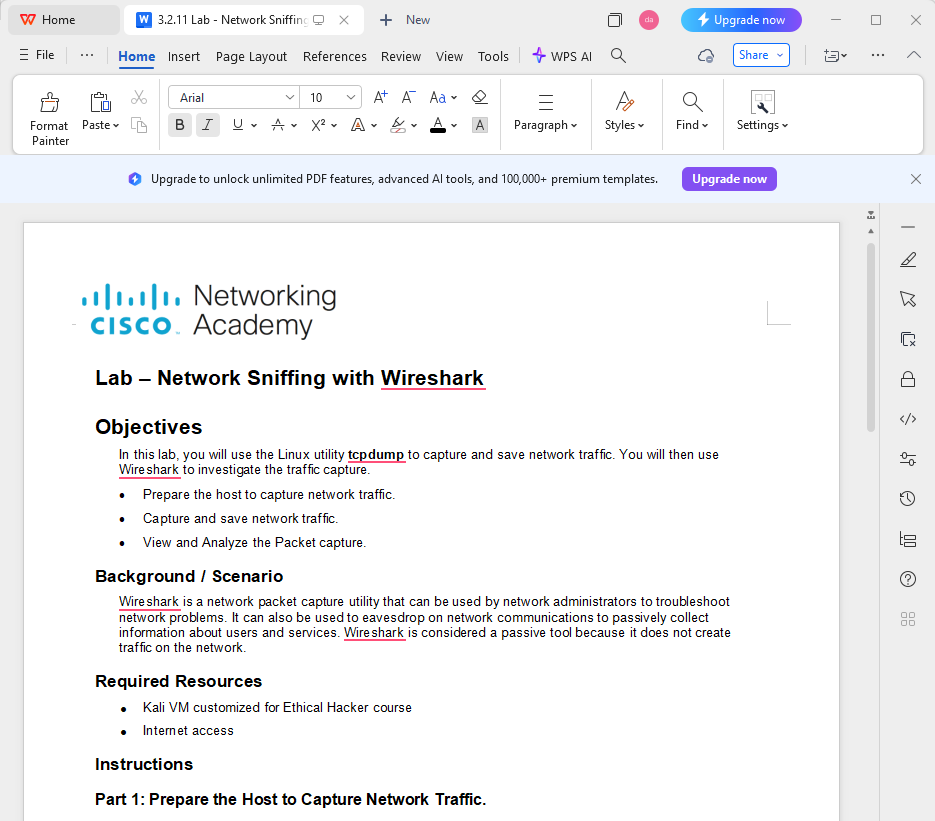
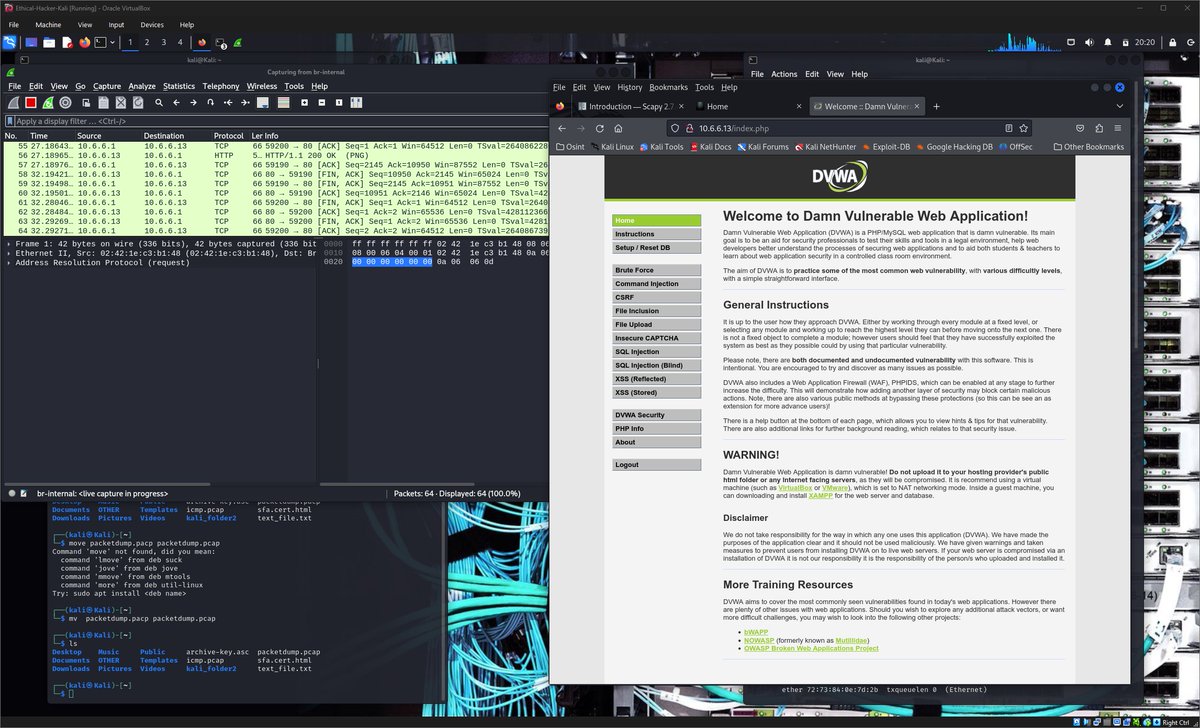
Today I completed a hands-on lab on Network Sniffing with tcpdump and Wireshark, focusing on capturing and analyzing real network traffic for passive reconnaissance.
This lab reinforced how powerful packet capture tools are for observing network behavior without actively interacting with the target.
What I Did
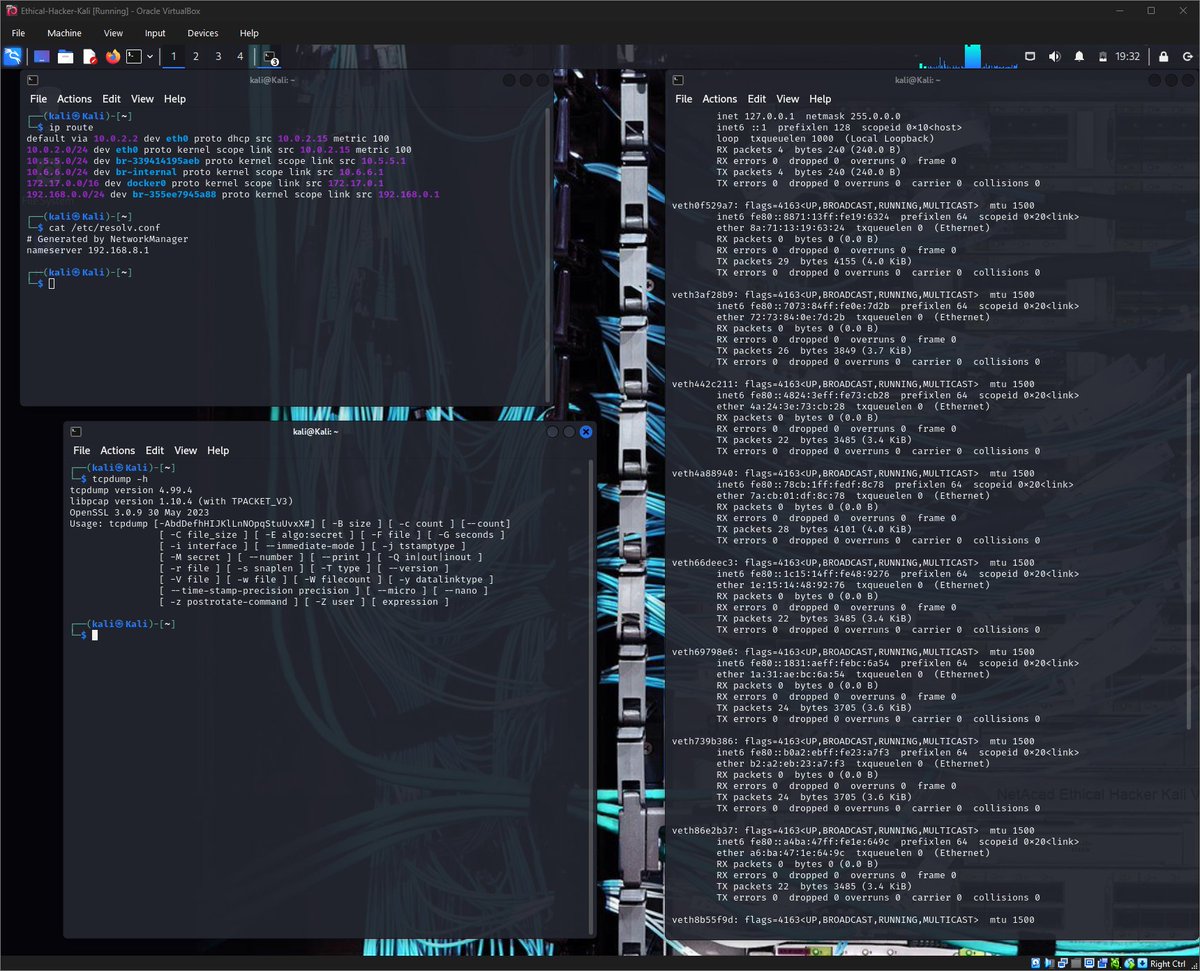
📡 Captured Network Traffic with tcpdump
I used tcpdump to capture live traffic on my Kali machine:
sudo tcpdump -i eth0 -s 0 -w packetdump.pcap
- Identified my interface details (IP, MAC, gateway, DNS)
- Captured traffic while browsing websites
- Saved the capture as a .pcap file for analysis
🔍 Analyzed Traffic with Wireshark
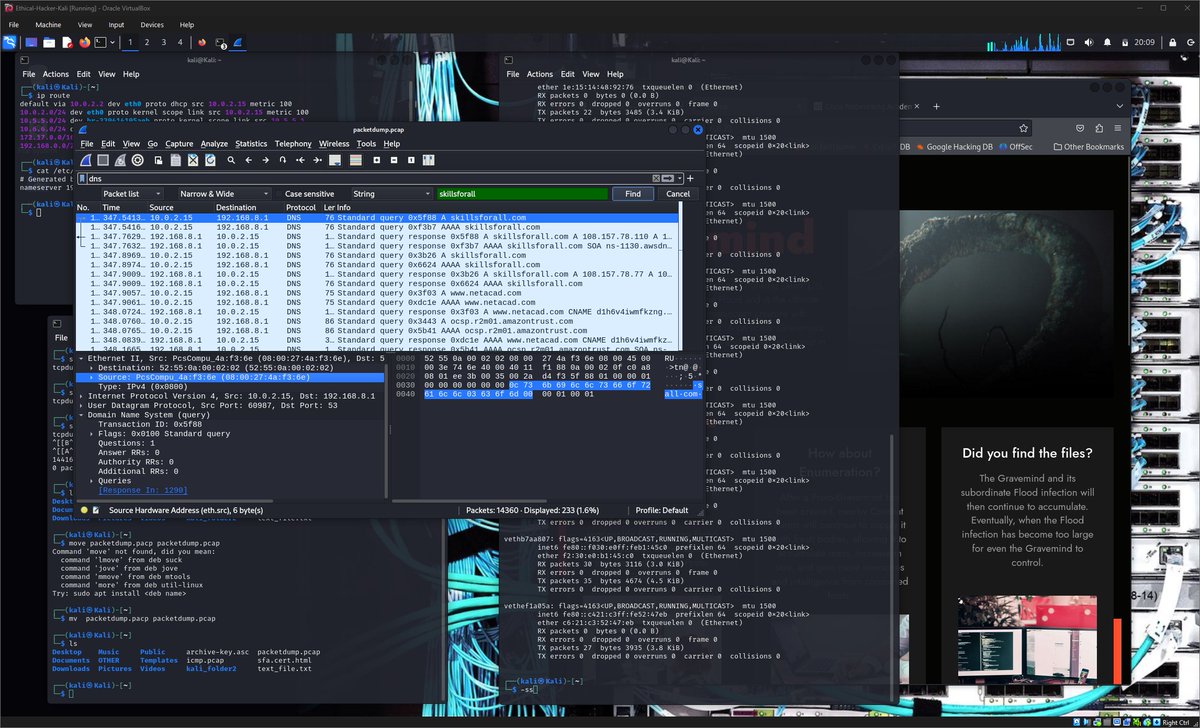
I opened the capture in Wireshark and filtered specific protocols to extract useful information.
🌐 DNS Analysis
By filtering dns traffic, I was able to observe:
- Websites visited (e.g., skillsforall, netacad, shodan)
- DNS queries and corresponding responses
- IP addresses associated with domains
Example insight:
skillsforall.com resolved to multiple IPs:
52.201.76.103
18.209.186.5
This shows how DNS can reveal user activity and browsing behavior.
🌍 HTTP Session Analysis (DVWA Lab)
I captured and analyzed an HTTP login session on a test web app.
Key findings:
- POST request contained login credentials user token (in plaintext)
- Server responded with a session cookie:
PHPSESSID=...
- The same session ID was sent back in subsequent requests
This demonstrates how unencrypted HTTP traffic exposes sensitive data, making it vulnerable to interception and session hijacking.
Key lessons I learnt in the lab:
- Packet sniffing tools enable stealthy (passive) reconnaissance
- DNS traffic reveals browsing patterns and infrastructure details
- HTTP traffic can expose credentials and session cookies in plaintext
- Packet analysis is critical for both defense and attack understanding
This lab really highlights why encryption (HTTPS) and secure configurations are essential in modern networks.
@jay_hunts @ireteeh @segoslavia
#RedTeamer #Cybersecurity #Wireshark #tcpdump
#NetworkSecurity #PacketAnalysis #EthicalHacking
1
4
17
224
Day 94 - #100DaysOfCybersecurity
Today I completed a hands-on lab on Packet Crafting with Scapy, a powerful Python-based packet manipulation tool used by penetration testers and security researchers.
Unlike traditional scanners, Scapy allows you to manually craft, send, sniff, and analyze packets, making it extremely useful for reconnaissance, testing network behavior, and security research.
Activities I carried out:
🔎 Exploring Scapy
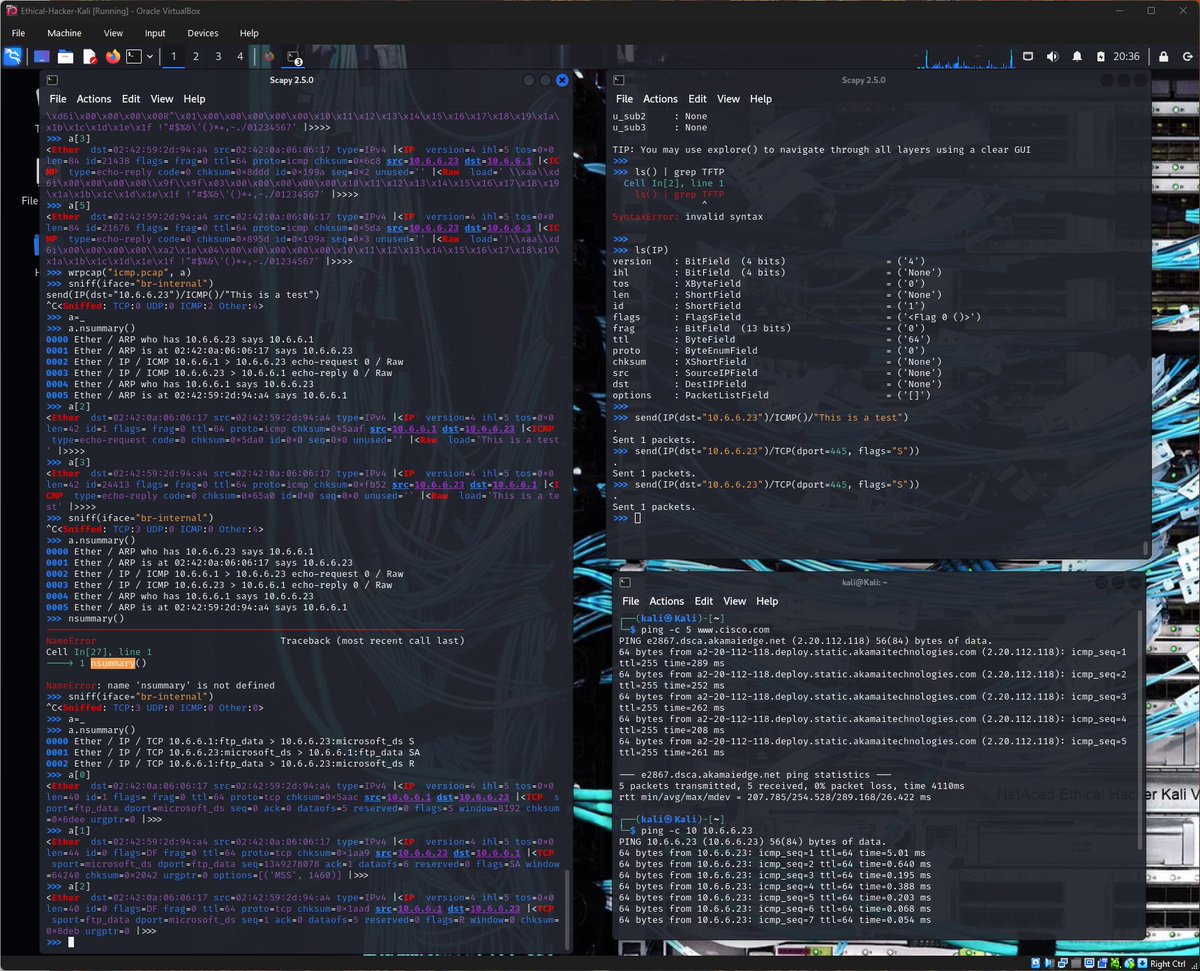
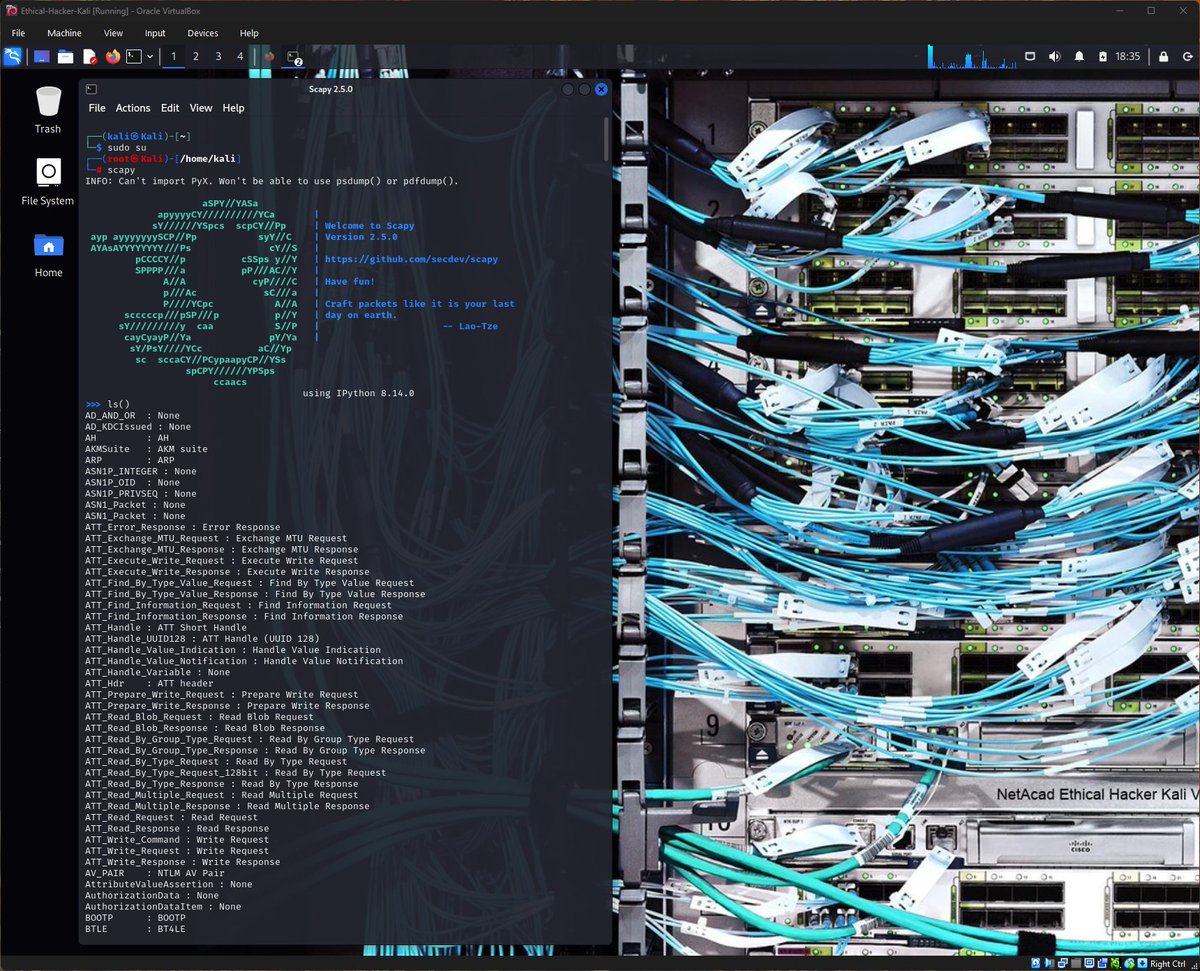
I started by launching Scapy in interactive mode and exploring its capabilities.
Using the ls() function, I viewed the large list of supported protocols and packet formats.
For example, Scapy supports 9 different TFTP packet formats.
TFTP is a useful protocol used to send and receive files on a LAN segment.
I also examined the structure of an IPv4 packet header using:
ls(IP)
This revealed important packet fields such as:
- TTL (Time To Live)
- Source and Destination IP addresses
- Protocol field (ICMP, TCP, UDP)
- Header checksum
Understanding these fields is essential when crafting custom packets.
📡 Sniffing Network Traffic
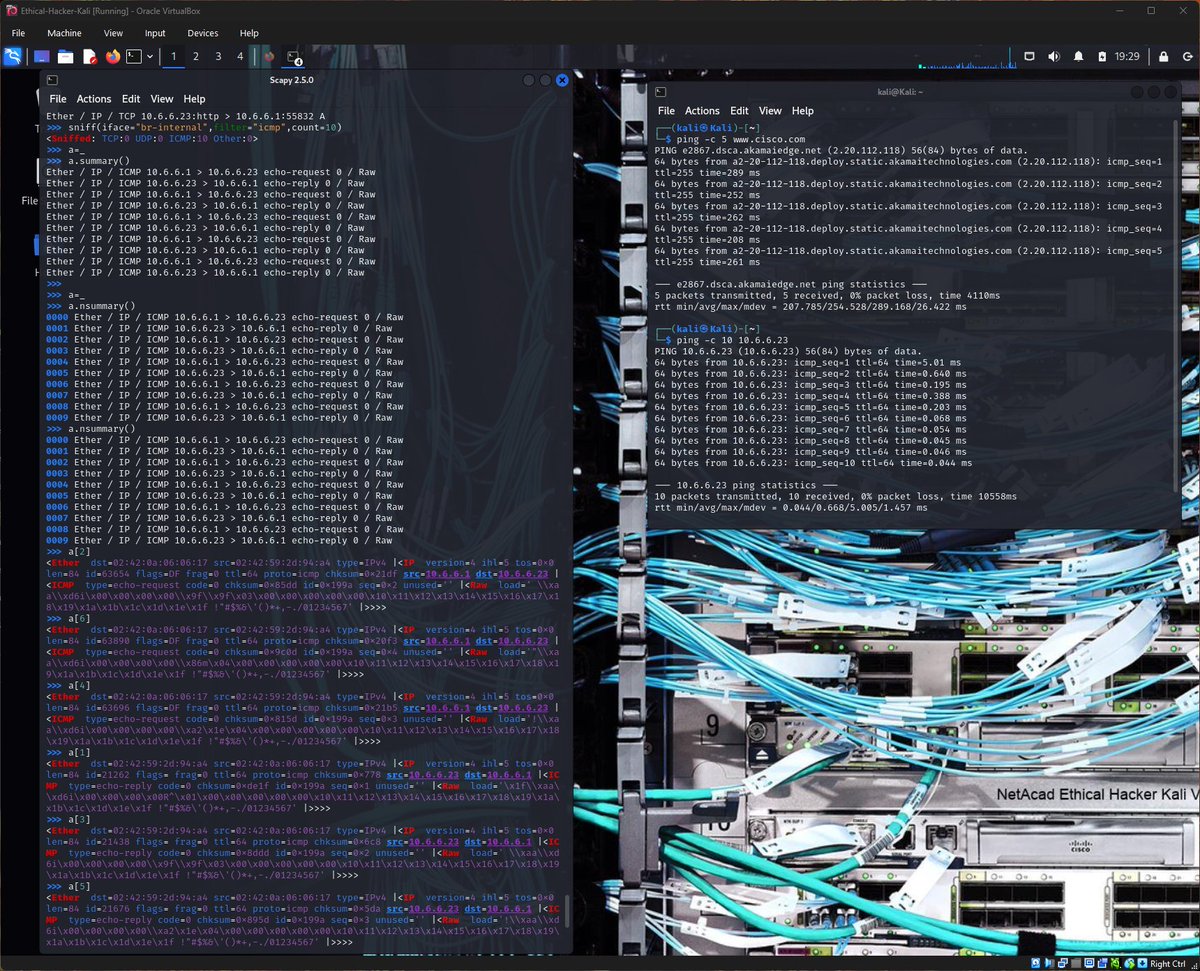
Next, I used Scapy’s sniff() function to capture traffic on the internal network interface.
Example:
sniff(iface="eth0")
I generated traffic by pinging a host and then reviewed the captured packets using:
- summary() function for native view, and
- nsummary() for number line view
I also filtered traffic to capture only ICMP packets and saved the capture to a .pcap file using:
wrpcap("icmp.pcap", a)
'a' is the variable I used to store the output of the sniff() function
Then, I used Wireshark to open the pcap for deeper analysis.
📦 Crafting a Custom ICMP Packet
I created and sent a custom ICMP packet to the target host 10.6.6.23.
Example:
send(IP(dst="10.6.6.23")/ICMP()/"This is a test")
The packet capture confirmed both the ICMP echo-request and echo-reply, and I observed that the crafted packet contained my custom payload in the raw data field.
🔌 Crafting a TCP SYN Packet
Finally, I crafted a TCP SYN packet to test whether port 445 (SMB) was open on the target system.
Example:
send(IP(dst="10.6.6.23")/TCP(dport=445, flags="S"))
The response returned a SYN-ACK (SA) flag, confirming that port 445 was open.
Key lessons I learned from this lab:
- Scapy is Python based and run in an interactive command mode.
- It allows deep control over packet creation and analysis.
- Packet crafting can reveal how systems respond to specific network interactions.
- Custom packets can be used for reconnaissance, testing firewall behavior, and identifying open services.
Understanding tools like Scapy helps to analyze networks at a much deeper level than traditional scanning tools alone.
@jay_hunts @ireteeh @segoslavia
#RedTeamer #Cybersecurity #EthicalHacking #Scapy #NetworkSecurity #PacketAnalysis
1
4
33
544

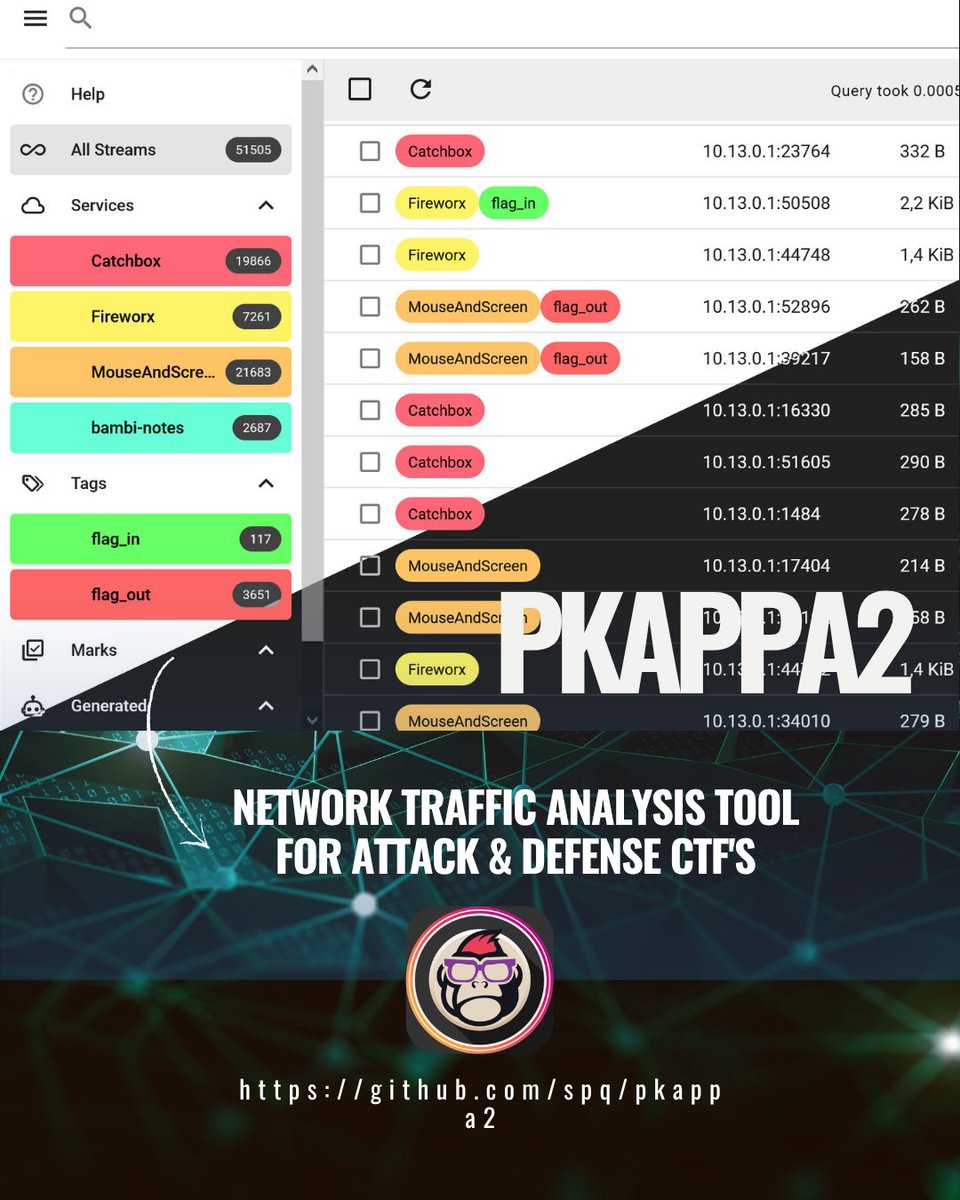
¡Pkappa2 es tu herramienta clave en CTFs! Analiza PCAPs, busca streams TCP/UDP con lenguaje de consulta avanzado y extrae datos. Ideal para forensics y auditoría de red. Solo para entornos autorizados.
💥🔍🕵️♂️ #ethicalhacking #ctf #packetanalysis #networksecurity #ciberseguridad
1
7
45
1,355

Mar 14
Wireshark for Pentesters – A Beginner’s Guide
📲 Telegram: t.me/hackinarticles
Mastering Wireshark helps you analyze network traffic and uncover hidden threats like a pro. 🕵️♂️
💡 Key Takeaways:
📡 Packet Capture Basics
🎛️ Filter Mastery
🔍 Protocol Analysis
📊 Traffic Inspection
🛡️ Finding Anomalies
📖 Full Guide:
hackingarticles.in/wireshark…
#Wireshark #Pentesting #NetworkSecurity #CyberSecurity #PacketAnalysis #HackingArticles #Infosec

3
64
316
14,426
Feb 26
Day 53 - #100DaysOfCybersecurity
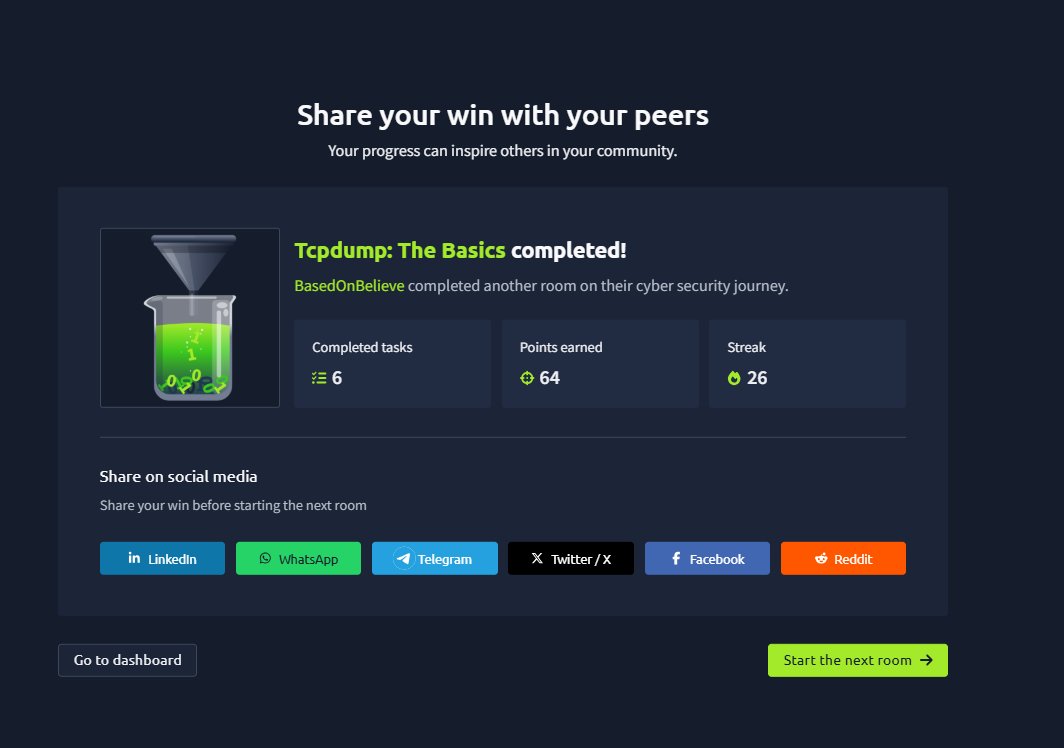
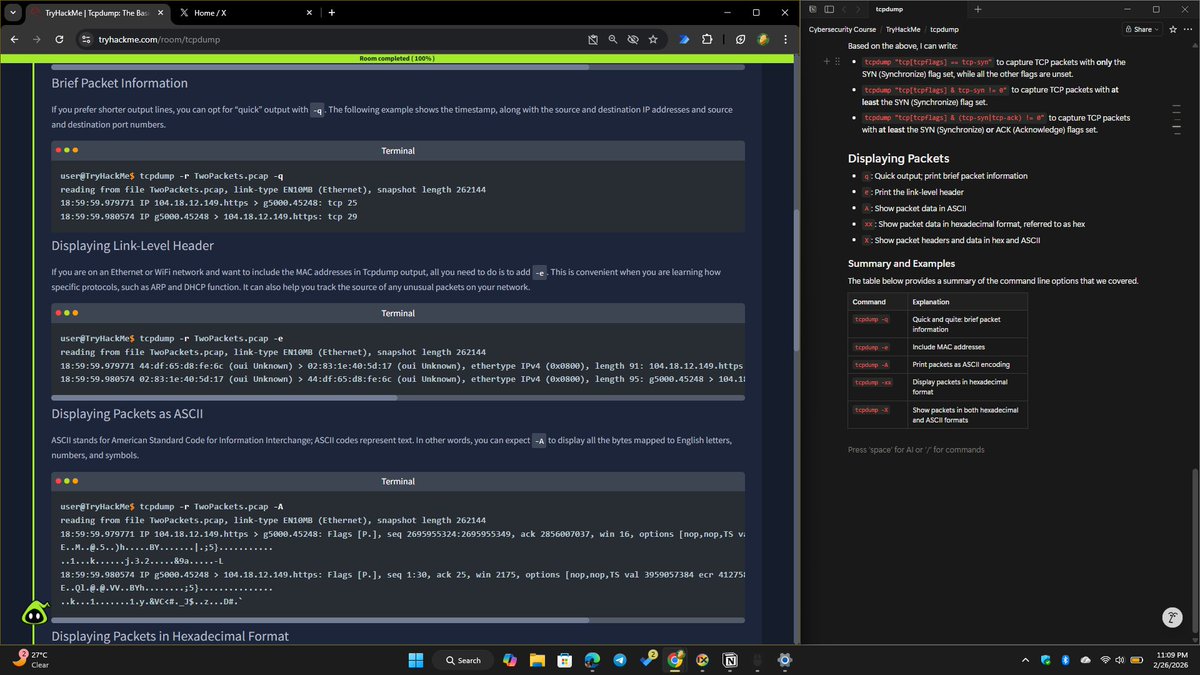
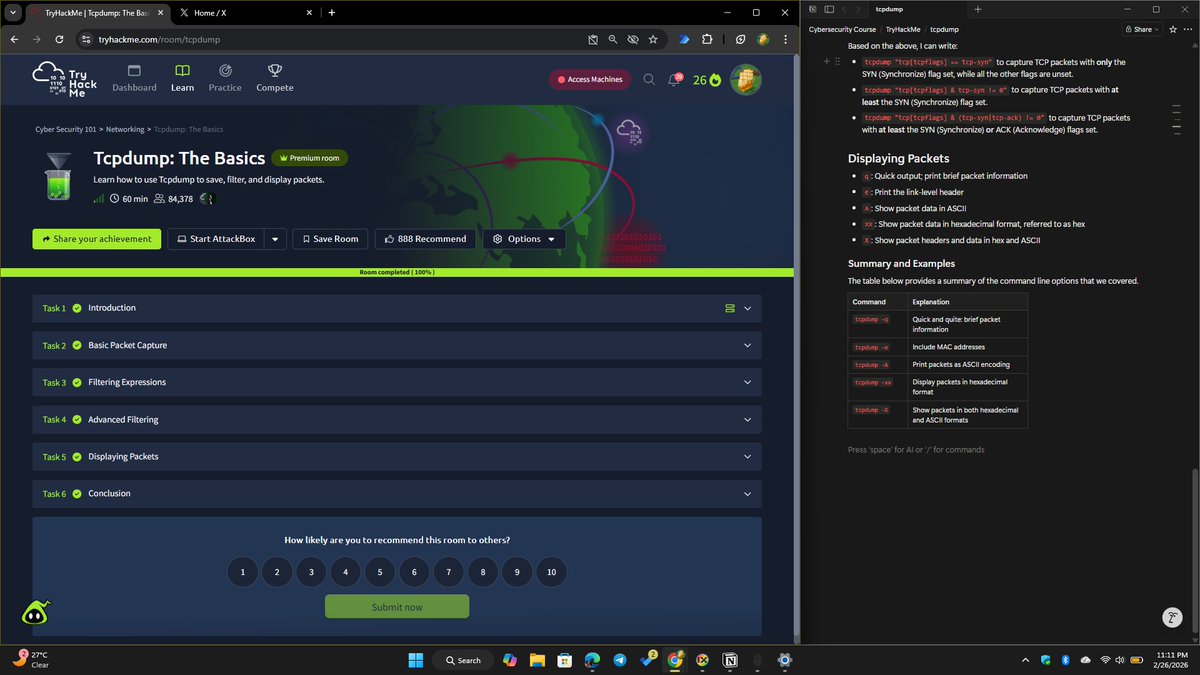
Today, I completed Task 5 of ‘Tcpdump: the basics’ rooms on TryHackMe, focusing on how packet output can be displayed in different formats.
What I studied and practiced:
‘-q’ = quick view (brief packet info)
‘-e’ = include MAC (link-layer) headers
‘-A’ = display packet data as ASCII
‘-xx’ = display packet data in hexadecimal
‘-X’ = show both hex and ASCII together
This task taught me how different display options reveal different layers of packet details; including MAC headers, readable text, or raw bytes, making analysis easier depending on what you’re specifically investigating (protocol behavior vs payload inspection).
This task completes the TCPDump room on @tryhackme
It was a slow day, but solid learning.
On to Day 54. 🔐
@jay_hunts @ireteeh @segoslavia
#RedTeamer #Tcpdump #PacketAnalysis #BlueTeam #CybersecurityJourney #LearningInPublic
1
4
80

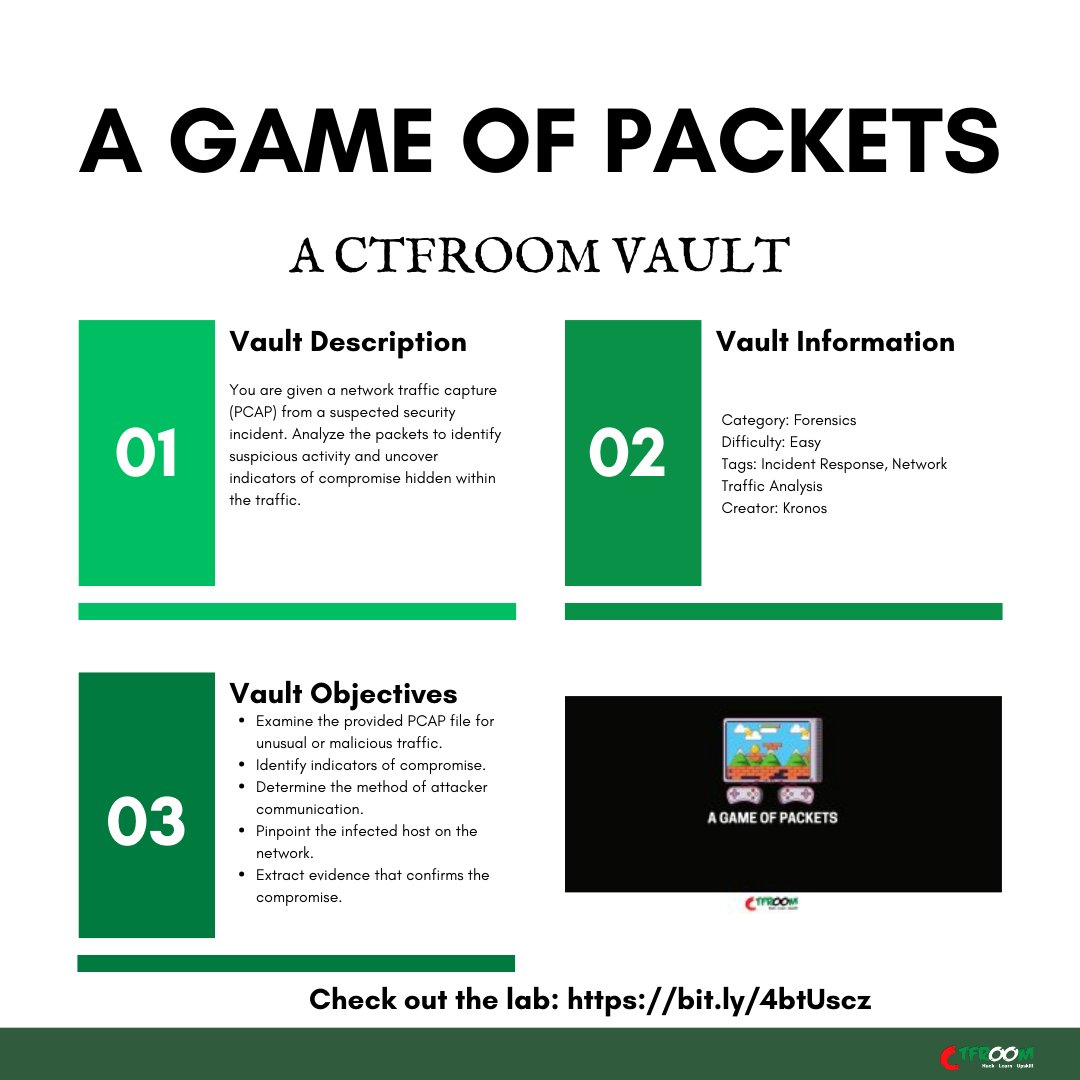
Suspicious traffic can hide in plain sight.
Analyze the PCAP, uncover indicators of compromise, and expose the attacker’s communication.
Try our vaults for free at ctfroom.com
#PacketAnalysis #NetworkForensics #IncidentResponse #BlueTeam #CyberDefense #CTFChallenge #Infosec #CyberSecurity #CTFRoom
1
3
84

17 Dec 2025
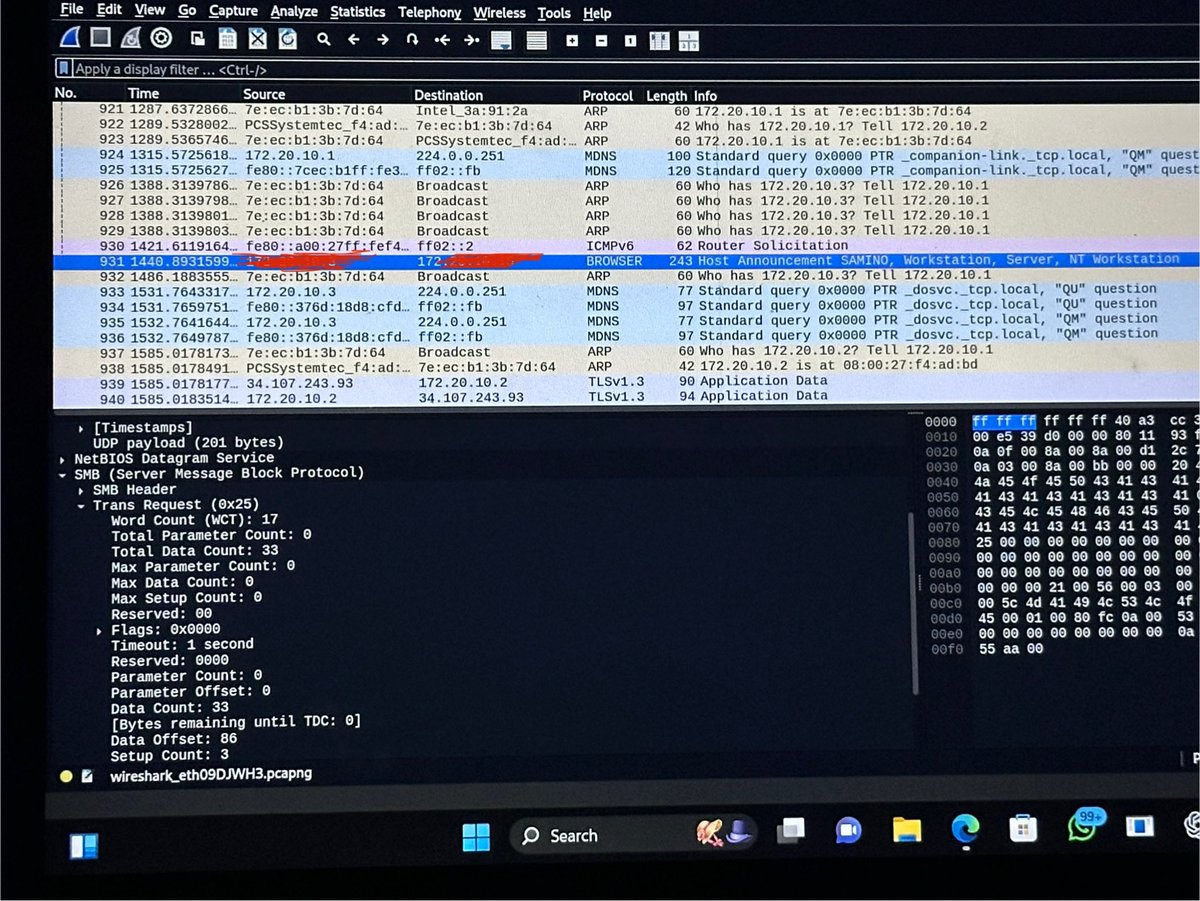
Aspiring cybersecurity analyst using Wireshark to analyze live traffic and build hands-on skills in packet analysis, network monitoring, and threat detection. #CyberSecurityAwareness #BlueTeam #InfoSec #SOCAnalyst #Aspiring #Wireshark #PacketAnalysis
5
191

27 Nov 2025
SMB signing protects your files, right? Not exactly. 🔍
CQURE Hacks #69 just proved something critical: we intercepted a fully signed SMB session and extracted the entire file content in plain text using nothing but Wireshark.
Here's the reality check most admins miss:
✅ Signing prevents tampering - TRUE
❌ Signing encrypts your data - FALSE
❌ Signing stops passive sniffing - FALSE
A man-in-the-middle attacker doesn't need to modify packets. They just need to read them. And if you're relying on signing alone, you're broadcasting your data in cleartext.
Our step-by-step demo shows exactly how this attack works and why understanding the difference between integrity and confidentiality could save your organization.
Watch the full breakdown 👉 cqureacademy.com/blog/cqure-…
#Cybersecurity #WindowsSecurity #SMB #SMB2 #Wireshark #packetanalysis #Mitmattack
3
9
544

21 Nov 2025
Day 19 of #100DaysOfCyberSecurity: Network Packet Analysis
Today, I dove into packets: captured with TCP Dump, visualized in Wireshark, automated via T-Shark, and extracted artifacts with Network Miner. Every packet tells a story. #Infosec #PacketAnalysis

3
72

14 Nov 2025
Network Traffic Basics on @TryHackMe changed my entire approach to threat hunting! Learning how attackers hide commands in DNS queries, spotting session hijacking via sequence numbers, and capturing traffic with TAPs felt genuinely powerful. #NetworkSecurity #PacketAnalysis #SOC
2
31

13 Nov 2025
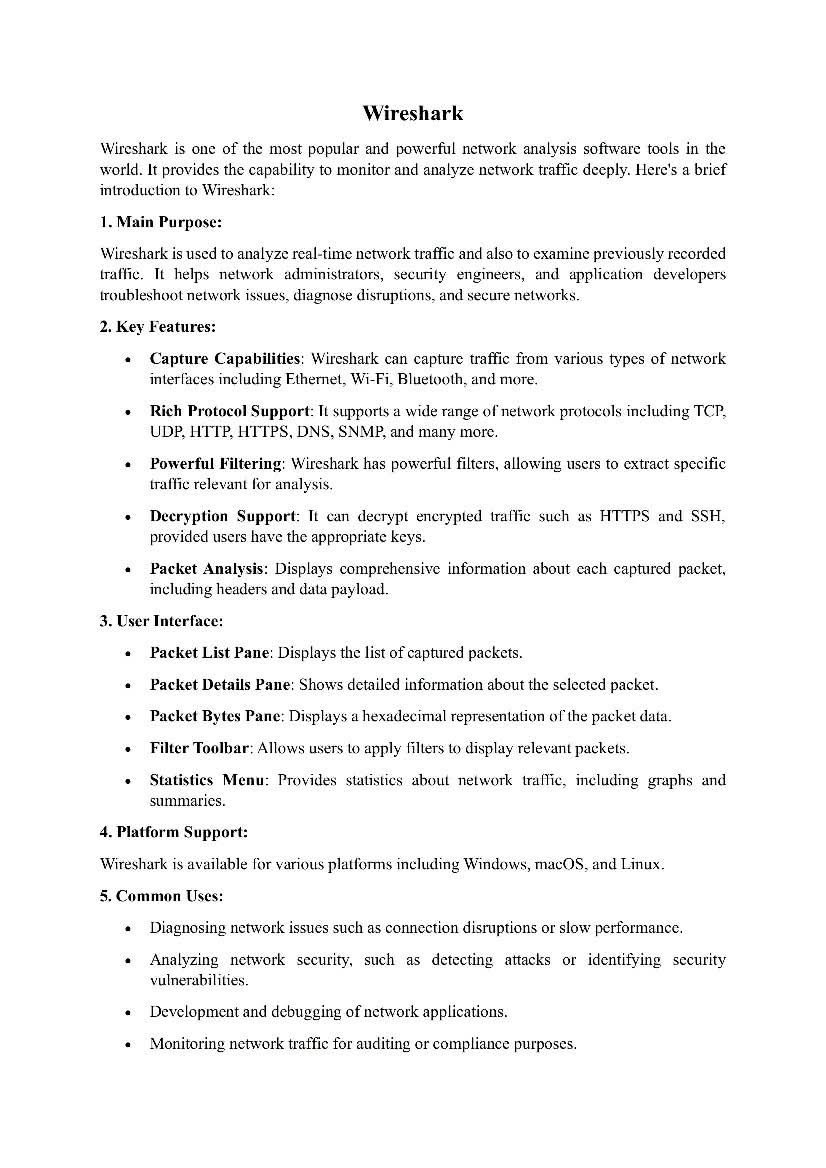
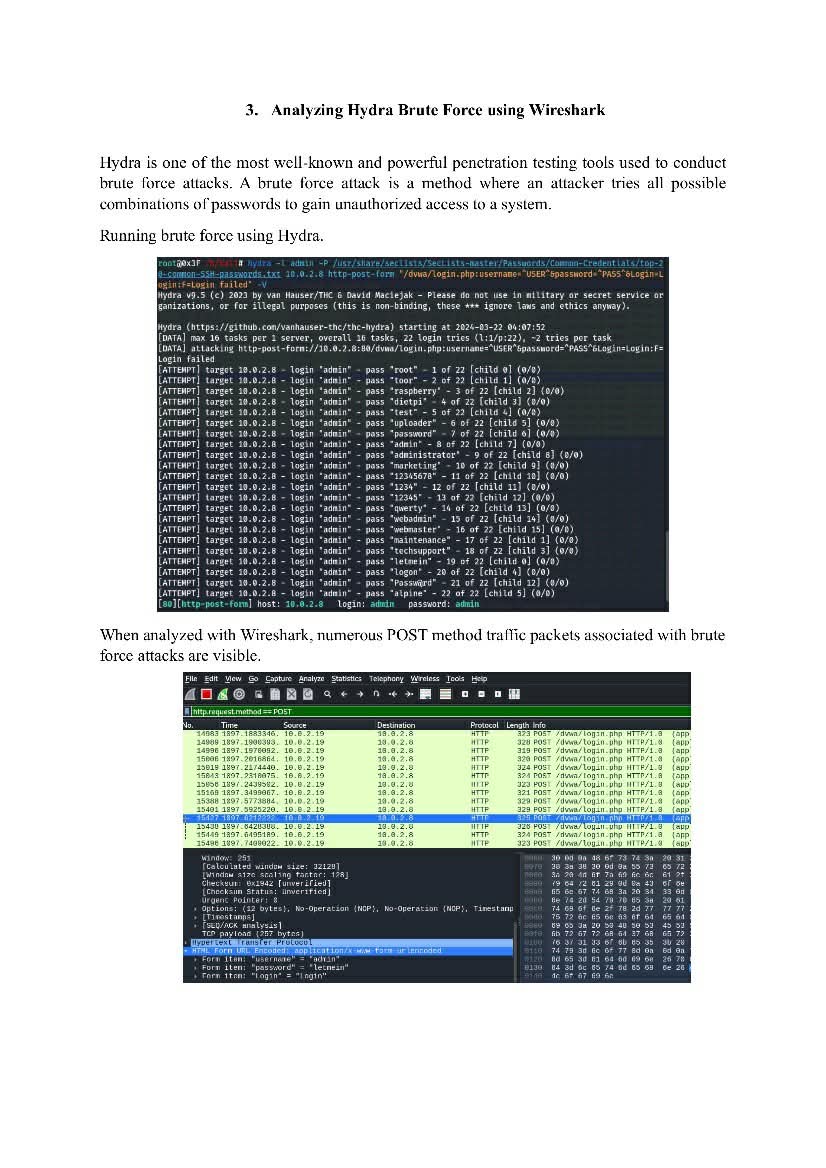
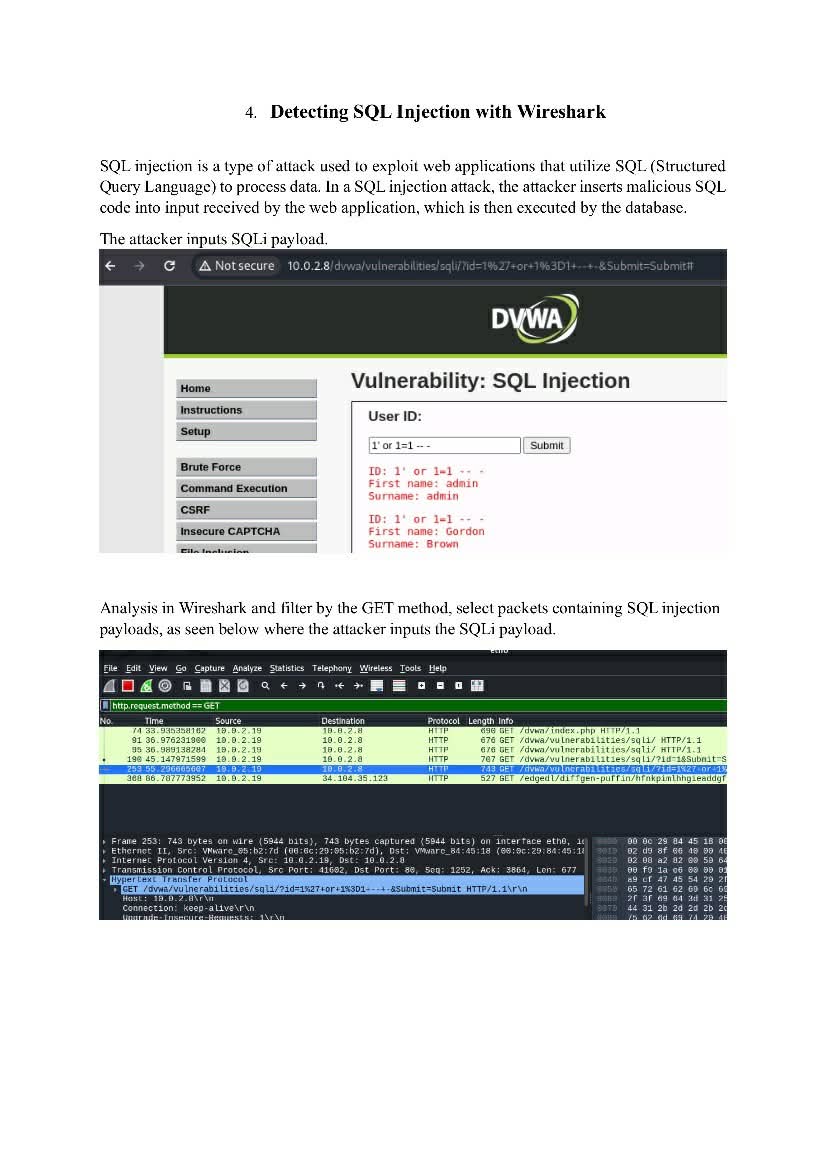
Wireshark Notes 🦈
Quick, essential notes for anyone analyzing network traffic. Perfect for learning packet inspection, spotting anomalies, and improving your network security workflow.
🔖 #Wireshark #NetworkSecurity #PacketAnalysis #CyberSecurity #Infosec #BlueTeam #Pentesting
2
1
3
143
30 Sep 2025
Command-line packet analysis is more efficient than I thought! TShark on @tryhackme showed me how to examine network traffic from the terminal. Mastering CLI packet inspection is practical and a powerful alternative to GUI tools. #TShark #PacketAnalysis #NetworkForensics
3
26

⚠️ Disclaimer:
For educational & authorized use only. Always analyze traffic in labs or systems you manage. 🚫🔒
#Wireshark #PacketAnalysis #CyberSecurity #NetworkSecurity #BlueTeam #NetworkTraffic #TechTools 🦈
2
804

29 Aug 2025
Happy Friday to everyone!!!
Keep working!!!
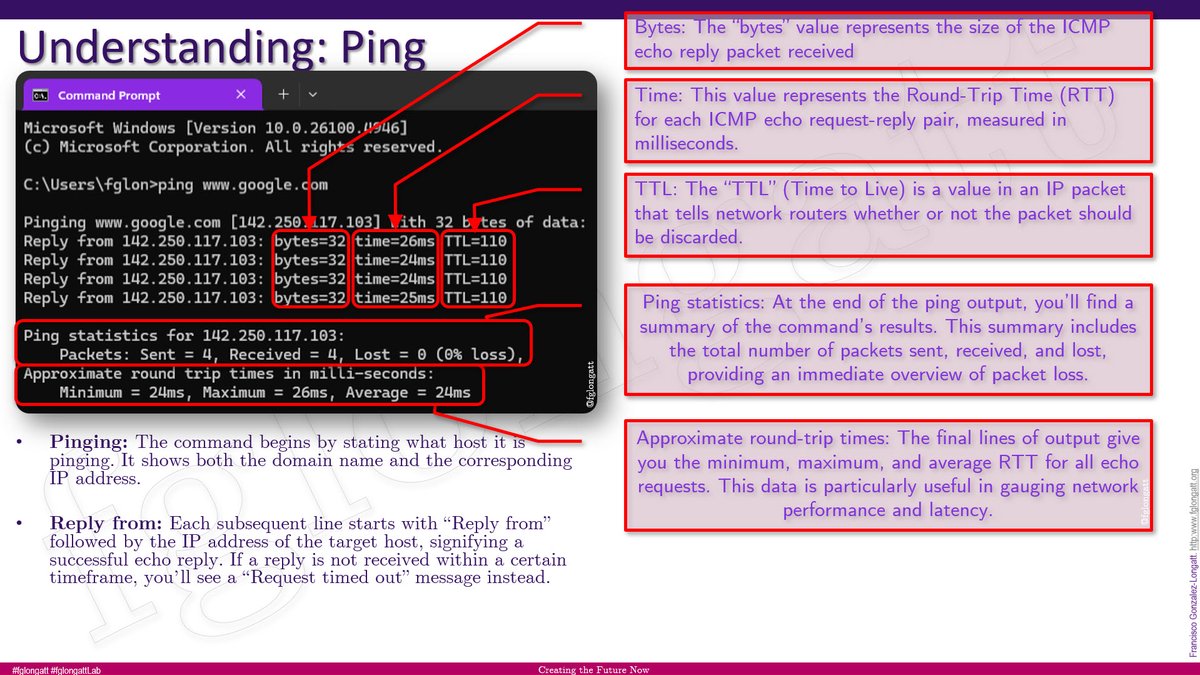
#Comm #DigitalCommuinication #DigitalNetwork #Ping #IT #packet #fglongatt #fglongattLife #IEC61850 #packetanalysis #wireshark
3
121
28 Jul 2025
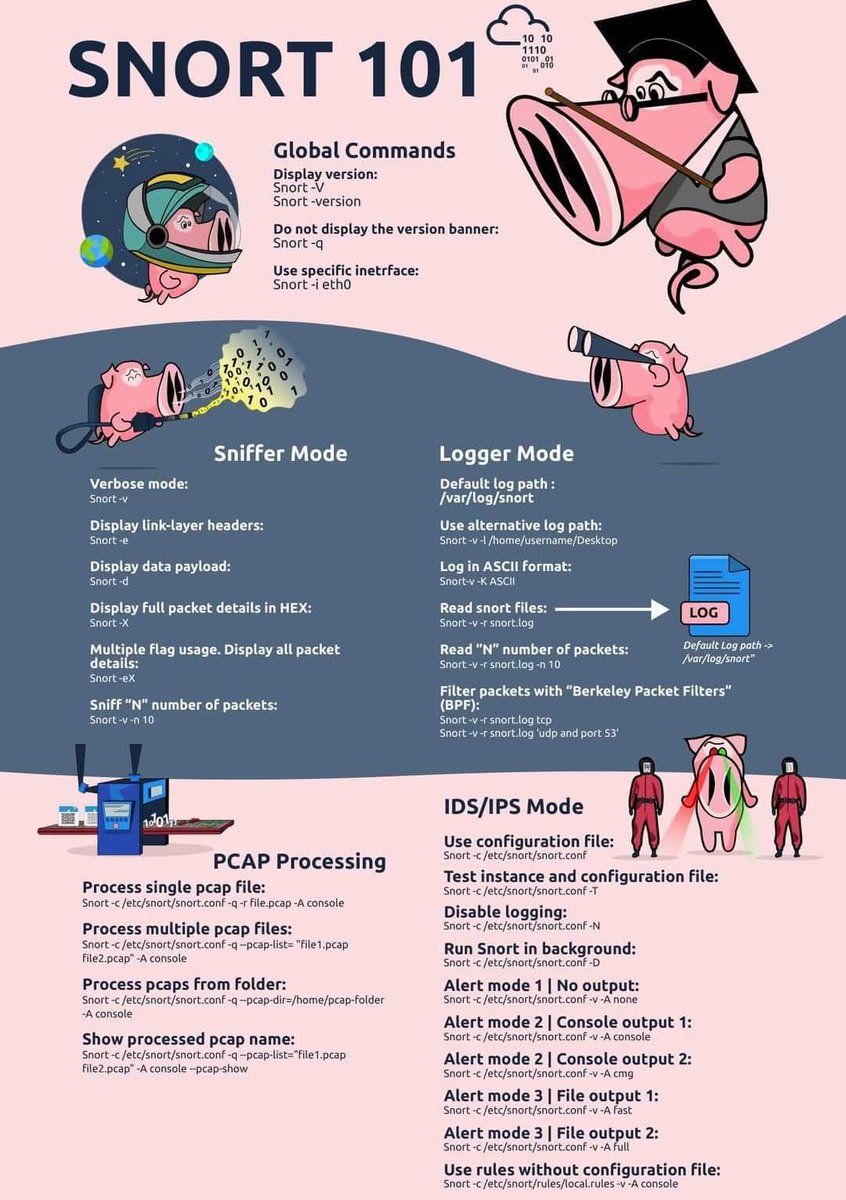
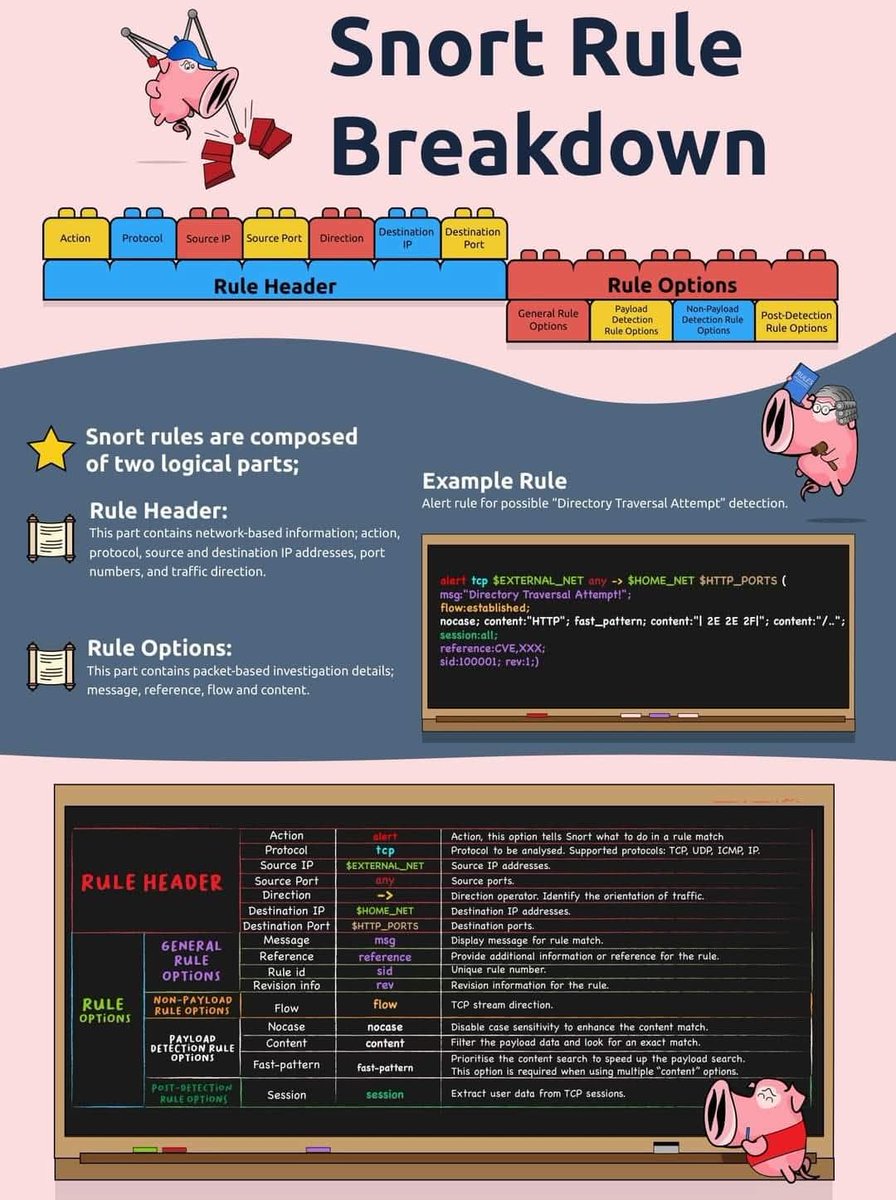
🐽 Snort Command Cheat Sheet: Get Started with Network Intrusion Detection 🧠🔍
#infosec #cybersecurity #snort #IDS #IPS #networksecurity #blueTeam #SOC #packetanalysis #EducationOnly #hacking #pentesting
3
485

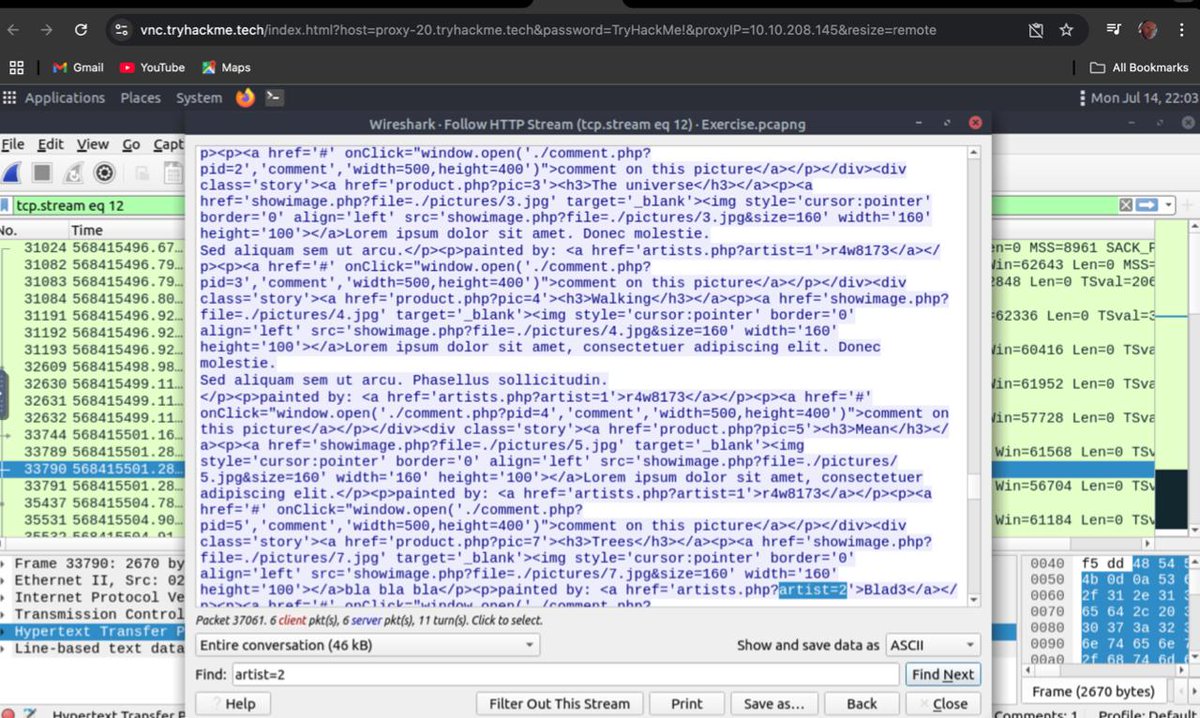
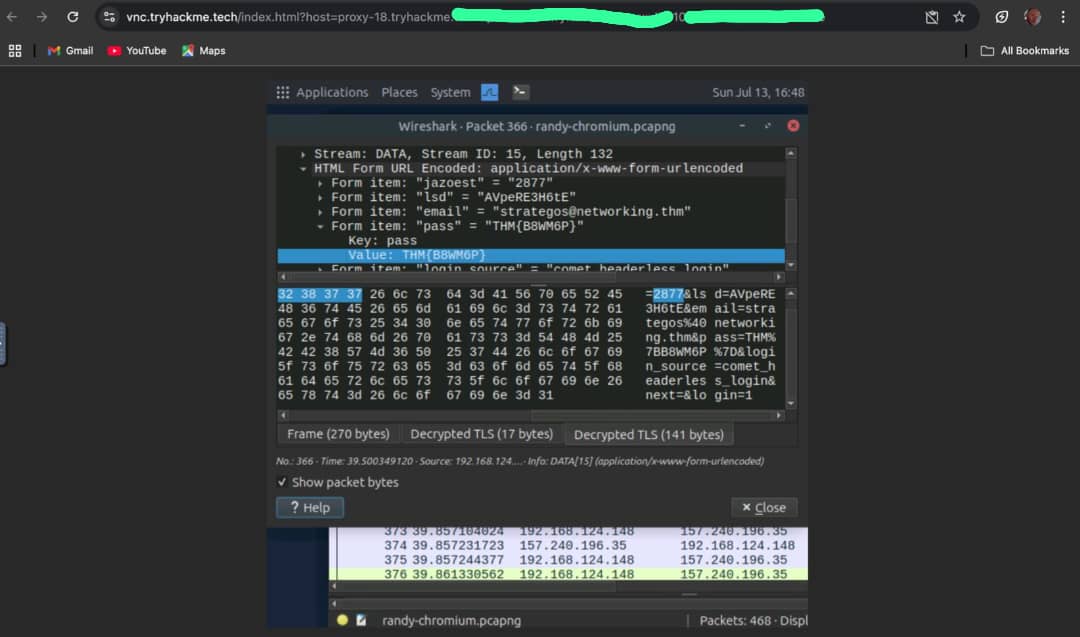
Day 14 – #Wireshark Practice
Sniffed traffic, viewed packet/file details, dissected layers & used filters. A bit complex but a great hands-on session in network analysis!
@ireteeh @segoslavia @comp_guyy
#100DaysOfCybersecurity #PacketAnalysis #Infosec #BlueTeam #CyberSkills

Day 13 – Secure Networking Protocols
Explored 3 key ways to secure network traffic:
🔹 TLS – Secures protocols like HTTP →HTTPS, SMTP → SMTPS.
🔹 SSH – For remote access, secure file transfer & tunneling.
🔹 VPN.
#100DaysOfCyberSecurity #soc
@ireteeh @segoslavia @comp_guyy
2
12
1,667
Filters don’t just make data readable they turn raw traffic into actionable insight.
#Wireshark #PacketAnalysis #CyberSecurity #NetworkForensics #DeepPacketInspection #InfoSec #TCPIP #NetworkMonitoring #SecurityTools #ITSecurity #DigitalDefense
1
2
657

20 Jun 2025
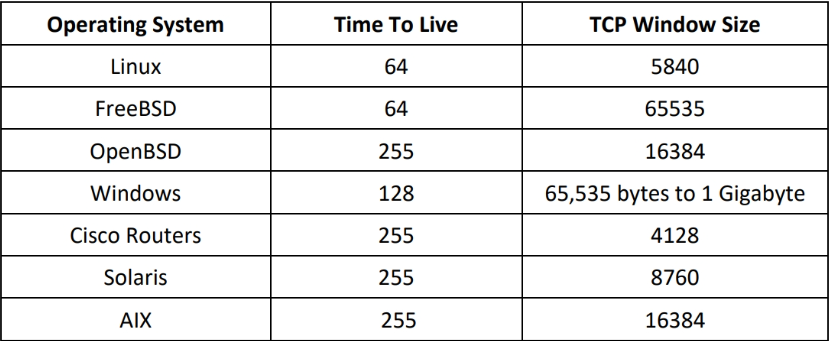
🎯 OS Fingerprinting Simplified — TTL & TCP Window Size Cheatsheet for Ethical Hackers 🕵️♂️
#EthicalHacking #CyberSecurity #OSFingerprinting #TTL #WindowSize #RedTeam #Nmap #Hping3 #Wireshark #Infosec #PenetrationTesting #Networking #PacketAnalysis #Linux #Windows #Cisco #Solaris
4
426