
23 Nov 2024
"Breaking free from the noise, I'm reflecting on what truly matters in user interactions. Empathy & emotional intelligence aren't just buzzwords - they're keys to building trust, fostering loyalty & driving growth. Let's prioritize these core principles and unlock effective communication #UserInteractions #EffectiveCommunication #EmpathyInAction"
2
93

8 Nov 2024
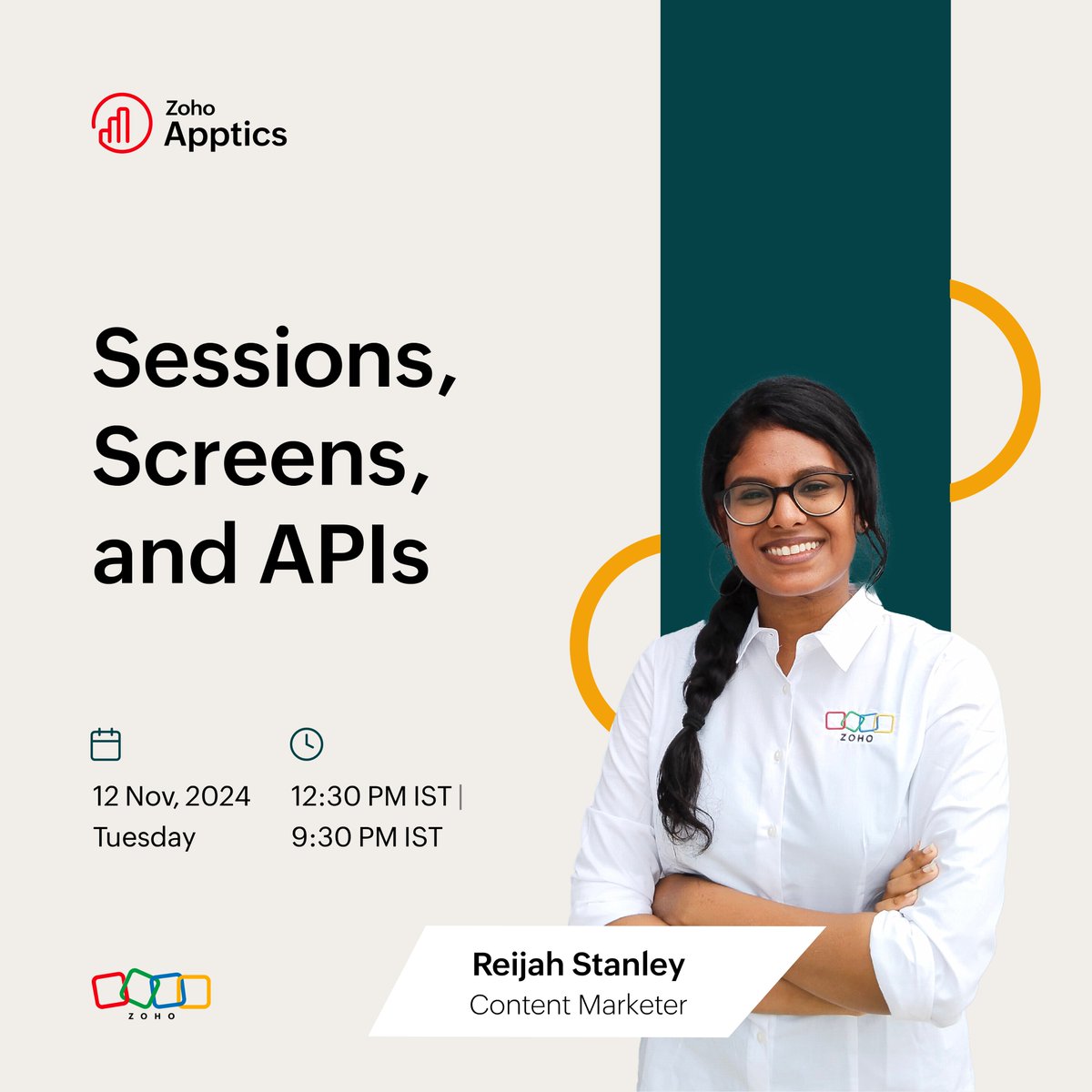
📣Join us on November 12th for a #FreeWebinar on #sessions, screens, and APIs.
Learn how to:
👉Gauge the quality of #UserInteractions
👉Analyze key #Engagement metrics
👉Optimize #AppDesign with data-backed insights
Register now - zoho.to/UOd
#Dev #Analytics #Apps
1
6
104

20 May 2024
I really haven't even started yet. 😀
The Addicted bot currently hasn't started to mine the data in the database.
It's literally only identifying bangers early though pure luck.
I was focussed on reducing the search space and it turned out that the solution resulted in a happy accident.
Not a single deep model has been trained yet.
Not a single LLM model API call has been made yet.
You are early 🫡💊
t.me/AddictedERC
Database Collection Stats:
Users (Document):
📊 158 items
Contracts (Document):
📊 48561 items
UserInteractions (Document):
📊 14478 items
Meta (Document):
📊 29077 items
Attention (Document):
📊 27530 items
LpEventLog (Document):
📊 68163 items
UserScores (Document):
📊 203 items
IsTagged (Edge):
📊 100 items
RecipientWallets (Document):
📊 0 items
Resolutions_v2 (Edge):
📊 12855 items
FundingWallets (Document):
📊 72732 items
lpEvents (Edge):
📊 69814 items
DeployerWallets (Document):
📊 36387 items
RewardPool (Document):
📊 6121 items
Transactions (Edge):
📊 426434 items
ENSDomains_v2 (Document):
📊 12855 items
UserReferredBy (Edge):
📊 132 items
Price (Document):
📊 4349711 items
Deployments (Edge):
📊 59652 items
SignalDebugLogs (Document):
📊 124483 items
PublicTags (Document):
📊 100 items
Machine Learning Models:
Not Implemented
Model Accuracy
Precision: N/A
Recall: N/A
F-Score: N/A
3
8
12
316
30 Apr 2024
This should do nicely. 💊
Database Collection Stats:
Users (Document):
📊 133 items
Contracts (Document):
📊 42432 items
UserInteractions (Document):
📊 11083 items
Meta (Document):
📊 23227 items
Attention (Document):
📊 21680 items
UserScores (Document):
📊 52 items
LpEventLog (Document):
📊 58833 items
IsTagged (Edge):
📊 100 items
RecipientWallets (Document):
📊 0 items
Resolutions_v2 (Edge):
📊 12347 items
FundingWallets (Document):
📊 67888 items
lpEvents (Edge):
📊 60484 items
DeployerWallets (Document):
📊 31847 items
RewardPool (Document):
📊 275 items
Transactions (Edge):
📊 396694 items
ENSDomains_v2 (Document):
📊 12347 items
UserReferredBy (Edge):
📊 112 items
Price (Document):
📊 2773494 items
Deployments (Edge):
📊 53541 items
SignalDebugLogs (Document):
📊 89133 items
PublicTags (Document):
📊 100 items
1
3
63

Unlock the full potential of your product with Palzin Track's real-time event tracking.
Stay ahead of the competition by monitoring user interactions as they happen.
palzin.live/blog/beyond-page…
#RealTimeTracking #UserInteractions #PalzinTrack

ALT An illustration of a magnifying glass over a computer screen symbolizes real-time tracking.
2
6

10 Feb 2024
Unlocking the Potential of Voice APIs: A Game-Changer for Digital Solutions
#DigitalTransformation #Apis #digitalsolutions #TechInnovation #voicerecognition #GameChanger #innovation #integration #DigitalRevolution #potentialvoice #userinteractions
tycoonstory.com/unlocking-th…

ALT Voice APIs are revolutionizing the way businesses interact with their customers, offering a myriad of opportunities to enhance communication, streamline operations, and elevate the overall user experience.
3
3
41

11 Jan 2024
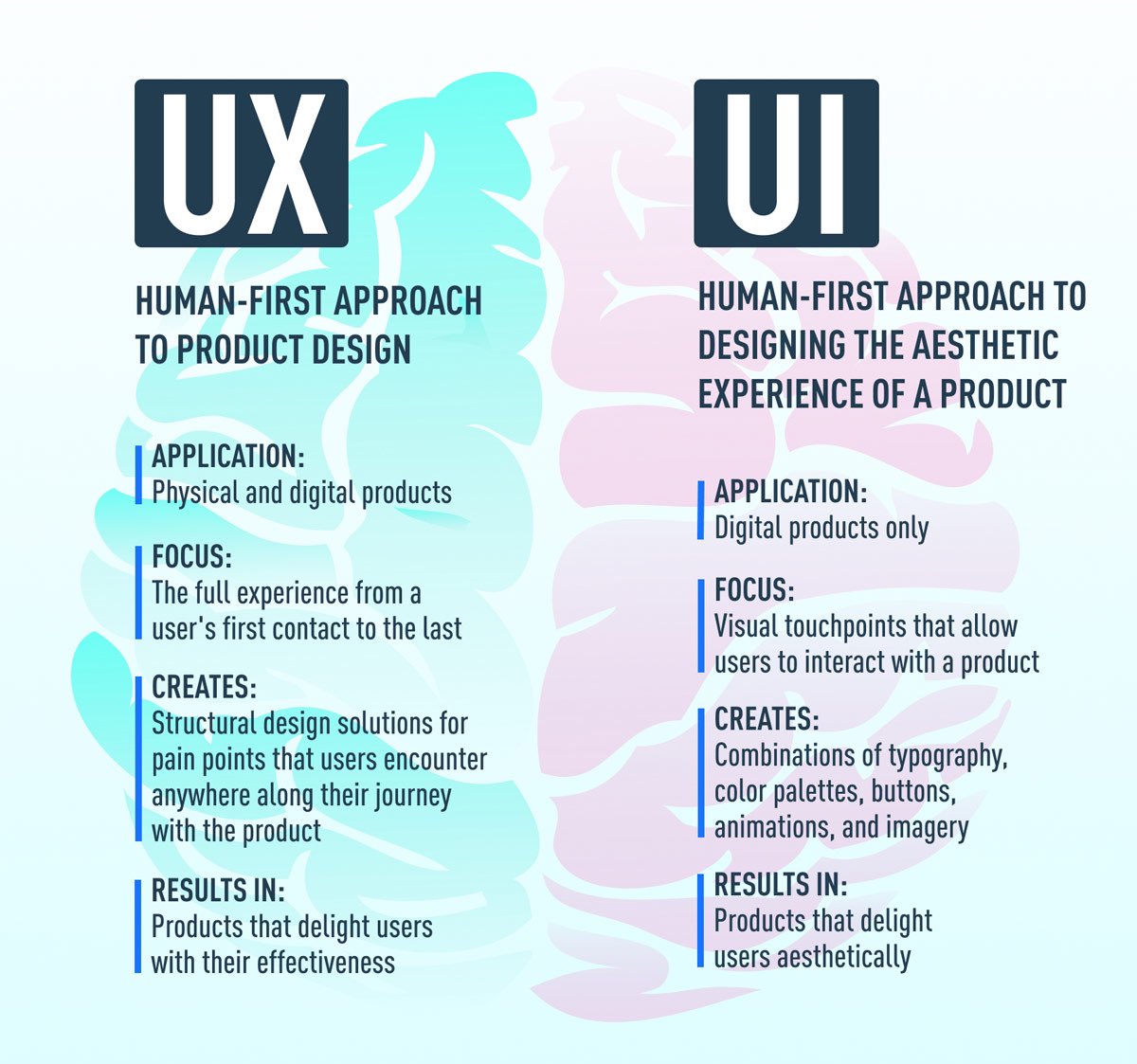
To make these delightful interactions, designers employ a combination of UI patterns including links, labels and other UI elements. These patterns provide relevant information and make interacting with products easier. #UserExperience #UserInteractions
18
20
238

16 Nov 2023
Good day, React Developers! Today, let’s explore Event Handling in #ReactJS. Events are what make our web apps interactive and responsive.🖱️
React events are similar to handling events in plain JavaScript, but with a React twist. Here’s how it works:
1. React Event Handlers: Events in React are handled using camelCase syntax, and you pass a function as the event handler.
<button onClick={handleClick}>Click me</button>
2. Writing Event Handlers: An event handler in React is a function that gets called in response to an event.
function handleClick() {
console.log('Button clicked!');
}
3. Accessing Event Object: Event handlers are passed an event object, similar to JavaScript. This object contains properties and methods related to the event.
function handleEvent(e) {
console.log(e.target);
}
4. Synthetic Events: React wraps native browser events into Synthetic Events, which have the same interface across all browsers.
5. Using this in Event Handlers: In class components, be careful with the this keyword. It’s not bound by default. Arrow functions or binding in the constructor are common solutions.
this.handleClick = this.handleClick.bind(this);
👨💻 Understanding event handling in React is crucial for creating dynamic web applications. It’s all about reacting to user inputs and actions!
Stay tuned as we delve into state updates and component lifecycle triggered by events!
#ReactEventHandling #UserInteractions #WebAppDevelopment #coding #javascript
6
150

9 Aug 2023
3️⃣ Steps To Implement Proactive Outreach In A Call Center 📞🔗 mtr.cool/txtwfpacif
#CallCenter #ContactCenter #UserInteractions #CX #CustomerNeeds #CustomerJourney #DigitalChannels #StatisticsModule #OCC #Enreach #AI #ML #Omnichannel
@enreach_es

3
4
61
23 Jun 2023
What New Paradigms Are Changing Workforce Management 👥? 🔗 my.mtr.cool/uocsbdxkpm
#CallCenter #ContactCenter #WFM #DigitalOffice #Omnichannel #GenX #Boomers #CustomerServiceChannels #RemoteWork #UserInteractions #AHT
@enreach_es

2
3
37

19 May 2023
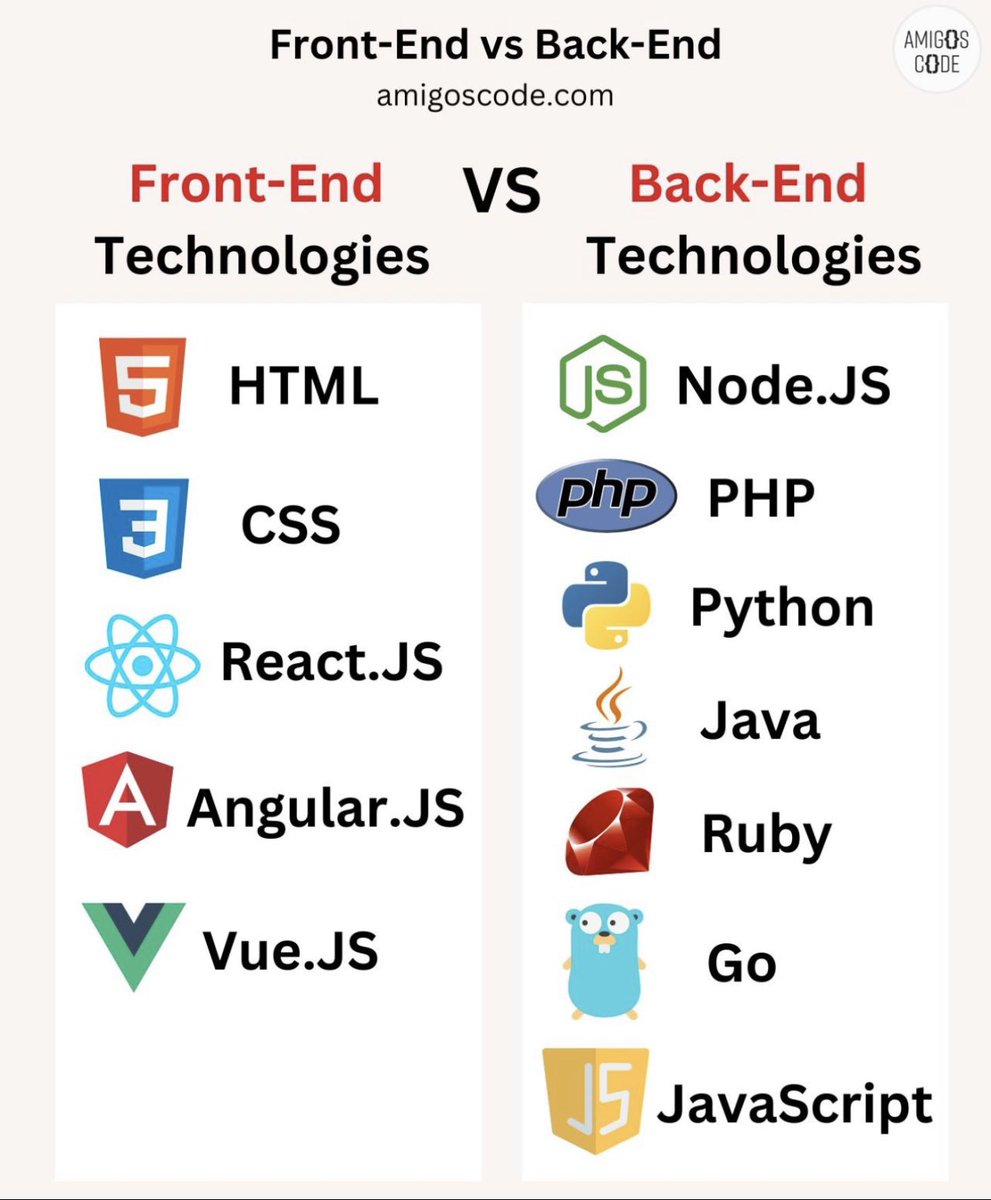
📌 Front-End vs Back-End Technologies 📌
Front-end technologies and back-end technologies are two essential components of web development, each serving different purposes in the creation of a functional and interactive website or application.
👨💻 Front-end Technologies:
Front-end technologies are responsible for the visual and interactive elements of a website that users directly interact with. They focus on the client side, rendering the user interface and enabling user interactions.
👨💻 Back-end Technologies:
Back-end technologies focus on the server side of web development, handling the processing, storage, and management of data and logic behind the scenes. They power the functionality, database operations, and business logic of an application.
🛑 Front-end and back-end technologies work together to create a seamless user experience. Front-end technologies handle the user interface and interactions, while back-end technologies manage the data processing, storage, and business logic. Collaboration between front-end and back-end developers is crucial to ensure the integration and functionality of the complete web application or website.
✅ Join Amigoscode today for premium programming courses - bit.ly/40ujtvS
.
.
.
.
#frontend #backend #webdevelopment #frontendtechnologies #backendtechnologies #userinterface #userexperience #userinteractions #programming #softwaredevelopment #fullstack #coding #technology #developers #codingcommunity #html #nodejs #css #php #javascript #python #reactjs #java #angularjs #database
1
5
19
2,441
1 Mar 2023
Top 6️⃣ Customer Self-Service 💻 📲 📞 📩 #BestPractices 🔗 i.mtr.cool/jftiuknwjc
#ContactCenter #CallCenter #VirtualAssistants #Chatbots #Omnichannel #AI #IT #CustomerService #FAQ #UserInteractions #ML #Automation #CustomerSatisfaction #SelfServiceStrategy
@enreach_es

1
4
30

3 Jan 2023
Imagine capturing all #userinteractions automatically & stitching them in an easily digestible format.
🪄That’s the magic of #autocapture.
In my latest video, I talk about why auto-capture is the technology of the future.
youtube.com/watch?v=i50vPsVy…
4
8
276

5 Dec 2022
Our next event on Dec 20 is an online lunch and learn with @WalterStephanie! Find out how designers can document different aspects of #accessibility and #UserInteractions to build better and more #inclusive products from the start #UX #CapCHI #Ottawa
meetup.com/capchi/events/289…
3
2

11 Oct 2022
Service design it’s not just about designing the customer interactions; you also need to design the entire ecosystem surrounding those interactions.
Learn this and more:
interaction-design.org/cours…
#servicedesign #ixdf #interactiondesignfoundation #userinteractions
2
3
14 Sep 2022
Is your #ContactCenter 📞 Prepared for #HybridWork 🤔? ➡️ my.mtr.cool/oavawtnypv
#CallCenter #Cloud #Teleworking #RemoteAgents #VirtualPBX #CX #EnreachContact #CollaborativeTools #Omnichannel #WebRTC #Gamification #DigitalChannels #UserInteractions
@enreach_es

2
17 Aug 2022
How Is #AgentPerformance 🤷🤷♂️ Being Redefined In The Post-Digital Transformation Era📱? ➡️ my.mtr.cool/vrwfzwdwsu
#ContactCenter #Cloud #AX #AgentNeeds #UserInteractions #FCR #ASA #AHT #KPI #BI #CustomerService #AgentTraining #DigitalTransformation #DigitalChannels
@enreach_es

3
13 Jul 2022
8 #CustomerService Challenges and How To Solve Them 👌: my.mtr.cool/smdxmehzkk
#CallCenter #ContactCenter #CloudTechnology #UserExpectations #CustomerLoyalty #CX #CustomerJourney #ActiveListening #UserInteractions
@enreach_es

3

5 Jul 2022
Are you sure your chatbot provides the best #userinteractions? 🤔 To avoid common mistakes and improve your conversational experience, check out the TOP 3 troubleshooting principles for a #chatbot conversation flow masterofcode.com/blog/three-…
1
1
10 Jun 2022
Five Keys to Offering a Human 🙋♂️🙋♀️ #CustomerService 📞 in the #Digital Age 📲: ow.ly/RvkY50JspvK
#CallCenter #ContactCenter #Cloud #DigitalChannels #CustomerNeeds #Chatbots #Automation #AgentTraining #UserInteractions #CustomerSatisfaction #Metrics
@masvoz
3