
Jun 11
What's new in the prototype:
- RVAT terminal cursor fixed
- Added a dialogue system with camera zoom/focus.
- Dialogue is authored through ScriptableObjects.
- Dialogue uses the same localization system as our LCB games.
- Dialogue endings can trigger gameplay actions
4
18
883

Jun 10
"As part of my work on the core of Anchorbound at CroackStudios, I'm responsible for designing the card upgrade system. Early on, we didn’t have any finalized cards yet, so I first created a flexible CardUI capable of handling all the data stored in our ScriptableObjects. (2/7)🧵
1
2

I was today years old when I learned about [SerializeReference].
It's like [SerializeField] except you can assign it plain ol' C# class instances.
No need for MonoBehaviours or ScriptableObjects and great for things like List<BaseClass> instances:
2
179

Jun 5
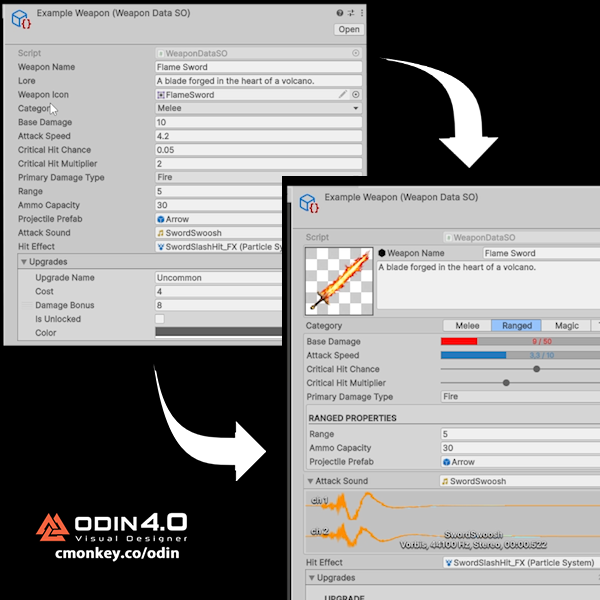
What is a Custom Inspector?
This is one of those things that sounds very advanced (and it kind of is) but it can massively improve your Unity workflow.
By default, Unity just shows your fields one after another. Technically you can customize it with a lot of complex editor code, learning how to do that is the advanced part.
Or you can use Odin! Which now with the Visual Designer update has just become a MASSIVE productivity booster whilst being insanely easy to use. In a few clicks you can customize the inspector in any way you can imagine. Your scripts are no longer just scripts, they become actual proper usable tools.
You can add image previews, sliders, progress bars, tabs, validation warnings, buttons, conditional fields, and a ton more.
So instead of your designer editing a confusing wall of fields, they get a clean UI that actually explains what they're editing.
And with the new Odin Visual Designer, you can build those awesome inspectors in literally seconds. You can literally right-click, open the Visual Designer, and drag things around.
This is a HUGE upgrade for anyone making tools, ScriptableObjects, data-heavy systems, or anything that designers need to touch.
Plus now they even have a completely FREE 90 day trial so you can verify that it really is an awesome tool that will help you immensely.
I have a fully detailed Tutorial video on my channel youtube.com/watch?v=ywDrlnC-…
Check out Odin at cmonkey.co/odin
@Odin_Inspector
#sponsored
44
1,564

May 20
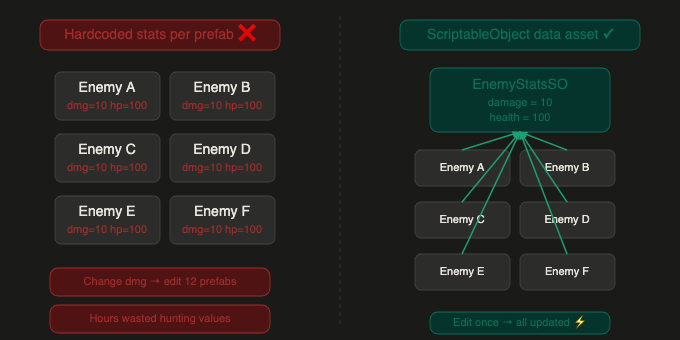
Had enemy stats hardcoded across 12 MonoBehaviours. Changing damage values meant hunting every prefab. Moved everything to ScriptableObjects. One asset to edit, all enemies update instantly. Cut iteration time in half.⚡
#Unity #GameDev #IndieGame #GameOptimization #Architecture
2
5
190


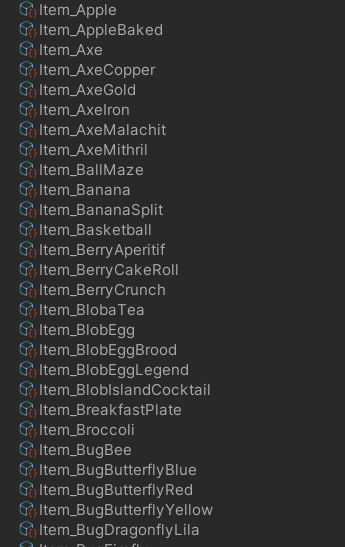
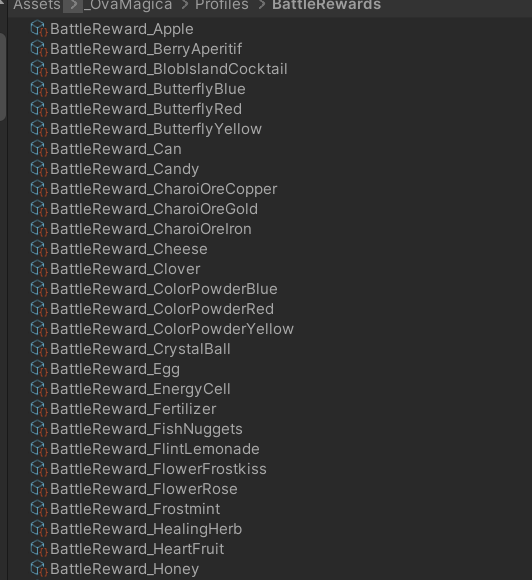
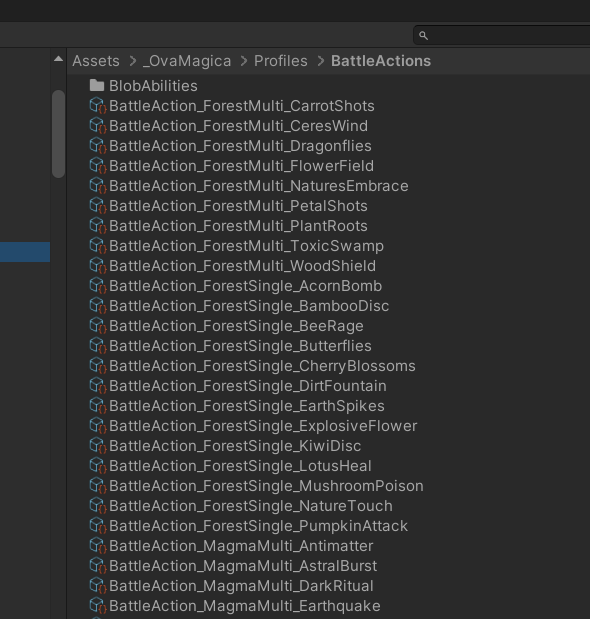
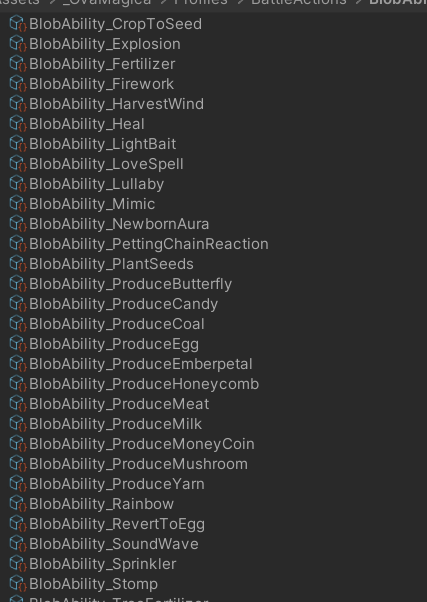
Doing a prefix what it is helps me greatly to keep my ScriptableObjects more organized ( separate folders) and easier when i search for them. I have several thousands of them across my project and it works very well.
2
125

I don't understand why this isn't a built-in feature of ScriptableObjects
8
581
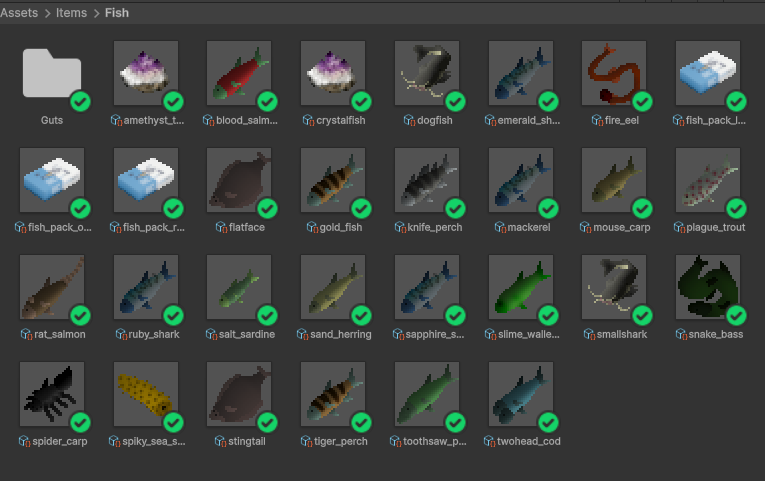
Life hack: You can change the display image of ScriptableObjects in Unity.
(some of these fish sprites are placeholders btw)
Apr 7

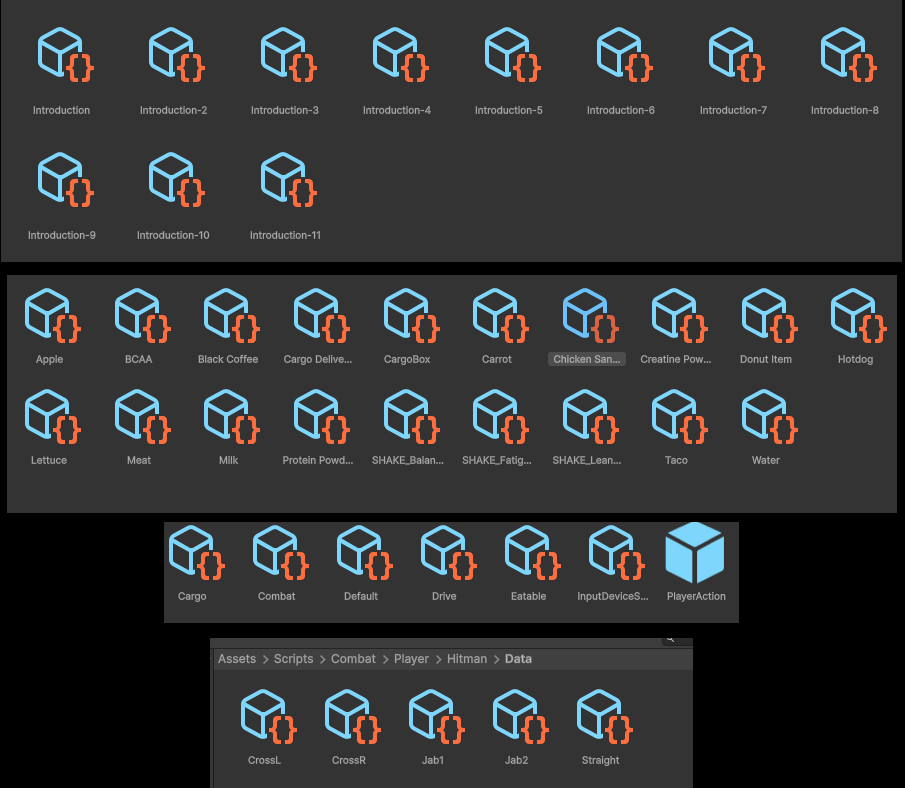
Okay so ngl this is kinda bad i think.
So when i'm making a game i always make things modular and for that reason i use ScriptableObjects in unity too much
it kinda makes things go easy but i have literally hunderds of scriptable objects right now i think it's getting messier by every day
at least for my eye
#unity3d #gamedev
9
22
357
31,742

Apr 7
Okay so ngl this is kinda bad i think.
So when i'm making a game i always make things modular and for that reason i use ScriptableObjects in unity too much
it kinda makes things go easy but i have literally hunderds of scriptable objects right now i think it's getting messier by every day
at least for my eye
#unity3d #gamedev
75
7
338
93,768

✨Floating Text System in Top-Down Rogue-like Engine for Unity!
- Damage numbers, heals, currency pickups - all displayed above objects automatically.
- Fully configurable via ScriptableObjects - zero code changes needed.
- Custom colors per enemy type? Easy. Just create a new rule asset.
🔌 Add FloatingTextSpawner component → set up rules → done!
4 trigger events supported:
• Damage received
• Regeneration
• Coin pickup
• Coin chase
📖 Docs: tkkoi-developer.gitbook.io/t…
🛒 Asset Store: assetstore.unity.com/package…
#Unity #GameDev #IndieGame #UnityAsset #RogueLike #TopDown #Unity2D #GameDesign #IndieDev
8
161
✨Floating Text System in Top-Down Rogue-like Engine for Unity!
⚔️ Damage numbers, heals, currency pickups - all displayed above objects automatically.
🎛️ Fully configurable via ScriptableObjects - zero code changes needed.
🎨 Custom colors per enemy type? Easy. Just create a new rule asset.
🔌 Add FloatingTextSpawner component → set up rules → done!
4 trigger events supported:
• Damage received
• Regeneration
• Coin pickup
• Coin chase
📖 Docs: tkkoi-developer.gitbook.io/t…
🛒 Asset Store: assetstore.unity.com/package…
#Unity #GameDev #IndieGame #UnityAsset #RogueLike #TopDown #Unity2D #GameDesign #IndieDev
1
18
345
Top Down - Rogue-like Engine
Create shotgun configs using Scriptable Objects - set spread, bullet speed and more, all visually.
Asset Store - assetstore.unity.com/package…
#gamedev #indiedev #unity #roguelike #weaponsystem #scriptableobjects
2
15
231
Top Down - Rogue-like Engine
W
ant to add Bullet Hell to your game? The system is already built in. Just create a Scriptable Object, configure it - and you're ready.
Asset Store - assetstore.unity.com/package…
#gamedev #indiedev #unity #roguelike #bullethell #scriptableobjects
1
17
334

Mar 22
Watch how an indie team from our community built a scalable, data-driven DLC system in Unity using Addressables and ScriptableObjects 🚀
#gamedev #indiedev #madewithunity #unity3d
youtu.be/qr09VXuWv9I
1
3
17
348

📝 New blog post: State Management with ScriptableObjects
Global variables create spaghetti code.
ScriptableObjects create clean, testable architecture.
Read more: ascendant-continuum.web.app/…
#GameDev #Unity #AccessibilityFirst #IndieGame
4
7
38

Top Down - Rogue-like Engine
Loot system included. Works with Scriptable Objects Object Pool - spawn loot from monsters, bosses, or chests.
Set drop chances and check them visually on graphs to see the exact probability.
Asset Store - assetstore.unity.com/package…
#gamedev #indiedev #unity #roguelike #lootsystem #scriptableobjects
1
35
667

I just launched a small mobile game built with Unity.
In this video I break down:
• event-driven architecture
• ScriptableObjects
• rewarded ads
• publishing to iOS vs Android
Watch the breakdown 👇
youtu.be/7H1v4Dc5MYM
#gamedev #unity3d #indiedev
2
75

Lvl 2 - Day 8: Quest CLEARED! ( • ⩊ • )
The Inventory is officially a standalone module. Pure plug-and-play architecture.
1️⃣ ScriptableObjects = Single source of truth
2️⃣ Strict GameEvents communication
3️⃣ Zero hard references
100% decoupled & data-driven.
#gamedev #indiedev #buildinpublic
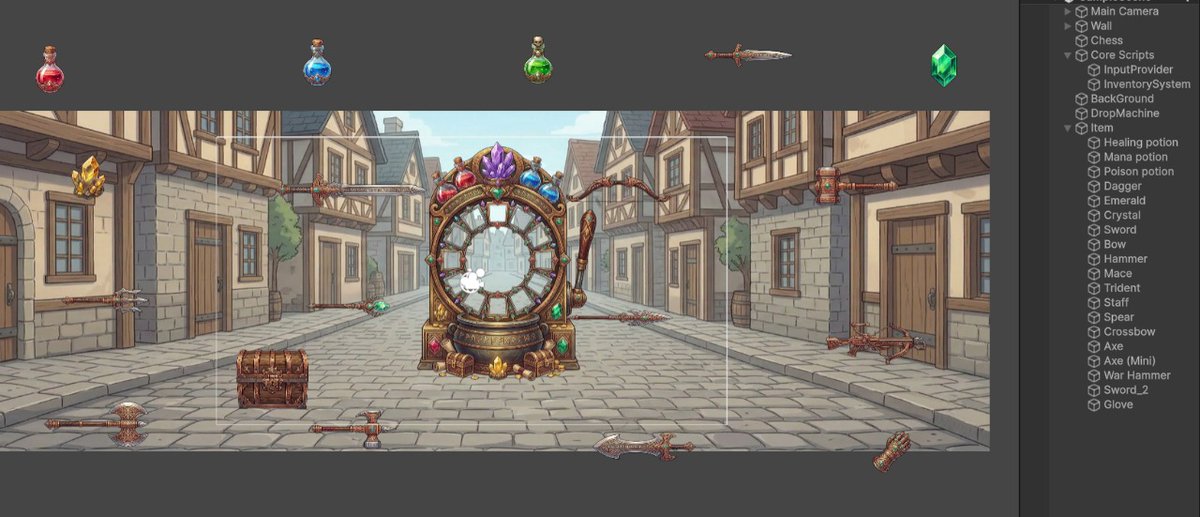
ALT Under the hood (check the Hierarchy!): 👀 The InventorySystem sits completely isolated in "Core Scripts". Potions, weapons, gems? They don't even know the UI exists. They just fire a GameEvent. 🧩 Pure plug-and-play magic. How do you structure your item data? ( • ⩊ • )👇
3
68