
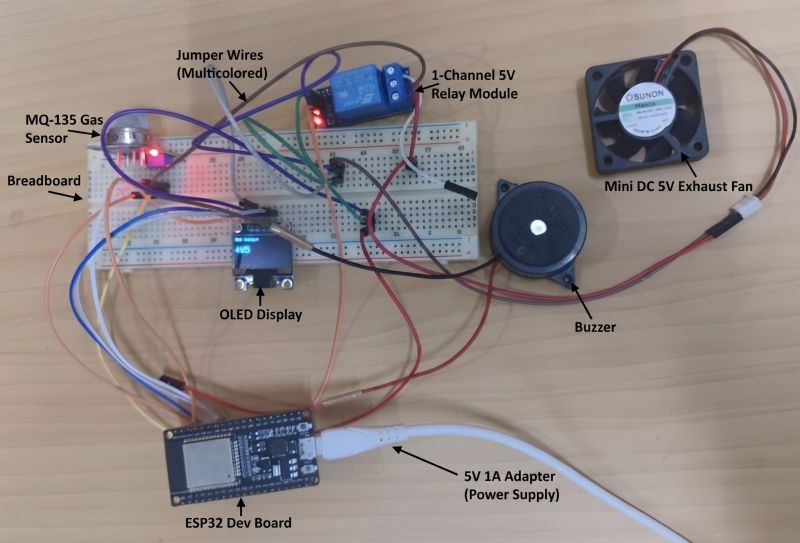
🚀 Excited to share my latest IoT project: Smart Ventilation Controller Using CO₂ and VOC Sensing for Exhaust Fans.
This system continuously monitors indoor air quality and automatically activates an exhaust fan when harmful gas concentrations exceed predefined safety thresholds, helping maintain a healthier indoor environment.
🔹 Features:
✅ Real-time Air Quality Monitoring using MQ135 Gas Sensor
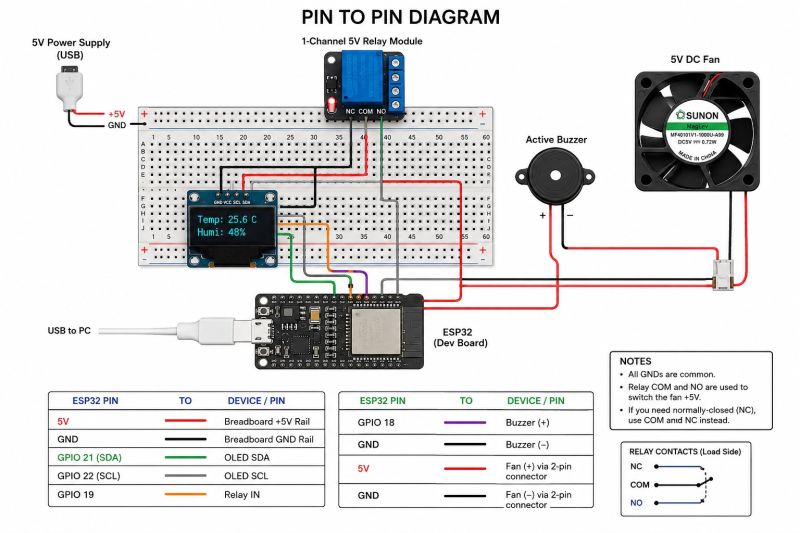
✅ ESP32-based Smart Control System
✅ OLED Display for Live Air Quality Data
✅ Automatic Buzzer Alert for Unsafe Conditions
✅ Relay-Controlled Exhaust Fan Automation
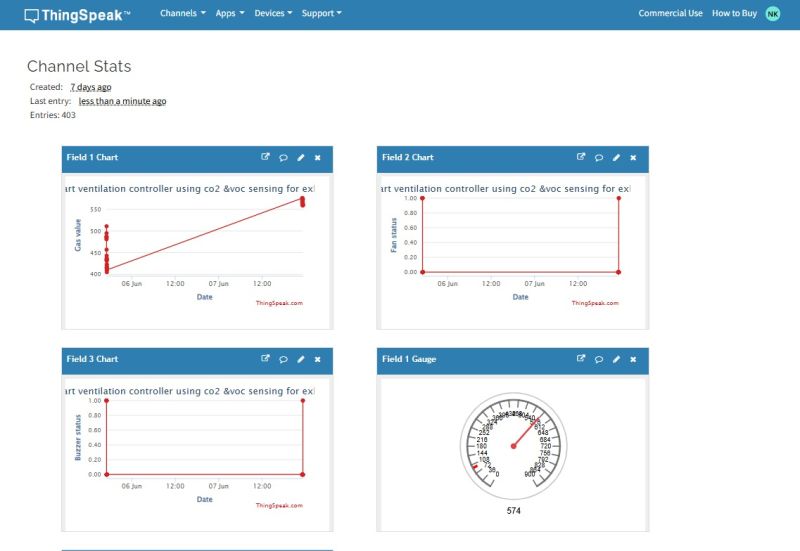
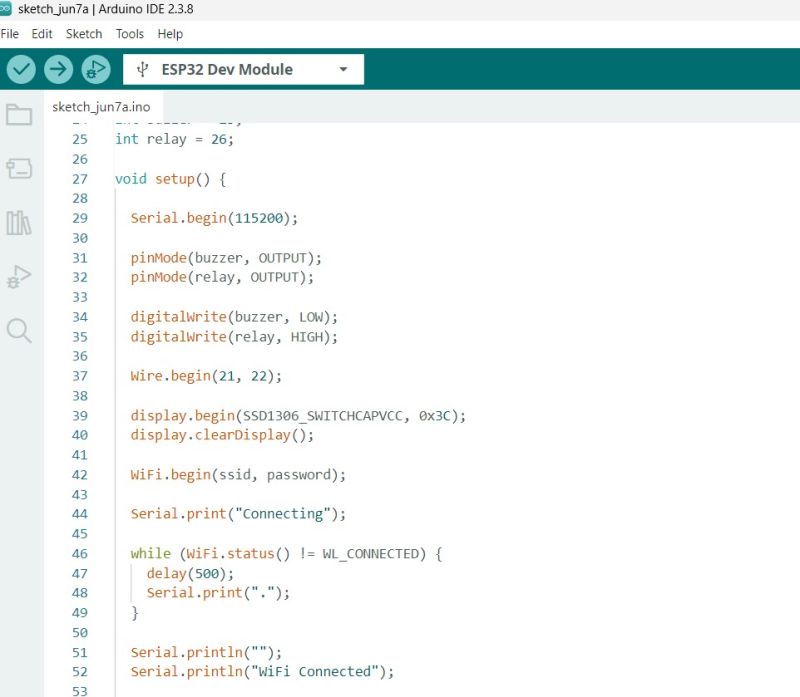
✅ Wi-Fi Enabled IoT Connectivity
✅ Cloud Monitoring Dashboard with ThingSpeak
✅ Continuous Data Logging and Remote Monitoring
🔧 Technologies Used:
• ESP32 Development Board
• MQ135 Air Quality Sensor
• OLED Display (I2C)
• Relay Module
• DC Exhaust Fan
• Buzzer
• Arduino IDE
• ThingSpeak Cloud Platform
The system collects real-time air quality data, displays it locally on an OLED screen, and uploads it to the cloud for remote monitoring and analysis. When CO₂ and VOC levels rise beyond safe limits, the exhaust fan is automatically activated to improve ventilation.
This project provided valuable hands-on experience in IoT, embedded systems, sensor interfacing, cloud integration, real-time monitoring, and automation technologies.
🔽 Download Best ESP32 eBooks
📕 ebokify.com/esp32
#IoT #ESP32 #MQ135 #ThingSpeak #AirQualityMonitoring #SmartVentilation #EmbeddedSystems #Automation #InternetOfThings #Engineering #Electronics #CloudComputing #SmartSystems #Project #Innovation #CO2Monitoring #VOCDetection #ArduinoIDE #TechProjects #LearningByDoing
22

One thing I am learning from these automation projects:
You don't truly understand a platform until you build something end-to-end.
Watching a GoHighLevel tutorial makes everything look easy.
Building a complete business system forces you to think about:
• How leads enter the system
• Where data should be stored
• How pipelines should move
• What happens when appointments are booked
• What happens when people don't show up
• How AI should qualify prospects
• How clients get onboarded after payment
The technical setup is only half the work.
The bigger challenge is designing the business process itself.
Every project is making me think less like a technician and more like a business owner.
And honestly, that has been the biggest lesson so far.
#GoHighLevel #BusinessAutomation #AIAutomation #CRM #WorkflowAutomation #BusinessSystems #LearningByBuilding #TechProjects
1
1
10

Jun 9
You don’t need to be an IT expert to lead tech projects well. But you do need to understand the risks.
Focus on: 1️⃣ Protect the people behind the data 2️⃣ Design access with intention, not convenience 3️⃣ Build checks that actually get used
#AMomentWithMelodie #techprojects

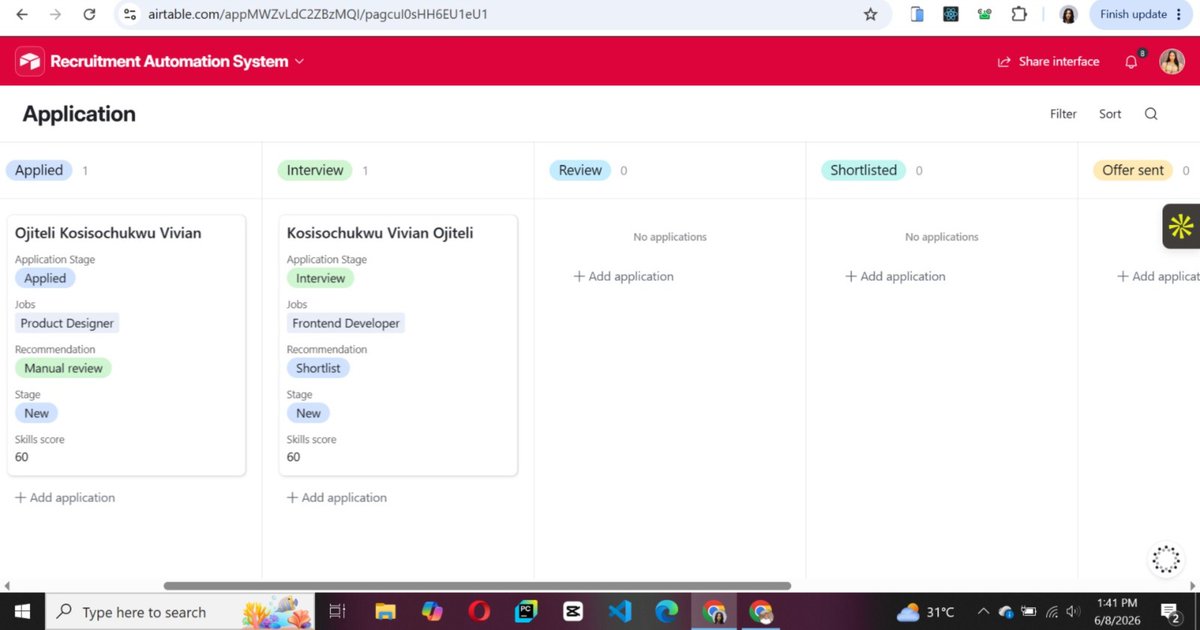
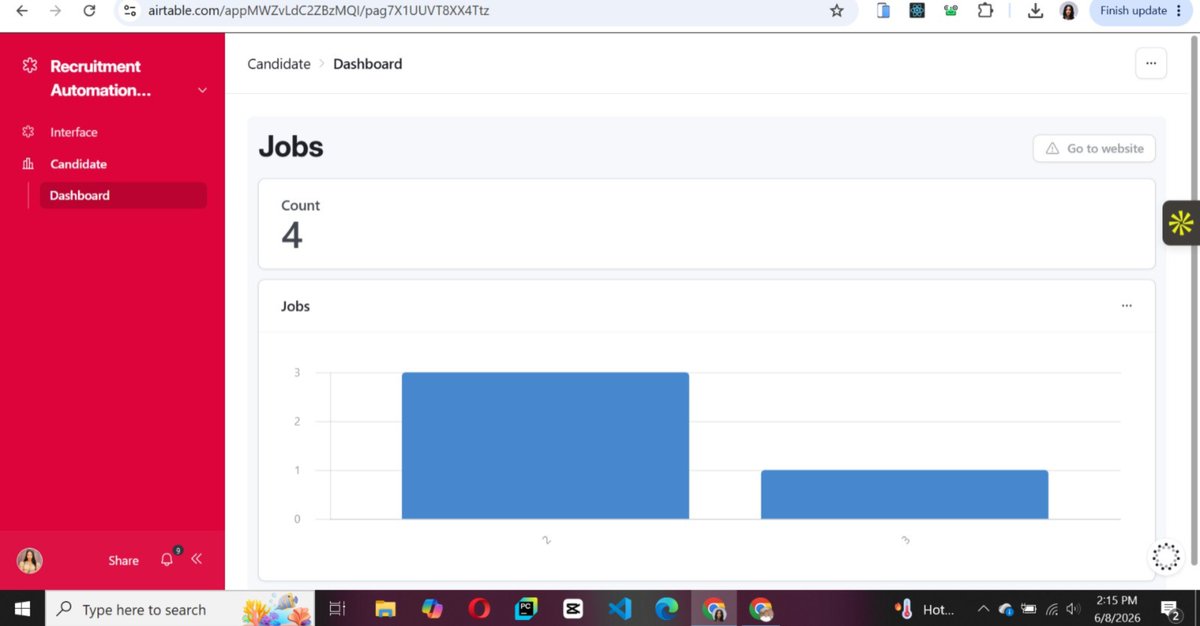
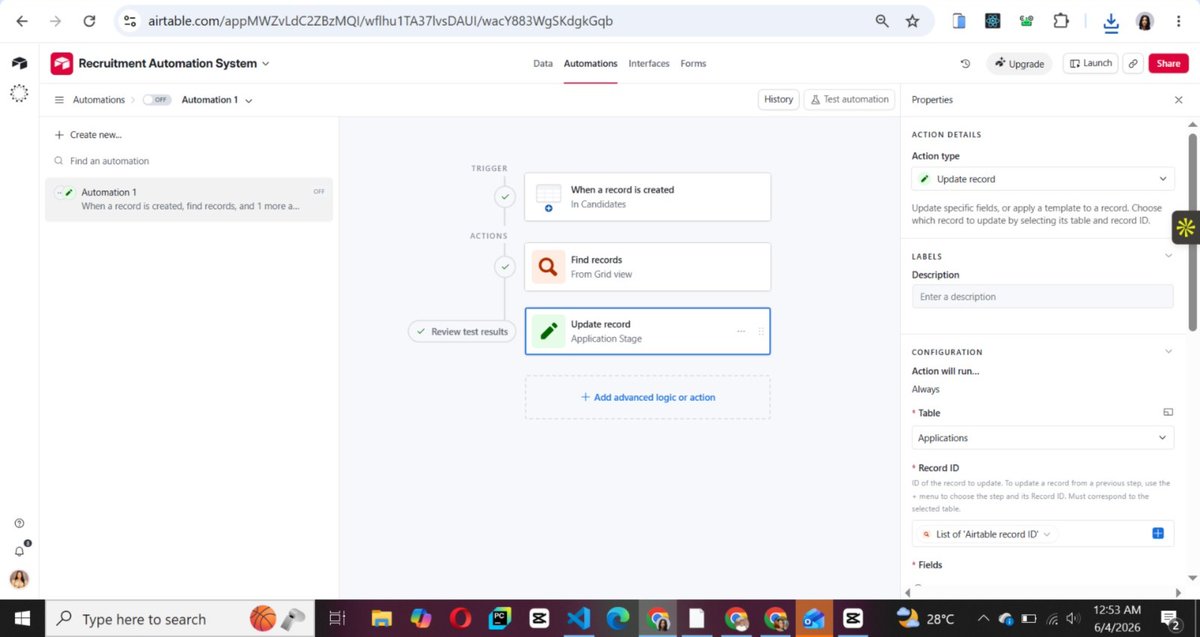
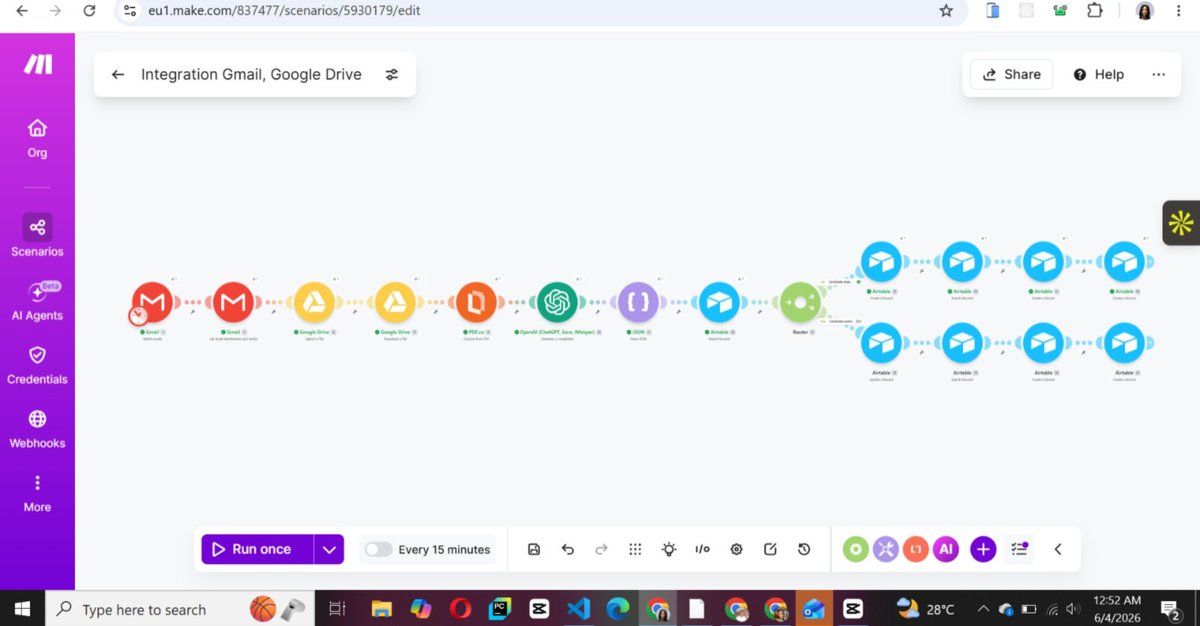
Today I completed another project in my AI Automation journey , an end-to-end Recruitment Automation System built using Airtable, Make, OpenAI, Gmail, and Google Drive.
The objective was simple:
"How can a recruitment team receive applications, screen candidates, organize hiring data, and make decisions faster without manually reviewing every CV?"
The solution now works as a connected system:
✅ Candidates apply via email
✅ CVs are automatically uploaded and stored
✅ AI extracts candidate information from resumes
✅ Candidate profiles are automatically created
✅ Applications are automatically linked to jobs
✅ AI analyzes skills, experience, and suitability
✅ Candidates are automatically scored and ranked
✅ Recommendations are generated (Shortlist, Manual Review, etc.)
✅ Recruitment records remain synchronized across Candidates, Jobs, Applications, and Interviews
✅ Automated email communication is triggered throughout the process
✅ Airtable Interfaces provide a recruiter-friendly dashboard for monitoring candidates and recruitment activities.
One thing I've learned from this project is that successful automation is rarely about the AI itself.
The real challenge is designing the workflow, structuring the data correctly, connecting systems together, handling exceptions, and ensuring information moves accurately from one stage to the next.
This project pushed me deeper into:
AI-powered workflows
Database design
Airtable Interfaces
Business process automation
Recruitment operations
Make.com integrations
System thinking
What began as a resume parser evolved into a functional recruitment platform.
On to the next build.
#AIAutomation #RecruitmentAutomation #ATS #Airtable #MakeCom #OpenAI #WorkflowAutomation #BusinessAutomation #AutomationEngineer #ArtificialIntelligence #NoCode #BuildInPublic #TechProjects #DigitalTransformation #OperationsAutomation #FutureOfWork #AIEngineer #SystemDesign #ProductivityAutomation #RecruitmentTech
2
50
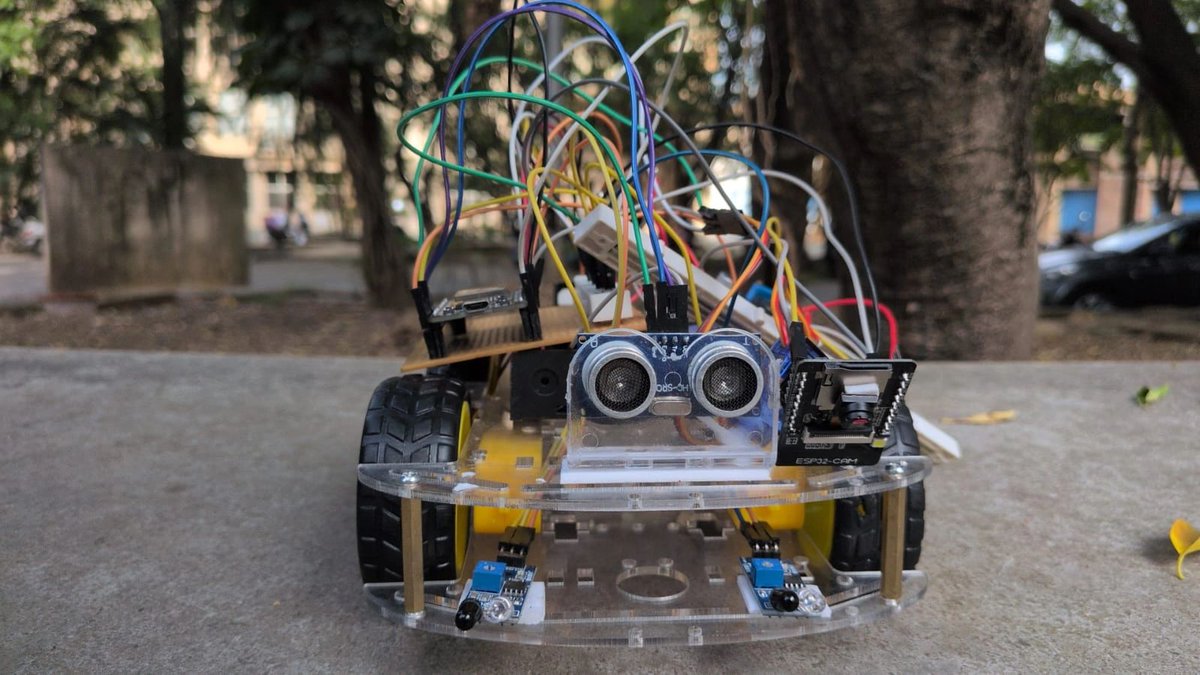
🚀 Excited to share my project — Autonomous Target Tracking Vision Rover! 🤖📡
Built a smart rover capable of detecting and following targets autonomously while streaming real-time video wirelessly — combining robotics, embedded systems, IoT, and vision systems into one integrated solution.
🔧 What I built:
Designed and developed a complete rover system from scratch by integrating sensors, motor control, ESP32-CAM for vision, and wireless communication to achieve autonomous target tracking with live video streaming.
⚙️ Tech Stack:
→ ESP32 DevKit V1 (Main microcontroller)
→ ESP32-CAM Module (for live video streaming & vision)
→ L293N Motor Driver
→ HC-SR04 Ultrasonic Sensor
→ IR Sensors for direction detection
→ DC Motors & Robot Chassis
→ WiFi-based real-time video transmission
💡 What makes it special:
Real-time sensor inputs combined with camera-based live streaming control rover movement, enabling it to track targets autonomously while providing visual feedback — forming a vision-assisted surveillance and tracking system.
🎯 Application:
This system can be applied in:
Cricket practice environments for basic ball tracking 🏏
Surveillance and monitoring systems
Smart robotics and automation use-cases
🎓 Learning Outcomes:
→ Sensor integration & embedded programming
→ Motor control & navigation logic
→ Camera interfacing using ESP32-CAM
→ IoT-based communication (WiFi streaming)
→ Real-world problem solving using robotics
🚀 Future Scope:
→ Integration of AI-based object detection (OpenCV / ML models) using camera feed
→ Full transition to vision-based tracking (removing IR dependency)
→ Implementation of advanced computer vision path planning algorithms
→ Development of a mobile app with live control & analytics
→ Expansion into security surveillance, smart delivery robots, and sports analytics
ebokify.com/microcontroller
#Robotics #ESP32 #ESP32CAM #EmbeddedSystems #IoT #ComputerVision #EngineeringStudent #Automation #TechProjects #Innovation #Electronics #ProjectShowcase
3
164
Excited to share one of my recent projects: a DIY Air Mouse built using an ESP32 and an accelerometer, communicating wirelessly over Bluetooth! The system tracks hand movements and translates them into real-time cursor control, turning simple gestures into an intuitive human-computer interaction experience.
📘 Full Project Guide:
ebokify.com/esp32
#ESP32 #EmbeddedSystems #IoT #Bluetooth #Electronics #Engineering #DIYProjects #Innovation #Robotics #EEE #TechProjects
2
2
162

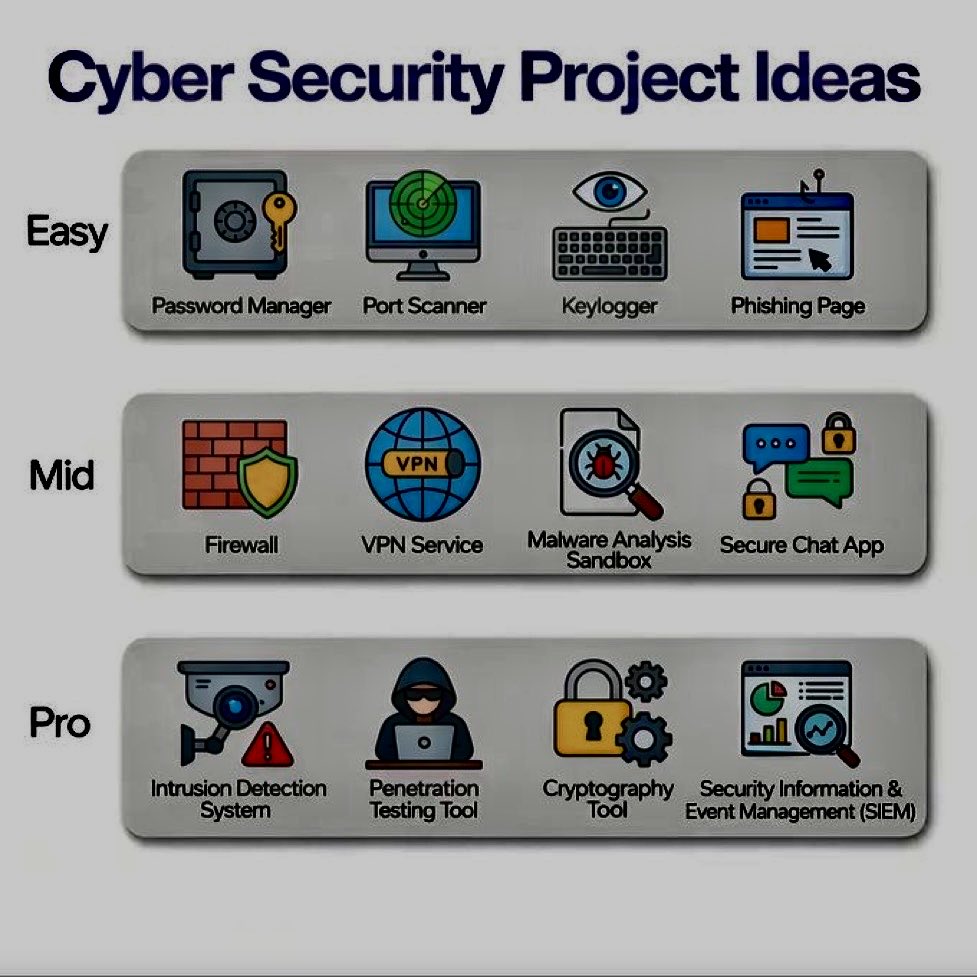
Build cybersecurity skills through projects: Password Manager, Port Scanner, Firewall, Secure Chat App, IDS, SIEM & more. Learn by building, not just reading.
#CyberSecurity #InfoSec #EthicalHacking #TechProjects
1
13
527
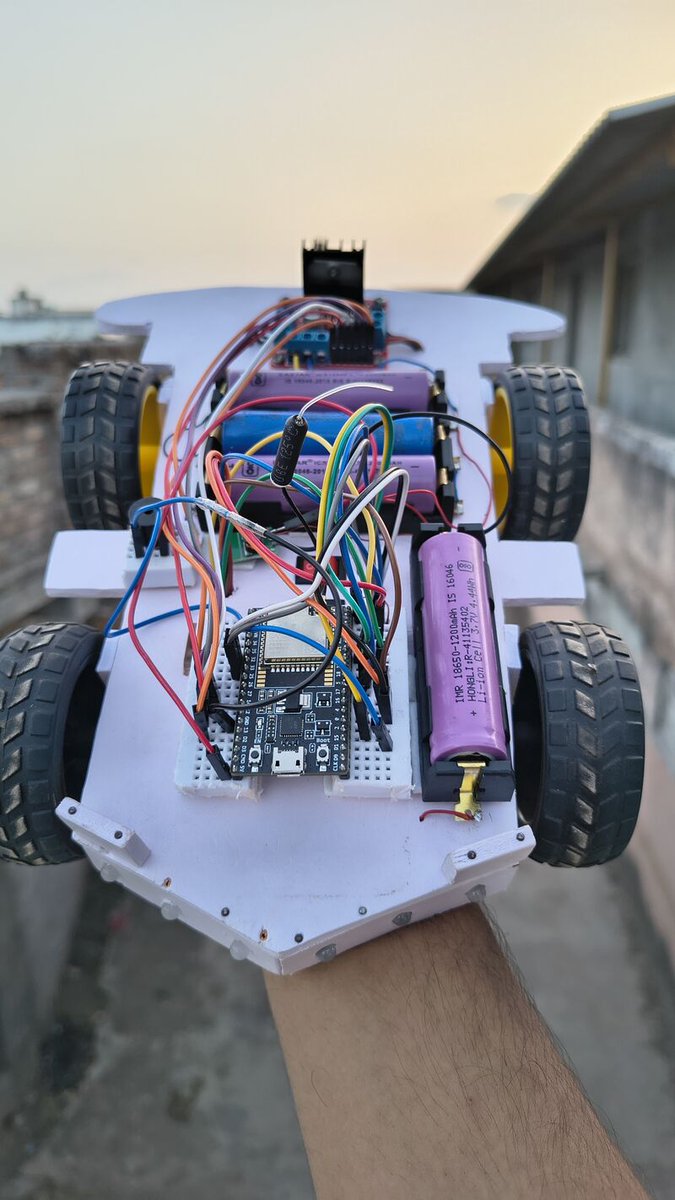
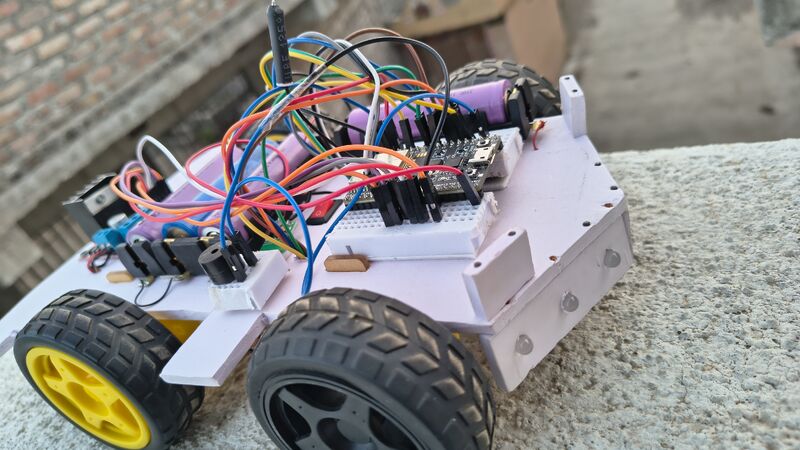
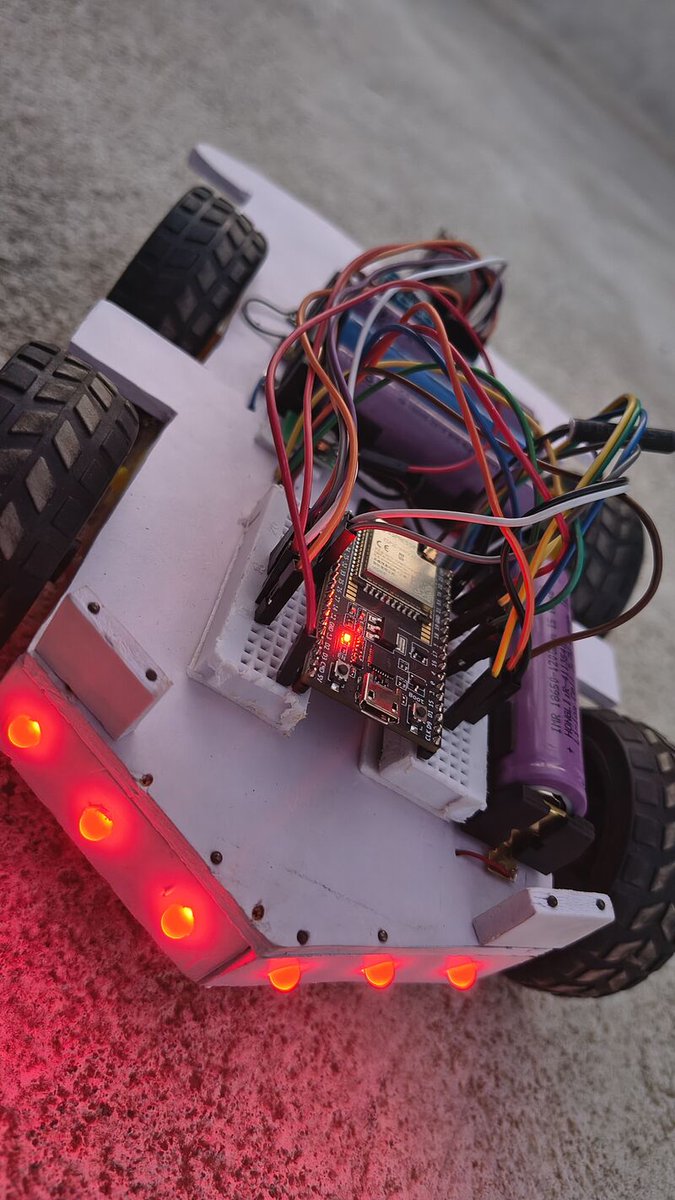
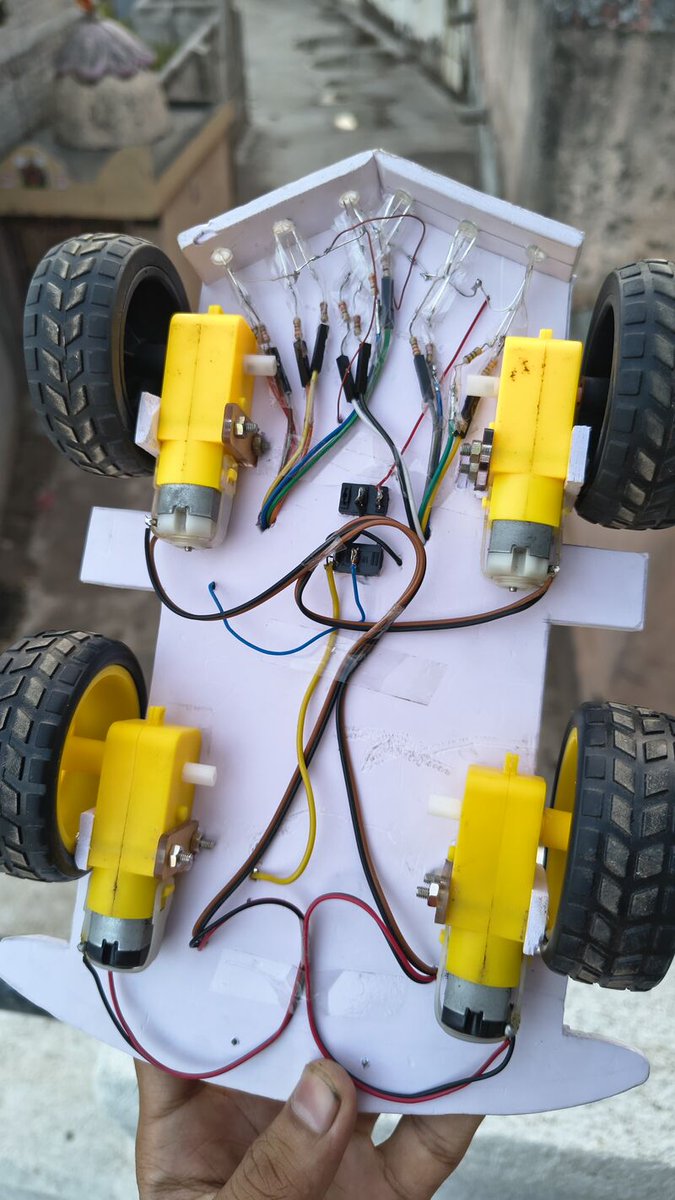
🚗 Thrilled to share an update on my latest robotics build: A fully custom, Motion-Controlled ESP32 RC Car!
Building the chassis and making it move was just step one. My goal was to create a complete, smart vehicle system controlled entirely by a smartphone's accelerometer via Bluetooth. I integrated a full automotive lighting system (automatic headlights, reverse lights, sequential turn signals, and a custom zig-zag startup animation) alongside a heavy-duty reverse buzzer.
Of course, bridging the gap between raw hardware and software logic came with some intense engineering challenges. Here is a breakdown of the major hurdles and how I tackled them:
🛠️ Problem 1: The "Double-Negative" Hardware Illusion At one point, the car steered perfectly, but the turn signals blinked on the wrong sides. The issue? The physical L298N motor polarities were reversed, and the phone's X/Y axes were swapped. They canceled each other out to drive correctly, but the ESP32's "brain" was completely confused.
💡 The Fix: I had to break the illusion by simultaneously re-mapping the Bluetooth sensor parsing and flipping the digital HIGH/LOW motor commands in the C code to perfectly sync the physical wheels with the microcontroller.
👻 Problem 2: Ergonomic "Sensor Ghosting" The ESP32 is incredibly sensitive. When twisting my wrist to steer left or right, the natural microscopic forward dip of my hand would accidentally trigger the "forward" headlights.
💡 The Fix: I engineered a strict Boolean State Machine with dual-threshold deadzones. I programmed a mathematical lock so the headlights only receive power if the forward tilt crosses a high threshold and the steering axis remains near zero.
⏱️ Problem 3: Blocking Code Freezing the Motors Adding sequential Yellow turn signals and a reverse warning beep initially caused the car's steering to freeze mid-turn. Standard delay() commands were blocking the motor PWM signals.
💡 The Fix: I stripped out all delays and implemented a non-blocking "stopwatch" architecture using the millis() function. This allowed the ESP32 to run multi-threaded LED sweeps and pulse the buzzer every 150ms without ever interrupting the real-time motor control loop.
⚡ Problem 4: Overpowered Steering Dynamics Running the L298N driver on three 18650 batteries provided massive torque, but it made the steering wildly aggressive and punchy.
💡 The Fix: Instead of stopping the inside wheel entirely to turn, I wrote a dynamic braking algorithm. The code maps the severity of the phone's tilt and reduces the inside wheel's base speed by only 25%. This transformed it from a jerky robot into a smooth, realistically handling vehicle.
Massive learning curve, but incredibly rewarding to see the physics and the code finally sync up perfectly! On to the next build! 🚀
📕 ebokify.com/esp32
#ESP32 #Robotics #EmbeddedSystems #InternetOfThings #IoT #Engineering #Cplusplus #L298N #Microcontrollers #Automation #TechProjects
3
103

May 25
🐱🌍 A guy built a website where anyone on the internet can feed his cat in real time.
You press a button, food gets dispensed automatically, and a live camera lets you watch the cat run over and eat. Now it’s evolving into a global network where people can feed random cats around the world from their browser 😭
He’s even adding AI features like cat recognition, computer vision, and a global “greed leaderboard.”
No startup. No business model. Just peak internet creativity.
Follow @real3uni for more Cybersecurity, AI & Web3 insights 🚀
⚠️ Copyright Disclaimer: All video rights belong to their respective owners. This content is shared under fair use for educational and informational purposes. DM for credit or removal
#AI #InternetCulture #Innovation #TechProjects #FutureTech
3
67

May 24
Build your own robot dog — even if you’re a beginner. 🤖🐾
Meet NavBot-EG01: an open-source 8-DOF desktop robot dog designed for STEM learning, robotics projects, and hands-on engineering.
With this project, you can learn:
⚙️ Robot walking mechanics
🧠 Gait generation & balance control
🔧 Arduino programming
📡 Modular robotics systems
🚀 Real-world robotics fundamentals
Whether you’re a maker, engineering student, or future robotics engineer, this DIY robot dog helps you understand how robots move, balance, and think — by actually building one yourself.
💡 Fully open-source
💡 Beginner-friendly
💡 Perfect for robotics learning & experimentation
Projects video link - youtu.be/rA-ouqPSDgA?si=x4_d…
Project GitHub link -github.com/fuwei007/NavBot-E…
Save this reel for your next robotics build and follow for more AI, robotics, and engineering content. 🔥
#RobotDog #Robotics #Arduino #STEM #Engineering DIYRobotics OpenSource RobotEngineering TechProjects MakersGonnaMake EmbeddedSystems Mechatronics FutureEngineer AI STEMEducation ArduinoProjects RoboticsEngineering TechReels LearningByBuilding Innovation RoboticsProjects DIYTech EngineeringStudent Automation Robot Electronics Coding TechTok MechanicalEngineering EducationalTechnology
1
7
29
1,852

May 11
Don’t go to native doctors for your projects 😂😂
Always remember, UFUON got you covered with any tech project!
Visit ufuon.com today & let’s build your next big project together.
Credit: E-Man
#UFUON #Robotics #TechProjects #Engineering #FinalYearProject #SIWES
3
6
59
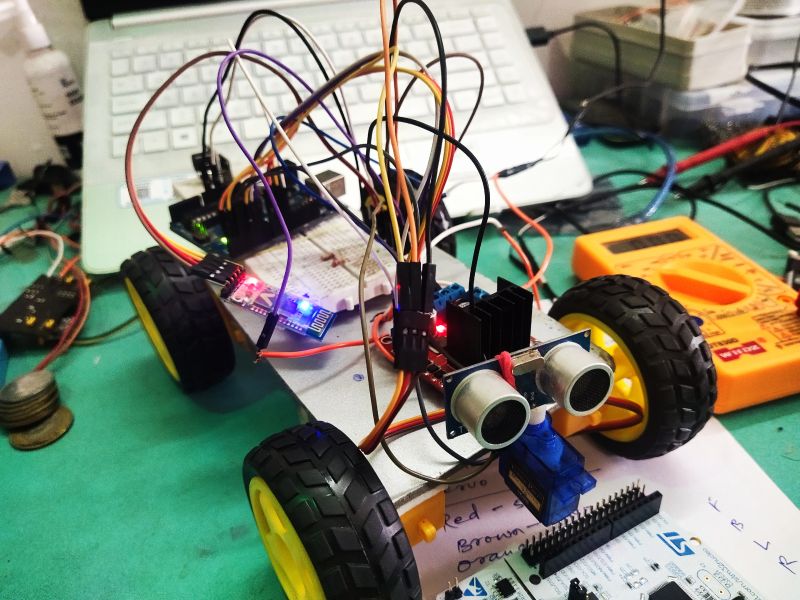
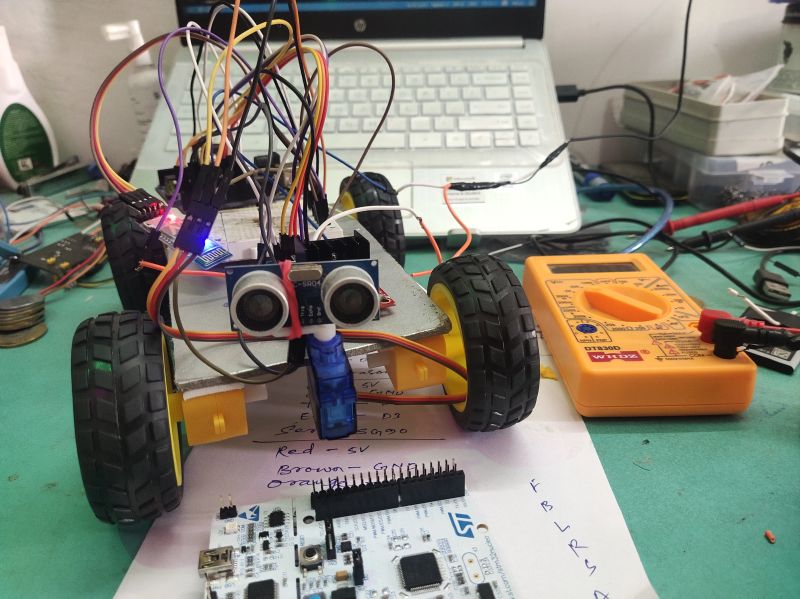
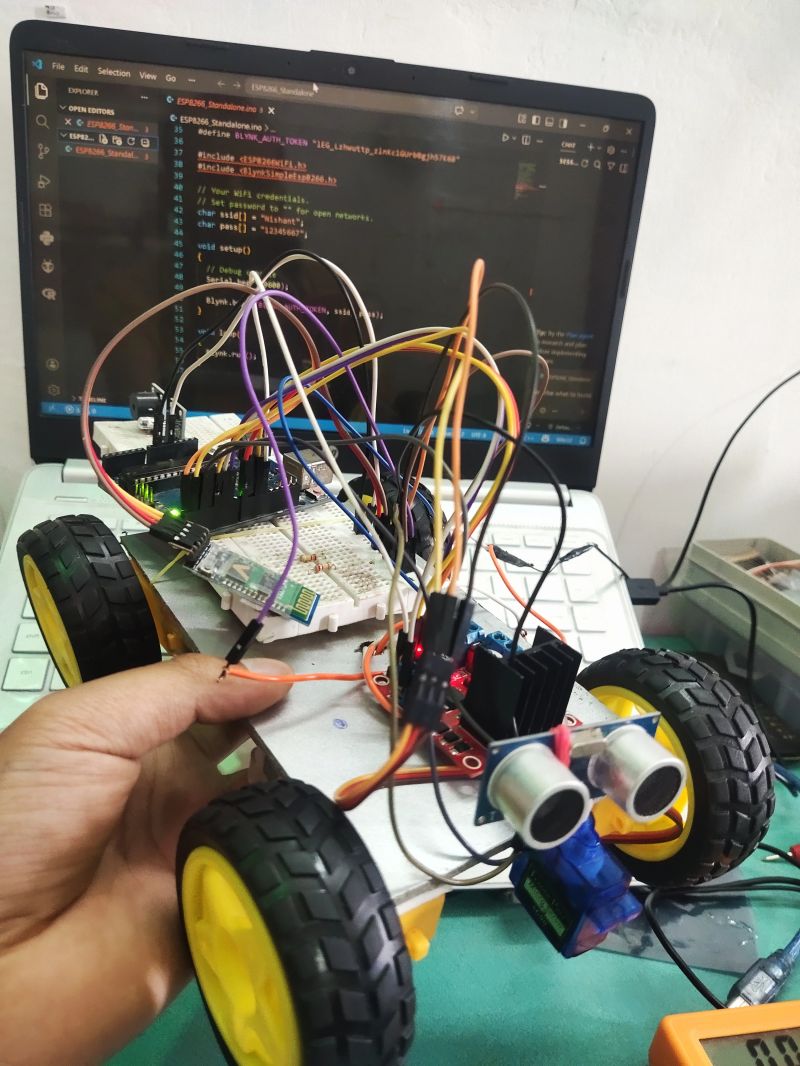
🤖 What if your robot could think and avoid obstacles on its own?
I built this Obstacle Avoiding Robot using Arduino — and watching it make real-time decisions was amazing 🚀
⚙️ What’s inside:
• Arduino
• Ultrasonic Sensor (HC-SR04)
• L298N Motor Driver
• 4 DC Motors
• Servo Motor
💡 How it works:
The ultrasonic sensor scans the surroundings.
When an obstacle is detected, the robot instantly changes direction — no human control needed.
🧠 What I learned:
• Sensor interfacing
• Motor control & power management
• Real-time embedded logic
• Debugging hardware (a lot 😄)
This is just the beginning — more advanced robotics projects coming soon 🔥
📌 Would love your feedback & suggestions!
📕 ebokify.com/arduino
#Arduino #Robotics #EmbeddedSystems #IoT #Engineering #TechProjects #Innovation #LearningByDoing
2
37

Caption
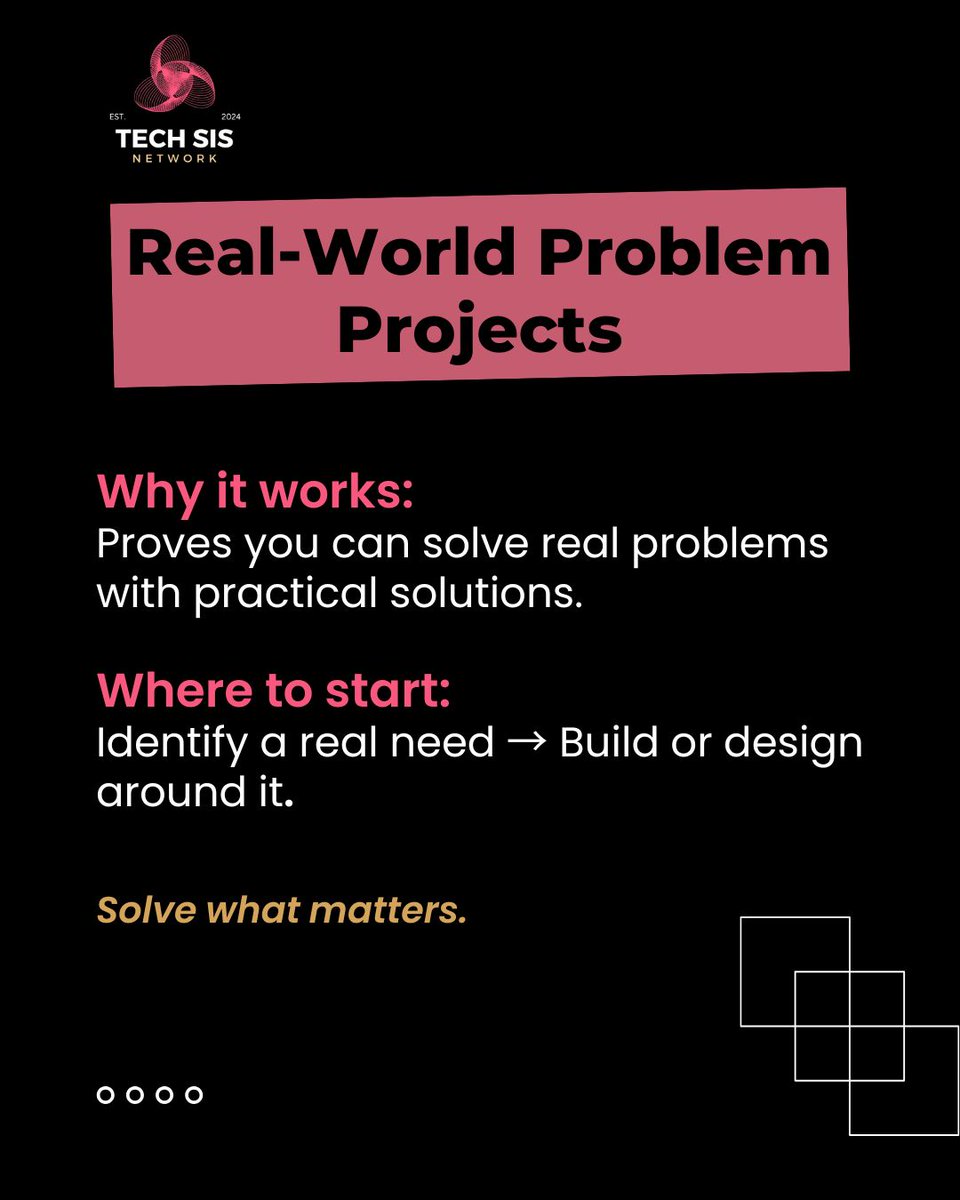
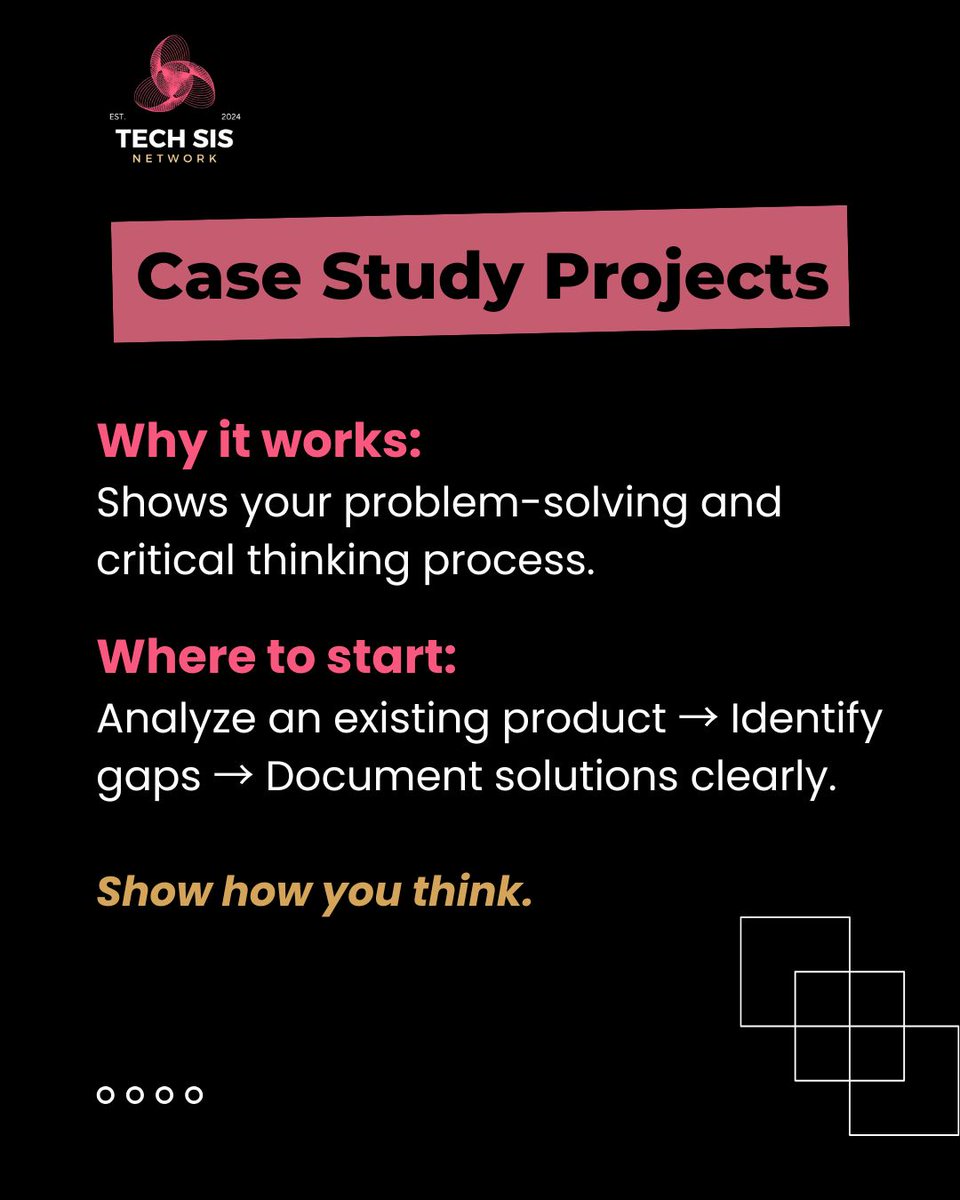
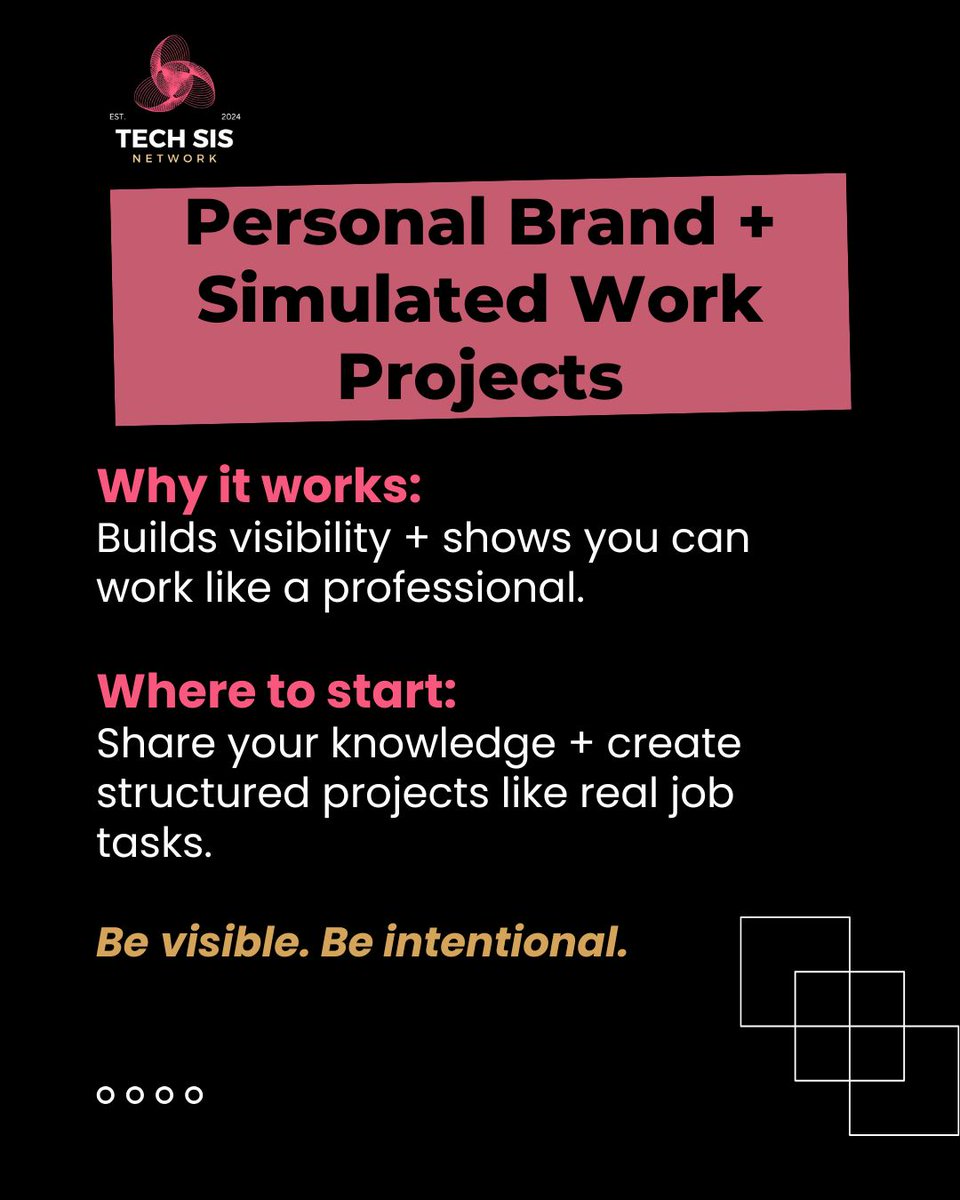
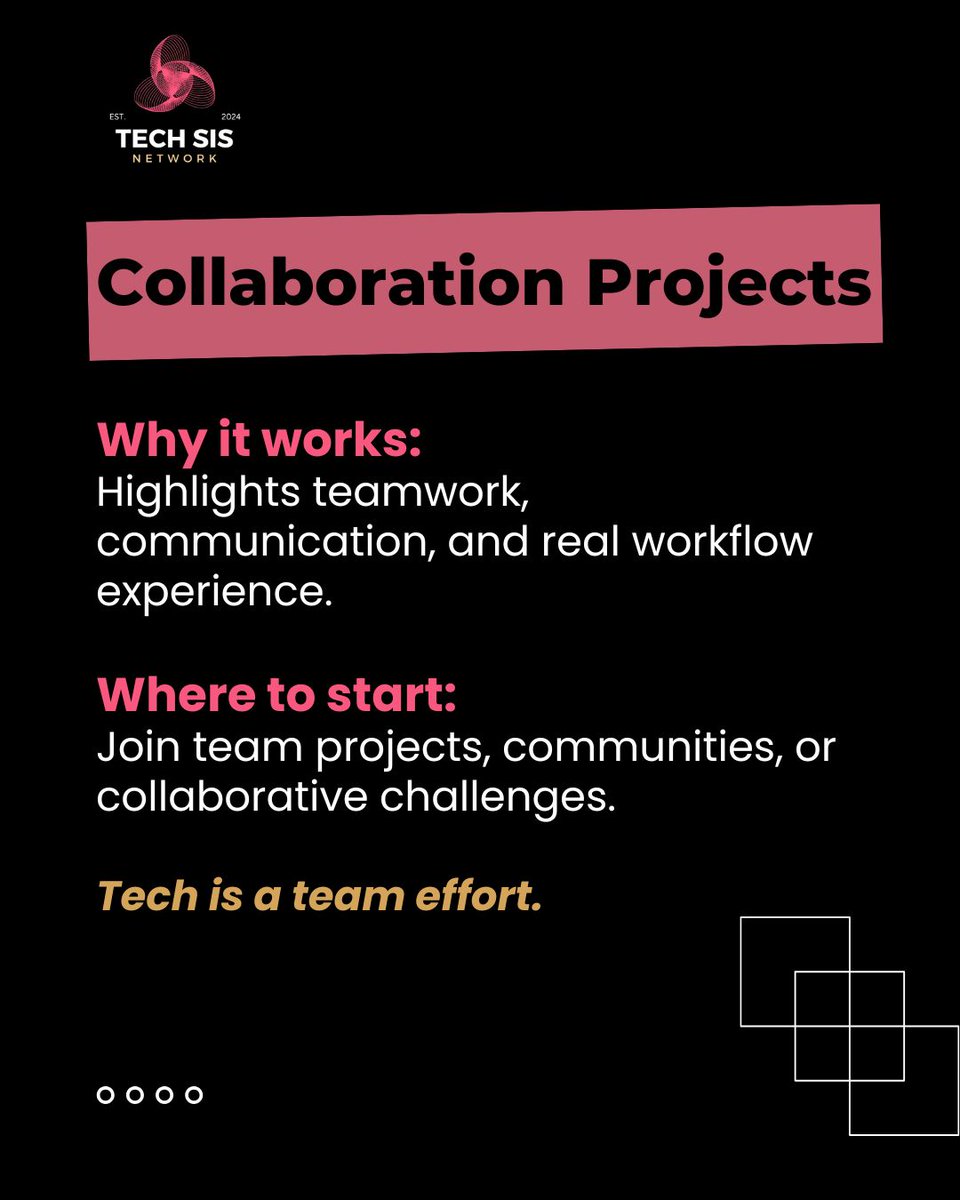
You don’t need a title to prove your value — show your work.
Pick ONE project. Start now. Stay consistent.
💾 Save this
💬 Which one are you starting?
#TechPortfolio #WomenInTech #BuildInPublic #TechProjects #CareerGrowth
3
13
Caption
You don’t need a title to prove your value — show your work.
Pick ONE project. Start now. Stay consistent.
💾 Save this
💬 Which one are you starting?
#TechPortfolio #WomenInTech #BuildInPublic #TechProjects #CareerGrowth
2
9



Apr 8
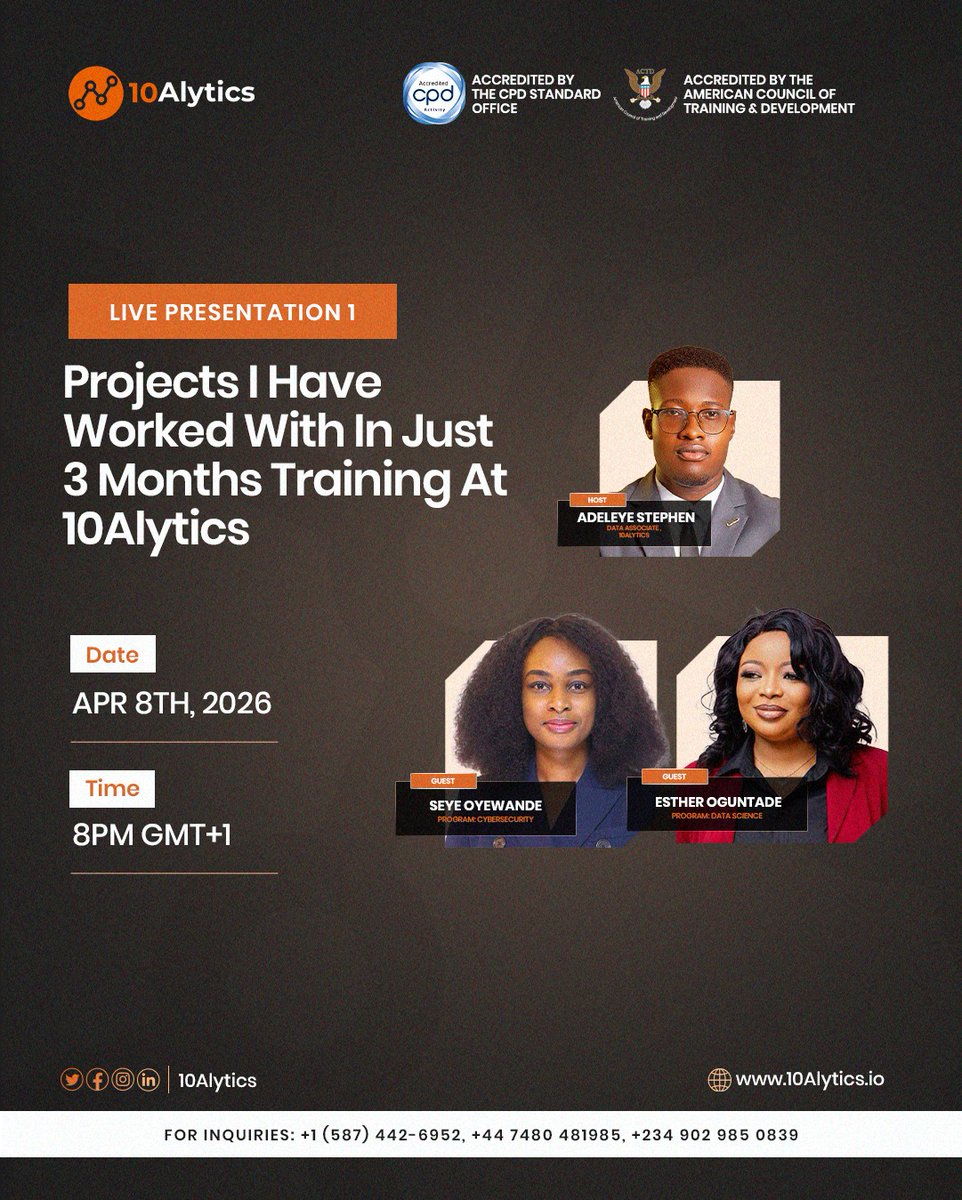
How much can you actually achieve in just 3 months?
Join us for an exclusive Live Presentation where we showcase the real-world projects and practical skills our students have mastered in just 90 days at 10Alytics.
Ready to see what you could be building three months from now?
👉 Join our Community with the link below: lnkd.in/dcZYwk3M
#10Alytics #TechProjects
4
190

Como buena techie, monté un sistema para ver tendencias de ocupación de las piscinas 🏊♀️ de Zaragoza con Google Cloud y Terraform. 🛠️
¿Coste? 0€/mes aprovechando el Free Tier 💸☁️
Os cuento el proyecto 👇 medium.com/p/05c7cf0a7d13#GC… #TechProjects #GCP #Terraform
2
4
372

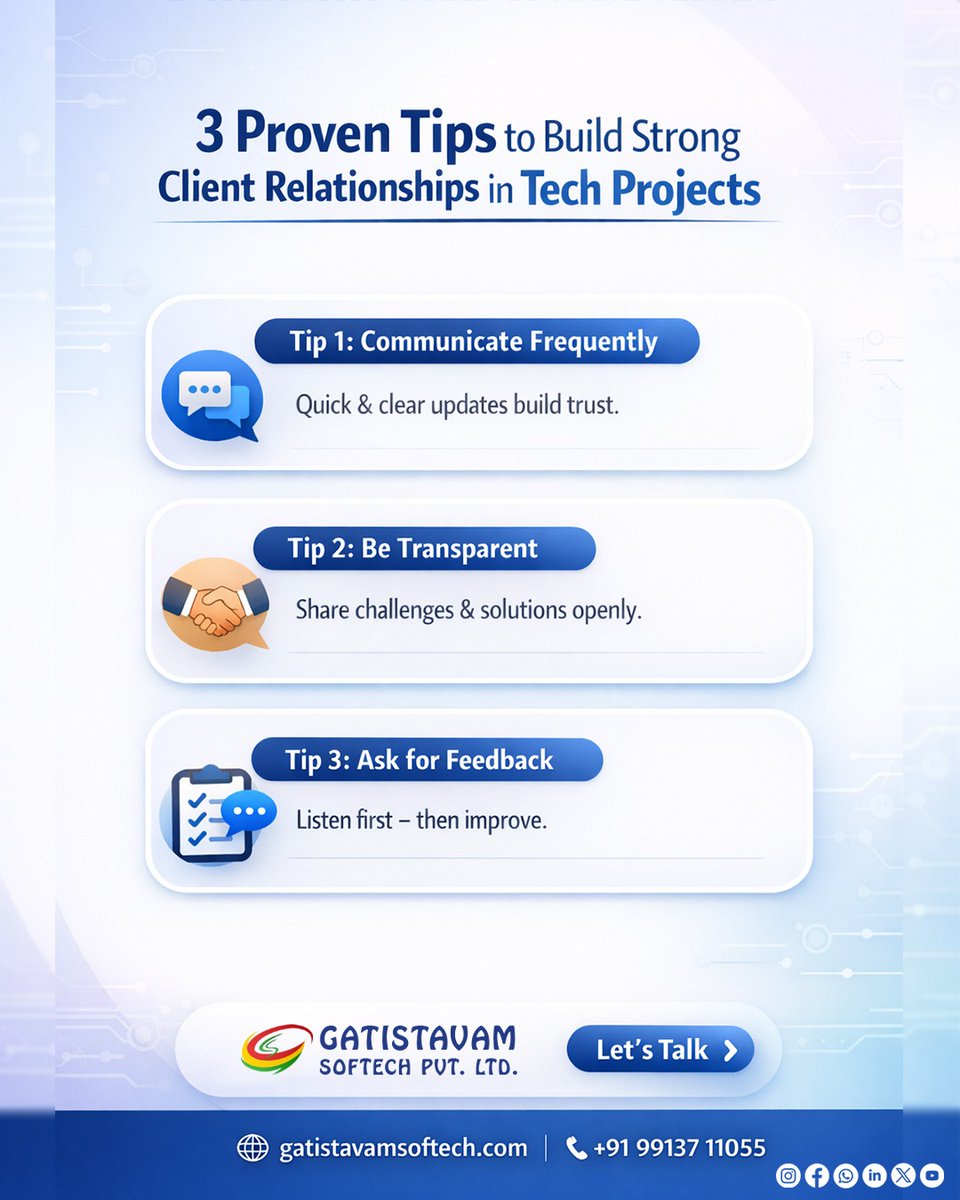
Strong client relationships make tech projects successful. 🤝
Simple habits make a big difference:
✔ Communicate regularly
✔ Be transparent
✔ Ask for feedback
Let’s build something great together.
#SoftwareDevelopment #ClientRelationship #TechProjects #DigitalSolutions
2
14

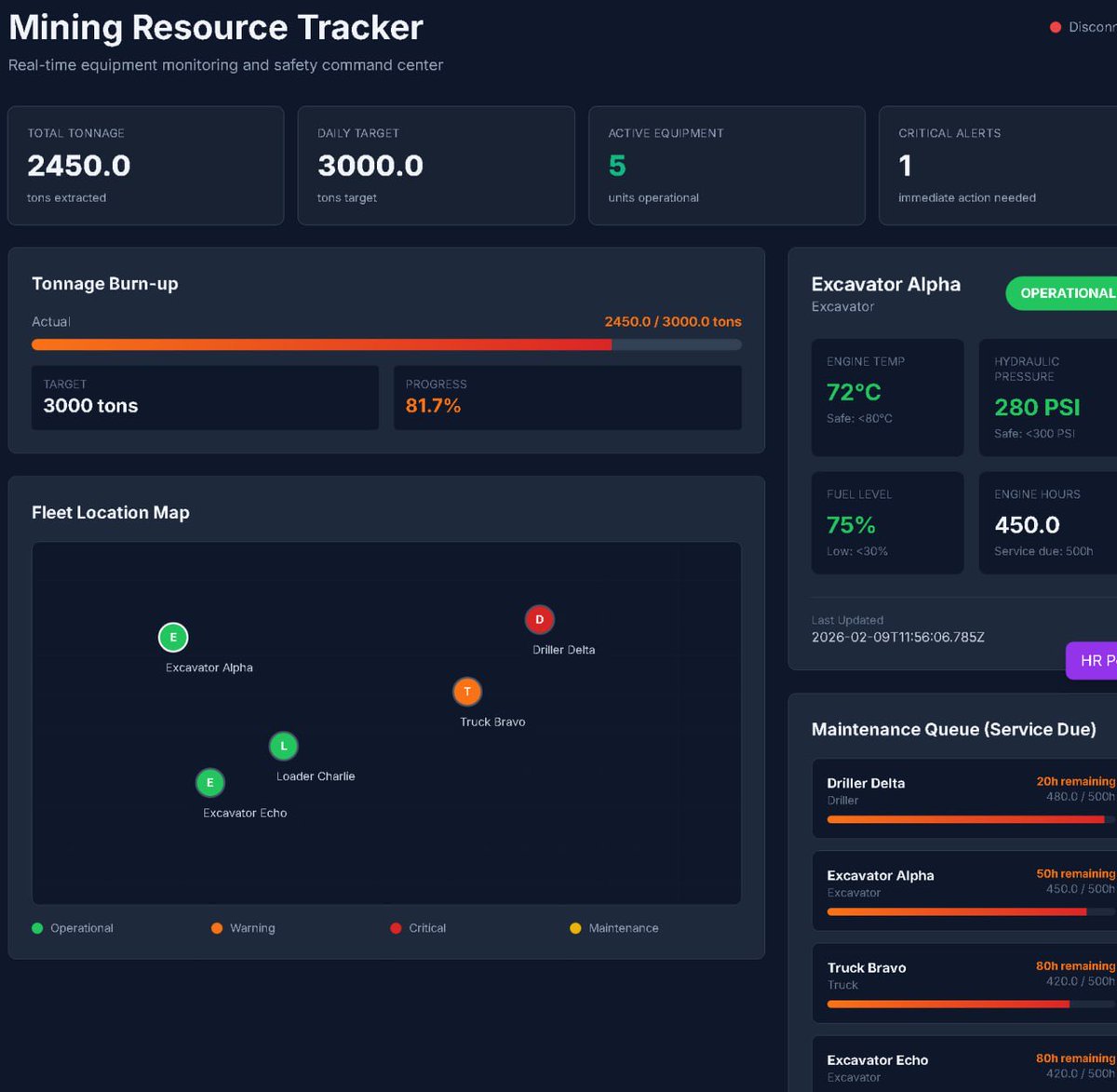
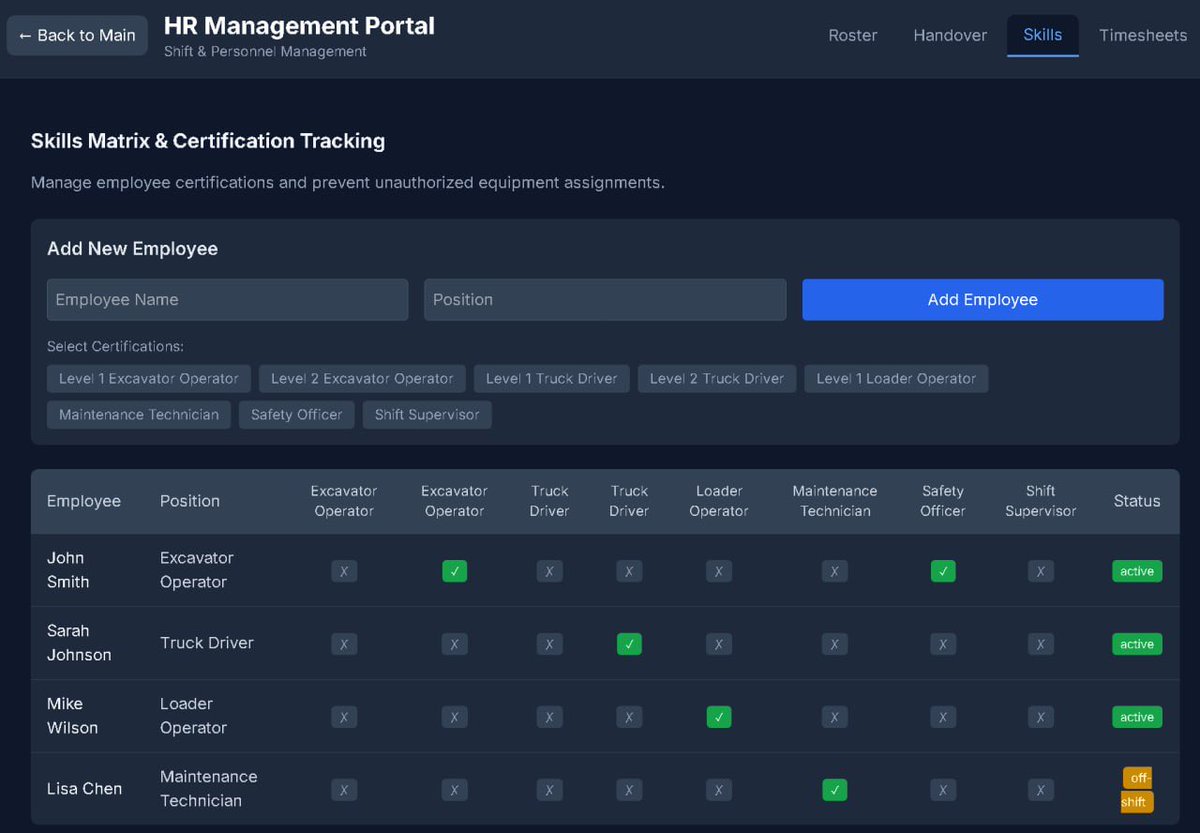
"Built a Mining Tracker for companies to monitor activities, equipment, and ops in real-time. Efficiency boost
incoming! '
#TechProjects
#MiningTech #DevLife"
1
1
3
39

Feb 20
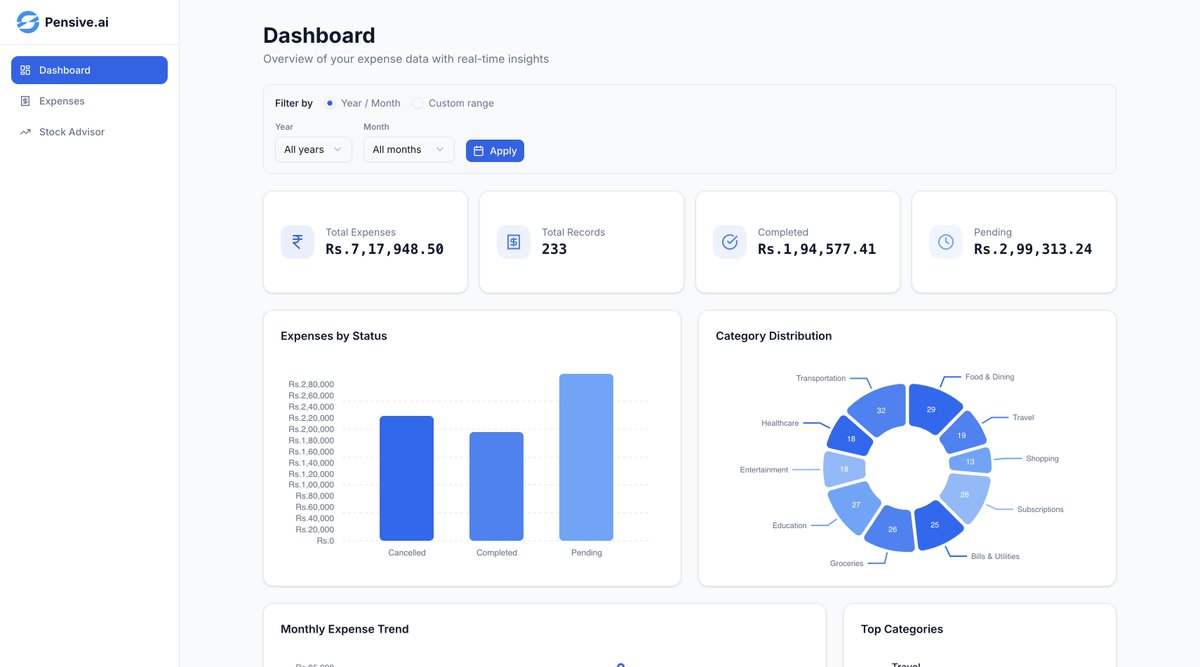
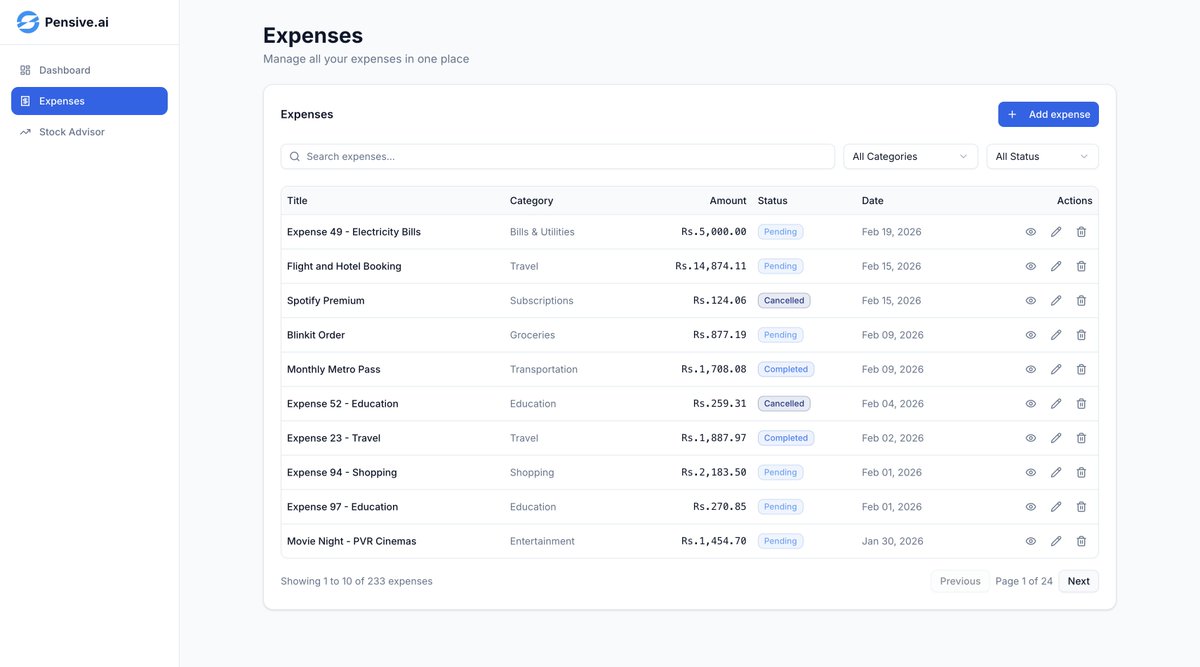
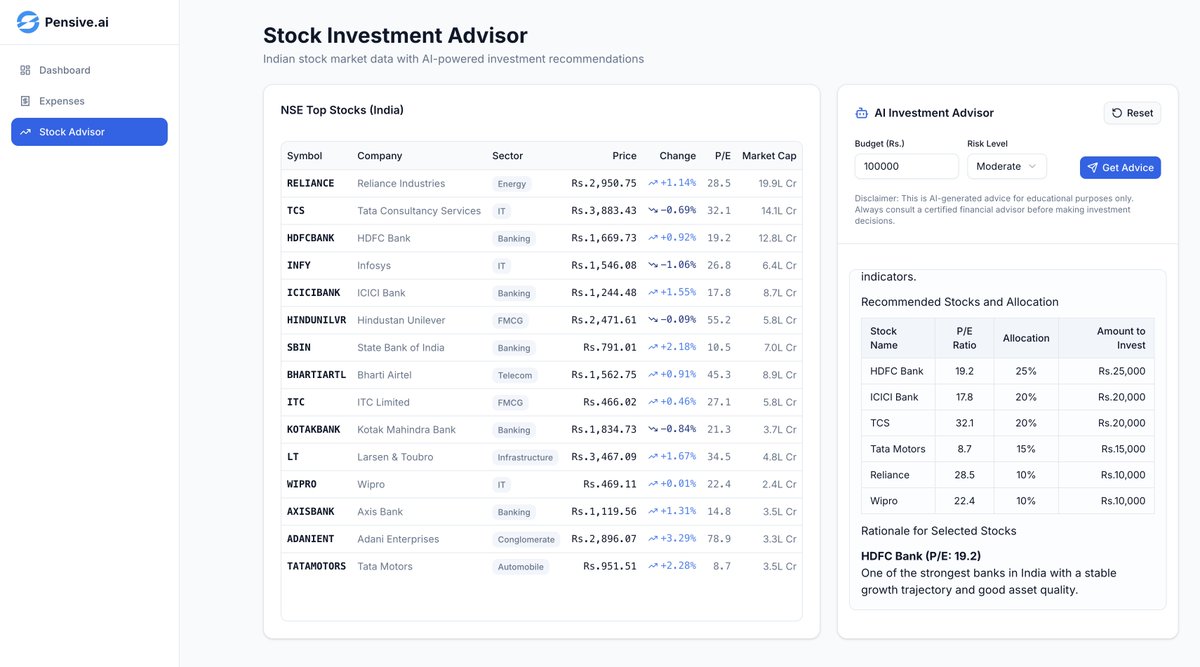
Vibe coded this in 2hrs.
Used - Next js, Fastapi, Supabase, Openai, Prisma
Live link - finance-management-dashboard…
#TechProjects
#BuildInPublic
#SideProject
#ProjectShowcase
#DevLife
#SoftwareDevelopment
#CodingJourney
#Developers
#TechInnovation
#ProgrammingLife
#FullStackAI
#GenAIIntegration
#vibecoding
#Practice
2
54