

Apr 29
Day77 Of #100DaysOfCode
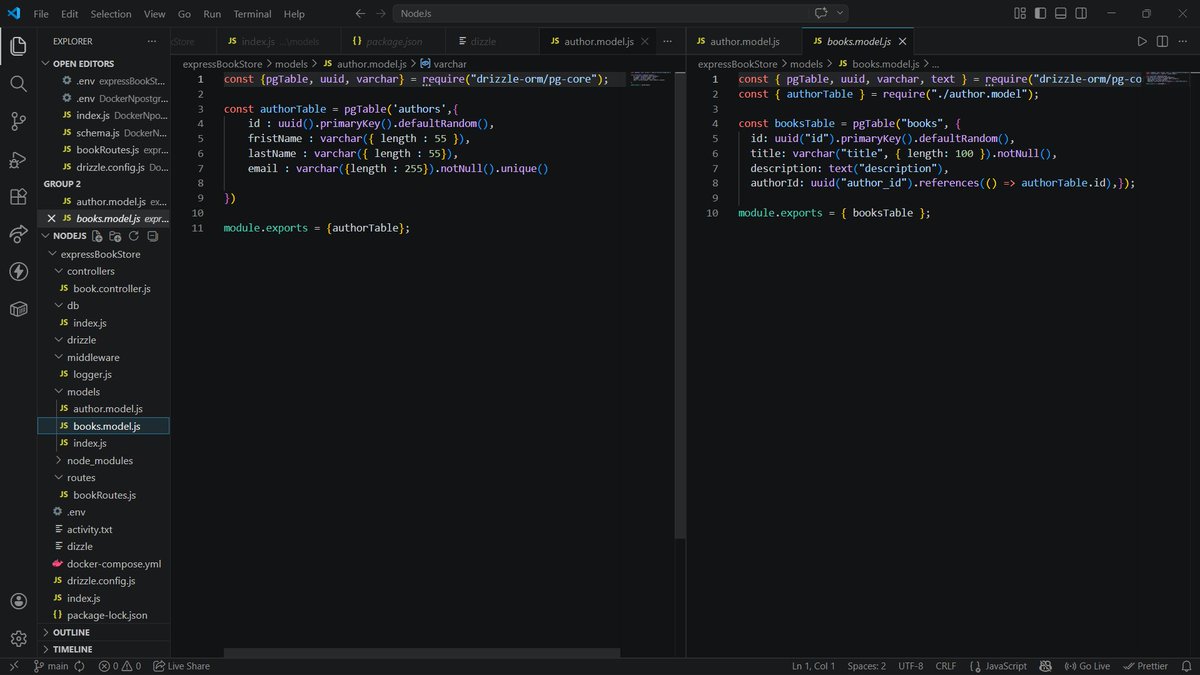
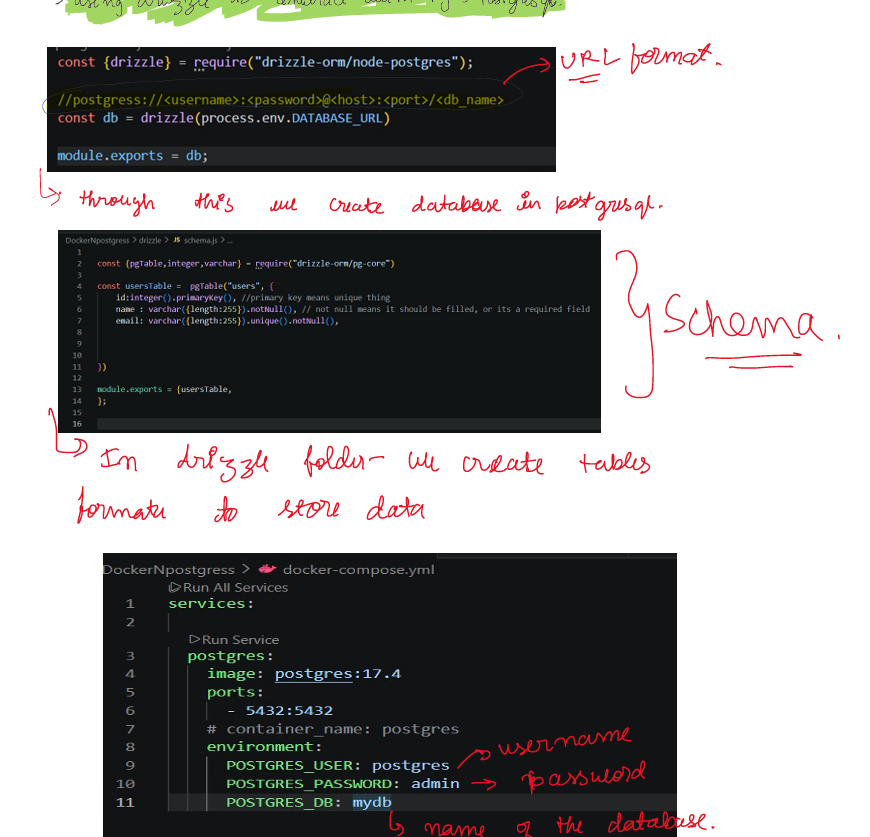
>Tested my CRUD bookstore in postman, created on drizzle studio
>Got to know about many drizzle commands i.e uuid,unique,primarykey,varchar,text, etc
#Docker #Postgresql #Nodejs #ExpressJs
2
9
134

Laravel 13 abraça os PHP Attributes como alternativa às class properties — e o resultado é código muito mais limpo.
Funciona em: Models, Controllers, Jobs, Commands, Listeners, Mailables, Notifications, Events, Form Requests, API Resources, Factories...
É opcional. Nada quebra. Mas depois que você experimenta, não volta mais. 👀
#Laravel #PHP #Laravel13 #CleanCode
```php
// Antes 😐
class User extends Model {
protected $table = 'users';
protected $primaryKey = 'user_id';
protected $fillable = ['name', 'email'];
protected $hidden = ['password'];
}
// Laravel 13 com Attributes 🎯
#[Table('users', key: 'user_id')]
#[Fillable('name', 'email')]
#[Hidden('password')]
class User extends Model {}
```
1
2
28

Apr 6
🔑 How Relationships Are Built in Oracle SQL:
CREATE TABLE customers (
cust_id NUMBER PRIMARY KEY,
name VARCHAR2(50)
);
CREATE TABLE orders (
order_id NUMBER PRIMARY KEY,
cust_id NUMBER,
item VARCHAR2(50),
CONSTRAINT fk_cust FOREIGN KEY (cust_id)
REFERENCES customers(cust_id)
);
• PRIMARY KEY → marks the unique identifier
• FOREIGN KEY → creates the link between tables
• REFERENCES → points to which table and column the FK links to
⚠️ What Happens if You Break the Relationship?
If you try to insert an order with a cust_id that doesn't exist in CUSTOMERS → Oracle throws an error.
This is called a Referential Integrity Constraint - it protects your data from becoming inconsistent.
🏛️ Oracle-Specific Notes:
• Oracle enforces FK constraints strictly by default
• You can add ON DELETE CASCADE → if a customer is deleted, their orders delete too
• You can add ON DELETE SET NULL → if a customer is deleted, cust_id in orders becomes NULL
• Oracle's CONSTRAINT keyword lets you name your constraints for easier debugging
🧠 Quick Summary:
• Entity = a real-world thing stored as a table
• Relationship = how two tables are connected
• 1:1 → one row links to one row (rare)
• 1:M → one row links to many rows (most common)
• M:M → needs a junction table in between
• FK REFERENCES = how Oracle builds relationships
• Referential Integrity = Oracle protects data consistency automatically
#OracleSQL #EntityRelationship #ERDiagram #DatabaseDesign #PrimaryKey #ForeignKey #RDBMS #LearnSQL #Day4 #100DaysOfCode #TechTwitter
4
116
Apr 5
🛡️ RDBMS follows ACID properties - this is what makes it reliable:
↳ A - Atomicity → all operations complete, or none do
↳ C - Consistency → database always stays in a valid state
↳ I - Isolation → transactions don't interfere with each other
↳ D - Durability → once saved, data stays saved even after a crash
This is why banks use Oracle - they cannot afford to lose even one transaction.
🏛️ Oracle-Specific Facts:
↳ Oracle Database is an RDBMS - it stores data in tables
↳ We use SQL (Structured Query Language) to interact with it
↳ Oracle supports all ACID properties out of the box
↳ In Oracle, every table lives inside a schema (a user)
🧠 Quick Summary:
• RDBMS = database with tables connected via keys
• Primary Key = uniquely identifies a row
• Foreign Key = links two tables together
• Relationship = how tables talk to each other
• Oracle DB = enterprise-grade RDBMS
• ACID = the 4 properties that keep data safe and reliable
#OracleSQL #RDBMS #RelationalDatabase #SQL #PrimaryKey #ForeignKey #ACID #LearnSQL #Day3 #100DaysOfCode #TechTwitter #BuildInPublic
5
112

Apr 4
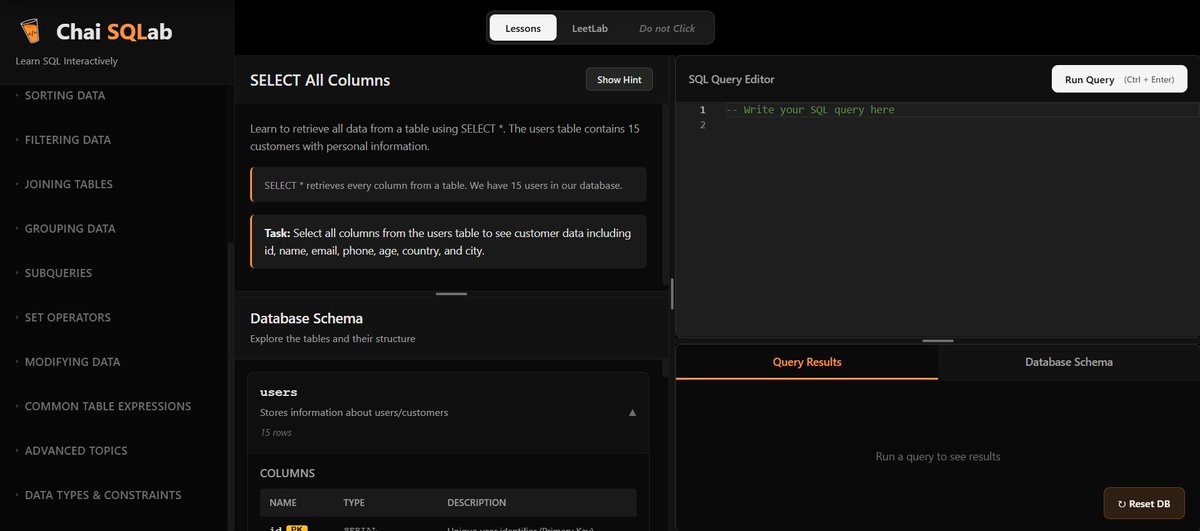
✅CLASS: 23
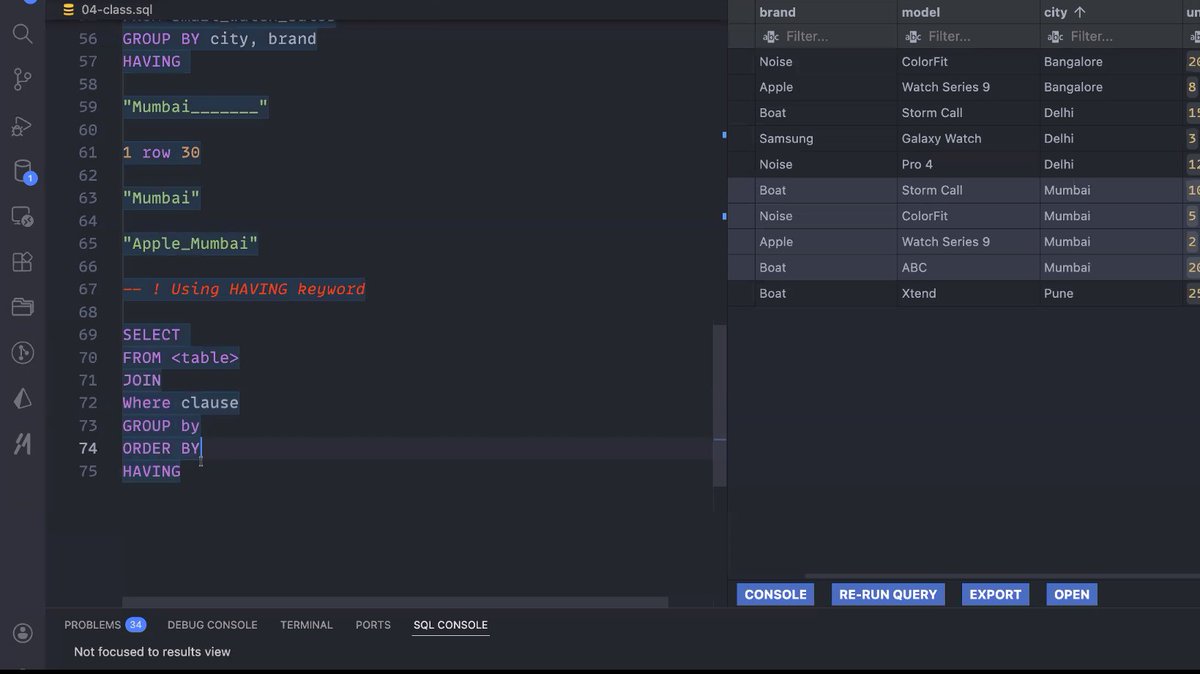
- Introduction to database(sql)
- SQL queries like CREATE TABLE, SELECT, ALTER TABLE, UPDATE TABLE
- datatypes like primarykey, serial, varchar, char, int, not null, unique
- Aggregation functions
Thanks @Hiteshdotcom @nirudhuuu and @piyushgarg_dev
#chaicode #chaisql
1
49
288

Jan 6
Handoff template/ use it when you're running out of context
# Persisted Information Handoff Prompt Template
This is an ultra-thorough prompt template for creating `persisted_information.md` files when approaching context limits. Copy this structure and fill in all sections comprehensively.
---
## PROMPT TEMPLATE FOR CONTEXT HANDOFF
```markdown
# Project State & Persisted Information
**Session**: [Descriptive session name - what are we building?]
**Last Updated**: [YYYY-MM-DD HH:MM timezone]
**Context Reset**: [Why is this handoff happening? e.g., "Turn 15 approaching token limit", "Switching from Fast to Autonomous mode", "Multi-day session checkpoint"]
**Agent Mode**: [Fast/Autonomous/Architect - current mode]
---
## Current Task Status
### Primary Objective
[One clear sentence describing the main goal - what is the ultimate deliverable?]
### Current Phase
**Active Phase**: [Phase N: Descriptive name]
**Progress**: [X% complete - be specific]
**Current Step**: [Step N-M: Exact task being worked on]
**Turn Count**: [Current turn / Mode limit]
**Blockers**: [Any impediments or issues requiring attention]
### Task Context
[2-3 sentences on what led to this task, why it matters, and what success looks like]
### Recent Work (Last 3-5 Turns)
1. **Turn N**: [What was done - be specific about files changed and outcome]
2. **Turn N-1**: [Previous action and result]
3. **Turn N-2**: [Earlier work context]
---
## Critical Runtime State
### Known Issues & Errors
**RESOLVED**:
- ✅ [Issue description] - Fixed in [file.tsx] by [solution approach]
- ✅ [Another resolved issue with specific details]
**ACTIVE**:
- ⚠️ [Current error or warning] - Occurs in [component/file] when [trigger condition]
- ⚠️ [Another active issue needing attention]
**DEFERRED**:
- 🔄 [Issue postponed] - Reason for deferral and when to revisit
### Application Status
- **Server Status**: [Running cleanly / Has warnings / Has errors]
- **Port**: [5000 or other]
- **Build Status**: [Clean / Warnings / Errors]
- **Console State**: [No errors / Known warnings listed below]
- **Hot Reload**: [Working / Not working]
### Non-Blocking Warnings
```
[List any Tailwind warnings, TypeScript info messages, or other non-critical console output]
```
---
## Architecture Decisions
### Tech Stack
**Frontend**:
- Framework: [React 18, Next.js, etc.]
- Styling: [Tailwind CSS, styled-components, etc.]
- State: [React Query, Redux, Zustand, etc.]
- Routing: [wouter, React Router, Next router, etc.]
- UI Library: [shadcn/ui, Material-UI, custom, etc.]
**Backend**:
- Runtime: [Node.js Express, Fastify, etc.]
- Database: [PostgreSQL via Drizzle, Prisma, MongoDB, etc.]
- API Style: [REST, GraphQL, tRPC]
- Auth: [Replit Auth, custom JWT, OAuth, etc.]
**Build/Dev**:
- Build Tool: [Vite, webpack, etc.]
- TypeScript: [Enabled/Disabled, strict mode?]
- Testing: [Vitest, Jest, none]
### Design System
[Comprehensive description of styling approach]
- Color System: [HSL, RGB, CSS variables approach]
- Typography: [Font families, size scale]
- Spacing: [Token system, utilities used]
- Components: [Component library details, custom patterns]
- Dark Mode: [Implementation strategy]
- Responsive: [Breakpoint system]
### Key Patterns Established
1. **[Pattern Name]**: [Description of pattern and where it's used]
- Location: [File paths]
- Rationale: [Why this approach]
2. **[Another Pattern]**: [Details]
### Critical Architectural Constraints
- [Constraint 1: e.g., "Never modify server/vite.ts"]
- [Constraint 2: e.g., "Always use HSL colors, not hex"]
- [Constraint 3: e.g., "Database changes via Drizzle migrations only"]
---
## File System Map
### Critical Files & Their Purpose
**Core Configuration**:
- `[file.config.ts]` - [Purpose and key settings] (Last modified: [date/turn])
- `[another-config.ts]` - [Purpose] (Line count: [N], Status: [clean/has issues])
**Data Layer**:
- `shared/schema.ts` - [Database schema details, key tables]
- `server/db.ts` - [Database connection config]
- `server/routes.ts` - [API routes structure]
**Business Logic**:
- `server/services/[service].ts` - [What this service does] ([N] lines)
- `[another-service].ts` - [Purpose and scope]
**UI Components** (Showcase-Ready):
- `client/src/components/ui/[component].tsx` - [Component purpose] (Dependencies: [list])
- `client/src/lib/component-inventory.ts` - [Registry of [N] components with metadata]
**Pages/Routes**:
- `client/src/pages/[Page].tsx` - [Route and purpose]
- `client/src/App.tsx` - [Router structure, key providers]
**Utilities & Helpers**:
- `client/src/lib/[utility].ts` - [Utility purpose]
- `client/src/hooks/[hook].ts` - [Hook functionality]
### Files Modified This Session
```
[file1.tsx] (Turn N) - [What changed and why]
[file2.ts] (Turn N-2) - [Changes made]
[file3.css] (Turn N-3) - [Updates]
```
### Recently Created Files
```
[new-component.tsx] (Turn N-1) - [Purpose, dependencies, status]
[new-service.ts] (Turn N-4) - [What it does]
```
---
## Code Patterns & Conventions
### Import Patterns
```typescript
// Standard import alias pattern
import { Component } from "@/components/ui/component"
import { utility } from "@/lib/utils"
// Service imports
import { apiRequest } from "@/lib/queryClient"
```
### Component Structure
```typescript
// Standard component pattern used throughout project
interface [Component]Props {
// Always type props with interface
property: Type;
}
export function ComponentName({ property }: ComponentProps) {
// Hooks at top
const [state, setState] = useState<Type>(initial);
// Event handlers
const handleAction = () => {
// Implementation
};
// Return JSX with proper data-testid
return (
<div data-testid="component-name">
{/* Content */}
</div>
);
}
```
### Data Fetching Pattern
```typescript
// TanStack Query v5 object form (always used)
const { data, isLoading } = useQuery({
queryKey: ['resource', id],
queryFn: () => fetch(`/api/resource/${id}`).then(r => r.json())
});
// Mutations with apiRequest
const mutation = useMutation({
mutationFn: (data) => apiRequest('/api/resource', 'POST', data)
});
```
### Styling Conventions
```typescript
// HSL colors only (NEVER hex)
className="bg-[hsl(220,14.3%,95.9%)] text-[hsl(220,8.9%,46.1%)]"
// Dark mode variants explicit
className="bg-white dark:bg-black text-gray-900 dark:text-gray-100"
// Tailwind utilities, no custom CSS unless necessary
className="flex items-center gap-4 p-6 rounded-lg"
```
### Database Patterns
```typescript
// Schema definition (Drizzle)
export const tableName = pgTable('table_name', {
id: serial('id').primaryKey(),
field: varchar('field', { length: 255 }).notNull(),
arrayField: varchar('array_field').array(), // Array method, not wrapper
createdAt: timestamp('created_at').defaultNow()
});
// Insert schema with zod
export const insertTableSchema = createInsertSchema(tableName);
export type InsertTable = z.infer<typeof insertTableSchema>;
export type SelectTable = typeof tableName.$inferSelect;
```
### Error Handling Pattern
```typescript
// Consistent error handling
try {
const result = await operation();
return result;
} catch (error) {
console.error(`[Context]: ${error.message}`, error);
throw new Error(`Descriptive error for user`);
}
```
---
## Dependencies & Package Ecosystem
### Core Dependencies
```json
{
"react": "^18.x.x",
"typescript": "latest",
"vite": "latest",
"express": "^4.x.x",
"@tanstack/react-query": "^5.x.x"
}
```
### UI & Styling
```json
{
"tailwindcss": "latest",
"@radix-ui/*": "[various versions - list key ones]",
"lucide-react": "[version]",
"framer-motion": "[version]"
}
```
### Database & Backend
```json
{
"drizzle-orm": "[version]",
"drizzle-kit": "[version]",
"@neondatabase/serverless": "[version]"
}
```
### Multi-Library Support (if applicable)
```json
{
"@mui/material": "[version]",
"@chakra-ui/react": "[version]",
"antd": "[version]"
// [Document wrapper strategy to prevent conflicts]
}
```
### Known Dependency Issues
- **[package-name]**: [Issue description and workaround]
- **[another-package]**: [Compatibility notes]
---
## Task Breakdown & Progress
### Completed Phases
- ✅ **Phase 1: [Name]** (Steps 1-1 to 1-N) - [Brief outcome]
- ✅ **Phase 2: [Name]** (Steps 2-1 to 2-M) - [Result achieved]
- ✅ **Phase 3: [Name]** (Steps 3-1 to 3-K) - [Deliverable]
### In Progress
- 🔄 **Phase N: [Name]** (Step N-M in progress)
- ✅ Step N-1: [Completed step]
- ✅ Step N-2: [Completed step]
- 🔄 Step N-M: [Current step - specific details of what's being done]
- ⏳ Step N-M 1: [Next step]
- ⏳ Step N-M 2: [Following step]
### Pending Phases
- ⏳ **Phase N 1: [Name]** (Steps pending)
- Description: [What this phase will accomplish]
- Dependencies: [What must be done first]
- Estimated scope: [Complexity/size]
- ⏳ **Phase N 2: [Name]**
- [Similar details]
### Deferred Tasks
- 🔲 **[Task Name]**: [Why deferred, when to revisit]
- 🔲 **[Another Task]**: [Deferral reason]
---
## Data & State Context
### Sample Data Structures
```typescript
// Critical data shapes used throughout app
interface PrimaryEntity {
id: number;
field: string;
// [Document all fields and their purpose]
}
// [Include other key interfaces/types]
```
### Current Database State
- **Records**: [Approximately N records in primary tables]
- **Schema Version**: [Migration number or state]
- **Test Data**: [Presence and nature of seed data]
### API Endpoints Map
```
GET /api/resource - [Purpose]
POST /api/resource - [Purpose]
PATCH /api/resource/:id - [Purpose]
DELETE /api/resource/:id - [Purpose]
GET /api/other/:param - [Purpose]
```
---
## Integration & External Services
### Active Integrations
1. **[Service Name]** ([Integration type])
- Environment Variables: `SERVICE_API_KEY`, `SERVICE_CONFIG`
- Setup Status: [Configured/Pending/Issues]
- Usage: [Where and how it's used]
- Documentation: [Link to integration docs if in project]
2. **[Another Service]**
- [Similar details]
### Secrets & Environment Variables
```bash
# Required (configured in Replit Secrets)
API_KEY="[Description of what this is for]"
DATABASE_URL="[Database connection details]"
# Optional
FEATURE_FLAG="[Purpose]"
# Not yet configured
PENDING_SERVICE_KEY="[What this will be for]"
```
---
## Performance & Optimization
### Known Performance Considerations
- **[Optimization 1]**: [What was done and why]
- **[Consideration 2]**: [Performance pattern to maintain]
### Bundle Size Notes
- Total bundle: ~[N]MB
- Largest dependencies: [List top 3-5]
- Code splitting: [Strategy if implemented]
### Caching Strategy
- **Client-side**: [React Query settings, cache invalidation patterns]
- **Server-side**: [Any caching layers]
- **Static assets**: [CDN or build optimization]
---
## Testing & Validation
### Test Coverage
- **Unit Tests**: [N tests across M files]
- **Integration Tests**: [Coverage areas]
- **E2E Tests**: [If any exist]
### Manual Testing Checklist
- [ ] [Critical user flow 1]
- [ ] [Critical user flow 2]
- [ ] [Edge case scenario]
### Known Test Failures
- **[Test name]**: [Why it's failing, plan to fix]
---
## Deployment & Infrastructure
### Deployment Status
- **Production URL**: [If deployed]
- **Last Deploy**: [Date/time if applicable]
- **Deploy Command**: [How to deploy]
- **Environment**: [Replit deployment config]
### Deployment Configuration
```typescript
// .replit workflow or deployment settings
run = "[command]"
build = "[build command if any]"
```
### Environment-Specific Concerns
- **Development**: [Any dev-only features or settings]
- **Production**: [Production-specific config needed]
---
## User Communication & Preferences
### User Working Style
[Describe the user's communication preferences, level of detail desired, technical comfort level]
Example:
- Prefers surgical, precise responses
- Challenges assumptions - wants proof
- Values structured, systematic approaches
- Fast mode preference with 3-turn target
### Session Mode Preferences
- **Current Mode**: [Fast/Autonomous/Architect]
- **Mode Changes**: [When and why mode switches happened]
- **Optimal Mode for Remaining Work**: [Recommendation with rationale]
---
## Next Steps & Priorities
### Immediate Next Actions (Next 1-3 Turns)
1. **[Action 1]**: [Specific task with file(s) to modify]
- Why: [Rationale]
- Blockers: [None / List if any]
2. **[Action 2]**: [Next task]
- Dependencies: [What must happen first]
3. **[Action 3]**: [Following task]
### Short-term Goals (Next Phase)
- [Goal 1 with success criteria]
- [Goal 2 with deliverable]
- [Goal 3 with validation approach]
### Long-term Vision
[Where is this project headed? What's the end state?]
---
## Important Warnings & Gotchas
### DO NOT
- ❌ [Critical thing to avoid - e.g., "Modify server/vite.ts"]
- ❌ [Another constraint - e.g., "Use hex colors instead of HSL"]
- ❌ [Third constraint - e.g., "Write raw SQL migrations"]
### ALWAYS
- ✅ [Required practice - e.g., "Use @/ import alias"]
- ✅ [Another must-do - e.g., "Include data-testid on interactive elements"]
- ✅ [Third requirement - e.g., "Validate with zod before database insert"]
### CRITICAL PATTERNS TO PRESERVE
1. **[Pattern Name]**: [Why it's critical, where it's used]
2. **[Another Pattern]**: [Details on preservation]
---
## Disabled/Broken Components
### Temporarily Disabled
- **[Component Name]**: [File path]
- Issue: [Specific error or problem]
- Plan: [How/when to fix]
- Workaround: [Alternative approach being used]
### Deprecated
- **[Old Component]**: [Why replaced]
- Replacement: [New component path]
---
## Documentation & References
### Project Documentation Files
- `[DOC_FILE.md]` - [What it covers, last updated]
- `[GUIDE.md]` - [Content overview]
- `[REFERENCE.md]` - [Purpose]
### External Documentation Links
- [Service Name]: [URL to docs]
- [Library Name]: [Relevant docs section]
### Design References
- Figma: [Link if applicable]
- Design System: [Link to internal docs]
- Color Palette: [Link or inline definition]
---
## Session Metadata
### Token Usage
- **Estimated Tokens Used**: [Rough estimate if known]
- **Context Window**: [% filled]
- **Reason for Handoff**: [Approaching limit / Mode switch / Other]
### Session History
- **Session Started**: [Date/time]
- **Total Turns**: [N turns]
- **Major Milestones**:
- Turn N: [Milestone reached]
- Turn M: [Another achievement]
### Handoff Preparation
- **Files to Read First**: [Priority files for new context]
1. [file1.ts] - [Why it's critical to read]
2. [file2.tsx] - [Context it provides]
- **Commands to Run**: [Any startup/validation commands]
```bash
npm run dev # Verify app starts
npm run db:push # If schema changed
```
---
## Quick Continuation Checklist
When resuming from this handoff:
1. [ ] Read this entire persisted_information.md
2. [ ] Review "Critical Runtime State" section for current errors
3. [ ] Check "Current Task Status" for active work
4. [ ] Review "Next Steps & Priorities" for immediate actions
5. [ ] Scan "Important Warnings & Gotchas" for constraints
6. [ ] Verify "Files Modified This Session" for recent context
7. [ ] Check "Dependencies & Package Ecosystem" for any install needs
8. [ ] Review "Code Patterns & Conventions" before writing code
9. [ ] Read priority files listed in "Handoff Preparation"
10. [ ] Continue from "Current Step" in task breakdown
---
**END OF PERSISTED INFORMATION**
*This document should enable complete continuity of work without re-explanation or context loss.*
```
---
## Usage Instructions
1. **When to Create**: As you approach turn limits or before context resets
2. **How to Populate**: Copy template above, fill ALL sections thoroughly
3. **What to Include**: Every detail that would require re-explanation
4. **What to Emphasize**: Active work, blockers, critical patterns, constraints
5. **How to Validate**: Could another agent pick up and continue immediately?
## Key Principles
- **Completeness**: Include everything needed to continue without questions
- **Specificity**: Use exact file paths, line numbers, error messages
- **Context**: Explain not just WHAT but WHY decisions were made
- **Priorities**: Make next actions crystal clear
- **Warnings**: Highlight all constraints and gotchas prominently
---
This template ensures zero context loss during handoffs.
3
83

9 Dec 2025
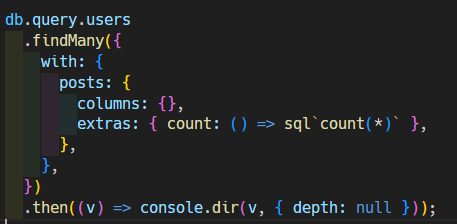
Drizzleは公式機能の db.$count が、テーブル名の変換ミスを起こすため使い物になりません
回避策として、手動でSQL文をぶっ込むと集合関数が使用可能になります
ただ、これを Pothos からやろうとすると、勝手に PrimaryKey を columns に突っ込むという、大きなお世話をしてくれるため詰みました
4
284


16 Oct 2025
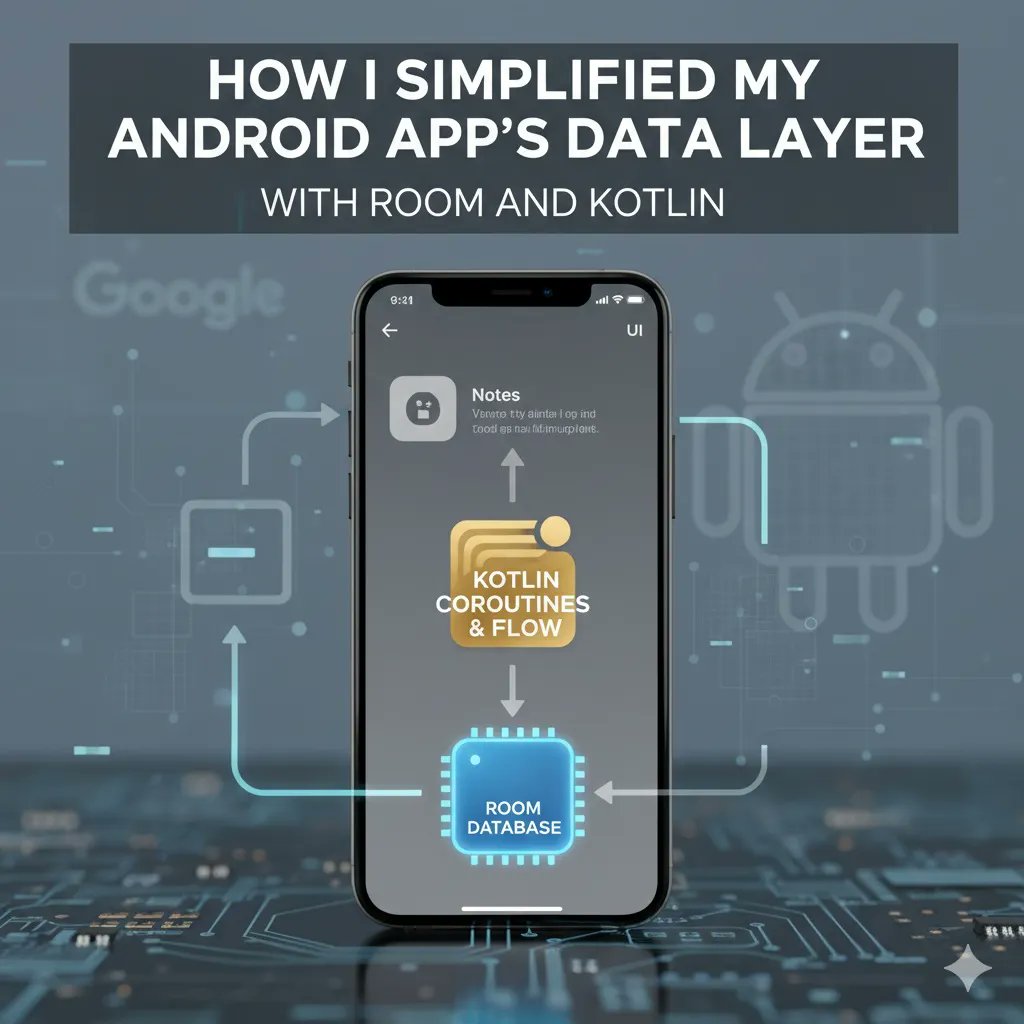
How I Simplified My Android App’s Data Layer with Room and Kotlin?
When building Android apps, managing data efficiently is one of the toughest and most repetitive challenges developers face. From writing SQL queries to handling migrations and caching, the data layer can quickly become messy and hard to maintain.
That’s exactly what happened to me, until I adopted Room, the official Android ORM (Object Relational Mapping) library, with the expressive power of Kotlin. The combination didn’t just simplify my code; it made my entire data layer cleaner, safer, and far easier to scale.
Why Room Matters in Modern Android Development
Before Room, the typical way to store local data in Android was through SQLite. While powerful, it had its drawbacks:
You had to write raw SQL queries manually.
There were no compile-time checks for query errors.
Data mapping between classes and database tables was manual and error-prone.
Migrations could easily break the app if not handled carefully.
Room fixes all of that by providing an abstraction layer over SQLite, so you still get the full power of SQL but with the convenience of type safety, annotations, and easy integration with Kotlin features like coroutines and Flow.
The Core Components of Room
Room works with three main components:
Entity: Represents a database table.
DAO (Data Access Object): Contains the SQL operations (queries, inserts, deletes, updates)
Database: Ties it all together and defines the connection to the actual database file.
Here’s how I structured mine:
Defining the Entity:
Each entity corresponds to a table. Here’s a simple example of a ‘User’ entity:
import androidx.room.Entity
import androidx.room.PrimaryKey
@Entity(tableName = "users")
data class User(
@PrimaryKey(autoGenerate = true) val id: Int = 0,
val name: String,
val email: String
)
The best part? You don’t need to worry about writing the ‘CREATE TABLE’ statement; Room handles that automatically.
Creating the DAO:
Instead of writing SQL queries directly, you define methods inside an interface or abstract class, and annotate them.
import androidx.room.*
@Dao
interface UserDao {
@Insert(onConflict = OnConflictStrategy.REPLACE)
suspend fun insertUser(user: User)
@Query("SELECT * FROM users")
fun getAllUsers(): List<User>
@Delete
suspend fun deleteUser(user: User)
}
Room validates your queries at ‘compile’ time, meaning you will know immediately if your SQL is invalid or not. A huge time-saver compared to debugging at runtime.
Building Database:
Finally, you tie everything together with a database class:
import androidx.room.Database
import androidx.room.RoomDatabase
@Database(entities = [User::class], version = 1)
abstract class AppDatabase : RoomDatabase() {
abstract fun userDao(): UserDao
}
You can then create an instance of your database using a ‘singleton pattern’, usually in your Application class:
import android.content.Context
import androidx.room.Room
object DatabaseProvider {
fun getDatabase(context: Context): AppDatabase {
return Room.databaseBuilder(
context.applicationContext,
AppDatabase::class.java,
"app_database"
).build()
}
}
How Kotlin Makes It Even Better:
Room was designed to work beautifully with Kotlin. Here’s how that synergy helps:
Coroutines:
You can run queries asynchronously using the ‘suspend’ functions. This keeps the UI smooth and responsive.
viewModelScope.launch {
userDao.insertUser(User(name = "Rajesh", email = "rajesh@gmail.com"))
}
Flow for Reactive Updates:
When you use ‘Flow’, the UI automatically reacts to database changes.
@Query("SELECT * FROM users")
fun getAllUsersFlow(): Flow<List<User>>
Combine that with ‘LiveData’ or ‘Compose’ state management, and your data of the app updates seamlessly.
Data Classes:
The ‘data class’ of Kotlin works perfectly with entities of Room framework, keeping your models concise and readable.
Simplifying Migrations
Another plus point is ‘built-in migration’ handling of ‘Room’. Instead of manually re-creating tables, you just define a migration strategy:
val migration1to2 = object : Migration(1, 2) {
override fun migrate(database: SupportSQLiteDatabase) {
database.execSQL("ALTER TABLE users ADD COLUMN phoneNumber TEXT")
}
}
Then include it when building the database:
Room.databaseBuilder(context, AppDatabase::class.java, "app_database")
.addMigrations(migration1to2)
.build()
What I Learned from Using Room?
After integrating Room in my app, a few things became clear:
Consistency beats complexity.
With clear data access patterns through DAOs, my code became consistent and easier to debug.
Type safety saves time.
I stopped wasting hours fixing query-related runtime crashes.
Kotlin Room = Developer Delight.
The natural integration with coroutines and Flow made asynchronous operations painless.
Scaling became easier.
Adding new entities or changing database structures was much simpler with migrations and annotations.
When Not to Use Room
While Room is great, it’s not perfect for every scenario. For instance:
If your data is temporary or cached from APIs, use ‘DataStore’ or ‘Preferences’ instead.
If you need complex relational operations (such as; joins across multiple tables frequently), you might have to consider alternatives like ‘Realm’ or ‘ObjectBox’ for performance.
Room isn’t just a convenience. It’s a game changer for Android app development architecture. Combined with Kotlin, it makes your local data layer robust, testable, and clean.
When I migrated my app from raw SQLite to Room, I came across fewer crashes, simpler debugging, and faster development cycles. It felt like cleaning up a messy stuff.
So, if you are still juggling raw SQL or a messy local data setup, do yourself a favour; adopt Room with Kotlin.
ALT Android development, Room Framework and Kotlin Programming
1
10
1,667

22 Aug 2025
primarykey primarykey like
22 Aug 2025

主キー 主キー だいしゅき
2
386


19 Jul 2025
#CakePHP news fresh out of the oven: dereuromark.de/2025/07/19/im… A new improved (PrimaryKey)Session authenticator is available now, as well as an improved configuration option for the stack of authenticators having each their own identifiers now.
2
2
3
152


13 Jun 2025
Dovetailing as in every integer points at exactly 3 integers: its 2 childs as its primaryKey which can have no cycles (DAG), and 1 evalsTo edge which can have cycles, and I can sort treemaps by such integers that sometimes exceed 1 googolplex but are far less than a googolplexian
2
2
21

12 Jun 2025
MasterMemoryとsqlite-netで同じクラスをテーブルに使おうと思ったら [PrimaryKey] がコンフリクトしちゃうから
[MasterMemoryPrimaryKey]
[SQLitePrimaryKey]
みたいなエイリアスを作って使ったんだけど、これだとMasterMemoryが自分のPrimaryKeyAttributeを見つけられないのでダメっぽい。
1
4
930

10 May 2025
どっちかと言うと夫婦別姓の前にマイナンバー導入時に戸籍システムはマイナンバーをPrimaryKeyにしたリレーショナルデータベースに作り変えるべきだったんだよな。
マイナンバーが中途半端なのが何より悪い。
10 May 2025

「結婚のタイミングで姓が変わることで受ける不利益を解消する」という課題に対して、最小限の影響で課題を解決しよう(戸籍はそのままで姓を変えないだけ)というのが合理的なのだけど、せっかくだからと戸籍のあり方まで手をつけて話を複雑化させようとするのこそ非合理的ではないかと思う。
3
2
18
1,478

23 Mar 2025
Drizzle ORM is a lightweight, type-safe, and developer-friendly tool for working with databases in TypeScript and JavaScript. It simplifies database interactions by closely mimicking SQL syntax while leveraging TypeScript's type system to ensure type safety and autocompletion throughout your queries.
For example, you can define a table schema like this:
import { mysqlTable, serial, varchar } from 'drizzle-orm/mysql-core';
export const users = mysqlTable('users', {
id: serial('id').primaryKey(),
name: varchar('name', { length: 256 }),
email: varchar('email', { length: 256 }),
});
This makes it easy to perform operations like selecting users from the database:
const users = await db.select().from(usersTable).where(eq(usersTable.id, 1));
Drizzle is particularly great for developers who already know SQL, as it feels intuitive and allows for raw SQL queries when needed. It's also optimized for serverless environments due to its lightweight design.
89

27 Feb 2025
CIA really outed their own agents cus of a SQL auto increment
CovidVaxId AUTOINCREMENT PRIMARYKEY
26 Feb 2025

🚨 SCOOP: The CIA forced officers and staff to get the vaccine and then screwed up the serial numbers on the Covid cards - so foreign governments knew who was CIA and who wasn't based on a particular series of numbers.
The agency asked everyone to turn in their Covid cards and be reissued a new card with new serial numbers.
The damage was already done, as officers traveled and uploaded the required Covid documentation before the "logistical error" was discovered.
Also a tax payer waste - reminds me of when the US Gov purchased Afghan uniforms green camo in the DESERT.
2
7
921

18 Feb 2025
I believe it just adds the `WHERE` constraint for the proper primary key since it can be customized via the `$primaryKey` property in the model.
1
2
68